Loading video...

Video Failed to Load

Go Home

Dreamina's masterfully built next-gen AI video model serves to essentially change the game. Stepping dynamically from "clip stitching" to "long narrative × multi-asset × powerful editing" — let's review what's actually new: Seedance 2.5 is completely live worldwide on Dreamina — today — while a broader US rollout begins...

12,521 views • 4 days ago •via X (Twitter)

0 Comments

No comments available

Comments from the original post will appear here

Related Videos

Dreamina AI is an official platform for Dreamina Seedance 2.5. It brings cinema-grade, professional-grade, and high-aesthetic visuals to life with unmatched performance. Made with Dreamina AI Seedance 2.5 via its official platform: Dreamina AI prompt 30-second ultra-realistic K-pop MV featuring two young East Asian women with flawless synchronization, cinematic lighting, glossy skin, realistic hair and fabric physics, natural body motion, and 4K live-action quality. Vibrant hot pink, electric blue, and silver color palette. 0–2s: Wide shot in a bright circular pink studio with reflective floor. Pink-haired woman (left) and black-haired woman (right) perform energetic opening pose and synchronized dance. 2–4s: Medium close-up of the black-haired woman on a blue spotlight stage, confidently pointing at the camera. 4–6s: Pink-haired woman dances before shimmering blue-silver tinsel curtains, dramatic hair flip and fluid arm movements. 6–8s: Back to the pink studio. Both perform synchronized choreography with sharp arm waves, hip sways, and strong formations. 8–10s: Extreme close-up of both faces against a blue background, glossy makeup, subtle smiles, and direct eye contact. 10–14s: Solo shots at the tinsel backdrop. Pink-haired woman mouths lyrics and gestures confidently, followed by the black-haired woman with relaxed jacket styling. 14–18s: Pink studio. Coordinated jacket choreography, hair flips, powerful synchronized dance, ending hands-on-hips. 18–22s: Glamour close-ups. Black-haired woman under glittering bokeh lights, then pink-haired woman with wind-blown hair against a soft pink background. 22–24s: Blue spotlight stage. Mirrored black-haired performer effect with synchronized spins and flowing hair. 24–26s: Both walk confidently toward the camera in front of shimmering tinsel curtains, reflections visible on the floor. 26–29s: Final synchronized dance and ending pose in the pink circular studio, standing together and looking into the camera. Style: Hyper-realistic live action, Seedance 2.5-quality motion realism, perfect lip sync, natural weight shifts, flowing hair, realistic fabric simulation, polished K-pop music video cinematography. #DreaminaSeedance25 #DreaminaAI

Sharon Riley

117,066 views • 3 days ago

Seedance 2.0 is allowing us to enter a new era of music video creation. Here is how I created HONEY. It was a quick test to see how well this workflow holds up. 🐝 1 - Write your song and generate the music with Suno 5.5. 2 - Use an image generator of your choice. For HONEY I combined both Grok Imagine for aesthetics and Nano Banana Pro for refined editing. 3 - In Capcut I import my audio and just save out a blank video video containing the audio. This step is important because this video file containing audio will now be used with Seedance 2.0 as a video reference with Omni. This allows the AI to apply automatic and realistic lipsync and movement to the music, it's extremely powerful! 4 - Once I have a both my image and video with audio as reference, I use Seedance 2.0 Omni and upload my starting image and then the video reference with the audio. 5 - From here I'm simply prompting like normal, specifying what's happening in my scene with detailed instructions, mentioning multi shots and camera angle changes and then specifying that the person is singing along to the song. I type out the lyrics that are present to have better lipsync accuracy. 6 - Once I have generated a video and like the result, I do video to video, so i upload that video that just got generated and type "The scene continues" and prompt new actions to take place. This allows you to expand on a narrative. These new shots can be used as B-ROLL and since I uploaded my video as reference I have full consistency of everything it saw in the video. This is also extremely powerful. 7 - This is actually the most difficult part. Edit in Capcut. This is where you need to understand pacing and shot selection from all the scenes you generated to bring it all together. You must be strategic with the editing. Goodluck! I'll probably record a video tutorial at some point as it's easier to see what is being done.

Travis Davids

19,236 views • 3 months ago

AI video just had its Fable moment. Seedance 2.5 is coming, and I actually think there's a huge opportunity to print money once it releases. AI UGC ads have quietly become one of the best-performing marketing tools. Brands will always need a constant volume of video content, testimonials, demos, unboxing videos, etc., yet paying for real influencers is extremely time inefficent/expensive. If you know how to create high-converting AI ad videos, I have no doubt you can absolutely print with this business model (and people already are). If I wanted to make my first $5k online with AI UGC, this is exactly what I'd do: Step 1. Learn the tools Get access to Seedance 2.5 the day it launches - Higgsfield has unlimited Seedance for 14 days once it releases. Spend a weekend learning what separates generic AI slop from something that actually looks like real UGC (tons of inspiration on TikTok). Step 2. Build a sample portfolio Pick 3-5 real products (things you already own or can screenshot online) and create sample UGC ads for each: a testimonial style, an unboxing style, a demo style. This becomes your proof of work before you ever pitch anyone. Step 3. Sourcing clients Look for small ecom brands, supplement companies, phone accessory brands - really anything running Meta ads right now. Even better if they're already budgeting and running AI video ads. Step 4. Offer Don't say "I make AI videos." Sell the outcome of cheaper/faster UGC. Tip: at first, it may even just be a good idea to work for free to gain experience (learn how to manage clients, refine your pitch, etc.) Step 5. Reuse everything Every UGC ad you make should become a portfolio piece, a case study, and future content for your own page showing the results. This is how you build a proper client portfolio. So many huge opportunities here with AI video and media. People are already making $20k+/mo on TikTok with this model.

Miles Deutscher

23,310 views • 4 days ago

Here are 10 AI video editor GitHub repos worth bookmarking: 1. Shotcut Most actively maintained open source video editor in 2026. 14K stars. Cross-platform with AI-assisted features. Just shipped a new release April 30, 2026. 2. Kdenlive The closest open source alternative to Adobe Premiere Pro. Multi-track editing, proxy editing, VST audio, and customizable workspace. Best for professional workflows. 3. OpenShot The easiest entry point for beginners. Drag and drop, 400+ transitions, 3D titles, and AI-assisted trimming. 5,700 stars. 4. Blender Not just 3D. Blender's video sequence editor and compositing pipeline is used in professional film production. 18,300 stars. Unmatched for VFX. 5. Recordly Screen recorder with auto-zoom, cursor polish, webcam overlays, and styled frames built in. Built for demo videos and walkthroughs. 6. Wan2.1 Alibaba's open source text-to-video model. Cinema-grade 1080p generation. Apache 2.0. The gold standard for open source video generation in 2026. 7. HunyuanVideo Tencent's 13B parameter open source video model. 11.9K stars. Handles 720p and 1080p with high temporal coherence. 8. CogVideoX Apache 2.0 licensed. Loads natively via Hugging Face Diffusers. Strong prompt following and smooth frame transitions. Needs 16GB VRAM minimum. 12.5K stars. 9. Open-Sora Most starred open source video generation project at 24K stars. Full training pipeline for $200K. Production-level output quality. 10. Mochi 1 Focused entirely on motion quality. The most natural-looking physics of any open source video model. Water, fabric, and human gestures without AI jitter. Apache 2.0.

Kanika

17,726 views • 1 month ago

no money for grok or midjourney? this tool is for you. there's a FREE tool created by an anon dev. open-source. runs locally. 117k stars on github. it generates: > images & video > 3d models > audio > 20+ models here's how to set it up in under 5 minutes: 1️⃣download ComfyUI Desktop go to and grab the desktop app for your system. windows 10+, mac (apple silicon), or linux. it installs like any normal app, it sets up python and every dependency for you in the background. no terminal, no config files. 2️⃣open it first launch, it spins up its own environment automatically. you just wait a few seconds and you're in. you'll land on a node canvas, that's the whole interface. 3️⃣load a starter workflow top menu → Workflow → Browse Templates → Image Generation. click it. this drops a ready-made setup onto your canvas so you don't build anything from scratch. 4️⃣grab a model comfyui ships empty on purpose, the model is the brain, and you pick it. in the template, the "Load Checkpoint" node has a Download button when no model is installed. click it. it pulls one in for you (a few GB, this is the only real wait). 5️⃣install ComfyUI Manager this is the one add-on you don't skip. it lets you install models, custom nodes, and updates with a click instead of the command line. grab it from github (link in comments). it's the difference between fighting comfyui and flying in it. one honest note: an NVIDIA gpu makes this fast, apple silicon works great too, and a weak machine still runs it just slower. that's the whole setup. you now own an image, video, and 3D studio that costs you nothing per month. save this. and the next time grok or midjourney asks for your card. you won't need it. disclaimer: comfyui itself is 100% free. so are the local models (sdxl, flux, wan 2.2, ltx-2). some premium models like seedance are pay-per-use api models, only if you want top-tier quality. the free local ones cover most of what you need. (github link in the comments) follow and turn on post notification for daily AI contents.

m0h

14,542 views • 1 month ago

I made over 2.5 million dollars this past week betting sports. Yes, it sounds easy. Yes, it sounds simple. But the truth is, this is the result of years of obsession, discipline, and grinding at my craft. I spent four straight years playing poker 18 hours a day. That was my entire life. Wake up, play poker, think about poker, sleep, repeat. That level of focus is how I became one of the top players in the world and made over 10 million dollars playing poker. Poker built my foundation. Discipline, risk management, emotional control, and the ability to perform under real pressure. But the reality is, there are no billionaires in poker. There are billionaires in sports betting. So I went all in on sports betting and walked away from poker completely. I took everything I learned and built this the right way. I hired the best analysts and handicappers in the world, people I met through poker, and brought them together under one operation. Because of the platform I’ve built, these guys make more money working with me than they ever could on their own. That is how I’m able to operate at an extraordinary level and consistently win at a very high rate. Winning 2.5 million dollars in a week is incredible, and I’m grateful, but I’m not satisfied. I’m constantly sharpening my edge and building something bigger. My vision is to turn this into a nine figure a year business. I truly believe I’m on the path to becoming a billionaire one day. I think back to being a kid, dreaming of being a professional gambler, having a gambling themed bar mitzvah, and looking up to my father, one of the best poker players in the world. This path has been inside me for a long time. Today, my entire life revolves around becoming the best sports bettor possible. I wake up thinking about it, go to sleep thinking about it, and live it every single day. Grateful for the journey. Let’s keep going.

Sean Perry

106,001 views • 6 months ago

I’ve tested dozens of AI video tools for ecommerce ads. Most still look obviously fake. They either distort the product, break character consistency, or completely miss the pacing that makes viral content actually work. Wizstar was the first one that genuinely surprised me. I tested Wizstar’s Wizstar_official Video Reference workflow using a viral-style ad, and honestly… I wasn’t ready for how accurate it would be. It didn’t just “generate a similar video.” It recreated the entire feel of a high-performing ad — the pacing, the transitions, the camera movements, even that subtle “social-first” storytelling rhythm that usually takes real creative teams to get right. And the wild part is… it still kept the product completely stable across brand-new scenes. No distortions. No weird AI shifts. Just clean, consistent visuals from start to finish. What really impressed me is that Video Reference isn’t just copying visuals at all. It actually analyzes the structure behind viral ecommerce content — things like: - how the hook is built, - how attention is retained across cuts, - and how emotion is paced through the video. Then it rebuilds that logic into a completely new ad, optimized for product testing and fast campaign iteration. And it feels like it understands performance content. The workflow also handled synchronized audiovisual timing surprisingly well — cuts land where they should, motion matches the sound, and the storytelling flow feels intentionally designed, not randomly generated. Combined with stable product consistency and influencer-style framing, the final output honestly felt closer to a real paid social campaign than anything I’d expect from an AI tool. What surprised me is that Wizstar isn’t powered by just one model—it orchestrates multiple top-tier AI models, including Seedance 2.0, and even supports face input out of the box. If you’re curious to try it yourself, you can test it here: New users get free credits, and the first membership is only $19 — plus a complimentary 30-second E-commerce Agent experience included. #Wizstar

Doreen

153,944 views • 2 months ago

⚡️We are excited to announce that our new no-code Enterprise Platform is NOW available in private beta! As RAG apps advance from prototype to production we’ve been overwhelmed by requests for an enterprise grade solution to provide these applications with the data they need. Designed to make it easy to get your data #RAGready, our Platform can preprocess more than 25 file types and soon will be fully #multimodal, also able to ingest audio, video and image files. We ship with a baseline suite of source connectors, including Amazon Web Services S3, Microsoft Azure Blob Storage, OneDrive, SFTP, Databricks Delta Table, Google Drive, Salesforce, Elastic, OpenSearch, and Google Cloud storage with many more fast following. Platform transforms your documents into a standardized JSON schema, broken down into semantically coherent elements allowing you to reconstruct your document in the manner most useful to you. Want only the narrative text but not the headers and footers? This is entirely configurable through the UI. Additionally, we generate more than 30 types of metadata for each element to make it easy to curate the data being written downstream and to support metadata filtering during retrieval. Smart chunking and the ability to choose from a range of embedding models are in from launch, delivering a turnkey solution for chunk and embedding experimentation. As for destination connectors, we've got that covered too, with Amazon Web Services S3, Pinecone, Chroma , Weaviate AI Database, Google Cloud storage, MongoDB, Microsoft Azure cognitive search, PostgreSQL, Elastic, OpenSearch, and Databricks Delta Table. And of course, all of this can be scheduled to keep your data continuously hydrated. The private-beta is live today! Sign-up to get access and come build the future of LLM data foundations with us: 🚀 #ETLforLLMs #AI #DataPreprocessing #DataScience #DataTransformation #LLMs #ETL #ML #PreppingData #MachineLearning #RAG #Engineer #Unstructured #Unstructuredio #RetrievalAugmentedGeneration #multimodal #AIJobs

Unstructured

21,874 views • 2 years ago

You have to really give it to OpenAI because Sora 2 is very impressive on a lot of fronts: - high quality video model with great physics - high quality audio in each video - high character consistency - multiple characters in one scene - accurate characters voice - social platform attached to it Before today the best AI video models were dominated by Chinese companies like ByteDance and Kuaishou and Google with Veo3. ByteDance makes TikTok, Kuaishou makes Kwai (similar app) and Google has YouTube to train on But none of these models had great character consistency, if it was a feature at all, let alone multiple characters in one scene. Generally you'd make a video and the face would slowly change into someone else, just not good On top of that Google was struggling with allowing people to upload characters scared it'd get abused for deep fakes, and just generally nerfing their model so you can't really use it for anything OpenAI solved that by re-thinking ownership over your characters smartly with Cameo, which is essentially "train yourself as a AI model" which we've all been doing in our apps for years, but in a more smart way, where you can control if only you make content with your appearance, or others too They've also added voice training to it immediately, which people would have to do separate on for ex ElevenLabs before On top of that the social platform aspect: Google's Veo 3 didn't have ANY community at all, while the Chinese video models did, but it was all more like weekly themed contests to win free credits, they never really managed to make it more than that, and it kinda stayed in this nerdy AI hacking vibe This vibe fits how hard it was/is to simply make a video featuring you or your friends with proper voice and audio and everything that Sora 2 does for you. You'd have to go to ElevenLabs to train your voices, then go to for ex Photo AI to train yourself as a person, then make videos, then add audio and voices, then edit them together, a lot of work! We don't know if Sora 2's social platform features will actually be used or take off, but it's a real cool experiment in trying to find a way to build a community around AI in a more Instagram-like way Being able to tag your friends and then add them as multiple characters is innovative in both the social and technical aspect So TL;DR OpenAI essentially took a lot of stuff that was already technically possible, then added new things that weren't possible yet, and then put it all together in a very friendly interface that even my mom can use, with generation times of just a few minutes which is extremely fast if you think of the pipeline behind it (multiple video generation + voice + audio etc.) And also importantly, it doesn't look like they nerfed it much for safety which is also very cool considering the legal risks So yes very very very impressive

@levelsio

178,100 views • 10 months ago

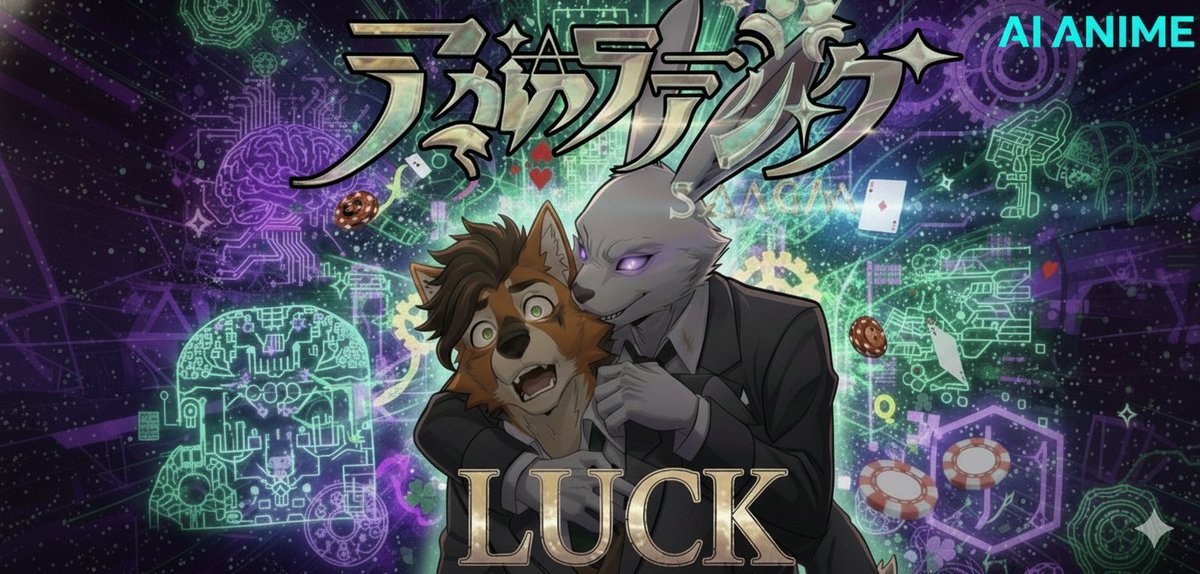
Sora 2 has the capabilities to make an entire anime episode with time and effort. This is a turning point for generative AI models and it is terrifying to think what is next to come. The difference between Sora and Sora 2 is absolutely staggering. Yes, this looks cool. I put the time into it to make it as close to art as possible. This was not simple to make and not just prompting and throwing it in some editor. Every frame is generated of another scene and even the reference image for characters I used to start this project were AI generated. This was all created with 10 second clips pulled apart and chunked out into the final product. Regardless of the imagery you see, I did not directly use any artist's art for this video. This 10-minute video was generated over the course of a week from more than 700 text prompts. It was built on technology trained by scraping the uncredited, uncompensated contributions of countless human artists and animators. The creation of this single video consumed an enormous amount of energy and water, equivalent to powering a home for days and requiring hundreds of liters of fresh water for cooling. But that is nothing. In the 10 minutes you spend watching this, the global network of AI video generators will create over 6,250 more short videos. The combined energy required for that 10 minutes of global creation is enough to power an average household for nearly 2 years. - It's a double-edged sword. While AI uses immense amount of energy has clear immoral issues with scalping the hard work of artists, this also provides those a medium who have potentially spent their life attempting to draw out the ideas in their head and failing to grasp it. My sister is an artist, I grew up always attempting to draw but never could get the image in my head on paper, I've spent the better part of over 20 years to teach myself through watching videos and practice, however I don't have steady hands and frankly have just been unable to make any vision come to life. Which brings me to the conflict here. This would have been a dream of mine to be able to get frames created and flesh out the story in my head. To make this video professionally, it would be an absurd amount of money. A small studio by itself would be over a million dollars just to start up. To hire a studio would be most likely over ~200k. I would love to make this story I have in my head through legit and traditional means, I would love to start a Kickstarter to get funding and hire artists, voice actors, and a production team. However I know that would most likely be an impossible reach that would further fuel the hate. Regardless, I understand the worry this causes. The fear this produces. However, we can't just ignore where AI is currently at and just tell people not to use it or even worse threaten people who use it. People will always use the shiny new toy in front of them, so the real question is how do we either make it work for us and work along side it, or how do we ACTUALLY implement a method to protect art rather than tell people to not use it. Respect your artists. Review their ToS and don't upload their hard work to a model without permission.

LUͦʷCͦk

18,417 views • 9 months ago