Video yükleniyor...

Video Yüklenemedi

Ana Sayfaya Dön

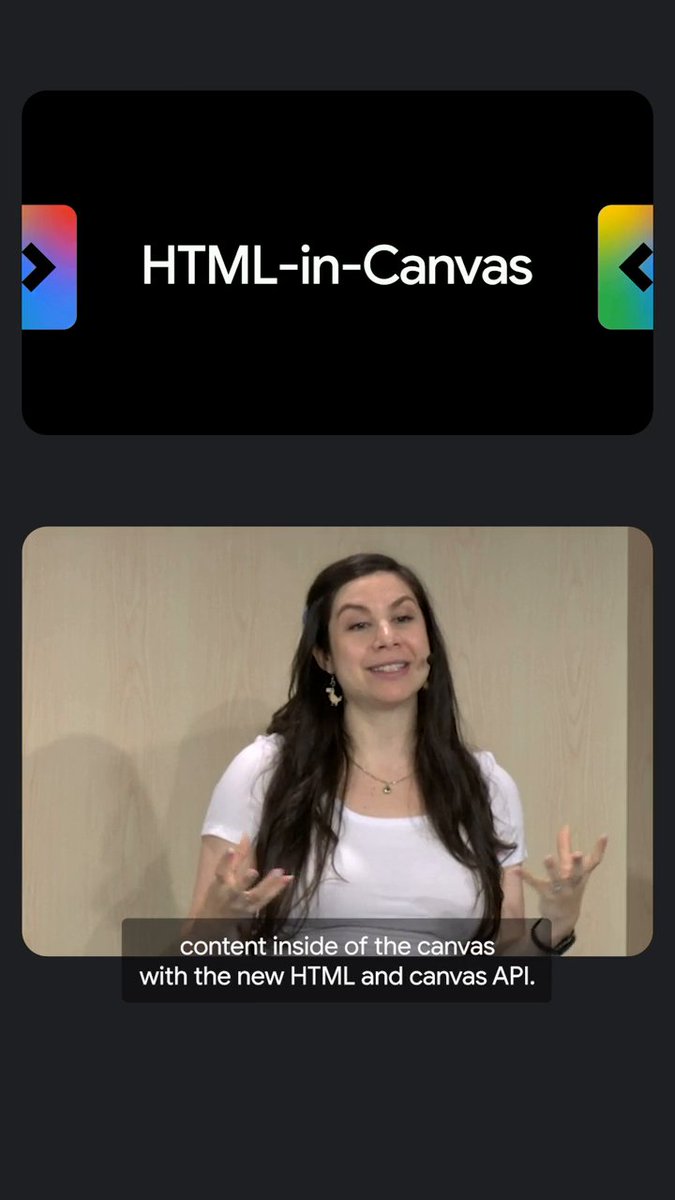
Google has solved a 20-year-old web problem.. It's called html-in-canvas, a new experimental Chrome feature that renders live HTML directly as a 3D texture. here's what it does: → draws any DOM element (dashboards, forms, entire app UIs) straight into a canvas → full CSS still works, flexbox, grid,...

234,334 görüntüleme • 7 gün önce •via X (Twitter)

0 Yorum

Yorum bulunmuyor

Orijinal gönderinin yorumları burada görünecek

Benzer Videolar

Web scraping will never be the same. (100% open-source visual search at scale) PixelRAG is a retrieval system that skips HTML parsing completely. Instead of scraping a page into text and embedding chunks, it screenshots the page and retrieves the image. A vision-language model reads the answer straight off the pixels. Why that matters: parsing is where web RAG quietly loses information. - A single HTML-to-text parser can drop 40%+ of a page. - Tables, charts, and layout get flattened or thrown out. - Swapping parsers alone can move accuracy ~10 points on the same docs. PixelRAG indexes the page a person actually sees. The team built a visual index of all of Wikipedia, 30M+ screenshots, and it still beats the strongest text RAG baseline by 18.1% on text-only QA. The repo also ships a Claude Code plugin that gives Claude eyes. It lets Claude screenshot any URL and read the rendered page instead of scraping the DOM. So you can hand it a live page, an arXiv paper, or your local site and ask what it actually looks like. One setup script. No MCP server, no backend. How the pipeline works: - Renders each document (web, PDF, image) to image tiles. - Embeds them with Qwen3-VL-Embedding, LoRA fine-tuned on screenshots. - Builds a FAISS index and serves a search API. A stronger reader model lifts accuracy with no re-indexing, since the index is just pixels. Everything is open-source under Apache-2.0. GitHub repo: Talking about RAG, I recently wrote an article on a new approach that makes retrieval much more efficient by cutting corpus size by 40x, reducing tokens per query by 3x, and improving vector search relevance by 2.3x. The article is quoted below.

Akshay 🚀

940,700 görüntüleme • 1 ay önce

Anthropic's most viral feature is now open-source! Until now, Anthropic's Generative UI capabilities only existed inside its own products. CopilotKit🪁 just shipped Open Generative UI, an open-source implementation of Claude Artifacts that works in any app. The agent generates HTML/SVG at runtime, and CopilotKit streams it token-by-token into a sandboxed iframe inside the app's chat. So the user can watch the UI assemble itself in real time, not after the full response is ready. The sandbox is fully isolated with no access to the parent app, the DOM, or user data. So if the agent hallucinates broken markup or unexpected JavaScript, nothing leaks outside the iframe. Under the hood, the agent does not select from pre-built components. Instead, it generates arbitrary visuals from scratch every time. The output is unconstrained by default, but you can shape it by defining prompt-based skills that teach the agent specific visual formats or guidelines. For instance, a skill prompt can guide the agent toward producing a Chart.js dashboard with proper axis labels and responsive sizing, or an interactive 3D model with rotation controls. The video below shows this in action, and the output quality you see actually comes from the skills layer. Open Generative UI runs on AG-UI, so it works out of the box with LangGraph, CrewAI, Mastra, Google ADK, AWS Strands, and more. It also ships with a standalone MCP server that plugs into Claude Code, Cursor, or any MCP-compatible client. And the entire stack is built on top of CopilotKit, the open-source frontend framework for agents and generative UI. 30k+ GitHub stars, with SDKs for React, Next.js, Angular, and Vue. I have shared the GitHub repo and a live playground in the replies!

Akshay 🚀

86,515 görüntüleme • 2 ay önce

Adobe tried to buy Figma for $20 billion in 2022. The deal collapsed. So Figma went public on the NYSE in July 2025 instead. Ticker FIG. Public company. Quarterly earnings. Wall Street pressure. You know what happens to design tools after they IPO. In March 2025, Figma raised the Professional Full seat 33%. From $15 to $20 a month. Organization seats jumped to $55. Enterprise to $90. Then they took Dev Mode, which was free during beta, and locked it behind a paid seat. Your developers now pay extra to inspect the designs your designers already paid to create. In March 2026, Figma started charging for AI credits on top. If Figma raises prices again, you pay. If Figma gets acquired, you pray. If Figma shuts down, your files die with it. Your design system. On their servers. In a proprietary format only their app can read. To draw rectangles on a screen. There is an open source design platform that runs on your hardware. Stores your files in plain SVG. Costs $0 forever for unlimited users. It is called Penpot. 45,700+ stars on GitHub. A full Figma-grade design platform built on open web standards. Vector editing. Components. Design tokens to W3C spec. Flex and Grid layouts. Real-time multiplayer. Interactive prototyping. Here's what it does: → Real-time collaboration. Live cursors. Comments in line. → Components, variants, shared libraries. → Auto layout, Flex, CSS Grid. The tool outputs production CSS, not lookalike CSS. → Interactive prototypes with overlays, animations, and flows. → Inspect tab. Free. Built in. Every developer grabs production CSS, SVG, HTML without a separate seat. → Plugin ecosystem. Figma import to migrate your files. → Self-host on Docker in one command. Your designs never leave your network. Here's the wildest part: Figma stores your designs in a proprietary format only Figma can read. Penpot files are SVG. The same format your browser has rendered for 25 years. Open them in any editor. Open them in 20 years. Nobody can lock you out. The feature Figma charges your developers extra for, Penpot gives away. Without asking permission. Figma Professional: $20/month per seat. A 10-person team: $2,400/year. Figma Organization: $55/month per Full seat. A 50-person org: $33,000/year. Penpot: $0. Unlimited users. Unlimited files. Unlimited teams. Self-hosted. Free forever. 45,700+ stars. 2,700+ forks. 250+ contributors. MPL-2.0 license. Backed by a community that believes design tools should be free. Your designs. Your files. Your standards. 100% Open Source. (Link in the comments)

Nav Toor

216,437 görüntüleme • 3 ay önce

Microsoft spent $13 billion and 3 years building an AI that knows your work context. Every time you open it, it still asks what you're working on. This developer set up a plain text file in 2 minutes. The file is called CLAUDE.md. It loads before every session. Before he types a single word. It already knows his name. It already knows his writing style. It already knows what he's building, who it's for, and what he never wants to see in a response. He doesn't introduce himself anymore. He doesn't explain his preferences anymore. He doesn't correct the same mistakes twice. He just works. No $30/month Copilot subscription. No Microsoft 365. No IT approval. No data sharing agreement. No onboarding. Just a plain text file, a free text editor, and 21 instructions a developer distilled from Andrej Karpathy's research. Those 21 instructions moved Claude's coding accuracy from 65% to 94%. The file hit #1 on GitHub with 82,000 stars. Most people using Claude right now have never heard of it. Microsoft has 221,000 employees, $13 billion invested in OpenAI, and a direct integration into every Windows laptop sold on the planet.. they built an AI assistant most companies pay $30/user/month for that still doesn't know your name. This developer has a laptop, a text file and a 2-minute setup.. he built something that knows more about how he works than any enterprise AI on the market. The $50 billion AI personalization industry just got embarrassed by a .md file. full breakdown down below

Dep

14,117 görüntüleme • 2 ay önce

🚨 Claude Code costs $200/month. GitHub Copilot costs $19/month. Jack Dorsey's company built a free alternative. 35,000 GitHub stars. It's called Goose. An open source AI agent built by Block that goes beyond code suggestions. It installs, executes, edits, and tests. With any LLM you choose. Not autocomplete. Not suggestions. A full autonomous agent that takes actions on your computer. No vendor lock-in. No monthly subscription. Bring your own model. Here's what Goose does: → Works with ANY LLM. Claude, GPT, Gemini, Llama, DeepSeek, Ollama. Your choice. → Reads and understands your entire codebase → Writes, edits, and refactors code across multiple files → Runs shell commands and installs dependencies → Executes and debugs your code automatically → Extensible through MCP. Connect it to any external tool. → Desktop app, CLI, and web interface. Pick your workflow. → Written in Rust. Fast. Lightweight. No bloat. Here's the wildest part: Block is a $40 billion company. They built Cash App, Square, and TIDAL. They use Goose internally. Then they open sourced the entire thing. This isn't a side project from a random developer. This is production-grade tooling from a company that processes billions in payments. Built for their own engineers. Given to everyone. Claude Code: $200/month. Locked to Claude. GitHub Copilot: $19/month. Locked to GitHub. Cursor: $20/month. Locked to their editor. Goose: Free. Any LLM. Any editor. Any workflow. Forever. 35.3K GitHub stars. 3.3K forks. 4,078 commits. Built by Block. 100% Open Source. Apache 2.0 License.

Nav Toor

392,905 görüntüleme • 3 ay önce

everyone in iOS development should watch this. seriously, it might change the whole industry. i pointed claude code at a live ios device running on revyl, typed "test everything," and walked away. here's what's actually happening: ① you don't write the tests. no scripts, no selectors, no test plan. i never told it which screens to open or what to check. it read the app, decided what mattered, and tested it. the entire instruction was "test everything." ② it built its own test team. it looked at the app, clocked that it's basically four mini apps (rides, delivery, services, account), and split itself into 4 agents, one per surface. scoping coverage like that is usually a person's whole afternoon. it did it in seconds, unprompted. ③ all four ran at the same time, each on its own live device. this is where revyl comes in. every agent gets its own live ios session in the cloud, so four running apps get tested in parallel instead of taking turns on one simulator. serial testing turns coverage into a time tax. running all of it at once removes the tax. ④ it tests like a person, not like a script. each agent drives the app the way a user would, taps through the flows, and visually checks each screen against what it expected to see. nothing is pinned to a brittle element id, so renaming a button doesn't take down half your suite. that one detail is the most annoying thing about how we test today, and it just quietly goes away. ⑤ no xcuitest, no sims melting your laptop. i didn't write a single xcuitest script, and there were no simulators booting on my machine. the agents run on cloud devices, so coverage stops being capped by what your laptop can handle. the part that got me isn't that an agent tested an app. it's that i never told it how. i handed it a device and an intent, and it figured out the scoping, the parallelizing, and the driving on its own. if you still write and maintain mobile ui tests by hand, i'm not sure that lasts the year.

Landseer Enga

23,963 görüntüleme • 1 ay önce

THIS GUY BUILT A SCREEN RECORDER THAT MAKES YOUR DEMOS LOOK LIKE AN APPLE COMMERCIAL every founder right now has the same problem. you build something cool but your demo video looks HORRIBLE (like a janky screen recording from 2014) this tool records your screen and automatically makes it look cinematic here's what it does: > records both screen and screenshots in one app (most tools only do one) > multi-window support where each window is a separate layer you can rearrange after recording > 3D scenes, virtual backgrounds, and a simulated camera lens for cinematic shots > smooth or instant zooms, transitions, custom cursors, and auto-replaced desktop backgrounds > add and mix audio and music directly in the editor > standard 2D polish too if you don't need the 3D stuff it even gives you the option to render your recording inside a 3D macbook mockup so the final output looks like an actual apple keynote presentation if you've ever tried to make a product demo look professional, you probably know the pain. you either spend hours in premiere or after effects doing it manually, or you pay someone to do it, or you just ship an ugly screen recording and hope nobody judges your product by the video now you can just record your screen normally and it handles the polish automatically for anyone shipping a landing page, a product hunt launch, an app store listing, or a pitch deck, the demo video is usually the first thing people see and most of the time it's the weakest part of the whole launch this fixes that without needing any video editing experience

Om Patel

155,041 görüntüleme • 2 ay önce

Motion graphics used to take me an hour per scene (or more) Now I'm creating them in 3-5 minutes — without After Effects, without Premiere, without writing a single line of code. I'm a former LA filmmaker (still PGA). My entire video stack is now 3 tools: Claude Code + HyperFrames (from HeyGen) + Descript Here's how the workflow runs: 1. Drop my brand style guide into a folder (colors, fonts, components Claude reuses forever) 2. Paste a line from my Descript transcript into Claude Code: "Create a scene for this part of the video" 3. Claude Code reads my brand, generates the HyperFrames scene, renders it to MP4 4. Drag the MP4 into Descript, drop it on the matching line of the transcript 5. Done. 3-5 minutes per scene. The unlock is the brand style guide. Once Claude has your colors, fonts, and reusable components, every scene inherits your look automatically. Bonus — you can take a Claude Design export (.zip), hand it to Claude Code, and it'll convert the HTML into a HyperFrames video you can render and edit. I built a GitHub repo with all the skills pre-loaded. Non-developers can clone it, open Claude Code, and be rendering scenes in under 10 minutes. Full walkthrough (20 min video) below Repo (skills + brand template + music-from-transcript plugin): Bookmark this if you make videos. The brand-style-guide pattern alone will save you hours every week. If you're a creator or operator using AI for content — share this with someone who's still living in After Effects.

JJ Englert

102,785 görüntüleme • 3 ay önce

Here's how I'm running automated content engine in 2 files 1 markdown file = my wiki 1 html file = my dashboard that's the whole stack. [ the architecture, in plain words ]: LLM wiki = a single markdown file holding my audience DNA, 15 tracked creators, every viral topic from the last 30 days HTML artifact = a single page that reads that markdown file AND can trigger my agents the artifact and the agent talk to each other directly the wiki is the shared brain [ what I actually see when I open it at 9am ]: > 5 trending topics ranked by my audience-DNA fit > 3 KOL posts worth quoting today > last week's saved tweets (so I can ride waves that are still warm) > buttons: [draft tweet] [draft QT] [schedule] [log idea] 1. I click "draft tweet" on a topic 2. the artifact pings my agent 3. agent reads the wiki, drafts in MY voice, returns it to the artifact 4. I edit, schedule, done 15 minutes from morning coffee to 3 scheduled posts [ how to build the same in one evening ]: > step 1: dump your domain knowledge into ONE markdown file (audience profile, KOL list, content rules, voice guide, anything an agent would need to do YOUR job) > step 2: ask claude to build an html artifact that reads from that file ("here's my wiki, build me a dashboard with these views") > step 3: add buttons for the actions you do daily (draft, schedule, log, score, search — your workflow, not mine) > step 4: wire each button to call your agent via tool calls (so the artifact and the agent talk directly) the moment your artifact reads your wiki AND triggers your agents.. most SaaS tools you currently pay for quietly become unnecessary dashboards I used to pay $50/month for now sit in a single html file I can rebuild in 20 minutes every "I'll build a SaaS for this" idea you had last year is a 200-line file you write in an afternoon if you want to get the same content engine, just reply "CONTENT" and will send you in DMs later we're going from buying software to owning it.

Ronin

50,083 görüntüleme • 2 ay önce

Claude Code + Shopify AI is f*cking cracked 🤯 Shopify just dropped an official AI Toolkit that connects Claude Code directly to your store. One prompt → Claude reads your products, rewrites your descriptions for AI shopping, and pushes the updates live. All from the terminal. All inside Claude Code. Perfect for DTC brands on Shopify who are still manually editing product pages, writing descriptions in Google Docs, and copy-pasting into the Shopify admin one product at a time. Claude Code + the Shopify AI Toolkit fixes the entire workflow: → Install the official Shopify plugin in Claude Code → Authenticate to your store → Claude reads your entire product catalog → Rewrites every description to be optimized for AI shopping → Pushes the updates directly to your store automatically → Validates every API call against Shopify's official docs before executing No Shopify admin tab-switching. No copy-pasting from a Google Doc. No hiring a copywriter to rewrite 50 product pages. What you get: → Claude Code connected directly to your live Shopify store → Product descriptions optimized for how ChatGPT, Gemini, and Perplexity recommend products → Bulk updates across your entire catalog from a single prompt → Full access to Shopify's GraphQL API — products, themes, inventory, orders, everything Claude can read and write → An official plugin built by Shopify that auto-updates as new features ship I put together a full playbook with the plugin install, the store authentication walkthrough, 5 DTC workflows to run on day one, and the exact prompts I used. Want it for free? > Like this post > Comment "SHOP" And I'll send it over (must be following so I can DM)

Mike Futia

113,232 görüntüleme • 3 ay önce

I never imagined connecting a wallet to ROZO would be hard for anyone… until someone reached out to me saying they were completely stuck and frustrated. So if you're dealing with that right now — don't worry, it's usually a quick fix with the right setup. ...here's what works for most people who hit this wall. 🔻 🔹️ The problem first Some browsers or wallets just don't cooperate with Rozo's connection flow. You get errors, nothing loads, or it keeps failing for no clear reason. The person who messaged me was running into exactly that. The good news? Switching a couple things makes it feel effortless. 🔹️ LOBSTR wallet + browser combo I recommend using LOBSTR wallet — it's built specifically for the Stellar network, so it stays stable and links up with Rozo much better than other options. Also: use Chrome as your browser. If it still doesn't work in Chrome, switch to Brave — that will definitely do the trick for almost everyone. 🔹️ How it actually works ⤞ Use Chrome (or Brave if needed) ⤞ Go to: ⤞ Use LOBSTR wallet ⤞ When you're on the site, use your Passkey (like FaceID or your fingerprint) to get in ⤞ Once you're done checking your earnings or moving funds, log out That's it. You're in. 🔹️ The part people overlook You won't need to dig up any long seed phrases. Passkey is a lot faster and keeps everything tied to your own device security. Logging out is a simple habit, but it's the best way to keep your wallet safe from any browser-based attacks. 🔹️ Final thought Connecting should feel boringly easy — not like a puzzle. With LOBSTR, Chrome (or Brave), and this setup, it finally does for most people who were stuck. ✔ Use LOBSTR. ✔ Use Chrome (or Brave). ✔ Log in with Passkey. ✔ Log out when done. ROZO community: If you're still having trouble, drop a reply — happy to help you get sorted

EMMA

22,771 görüntüleme • 6 ay önce

Anthropic's in trouble, again! They spent years building what's now fully open-source. What made Claude feel different from a normal app is that the agent could act inside the interface instead of only talking in a chat box. For instance, Claude Artifacts let an agent render real UI, charts, dashboards, and interactive components that assemble live inside the response. Every major AI product tried to replicate it. But the problem was that unlike reasoning, planning, tool-calling, etc., none of it shipped natively with LangGraph, CrewAI, or Google ADK. So teams started building an owned version that required engineering the entire interface layer from scratch. Most teams, however, just settled for shipping the agent as a backend API in a chat box since rendering the UI is only one piece of it. To actually make it work, the interface layer also needed real-time streaming, state kept in sync between agent and UI, conversations that persist across sessions, and reconnection when a user refreshes mid-run. CopilotKit🪁 is now the only open-source framework that actually lets you build your own full-stack Claude-like apps. It decouples the agent from the interface, talking over AG-UI (an open protocol for agent-to-user communication). Being a standard protocol, the frontend never needs to know whether it is talking to a LangGraph or a CrewAI agent. You can change the backend anytime and the UI will never notice. In practice, CopilotKit's interface layer gives several pre-implemented React building blocks that wire the agent directly into the app, like: - generative UI, so the agent renders real components instead of text - chat windows, sidebars, and popups, or a fully headless setup - shared state, so the agent and app stay in sync - human-in-the-loop approvals, where the agent waits before acting - persistent threads that store the whole session, including the agent-user interactions and generated UI, not just text And because that full history is captured, those interactions can feed a self-learning layer that also improves the agent from real usage over time. The interface layer that Anthropic spent years engineering in-house is now literally available to any developer/team. CopilotKit is open-source with 30k+ GitHub stars, and AG-UI, the protocol underneath, is already supported across every major agent framework: LangGraph, CrewAI, Mastra, Google ADK, and more. CopilotKit GitHub repo → (don't forget to star it ⭐ ) If you want to go deeper, I found a detailed breakdown by Shubham Saboo recently on the three Generative UI patterns, with implementation. Read it below.

Avi Chawla

456,828 görüntüleme • 1 ay önce