Загрузка видео...
Не удалось загрузить видео
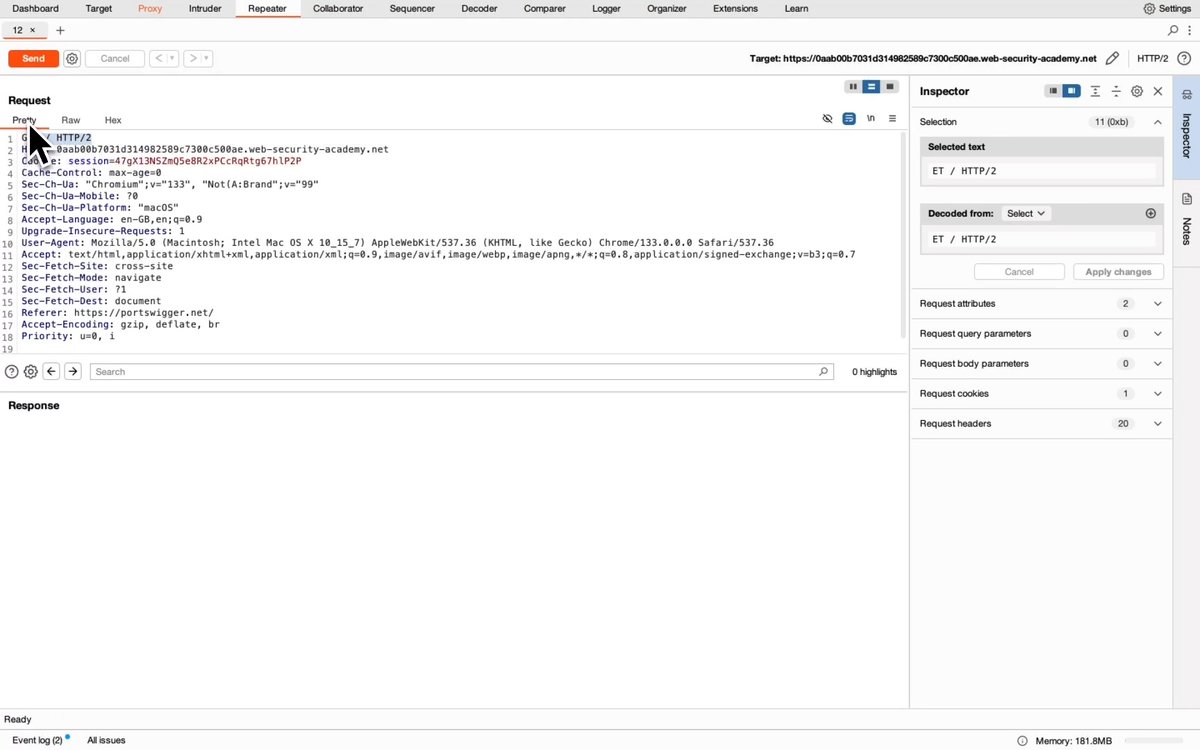
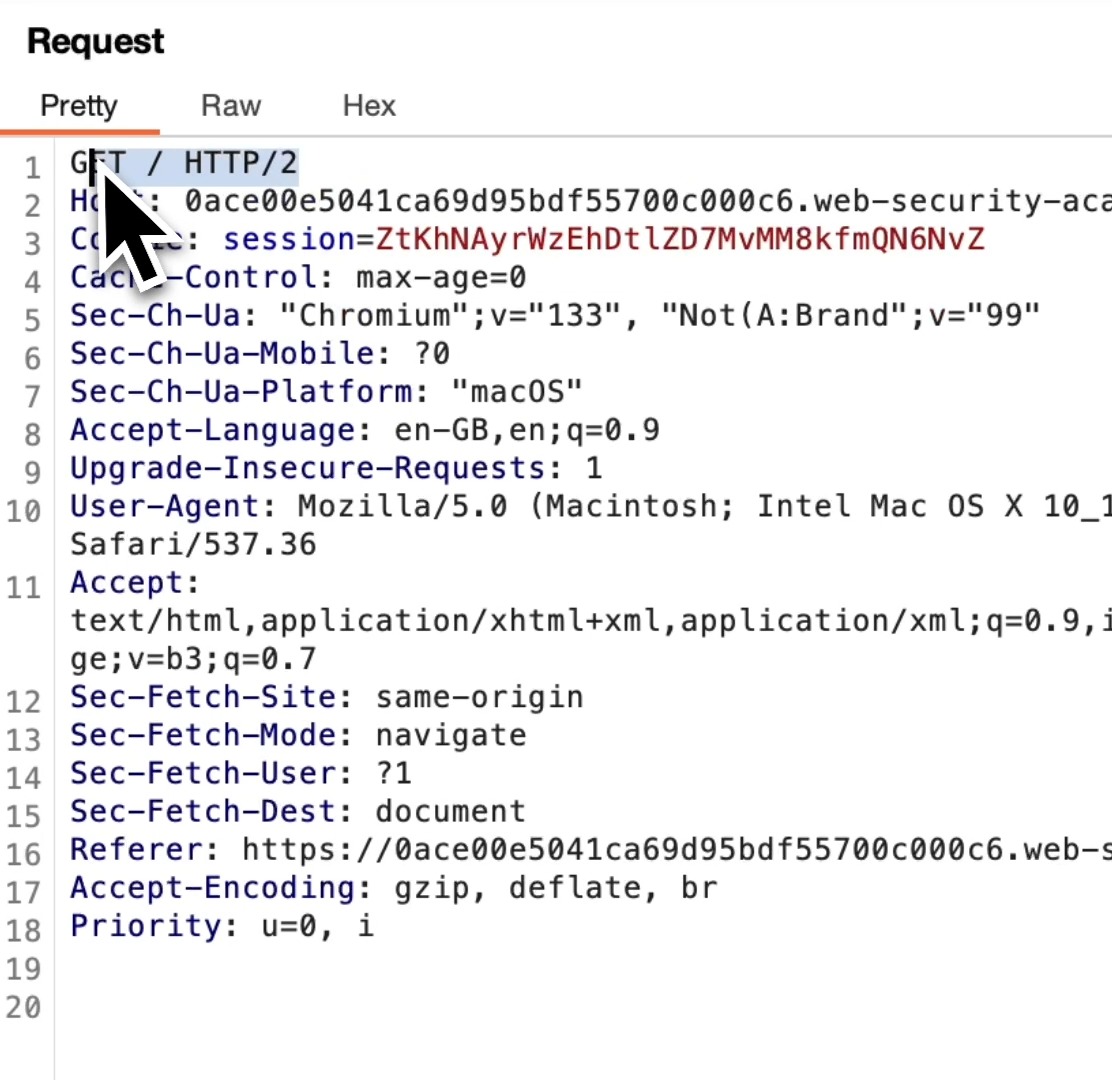
How to manually check for CL.TE Request Smuggling Vulnerabilities: 1️⃣ See if a GET request accepts POST 2️⃣ See if it accepts HTTP/1 3️⃣ Disable "Update Content-Length" 4️⃣ Send with CL & TE headers: POST / HTTP/1.1 Host: Content-Length: 6 Transfer-Encoding: chunked 0 G 5️⃣ Send request twice. If... show more

27,993 просмотров • 1 год назад •via X (Twitter)
Комментарии: 0
Нет доступных комментариев
Здесь появятся комментарии из оригинального поста
Похожие видео
![How to Find Path Delimiter Issues with Burp Suite Intruder Sometimes web servers treat special characters (like ; or ?) differently in URLs. This can lead to security issues like web cache deception or access control problems. Here's how you can test for path delimiter discrepancies: 1️⃣ Capture the Request Find a request you want to test GET /my-account HTTP/2 2️⃣ Right click the request and "Send to Intruder". In Intruder, highlight add a new position after /my-account followed by abc. It should look like this: GET /my-account§§abc HTTP/2 Attack Type = Sniper (only changing one spot). Payload: Paste a list of special characters, like this: ! # $ % & ' ( ) * + , - . / : ; = ? @ [ \ ] _ ~ ... A full list of delimiters can be found here: 3️⃣ Start the Attack Press Start Attack. Look at the Status, Length, and Response columns. Watch for differences (like bigger/smaller pages, changes to status code or different behavior) and if you notice something different then you've likely found a delimiter discrepancy! 🎉 Why is this important? When special characters confuse the server or cache, you might find: 🔸 Web cache deception: Caching personal pages by accident 🔸 Access bypass: Skipping security checks 🔸 Leaked info: Seeing data you shouldn't Try this lab for yourself and dive even deeper into how to exploit this when you find it: #BugBounty #WebSecurity #BurpSuite #EthicalHacking #Cybersecurity](https://image.24vids.com/tw-1919142786885943404/media/GqIqLRLXIAAdsLM.jpg)


1:29
Sensitive content
“I make them send a d*ck pic before the date to weed them out.” Content creator Karina explains her ruthless screening rule for casual dating on Instagram and why she demands an upfront photo before agreeing to dinner: Karina: “Most of the time I find guys on the internet, on Instagram, whatever. Before we go out, I tell him to send me a picture, a d*ck pic. Just show me, because I don't want to go out with him if he’s not pretty.” Host: “This is why she’s never seen a small one! She weeded them out before.” Karina: “I have to see, because if it's ugly, I don't go. I'm done. I just need to see, because that's how I feel attracted. If it's pretty, it has to be very pretty… and if it’s perfect, okay, we can go out.” Host: “They must be so fired up. They know they have your stamp of approval before the date even starts.” Karina: “Yes! Because most of the time when I'm going on a date, I want to have sx. I'm not going on a date and not having sx. Of course I want dinner, but mostly I’m just going for s*x.” Host: “You’re like, ‘Let’s skip dinner actually.’” Karina: “If it’s ugly, I don't even answer. If I just want to bang, I want to see it before I go so I don’t get disappointed.”
Groot_X
1,122,913 просмотров • 29 дней назад


![Kid Buu Destroys Planet Earth [HD]💥1080Pee🔥 Original Funimation w/ Bruce Faulconer🐦⬛ Audio✅ (BEST! Version)💯 (Not KAI)🤮 #DragonBallZ🐉🟠 🚨Copyrights ©️Akira Toriyama, Toei Animation, and Bruce Faulconer.⚠️🔫👮 All 291 episodes of DragonBall Z are available to stream in [HD] quality on Crunchyroll.🐉🟠 / Subscriptions start at $9.99/mo 💻🖱️ Visit for more details 🖥️ Bruce Faulconer's #DBZ discography is available on Spotify. 🎵🟢 (on Mobile, it may bring to a screen to hit play, then 'Get App'. If Spotify is Installed, 'Get App' should automatically load both for you.) 📱 ⚠️This is a FANMADE re-imagination of what our childhood 'could be' today. 🤔 See Pinned Post for "Pee Universe Explained by Pee" #PeeU🌎 See Bruce's Gooses📋below to find out if joining the Pee Warriors is for You. 🚫 (I'm just a fan like you, NO Affiliations!) 🛑🛑🛑 Now that's out of the way. Thanks for being here this evening! I'll be excited to bring you guys another ✨NEW Edit!💫 tomorrow around this same time. I'm trying a few new things out with my content, to reduce posts / and overall reposts down by including everything for the day in the last post of the day. (aka this) I have been doing Goku vs Cell over the past week. (Parts 1-4) are in the comments if you would like to watch that! Lastly, let me know in the comments some of your favorite DBZ moments you would like to see in the future in HD w/ Bruce Faulconer! Thanks again for being here, and just a reminder if you enjoy my edits please give them a like! It means a lot.❤️ -Pee](https://image.24vids.com/tw-2097070055787827624/amplify_video_thumb/2087242689460760576/img/E7aL8UMVrS2X0piM.jpg)


1:41
Sensitive content
“It genuinely was the smallest p*nis I've ever seen in my life.” Adult film star Ellie Nova shares the wild story of how she asked her best friend for permission to sleep with her boyfriend just to satisfy her curiosity about his micropenis: Ellie Nova: “I slept with a guy with a microp*nis.” Host: “Did you know that going in?” Ellie Nova: “Yes, because he was at the time my best friend's boyfriend. I brought it up to her kind of jokingly, but I was like, 'Can I try to f*ck him?' I was like, I need to see this. I was just so intrigued and so committed to figuring out what was going on.” “She laughed it off and she was like, 'Yeah, if you can get him to f*ck you. Two weeks later at a party, I managed to convince him.” Host: “How did you convince him, honestly?” Ellie Nova: “It was a lot of me just being really touchy and then being like, 'I heard that you have a really nice d*ck, like, can I see it?' And he was like, 'Oh my God, yes.' Any man with the self-awareness, if you have a microp*nis, like, this is a trap, right? I remember going into a bathroom, pulling down his pants, and then crying because of how hard I was laughing.” “It genuinely was the smallest p*nis I've ever seen in my life. But then I still let him f*ck me because I was like, I need to know what this feels like.” Host: “How did it feel?” Ellie Nova: “Women will understand what I'm saying. When you wear a thong, and it kind of pulls up into your lips a little bit not quite a wedgie, but not not a wedgie. That's what it felt like.”
Dickson
4,375,092 просмотров • 1 месяц назад
