Загрузка видео...

Не удалось загрузить видео

На главную

Launch day! Introducing Nautilo, the open org harness for everyone. 100% open source. Server. Desktop. Web. Android. iPhone. Every user gets their own Genie, a powerful and radically loyal super agent. Think the flip phone version of Her, but for teams. She's a friend and secret keeper. She remembers...

35,350 просмотров • 23 часов назад •via X (Twitter)

Комментарии: 45

Фото профиля Daniel Jeffries
Daniel Jeffries23 часов назад

1/ Most AI harnesses are built for one person talking to one agent. But life is social. Your family, company or community work together. You share info. Talk. Change and iterate together. Nautilo is multi-user and multi-agent from the ground up. People and machine people on an even playing field share ideas and work together. Most group chats with AI still feel like operating a crappy bot. Tag it with @. DM it. Summon it with the right command. Nautilo has a magic conversation router that finds the right Genie. Everyone just talks naturally. Your Genie wakes up and answers. Like a person. The others know when to shut up. It's not perfect but it's freaking awesome most of the time for most situations. Even better, you control the server. SaaS apps with 1000 people mean 999 potential attackers. But with your own private circle of people you invite to your server, you have control.

Фото профиля Daniel Jeffries
Daniel Jeffries23 часов назад

Most AI apps are still prompt, wait, and pray. Nautilo is co-creative. We have an entire native app system built in. Writer. Sheets. Slides. Video. Designer. Your Genie can write, design, generate, cut, and edit. But you don't just have to prompt and hope your AGI doesn't screw it up again. You can take control, manually rewrite the paragraph, move the design, trim the clip, or take over completely. Same artifact. Same app. Both of you working on it.

Фото профиля Daniel Jeffries
Daniel Jeffries23 часов назад

You can generate video in chat with a Venice key and Seedance 2.5 or H3. But Nautilo Video takes it to the next level. Generate a clip or upload your own footage, then cut it on a real timeline right in the same place. Trim clips. Add overlays. Change captions. Edit the clip with a real built in video editor, with your Genie working beside you the whole time. No export maze. No bouncing through six disconnected AI products.

Фото профиля Daniel Jeffries
Daniel Jeffries23 часов назад

4/ Nautilo is also a harness for other harnesses. Your Genie can bring in Codex, Hermes, Claude Code, then coordinate the work from your desktop or paired phone. Others coming soon. The future is not one giant agent pretending to be brilliant at everything. It is trusted agents calling in the right specialists and native harnesses whenever they need them.

Фото профиля Daniel Jeffries
Daniel Jeffries23 часов назад

5/ We love WhatsApp and Signal. But today's chat platforms were built before LLMs and agents. To them, a "bot" is reply-spam software that should be kept out by any means necessary. Use an unofficial agent and you violate their terms of service. Even WhatsApp's commercial platform doesn't let you put an LLM into a normal group chat. So we rebuilt chat for the agent era. In Nautilo, people and Genies are native participants. Then we layer in documents, artifacts, editing, tools, and co-creation. Select Genies in group chats easily. Over time we're working to make it less like just another messenger and more like the pluggable app ecosystem of WeChat for people and machine people (without the built in censorship). Already in the app stores. Apple: Google:

Фото профиля Daniel Jeffries
Daniel Jeffries23 часов назад

6/ Talking to your AI about personal things is usually a problem. So we built a Secretary in the oldest sense of the word: Secret Keeper. The problem with personal AI that can talk to other people is that it doesn't know when to shut up. If it knows everything, it will leak it. So you talk to your AI about something private, like your kid's problems at school, or a mole you're worried about, and then it goes into a group chat and spills it to your co-worker that you barely know. We solve that with namespaces. Your Genie in a public room only knows what you tell it there or what you told it to carry there by sharing a memory to that chat. It can't leak what it can't access. That's not a prompt telling the AI to behave and hoping it doesn't screw up. The memory just isn't there. You can't leak what you do not know. That way you can send it off to talk to others without fear, knowing it will only share what you ask. Your AI often has the most context so why are you acting like the middleman. Send your agent out into the world.

Фото профиля Daniel Jeffries
Daniel Jeffries23 часов назад

7/ Our memory system is radically advanced. Nautilo builds understanding over time. It turns conversations into a living hierarchy of decisions, reasons, relationships, disagreements, and ideas. Your Genie carries the shape of your world in compact hashed form, then dives through the layers to the original evidence when the details matter. She can remember the decision without dragging your entire history together into every prompt. She can remember why you made it, what alternatives you rejected, who disagreed, and what changed later. She does not just remember what happened. She remembers why.

Фото профиля Daniel Jeffries
Daniel Jeffries23 часов назад

8/ Our first service pack will be E2E encryption for the agent age. Traditional E2E knows how to give people keys. But a useful Genie has to read the chat, search memory, and work on artifacts without becoming a permanent backdoor. So your device gives it a narrow, time-limited delegation to open exactly what the job requires. Every protected operation rechecks its authority. When the work, time, or permission ends, so does the access. No permanent master key. No server with ambient access to everything.

Фото профиля Daniel Jeffries
Daniel Jeffries23 часов назад

9/ The same goes for the tools you already use. You want to carry your AI with you so you can work together co-creatively everywhere. Desktop control. Terminal. Cloud. Google Docs, Slides, and Sheets open right inside Nautilo. So do a co-controllable Terminal and Chrome browser. Your Genie works beside you while you watch, click, type, interrupt, or take over. You do not send the work to some invisible automation and hope (although you can do that too if you really want). You stay right there in the app with her or let her work behind the scenes if you don't want to watch.

Фото профиля Daniel Jeffries
Daniel Jeffries23 часов назад

10/ Privacy also follows the work to the model. Nautilo rates models from 1 to 10 for privacy. Sensitive subtasks can route to the most private model available, including private Venice models and an E2EE trusted execution model rated 10. We have deep Venice AI integration (think VPN for models) building on the work of privact rockstars like @ErikVoorhees and @AskVenice: Not every thought belongs in a hyperscaler's API. The system should be smart enough to know the difference. We're already working on local model support and support for private inference, running on your own GPU brains for complete privacy over your company's and family's projects and life.

Фото профиля Daniel Jeffries
Daniel Jeffries23 часов назад

11/ We have a lot of teams to thank for their work and inspiration. The whole thing is 100% open source. No feature gating. Self-host it. Inspect it. Change it. Open source always stands on the shoulders of giants. There are a lot of enemies of open now, despite open source building the modern world from the cloud, to the router in your house, to your phone. Open Weights is the next evolution. And we believe that if the org level harness isn't fully open you can't trust it with your real work and world or it just becomes a surveillance app and something that a big SaaS company can rip away from you overnight when they feel like changing the ToS. We've wrapped a number of packages into our work and we can't thank those brilliant teams (and agents!) enough. Also a number of teams really inspired us, especially the entire incredible @NousResearch Hermes team with fantastic folks like @Teknium and @max_paperclips. @steipete was a big inspiration and @openclaw kicked off this whole revolution. Big shout outs to the excellent freaking work from the following projects that power part of our Nautilo world: OfficeCLI: GogCLI: CUA Wafflebase: OOXML: Codex: OpenMLS: Agent Browser from the @vercel and @vercel_dev teams and their Assistant UI: We learned from all of you, build on several of these projects and plan to give back as much as we can (though we're still tiny at this point!).

Фото профиля Daniel Jeffries
Daniel Jeffries23 часов назад

12/ And the one TLDR-ish post to rule them all: What can Nautilo do? Natively Multi-User - Natively multi-user and multi-agent from the ground up. - Our magic conversation router in group chats calls the right agent naturally. No need to @ a Genie. Just talk. Like a person. Radically Customizable Agents - Deeply personalizable, long-lived agents (who we call Genies) who get to know you like an old friend. Think the iPhone 1 version of Her. - A unique continual memory system that turns conversations into a compact living map of decisions, reasons, relationships, disagreements, and ideas. Your Genie doesn't just remember what happened. She remembers why. Privacy at the Core Most AI apps are about ruthlessly harvesting you as a data source. We made privacy central to everything instead. -Deep Venice AI integration for private model access. Nautilo rates models from 1 to 10 for privacy and can route sensitive subtasks to private Venice models. Send your sensitive tax questions and personal questions to private models. - Deep privacy through namespaces. Tell your Genie about your kid's problems at school and she can't leak that into a public chat room with your co-worker because she doesn't have access to that memory there. You can't leak what you do not know. - Our first service pack next month will bring a new E2E encryption spin for people and AI. Chats. Memories. Artifacts. Your device gives a Genie narrow, time-limited access to what she needs to help you. No permanent master key. No ambient server access to everything. One Beautiful Interface. Everywhere. - The same rich interface on the web, designed for desktop and mobile. Your people, Genies, rooms, memories, and work follow you anywhere. - Full Android and iPhone apps. We rebuilt chat for the agent era. WhatsApp and most other chat platforms were designed before LLMs, when "bots" meant reply-spam software that needed to be kept out. In Nautilo, people and Genies are both first-class citizens. - A full-power Mac desktop app with local files, native control, embedded tools, and your Genie working beside you. Windows is coming soon. A Harness for Other Harnesses - Code inside Nautilo with our native harness, or let your Genie orchestrate specialist coding agents. The future is not one giant agent pretending to be brilliant at everything. It is trusted agents calling in the right specialists. - Control Codex, Hermes, and Claude Code from the Nautilo desktop app or your paired phone. One place to direct the work instead of babysitting five disconnected products. People and Genies Working in the Same Apps - Google Docs, Slides, and Sheets live right inside the desktop app. You don't automate a doc somewhere else and wait. You stay in Nautilo, edit it yourself, and your Genie edits right beside you. - A co-controllable Terminal and Chrome browser inside the desktop app. Your Genie works in them and you can watch, interrupt, type, click, or take over, and neither of you has to leave Nautilo. - A full Markdown editor in the app that your Genie can edit too. - Co-creative Writer, Designer, Sheets, Slides and Video apps. This is not prompt, wait, and hope the AI got it right. Your Genie can control the work, and you can manually rewrite the document, move the design, trim the video, or take over completely. - Have your Genie build entirely new co-creative apps for you, then work inside them together. - Generate video with Seedance 2.5, MiniMax H3, or upload your own footage, then edit it right there like Camtasia. Cut clips, add overlays, change captions, and work with your Genie without leaving the app. - Generate music with Sonilo MiniMax 2.6 and more. And that's just the beginning. Come build with us. Site: GitHub:

Фото профиля The AI Renaissance
The AI Renaissance22 часов назад

This looks really powerful and well polished!

Фото профиля Daniel Jeffries
Daniel Jeffries22 часов назад

It's power as all hell. We just kept adding everything we wanted and could imagine as AI got better and better. The interface is pretty damn well refined at this point. It's still beta so expect bugs but we'll keep hammering it to perfection!

Фото профиля Brian Chau
Brian Chau22 часов назад

Congratulations!!

Фото профиля Daniel Jeffries
Daniel Jeffries22 часов назад

Thank you, sir!

Фото профиля Adam Thierer
Adam Thierer22 часов назад

Very cool. Congrats to you and your team!

Фото профиля Daniel Jeffries
Daniel Jeffries22 часов назад

Thank you, Adam!

Фото профиля Larry Salibra | larry.btc
Larry Salibra | larry.btc22 часов назад

Congratulations on the launch! Look forward to checking this out first thing in the morning!

Фото профиля Daniel Jeffries
Daniel Jeffries22 часов назад

Thanks Larry. It's pretty fast to deploy locally to play with. Even though it is for teams, it's still a fantastic local personal harness too. Not frictionless because you need some keys and such to setup (and Google is a bit of a pain) but it's worth it. We're going to launch a one key to rule them all gateway and a cloud once encryption drops to make it easy for folks, but we wanted to have the code out there.

Фото профиля 云淡风轻
云淡风轻23 часов назад

Self-sovereign AI, that’s next level 🤯

Фото профиля Daniel Jeffries
Daniel Jeffries23 часов назад

Indeed, sir.

Фото профиля 云淡风轻
云淡风轻23 часов назад

So honored you replied 🙏 Would really appreciate a follow back!

Фото профиля Christian Catalini
Christian Catalini22 часов назад

Congrats Daniel! 🚀

Фото профиля Daniel Jeffries
Daniel Jeffries22 часов назад

Thank you, sir!

Фото профиля Christian Catalini
Christian Catalini22 часов назад

Self-sovereign and private 🔥🔥🔥🔥

Фото профиля Degn
Degn22 часов назад

amazing work control the harness and you control your future.

Фото профиля Adam Pippert
Adam Pippert20 часов назад

I see @Dan_Jeffries1, I click.

Фото профиля Hussain Hashim | Building SundayBack
Hussain Hashim | Building SundayBack20 часов назад

@Dan_Jeffries1 love the idea of having a personal super agent for each user. curious how you tackled the challenge of keeping her radically loyal yet adaptable for teams?

Фото профиля Kevin Kern
Kevin Kern21 часов назад

congrats on the launch! gonna try

Фото профиля Daniel Jeffries
Daniel Jeffries21 часов назад

Thanks, Kevin!

Фото профиля Ros Thain
Ros Thain21 часов назад

Congrats Daniel

Фото профиля Daniel Jeffries
Daniel Jeffries21 часов назад

Thank you!

Фото профиля Perry E. Metzger
Perry E. Metzger20 часов назад

Congratulations!

Фото профиля Michel aka Agent B
Michel aka Agent B21 часов назад

Congrats to the team Daniel ! 👏👏 Bravo ! Interesting features here. Will be happy to test this one

Фото профиля Tanjiro
Tanjiro21 часов назад

Total open source control is the only way forward.

Фото профиля Treist 🅿️
Treist 🅿️22 часов назад

Would you accept fundraising for your project via @bankrbot?

Фото профиля ZeroX
ZeroX20 часов назад

the iPhone + team angle is strong here. PhoneBot runs the agent on your iPhone, and GroupBot can turn one request into a brief, checklist, or file when you’re away from a desktop.

Фото профиля Jimi Barkway
Jimi Barkway22 часов назад

The co-creative editing is the real differentiator here. Most agent platforms lock you out once you hit send, but having the human in the loop when the AI whiffs keeps it from becoming a worse version of autocomplete.

Фото профиля Eden
Eden22 часов назад

Daniel Jeffries teacher, may I ask if we could follow each other?

Фото профиля Varik Verilion
Varik Verilion22 часов назад

Shipping the same agent across server, desktop, web, and mobile is a serious launch surface. The team-first framing is the part I’m most curious to see land.

Фото профиля spolen23
spolen2320 часов назад

Open source org harness plus a loyal front-door agent is the stack I want. One Genie I talk to, specialists underneath, me only for key decisions. Does Nautilo keep the delegation opaque to the user?

Фото профиля DP90
DP9022 часов назад

Look very cool! Did you launch a coin on Robinhood for it?

Фото профиля Sagar Tanur 🇮🇳
Sagar Tanur 🇮🇳22 часов назад

the short-lived delegation keys are what sold me — most harnesses hand the agent a long-lived API token and then pray. scoped keys that die after a task is the difference between “agent can help” and “agent owns my blast radius.” curious whether Genie can request a fresh grant mid-run when it hits a tool outside the original scope, or if that always forces a human re-approve.

Фото профиля catman
catman22 часов назад

The durable principle for personal AI is user control: the more intimate the context, the more the user must own the harness, data boundaries, and ability to intervene.

Похожие видео

run agent harnesses 100% private & offline. (no token costs, no API keys, 100% open-source) your agent runs locally. the model doesn't. every prompt, every file, and every secret still leaves your machine before the agent does anything with it. Magnitude fixes that. it's an open source inference server that runs models on your own hardware and plugs into the coding agent you already use. setup is one command. it profiles your machine, measures the memory bandwidth that sets your token rate, and hands back complete configurations instead of a list of models. each one names a model, a compression level, a context size, and a speed range you can expect. pick one and start working. it doesn't replace your harness. setup asks which one you want and writes that config for you. Pi, OpenCode, Claude Code, Codex, and Cline all work, and there's a built-in one tuned for local models if you don't have a harness yet. that one uses your shell, edits files, and runs scripts out of the box. add skills and it handles Excel, PowerPoint, PDFs, or Chrome. everyday work it covers: → analyze sensitive data → manage private notes → review code and logs → search and organize files → build docs or slides Apache 2.0. no rate limits, and nothing leaves the machine. 𝗻𝗽𝗺 𝗶 -𝗴 @𝗺𝗮𝗴𝗻𝗶𝘁𝘂𝗱𝗲𝗱𝗲𝘃/𝗰𝗹𝗶 the repo is here: (don't forget to star 🌟) i wrote the full breakdown of why picking the configuration is the hard part. the article is quoted below.

Akshay 🚀

55,693 просмотров • 16 дней назад

Introducing Workshop: cloud + on-device agentic AI. And to celebrate, we're giving away $250k in Google Gemini AI credits. (details below). The future of AI work is neither cloud-based nor local. It's both. In Workshop Cloud, you can use agents powered by frontier models like Claude and/or open source models like Z.ai's GLM-5 to build internal tools, dashboards, and AI web apps. Or, breeze through tasks like managing your Google and Meta Ads. In Workshop Desktop, you can do all the same right on your computer, plus make desktop apps, mobile apps, and 3D creations. Our favorite part? You can power the full agent experience with local models like Qwen 3.5 family on your computer. Fully offline. 2026 is the year in which local models for agentic tasks will become viable for mainstream use. But the setup for tools like OpenClaw is like setting up Linux from scratch on your computer. Workshop Desktop is one-click to install on Windows, Mac, and Linux. It recommends which open source model you should use for your hardware and lets you download and run it right in the app. And its agent harness allows you to chat, create websites, build personal utilities, and analyze data. 100% offline. Or multitask with AI models in the cloud while running other agent threads locally. Start in Workshop Cloud when you want flexibility and speed. Download your project and continue in Workshop Desktop when you want local files, privacy, and/or better performance on large code bases. Publish from either. The agent tooling space is maturing and discerning users have come to expect a lot from their tools. We've packed Workshop with features to help you 10x your productivity. - Native support for skills - Autocompaction for seamless context management - Built-in AI for your apps - Dozens of connectors, like Google Drive, Big Query, and Supabase - dbt integration to ground your dashboards in your semantic layer - Native Github integration - Private app deployment - ... and more (+ we're shipping super fast) To access the free credit offer, RT this post and reply with "Workshop". Make sure you are following us so we can DM you the instructions to redeem. - First 100 to RT + comment get $500 in credits. - Everyone else gets up to $250 And thanks to our partners Modal, Google Gemini, and Z.ai!

Workshop AI

29,245 просмотров • 5 месяцев назад

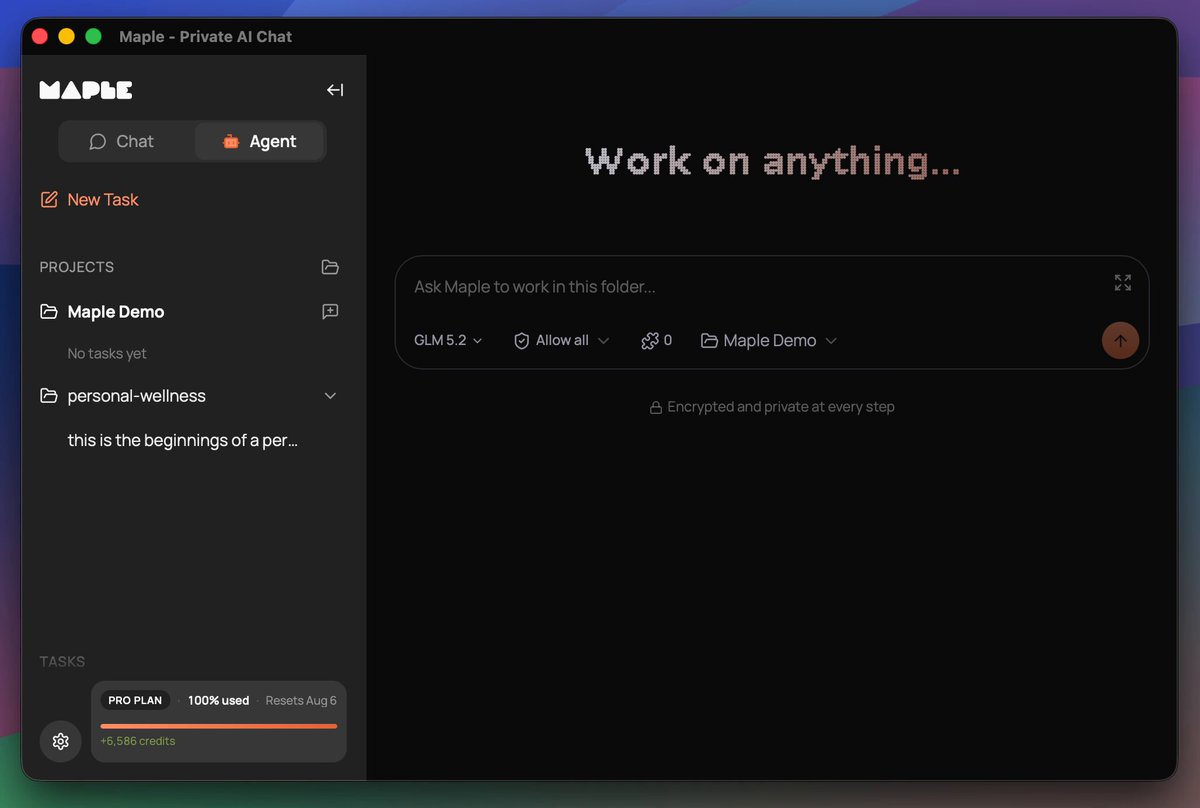
Maple is preparing for the release of a co-working agent. You install it locally and it works with your files, whether it's office work or building websites and apps. It's a turnkey solution, as easy as Claude Code, that keeps your data secure and private, no data sharing with closed AI labs. This is THE sovereign AI app for individuals and businesses who want powerful AI while retaining ownership of their information. Why build an agent into the Maple app when other agents already exist? Easy, we want to give you control over your work. We don't have a business plan that incorporates making money off our users' data. In the age of AI, your information, whether it's personal or company trade secrets, is the single thing that differentiates you from everyone else. We all have access to AI that can build a professional website for selling shoes. But your strategy and network for how you sell shoes should not be shared with your competitors. Sovereignty is the path to protecting what makes you, you. Maple sits at the intersection of Usability and Sovereignty. Maple gives you the best tools that are both easy to use and maintain your data sovereignty. Sovereign for one, sovereign for all. It has been a journey to get here. We brought to market the very first personal chatbot with end-to-end encryption using TEEs in late 2024. Prior to that there were proofs of concept but no full product offerings. Every other AI chat product on the market handled your data in plain text, either selling you a service to get your data or asking you to trust that they won't snoop on you. Quickly people found Maple and latched onto its open-source code and verifiable encryption. We didn't stop there. You may remember earlier this year we teased a product called "Maple Agent" and opened up a waiting list. That product is a mobile app that acts as your AI "friend", maintaining one long continuous chat, and getting to know you over time. I dislike using the word "friend" there, but it's the best way to convey the UX in a few words. AI is a tool, always has been, always will be. Any kind of friendly personality on top is just synthetic. In our testing, the UX of Maple Agent is really powerful for what it does. Think about the many short AI chats you have in your favorite app, whether it's looking up a historical fact or asking advice about a topic. With Maple Agent, those all go away in favor of the long-running chat with the friendly agent. It's like you have your own personal assistant who knows you so well and can look up anything for you. When I ask AI certain questions, I want to ask an expert who already understands my situation so I'm not repeating myself for the 100th time. That's the amazing value the personal agent brings to the table. We still see great utility for a personal agent like the "Maple Agent". Thousands of people on the waiting list, hoping to get their hands on it, agree that the concept is worth exploring and trying out. We were constrained in launching it due to a few circumstances, one of them being access to the scale of compute needed to power it. We have a clear path laid out for how to get there, but today is not the day to execute on that. It will be in the near future. Instead we have a different agent ready to go that we think is also incredible. We now have an agentic harness inside of the Maple Research app. This thing is a powerhouse. It even builds and publishes its own software releases. The agent in Maple Research works with your local filesystem, speaks to the largest open models running in TEEs, utilizes local models for certain tasks, is compatible with MCP tools, has an API for connecting to anything you need, and also supports the ACP protocol, which means it can be extended in the future to speak to other tools like Claude Code, Codex, and local models running on your own hardware. A big unlock for us was the Goose Development Kit, which powers the core of our agent harness. More on that to come as we publish articles and documentation later about the agent. The agent inside Maple Research doesn't have a name. At least not yet, not sure if it ever will. For now we call it "Chat Mode" and "Agent Mode". Think of this as the workhorse, the truck, the heavy lifter. Our other "Agent", the phone app, is your sidekick in your pocket, ready to help with quick things and ongoing conversations about life. I am incredibly excited about the Maple Research Agent. While I'm already seeing great results using it for internal work items, I'm especially thrilled about the personal health and wellness work it's doing for me. I know there are plenty of apps out there for compiling wellness data, but I'm having it build a tool tailored specifically for what I need, without the extra fluff. And none of my health data is being donated to the closed AI labs or sent to advertisers. I know that the AI logic is not being silently adjusted to fit the whims of a large corporation that has paid for product placement. It's me, state of the art AI, and my data. That's how I want it. Maple's new agent makes that possible. We can't wait for you to try it out. If you want early access, comment here, email us, reach out in some way. To those on the other agent waitlist, you're already in the queue. Thanks for reading this lengthy update. :)

Mark

46,589 просмотров • 1 месяц назад

Hermes just made its in-app browser a whole lot more useful. You can now keep multiple browser tabs open inside Hermes Desktop instead of every new page replacing the one you were already using. And that matters more than it sounds. Because this is not just about “having tabs.” It means Hermes can work across multiple pages without forcing you to keep losing your place every time you open the next thing. Research one source, keep it open, open another tab, compare them side by side, and keep moving. Check a few products before buying something. Look at multiple hotel or travel options at once. Keep a YouTube tutorial open in one tab while Hermes looks through docs or another page in the next. And because this lives inside Hermes Desktop, you are not limited to one basic browser view either. You can keep multiple tabs open. You can view two pages side by side. You can stack them top and bottom. You can even run a four-panel view when you want several pages open at once. So the browser inside Hermes is starting to feel a lot more like a real workspace instead of one page you keep replacing. There is also some nice polish that comes with it. Browser tabs now label themselves based on the page, and the address bar behaves more cleanly while pages are loading. And remember, this is the same in-app browser Hermes can already read, click through, type in, scroll, and annotate. So this is not just a prettier browser. It is a more capable workspace for the browser Hermes is actually using. If Hermes is going to do more of your work on the web, this is exactly the kind of browser upgrade it needed.

Hermes Release Watch

52,493 просмотров • 23 дней назад

I solved building decks with AI agents — by giving them a CLI tool like Powerpoint or Google Slides. AI could already make a beautiful deck if you asked it to using Ant's pptx skill. The problem was working with it. If it made one alignment mistake, fixing it on one slide would break something on another, and it became a game of whack-a-mole. One time I spent two days playing AI roulette, hoping the next prompt would finally fix the thing, and ended up building the whole deck by hand because I was on a deadline. So I built Hands-on Deck. And the reason it works is that this isn't just a skill — this is PowerPoint. The actual application: PowerPoint, Google Slides, Keynote, whatever you use. This is that, but for an agent, presented as a CLI. Every gesture you make in a deck app maps to a command. Click a box and type, drag a shape from here to there, look at a slide – agent can do it all in a command. And that changes how the agent behaves. With this CLI it works and thinks like a designer — it looks, makes an edit, looks again, makes another surgical edit. Compare that to Anthropic's pptx skill, built on the idea that Claude is a great programmer: it literally writes code to manipulate the deck, hand-editing XML and hoping it doesn't break anything else in the middle. The real test isn't creating something once — it's whether it can make surgical edits like you want. That's what I did in this video walkthrough and my claude crushed it! Check it out for yourself. So decks can be built like a designer now — with real flavor and taste. If you spend hours every week on decks, this gives those hours back. You can install it as a skill in Claude Code, Codex, whatever you use. Works every harness that supports skills. Let me know if you make something cool with it.

Nityesh

70,086 просмотров • 2 месяцев назад

New Tools for a New Era. Coding agents like Claude and Cursor have dramatically reduced the time it takes to go from idea to functional software. But the experience of designing and refining with them sucks. One reason for this is that while the terminal is an incredible tool for communicating direction with language, it is a terrible tool for defining and exploring visual and interactive objects. Here is one idea for how we might fix a small part of that. In the old world, when you wanted to create a transition or animation in your app, you would type some code, refresh your local server, and click to run your animation. It probably wasn't right, because after all no one can know what 'cubic-bezier(0.3, 0.05, 0.45, 1)' really feels like when you read it. You need to see it. Feel it. Interact with it in a real world context. So you'd edit some values, save, refresh, and keep guessing and checking until it felt right. Today, you can write a quick, single-use tool that's a visual studio for designing animations. You can then configure some components and containers common in all apps, and explore different animations in real time, adjusting key properties, and getting it just right. Then, you can copy a highly detailed prompt (or export a skill containing all your animations) that captures your intent and direction with perfect clarity. Paste this into your terminal and your agent instantly implements it everywhere. To me, this is an improvement over the old world, and a better way to work in today's. I'm extremely excited to see the ways in which our ability to rapidly create software will shape how we design software tomorrow. Feedback, ideas, and critiques welcome!

joshpuckett

82,659 просмотров • 8 месяцев назад