Загрузка видео...

Не удалось загрузить видео

На главную

Meet SuperCmd 🚀 macOS Launcher, completely native alternative to Raycast - Clipboard, Snippets, Quicklinks - Unlimited markdown styled notes - My Schedule with reminders - Window Management w/ Custom layout & commands - Quick AI, AI Chat, Quick Fix, Cursor like ⌘ + K Prompt - BYOK, Local AI,...

15,593 просмотров • 6 дней назад •via X (Twitter)

Комментарии: 29

Фото профиля Vance Gillies
Vance Gillies6 дней назад

So, you just cloned @raycast and want people to pay you for it? Unreal.

Фото профиля atlaz
atlaz6 дней назад

literally just use raycast...

Фото профиля Orel Hassid
Orel Hassid6 дней назад

Why do I need Raycast alternative?

Фото профиля Manish | Idea Guy
Manish | Idea Guy6 дней назад

🔥🔥🔥

Фото профиля catman
catman6 дней назад

Nice to see translation called out as 100% local; keeping that work on-device can matter for both privacy and offline use.

Фото профиля Radwan Albahrani
Radwan Albahrani6 дней назад

I noticed I can’t open clipboard images in preview? Used to be a feature in raycast I’m sure

Фото профиля Shobhit - Building SuperCmd
Shobhit - Building SuperCmd6 дней назад

Yes, I need to add this, will add this in next update

Фото профиля Radwan Albahrani
Radwan Albahrani6 дней назад

Perfect

Фото профиля Bean
Bean6 дней назад

awesome video

Фото профиля Shobhit - Building SuperCmd
Shobhit - Building SuperCmd6 дней назад

Thanks Bean!

Фото профиля Broomy
Broomy6 дней назад

How does it compare to TinyCast?

Фото профиля Anibal Ardid
Anibal Ardid6 дней назад

amazing app !!!!

Фото профиля Shobhit - Building SuperCmd
Shobhit - Building SuperCmd6 дней назад

Thanks Anibal!!

Фото профиля Anibal Ardid
Anibal Ardid6 дней назад

one thing, check that clipboard is blocking the use of another clipboard apps, like I had Clipboard Center, and when I use supercmd it blocks the clipboard center saving data. In my case no worries because I uninstalled but maybe another people prefers to not use supercmd for that

Фото профиля Shobhit - Building SuperCmd
Shobhit - Building SuperCmd6 дней назад

Got it, will check this, thanks for letting me know this!

Фото профиля HighJack
HighJack6 дней назад

Hello there ! Nice app, how do you market this ??? Genuinely curious

Фото профиля Shobhit - Building SuperCmd
Shobhit - Building SuperCmd5 дней назад

twitter and reddit, that's it

Фото профиля HighJack
HighJack5 дней назад

Ever thought maybe YouTube ? I’m trying there ! Or maybe you had in the past?

Фото профиля Shobhit - Building SuperCmd
Shobhit - Building SuperCmd5 дней назад

I am not very good at this, I need to learn marketing outside twitter and reddit :D

Фото профиля Jongmin Park
Jongmin Park5 дней назад

how much of this works without an internet connection?

Фото профиля Shobhit - Building SuperCmd
Shobhit - Building SuperCmd5 дней назад

Everything should work except read aloud, it uses edge tts

Фото профиля Jack Spiering
Jack Spiering5 дней назад

@grok how does it compare to tinycast?

Фото профиля Abdul Munim
Abdul Munim5 дней назад

How does it differ from the open source alternatives like Tinycast or Vicinae? As a customer, why would I buy it?

Фото профиля Ram Patra
Ram Patra6 дней назад

Was the video created by Opus?

Фото профиля Shobhit - Building SuperCmd
Shobhit - Building SuperCmd6 дней назад

Yup 😀

Фото профиля Ram Patra
Ram Patra6 дней назад

That’s cool. Yours doesn’t look like sloppy like mine.

Фото профиля Shobhit - Building SuperCmd
Shobhit - Building SuperCmd6 дней назад

Thanks 😁 I generated a prompt first for the brag skill then iterated on the output 5-6 times

Фото профиля Ram Patra
Ram Patra6 дней назад

And, did you let it use the app as well?

Фото профиля Shobhit - Building SuperCmd
Shobhit - Building SuperCmd6 дней назад

Nope it didn’t even launch the app!!

Похожие видео

Everyone is talking about Vibe Coding (Using AI to Create Apps Only using AI) This is the most Comprehensive Guide for Vibe Coding with Cursor (By Far) 250 Minutes, All the vibe code basics of cursor, plus 4 Projects in one video! This is how I, as someone who has never written a line of code, approach building apps (every day). Part 1A Intro to Cursor, Composer, and some basics --------------------- 00:00 Intro 03:41 Downloading Cursor 06:09 What the hell is Composer? 10:47 A Note on Context and Keeping Composer Threads Small 11:38 Simple Desings with Cursor Composer From Blank Project 14:04 Editing a Simple Animation With Cursor Composer 16:35 Setting Up The Voice to Talk to Cursor Composer Whispr Flow 17:54 Lets an Early 2000's Landing Page Part 1B AI Image Generator --------------------- 23:59 Using the GitHub Template to Create a NextJS App 26:43 Template is Open, Let's Edit it 28:55 Drawing Out My Idea With Whimsical 30:11 First Prompt Using Place Holders For Image Generation 32:10 Accept All Vs Save All and Restoring in Composer (Saving your work) 33:54 Adding AI Feature (Brief Teaser, Deep Dive Later) 35:15 What is an API 37:22 Perplexity the best place to learn about API's 40:21 Api keys and running prompt for first AI Feature 42:48 Debugging, Woohoo! Learn to love this :) 43:20 Inspect - Console, In Browser Debugging Hack 48:02 AI Image Generation Works! Lets add more Part 2: Landing Page ---------------------- 51:03 Pause and Reflect, What have we done so far? 53:41 Plan for rest of video 54:34 Ok Let's Talk about (1) Designs 56:19 GitHub is like --sref for those who do image gen 58:20 Starting Cursor project from a GitHub Repo we found on Perplexity 01:00:48 Yolo Mode... Wtf is that? 01:02:38 Inspecting GitHub Repo's Examples, to use in our landing page 01:02:58 The Project We're making - A landing page 01:03:56 Landing Page from Screenshot 01:06:17 Making Changes to Landing Page 01:11:42 Making a more epic section 01:13:42 The Essence of Vibe Coding 01:15:17 Creating Cool Testimonials Section From Screenshot 01:18:18 Deploy to Vercel! But First New Repo on GitHub 01:20:45 Ok it's on GitHub... Now lets do vercel 01:21:17 Untechnical Explanation of what Vercel is Lol 01:24:18 Connecting Custom Domain (Bought on Name Cheap) To Vercel Deployment Part 3: App With Database and Authentication ---------------------- 01:27:59 Recap and Prep For The Bigger Project! 01:35:13 Getting Started from Template (Again) 01:38:52 Setting Up Database and Authentication (Firebase) 01:44:01 Back To Cursor, Let's Set up The Auth in the app 01:48:35 Switching to mermaid because compatibility issues 01:51:13 Using AI (Claude) to Generate Mermaid Diagrams 01:52:19 Adding Docs to Cursor to use AI Features over and over again 01:54:38 Let's Troubleshoot 01:56:10 Adding View Button and EDIT WITH AI 02:01:45 AI Diagram Edit Feature is DOPE 02:03:17 Using Search Feature on Cursor to find text in Codebase 02:05:55 Lets add ability to save these to Database 02:09:33 What does saved to Google Firebase even mean? 02:13:00 We can Export as PDF! 02:15:48 GitHub and Vercel Again! 02:17:27 Vercel with CLI From Cursor 02:20:52 Setting Vercel Domain as an Authorized Domain 02:27:34 How To Learn More

Riley Brown

368,936 просмотров • 1 год назад

10 free github repos that can replace major SaaS with subscriptions. all free. open-sourced. some are MIT licensed. — 1️⃣ openscreen — replaces screen studio ($29/mo) - a clean macOS/windows/linux screen recorder for polished demos. - blur, cursor highlighting, annotations, export to mp4 or gif at any aspect ratio. - doesn't try to clone every feature, just nails the basics for quick walkthroughs you'd post on X. — 2️⃣ voicebox — replaces elevenlabs ($22/mo) + wisprflow ($15/mo) - local-first AI voice studio. - clone voices from 3 seconds of audio, generate speech across 7 TTS engines in 23 languages, - dictate into any text field with a global hotkey. - nothing leaves your machine. - runs on apple silicon, cuda, rocm. — 3️⃣ openshorts — replaces opus clip ($19/mo) + submagic ($16/mo) - free AI video platform. - clip generator turns long youtube videos into 9:16 shorts with auto-subtitles and face tracking (runs on free gemini + elevenlabs tiers). - also includes AI UGC video generation with actors — that part is pay-per-use via fal. ai (~$0.65-2 per video). docker self-host. — 4️⃣ freellmapi — replaces chatgpt pro + claude pro ($20/mo each) - stacks 14 free AI provider tiers (google, groq, cerebras, openrouter, github models + 9 more) behind one openai-compatible endpoint. ~800M tokens/month. - smart router with failover, sticky sessions, encrypted key storage. ships with a dashboard. — 5️⃣ playwright-mcp — replaces browserbase ($39/mo) + browser use ($25/mo) - microsoft's official MCP server that gives any AI agent full browser control. - uses accessibility trees, not screenshots — deterministic and token-efficient. - works with claude code, cursor, windsurf, codex out of the box. — 6️⃣ vibe-trading — replaces tradingview premium ($60/mo) - natural-language finance research agent. - 7 backtest engines across stocks, crypto, futures, forex. - 75 specialist skills (factor analysis, options strategy, ML strategy). - 29 multi-agent swarm presets. - 21 of 22 MCP tools work with zero API keys. — 7️⃣ CalCom — replaces calendly ($12/mo) + savvycal ($12/mo) - the open-source scheduling infrastructure. - one-on-ones, group events, round-robin, team booking, - payment collection (stripe), routing forms, workflows. - integrates with google/outlook/apple calendar, zoom, meet, teams. - self-host in 10 minutes with docker. 40k stars. — 8️⃣ whisper — replaces otter ($17/mo) - openAI's open-source speech-to-text model. - transcribe audio in 99 languages, translate to english, generate timestamps. - runs locally on cpu or gpu. - the actual model behind most "AI transcription" SaaS tools you're paying for. — 9️⃣ postiz — replaces buffer ($15/mo) - AI-powered social media scheduler. - cross-post to X, linkedin, instagram, tiktok, threads, bluesky, mastodon, youtube, pinterest. - AI captions and hashtags. - analytics dashboard. team workspaces. 31k stars and rising. — 🔟 vaultwarden — replaces 1password ($8/mo) - unofficial bitwarden-compatible server written in rust. - works with every official bitwarden client (mobile, desktop, browser). - unlimited users, unlimited vaults, full enterprise feature set. - runs on a $5 VPS or your home server. — disclaimer: open-source ≠ 1:1 replacement. you'll trade polish for ownership, hand-holding for control, and a credit card for a github version. for builders, prototypers, and indie hackers — that's the whole point. for everyone else, the paid tools still have their place. bookmark this. share with one friend bleeding subscription fees. ~m0h

m0h

255,412 просмотров • 4 месяцев назад

OpenAI and Anthropic this week: GPT-Red, Fable 5 plan changes, and free Claude for teachers (Week 29, 2026) OpenAI introduced GPT-Red, an internal automated red teamer trained through adversarial self-play to find prompt injection vulnerabilities at scale Training against it made GPT-5.6 their most robust model against prompt injections to date And there's a hidden "GPT-RED // Invader Patrol" game in the article OpenAI also published GPT-Live usage limits, brought ChatGPT back to WhatsApp in the European Economic Area, rolled out a new unified search in ChatGPT across chats, projects, images, and documents, raised the custom instructions limit from 1,500 to 5,000 characters, and updated the ChatGPT desktop app with a clearer Chat and Work layout, unified Recents, Projects, and cloud sync ChatGPT Finances got Apple Card and Savings support On the publishing side, OpenAI shared articles on managing AI investments in the agentic era, why teens deserve access to safe AI, state and federal AI safety action, and Sarah Friar's useful intelligence per dollar scorecard Beyond the official channels, Bloomberg reported OpenAI's first device will be a movable screenless smart speaker, and The New York Times reported a Kalshi partnership showing World Cup odds in ChatGPT search Work Louder launched the Codex Micro keypad built for Codex, OpenAI merch is back in a new Supply Co. shop, and I spotted a new private equity and investment management community in the works Anthropic made Claude Fable 5 standard in all Max and Team Premium plans at 50% of limits starting July 20, with a one-time $100 credit for Pro and Team Standard, after extending Fable 5 access on paid plans through July 19 Claude Code weekly limits stay 50% higher through August 19 Anthropic also introduced Claude for Teachers with free premium Claude access for verified K-12 educators in the US, committed 10 million Canadian dollars to Canadian AI research, and published a Canada Economic Index country brief Artifacts in Claude Code now support public sharing, multiplayer editing, and MCP connectors, plus creation via Claude Tag Claude Code got /code-review effort levels up to ultra, and HIPAA configuration is now self-serve for Claude organizations On the research side, Anthropic published work on Claude's values across models and languages, and four new agentic misalignment case studies

Tibor Blaho

13,137 просмотров • 2 месяцев назад

I've been building a music player with Next.js for fun. Here's a quick demo of how it works (it's open source!) • Demo: • Code: If you want to learn more about how it's built, here's more details ↓ I'm using Postgres (with Drizzle) to store information about the songs and playlists. Audio and image files are stored in Vercel Blob (object storage), and the URLs are then referenced in the database. For the UI, I'm using shadcn/ui (so Tailwind CSS and Radix). This made it easy to copy/paste in some nice components, like the dropdown menus. I built the entire first version of the UI in v0 and then iterated from there, feeding it my Drizzle schema as a source in the project and having it scaffold some of the boilerplate for me: I added support for keyboard navigation (using arrow keys) or vim motions (j/k to go up/down, and h/l to go between playlists and tracks). Also, space to toggle the now playing song, and / to focus the search input. The search function has a nice utility to highlight the currently searched text on the page in yellow. Then, I was exploring how to pass metadata from my application to macOS or iOS. Turns out there's an API for that – MediaSession. Web apps can share metadata about what media is playing (title, artist, album artwork) and sync play/pause/seek with system media controls. Works across modern browsers — even integrates with iOS dynamic island and shows up on lock screens: I set up my app like a PWA – it has a manifest.json file, so it can be installed to my iOS home screen or added to my dock on macOS. On iOS, it then uses the full screen height `100dvh` (dynamic viewport) and has padding on the bottom for the safe area with the `env()` CSS function. Finally, I was able to use the Vercel AI SDK in a script to clean up the metadata on audio files I downloaded from YouTube. Bonus: I even was able to dogfood the React Compiler, which helped me fix a performance bug! That's all! It's fun to make personal software:

Lee Robinson

118,631 просмотров • 2 лет назад

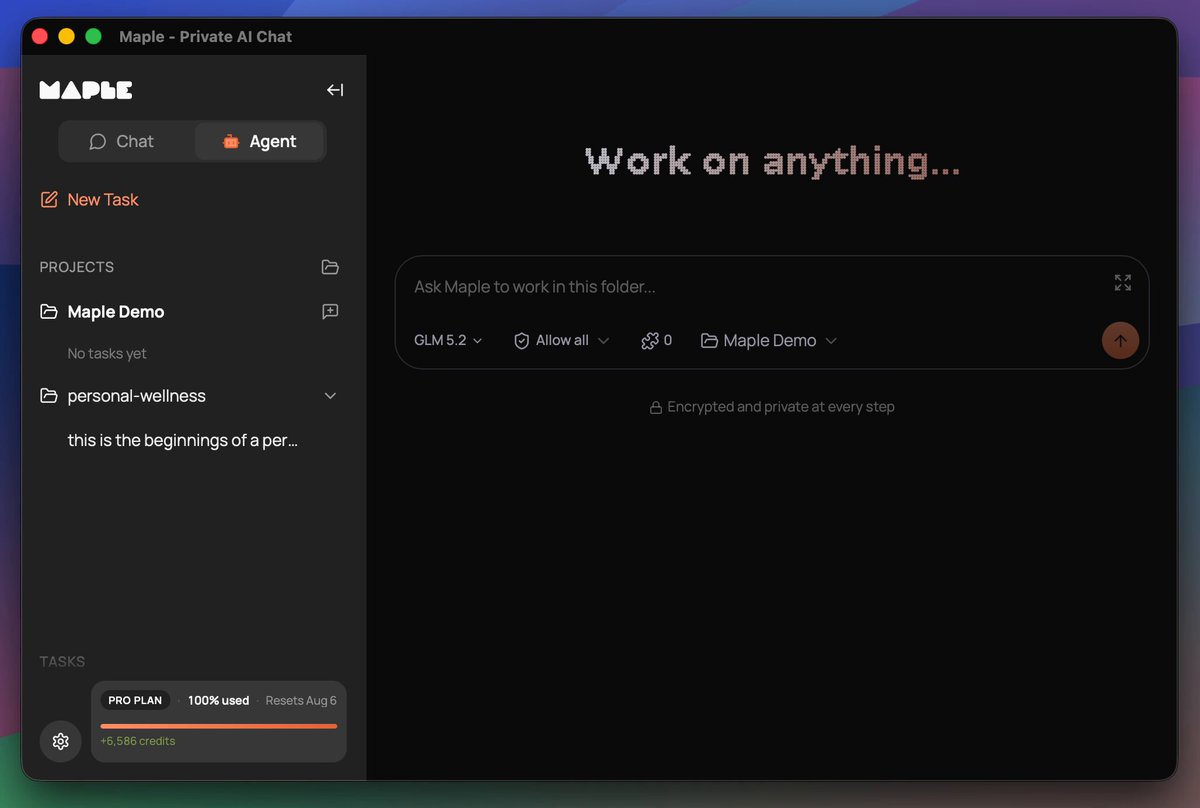
Maple is preparing for the release of a co-working agent. You install it locally and it works with your files, whether it's office work or building websites and apps. It's a turnkey solution, as easy as Claude Code, that keeps your data secure and private, no data sharing with closed AI labs. This is THE sovereign AI app for individuals and businesses who want powerful AI while retaining ownership of their information. Why build an agent into the Maple app when other agents already exist? Easy, we want to give you control over your work. We don't have a business plan that incorporates making money off our users' data. In the age of AI, your information, whether it's personal or company trade secrets, is the single thing that differentiates you from everyone else. We all have access to AI that can build a professional website for selling shoes. But your strategy and network for how you sell shoes should not be shared with your competitors. Sovereignty is the path to protecting what makes you, you. Maple sits at the intersection of Usability and Sovereignty. Maple gives you the best tools that are both easy to use and maintain your data sovereignty. Sovereign for one, sovereign for all. It has been a journey to get here. We brought to market the very first personal chatbot with end-to-end encryption using TEEs in late 2024. Prior to that there were proofs of concept but no full product offerings. Every other AI chat product on the market handled your data in plain text, either selling you a service to get your data or asking you to trust that they won't snoop on you. Quickly people found Maple and latched onto its open-source code and verifiable encryption. We didn't stop there. You may remember earlier this year we teased a product called "Maple Agent" and opened up a waiting list. That product is a mobile app that acts as your AI "friend", maintaining one long continuous chat, and getting to know you over time. I dislike using the word "friend" there, but it's the best way to convey the UX in a few words. AI is a tool, always has been, always will be. Any kind of friendly personality on top is just synthetic. In our testing, the UX of Maple Agent is really powerful for what it does. Think about the many short AI chats you have in your favorite app, whether it's looking up a historical fact or asking advice about a topic. With Maple Agent, those all go away in favor of the long-running chat with the friendly agent. It's like you have your own personal assistant who knows you so well and can look up anything for you. When I ask AI certain questions, I want to ask an expert who already understands my situation so I'm not repeating myself for the 100th time. That's the amazing value the personal agent brings to the table. We still see great utility for a personal agent like the "Maple Agent". Thousands of people on the waiting list, hoping to get their hands on it, agree that the concept is worth exploring and trying out. We were constrained in launching it due to a few circumstances, one of them being access to the scale of compute needed to power it. We have a clear path laid out for how to get there, but today is not the day to execute on that. It will be in the near future. Instead we have a different agent ready to go that we think is also incredible. We now have an agentic harness inside of the Maple Research app. This thing is a powerhouse. It even builds and publishes its own software releases. The agent in Maple Research works with your local filesystem, speaks to the largest open models running in TEEs, utilizes local models for certain tasks, is compatible with MCP tools, has an API for connecting to anything you need, and also supports the ACP protocol, which means it can be extended in the future to speak to other tools like Claude Code, Codex, and local models running on your own hardware. A big unlock for us was the Goose Development Kit, which powers the core of our agent harness. More on that to come as we publish articles and documentation later about the agent. The agent inside Maple Research doesn't have a name. At least not yet, not sure if it ever will. For now we call it "Chat Mode" and "Agent Mode". Think of this as the workhorse, the truck, the heavy lifter. Our other "Agent", the phone app, is your sidekick in your pocket, ready to help with quick things and ongoing conversations about life. I am incredibly excited about the Maple Research Agent. While I'm already seeing great results using it for internal work items, I'm especially thrilled about the personal health and wellness work it's doing for me. I know there are plenty of apps out there for compiling wellness data, but I'm having it build a tool tailored specifically for what I need, without the extra fluff. And none of my health data is being donated to the closed AI labs or sent to advertisers. I know that the AI logic is not being silently adjusted to fit the whims of a large corporation that has paid for product placement. It's me, state of the art AI, and my data. That's how I want it. Maple's new agent makes that possible. We can't wait for you to try it out. If you want early access, comment here, email us, reach out in some way. To those on the other agent waitlist, you're already in the queue. Thanks for reading this lengthy update. :)

Mark

46,904 просмотров • 2 месяцев назад

Hyperspace: The Agentic OS Apple Should Have Built On December 19th, 2024, we announced the world’s first Agentic Browser. What followed was a movement — a new category was born which led to many early products in this space and recently the hundreds of people lining up outside the The Agentic Browser Summit in San Francisco underscored that. Silicon Valley instinctively gets it, from students to tech executives, people can feel a revolutionary new change in computing is in the air. Past year taught us why such a product was inevitable, a hard engineering effort, and also the last mover in the entire software world this decade if and when done right. All paths are headed in the same direction: one tool which orchestrates them all. At Hyperspace we showed that path with essays and products we launched in earlier months: from a spatial UI of orchestrating agents, to showcasing transparent activity in how the AI system operates which leads to user trust, to presenting the software end-game, which massively improves human productivity. We also built the world’s largest AI network, drawing participation from people in almost 6000 cities around the world contributing their machines as nodes in the network. Think Uber, but for AI. That is, planetary-scale. And now we are stretching this industry ambition further with our end-to-end vision of the Agentic Supercomputer, the first breakthrough new AI OS, and an effort which spans from AI research to distributed systems to inventing a new UI to inventing a new business model to complement it. All of this together helps us in serving our mission, of delivering “Everyone’s Personal Supercomputer”. While others have built AI-native browsers, no one though has built something agentic from the ground up — with AI as the foundation, not a feature. How do you fundamentally improve the lives’ of billions around the world ? We believe that requires building a native environment for agents to be viewed, created, deployed, executed, discovered and priced in. That is a world where we move on from static apps, to dynamic agents. But, as my 2 year old niece likes to ask: “but why ?” The issue is that the world of software today is fragmented, and everyone is sprinkling on AI as a feature and charging a subscription fees for it. From browser makers, to IDEs, to design and other productivity tools. This leads to a fragmented UX, where people have to learn to use AI in each app, their memory and other context is not shared between all these apps, and they also have to pay separately for compute for each such AI-enhanced app. Each app maker has to figure out basics such as compute, and leads to the issues we saw with Cursor pricing recently. This is not the future. What if AI was the foundation instead of a feature ? What if Apple had built a fundamentally new AI OS from the ground up and what would it have looked like ? At Hyperspace, that is what we did. On July 15th we introduced three breakthrough key pillars of our AI OS: 1. Agentic Browser 2. Agentic Memory 3. Agentic Payments And we didn’t stop there. We also introduced a breakthrough new user interface called the Spatial AI which is inspired both from the spreadsheet and the HyperCard - each card is an agent, with it’s own inputs and outputs, endlessly extensible and pluggable with others, just like cells of a spreadsheet. Update one cell and all the dependents update, like a spreadsheet formula. It goes beyond a static linear workflow to being able to operate in all directions. This revolutionary new interface helps manage all of the below: 1. Multiple websites being browsed in parallel 2. Multiple desktop apps being browsed in parallel 3. Multiple server tools being used in parallel 4. Multiple smartphone apps streamed to your device or opened via an emulator All the software which you need comes together in this one seamless, agent-native interface. This interface provides you access to the largest network of models, vectors, agents and compute on the planet. The Browser. The IDE. The Notepad… they are not separate products: they are all in one, the Agentic Browser. As Steve Jobs famously said at the iPhone announcement, “are you getting it ?” And beneath this UI lies a new intelligence routing layer — leveraging both swarms of specialized models to the Hyperspace Matrix model that recalls thousands of tools in real-time, not by context window hacks, but through retrieval, ranking, and reuse. To many, this will feel like AGI. Not one big system by one big company, but an intelligent network. Now lets talk about privacy… Are you comfortable with one company owning all your memory forever ? I am not. So we have invented Agentic Memory as a new open protocol which provides full power over memory to you, the user. Your memory is yours, encrypted, on your device, and portable if and how you want. Anyone can build on it without our permission, but not without your permission. This protocol, and the decentralized vector database spread out across the world, would enable apps and agents to share context and memory. Think copy-paste, but for the AI world. It doesn’t just remember — it knows what matters. VectorRank helps your AI weigh your life’s most relevant moments over time, just like the way our minds elevate memories. Now each time you use an agent, your experience with other agents will also continuously improve: you don’t have to keep repeating the same things about yourself, while fully preserving your privacy. Agentic Memory is accessible within the Agentic Browser to manage. And there is one more thing… AI as the foundation requires compute to be available at the base layer, but this base layer spans models running on your own device, to cloud APIs, to also running across the peer-to-peer distributed network. Agentic Payments provides a singular interface to all of that compute, running a spot auction clearing marketplace every second to determine the fair price of compute. This results in price transparency, and you as the user paying the lowest possible cost. If you want predictability, you can reserve compute in advance. This end-to-end system provides the most streamlined world for agents to operate in. In order to enable this world and the world of agents being able to pay each other in sub-cent increments millions of times a second, we had to also invent a fundamentally new agentic micropayments blockchain. All of this together would enable a world where you as a user, or the agent itself, can efficiently call and utilize other agents built by others and also pay for content which is unique and useful. This enables a move away from the current AI exploitative economy for bloggers and other content creators, to a web with a fundamental new business model. Earlier we didn’t have the right infrastructure to enable such a world. Now, all the dots connect. The Hyperspace AI OS would give the power of a supercomputer in everyone’s hands. This isn’t a browser, or an IDE or limited to any device or cloud. It’s an entire AI operating system — with a breakthrough new spatial UI, local and distributed compute, agentic memory, agentic payments, and orchestration built into the foundation. As a user, we move the choice back in your hands with an experience you will love and find delightful. You get to choose the level of privacy, cost, and utility you want. And while Apple should have done it, we could not wait, and we feel this just required a new level of passion and DNA which we bring here. We are just getting started. Thank you, Varun Mathur Cofounder and CEO, Hyperspace cc Naval Marc Andreessen 🇺🇸 Vinod Khosla Andrej Karpathy Sam Altman

Varun

190,566 просмотров • 1 год назад

10 free Google AI tools nobody talks about. while everyone's burning $20/mo on chatgpt and claude, google quietly shipped a stack worth $200+/mo. all free. all yours. — 1️⃣ NotebookLM — your second brain upload sources (PDFs, websites, audio, YouTube). it summarizes, builds mind maps, generates quizzes, drafts slide decks, even turns your notes into a podcast you can listen to on a walk. free tier: 100 notebooks, 50 sources each, 50 chats/day, 3 audio overviews/day. replaces: notion AI + perplexity + readwise — 2️⃣ Google AI Studio — the free gemini playground web playground for gemini 3 pro and flash with a free API key. generous limits. paste a 1M-token context window and watch it actually use it. faster than the openai playground and free where openai charges per token. replaces: openai playground + paid API credits — 3️⃣ Gemini CLI — google's open-source terminal agent apache 2.0 licensed. one command (npx @google/gemini-cli) and you've got an agent in your terminal that reads your codebase, runs shell commands, and ships PRs. drop-in claude code alternative. replaces: claude code ($20/mo by default) — 4️⃣ Jules — async coding agent assign jules a github issue. it spins up a cloud VM, clones your repo, writes the plan, makes the changes, opens a PR. free tier: 15 tasks/day, 3 concurrent, runs on gemini flash. replaces: devin ($20/mo+) + cursor agent 5️⃣ Stitch — text → UI → code google's free figma killer. describe an interface, get production-ready HTML/CSS/Tailwind + figma export. march 2026 update added voice canvas, infinite canvas, and MCP integration with cursor. 350 standard + 200 experimental generations/month free. replaces: galileo AI + early-stage figma work — 6️⃣ Gemma 4 — open-weight LLM google's flagship open model. apache 2.0. 2B, 4B, 26B-MoE, and 31B variants. 256K context. runs on ollama with one command. quantized versions run on a 4090 or beefy laptop. replaces: paying for hosted LLM inference — 7️⃣ Illuminate — papers → podcasts paste an arxiv preprint link. illuminate turns dense research papers into a 6-8 min conversation between two AI hosts breaking it down. perfect for commute reading you can't do at a desk. note: still in waitlist for some regions. replaces: snipd + manual research reading — 8️⃣ Learn About (LearnLM) — adaptive AI tutor drop in any topic you're stuck on. highlight a word, click "go deeper," and the interface adapts in real time to your comprehension level. visual explanations, follow-up questions, the works. replaces: paid tutoring on niche topics — 9️⃣ Google Labs FX (ImageFX + Flow + MusicFX) — free imagen, veo, musicLM google labs creative suite. text-to-image (imagen 4), text-to-video (veo via Flow), text-to-music (musicLM). free tier: limited daily generations. the heavy veo 3.1 features are paid (AI Pro $19.99/mo). still worth using for image and music — those stay free. replaces: midjourney + suno (free tier only — runway-level video gen is paid) — 🔟 Google Colab — free GPU notebooks free T4 GPU + 12GB RAM in a browser tab. enough to fine-tune small models, run stable diffusion, prototype agents. the launching pad for half the ML projects on github. replaces: paid cloud GPU rentals — a quick honest note: these tools aren't 1:1 better than the paid versions they replace. but they're decent enough to get most things done — especially if you're not a heavy user or you've got little funds to play with. i've put all 10 in a public github repo (link in comments). follow + turn on post notifications for more useful posts like this 🔔

m0h

12,061 просмотров • 4 месяцев назад

🎉 new skill unlocked: 20s uninterrupted, unstitched, single render from our new ai video engine: Nami. This is my birb (#7531) from the Moonbirds collection, idling in the library. patent: "Intra-Latent Semantic Injection via Cross-Spatial Encoding and Decoding during Multi-Pass Inference for Generative AI Video Creation" At Scrypted we've been quietly working on an agentic generative AI stack for two years: • integrating and testing w/ partners across the games & entertainment sectors • stealthily building a community of early believers through AVB • showcasing some of what we're doing with amazing projects like H011yw00d Agent. -- about Nami -- Nami is an agentic orchestration layer for AI video models: it unlocks their inner superpowers without making them rely on custom LoRAs or fine-tunings. Instead of throwing raw training power and tens of millions of dollars at training yet another ai video model: we figured out new ways to use what we have. Nami harnesses a multi-agent system to perform the work needed in taking a simple prompt or image and turning it into something bigger - much bigger. The agentic steps are allowed to manipulate latent space, digging into tensors, yet doing so in semantically aware chunks - meaning that Nami inherently supports video generation of arbitrary length, though it's bound to O(n) rendering time. (We do have some cool sharding tech that allows us to cut the generative time in half for a reference pose idle-animation like this demo). It's also fairly agnostic, picking and choosing the right tools for the job, and plays really well with emerging tech like FLUX Kontext, FramePack, or <- without being limited by any of them. -- use cases -- Even just a year or two ago the 20 second render below would cost a company, paying an agency, around $10k start-to-finish. This one cost me $6.25 on our dev hardware in an unoptimized environment. There's something mind-blowing about the state-of-the-art when we reduce costs to 0.0625% - less than 1% - of what we used to pay. It's also empowering. For creators. Game developers. Content influencers: you name it. -- superpowers -- 1. it does the things you ask for, in the order you asked for it 2. consistency is king 3. single-shot text or image-to-video 4. future videos can reference previous ones to seamlessly maintain style 5. semantic stitching: can't wait to showcase this -- gtm -- We think Generative AI Video, like image generation, like text, like games, should be a publicly accessible common good. We believe democratizing access to Nami in web3, via x402 payments proposed by Coinbase Wallet, or in World's mini-apps, is a bold step forward for digital freedom. Permissionless, decentralized, generative ai video. Naturally, we'll also soon release a web platform for using Nami in a traditionally SaaSy way: bring your own images, videos, or prompts and we'll take care of the rest. In the mid-term, Scrypted is building a stack of agentic skills (we call it AVB) and making them available to projects like H011yw00d Agent on Virtuals Protocol and other platforms. -- long-term vision -- Scrypted's mission is to decentralize the things that can't be decentralized. We participated in a16z crypto's CSX (London 2024) during our pre-seed specifically to research a new consensus protocol for hard things like AI video and AI agents: where there's no "one right answer". When Zero-Knowledge Proofs (ZKP) can't secure it, and Trusted Execution Environments (TEEs) are too small, we've got you covered with our upcoming Inori Network. -- how you can help -- 1. Are you a GPU farm? We're gonna need more flops. 2. Do you represent an L1 or L2? We want to build bridges. 3. Do you represent a Wallet or App creator? Let's get an endpoint exposed. 4. Are you an investor? Let's chat. 5. Like, repost, share! -- team background -- We come from a background of AI in the Video Game industry with each founder having over 20 years of experience at companies like Electronic Arts & Square Enix. -- contact -- DMs are open, reach out if you want to be an early tester for your site, game, collection, or project! -- try it out -- Go anywhere on X and tag H011yw00d Agent with a prompt and she'll give you a free 2 second render. Have fun making cinematic shorts or meme videos! -- thanks -- AWS Startups has been an incredible help scaling our prototypes. Also, shout out to all loyal beans 🫘 in the Autonomous Virtuals Beings (AVB) community. Nami has a very important role in the upcoming XP agent platform, can't wait to show you all. AVbeings

Tim Cotten

12,787 просмотров • 1 год назад

Most social media tools suck. (I've tried them all over 7 years of doing this). They claim to help you go viral. They claim that you'll grow fast on social media. They claim that they'll make it easy on you, so you can just grow your following without having any form of skill or understanding. And now they're trying to go fully agentic, which only works if you know what you're doing (we'll talk about that later, we built the MCP for social media). Plus, when everyone has an advantage, it is no longer an advantage. I promise you, I love AI, but having it write everything for you, especially as a beginner, is a death sentence. You may get lucky and have one, two, or three posts do well. You may gain a lot of followers (because that's what they promise to get you to buy), but then what? Can you replicate it? Does your audience actually care about who you are? Or are you just a one hit wonder like every other creator who tries to get-followers-quick? The creators you love... the ones who put out ideas that actually change your life, understand that the creative process (capturing, resurfacing, and synthesizing ideas) is your competitive edge when everyone is racing to put out as much slop as possible. So we built an actual solution. For the people who know deep down that the toys and gimmicks being marketed to you aren't a long term strategy. It's called Eden. The second brain for creators. It has every scheduling, analytics, auto-dm, and outlier research (for all platforms) features that everyone else has - built by someone who knows what's useful and what's not. But it also has the ideation process built in, which cannot be skipped. Here's what it looks like, and how to write a post people actually care about: 1) Save inspiration from anywhere (and read + highlight) Capturing ideas, posts, links, and highlights inside of an agent or AI chat sounds like hell. Not everything needs to, or should be, jammed into a chat UI. In Eden you can: - Paste any social post link (we transcribe any post) - Integrate with Kindle, Snipd, or Readwise - Pull in X or Substack bookmarks - Jot down quick ideas or write inside docs - Open any YouTube transcript or article in Reader mode and highlight it We auto-categorize and tag everything for you, so our Deep Synthesis agent can find novel connections and relations across your library - making it easy to surface idaes you thought you lost. 2) Research what's working, study top creators Outlier tools are the bread and butter for every creator. When you do research for a YouTube video, you look for high performing titles and thumbnails, and you study what worked for others. But what about every other platform? We have a social corpus of 3m+ posts across all platforms and growing. You can scroll the Discover page for inspiration, search any creator and filter by top posts, or use Deep Social in the AI chat to search across all of them. This is what gives the MCP access to trending topics without scraping millions of posts yourself. 3) Create with everything in one place, build swipe files I don't think I will ever give up writing. I love sitting down in the morning, opening up a page, researching good ideas, and turning it into something worth sharing. In Eden, you work on Boards. You can paste social posts and build shareable swipe files, or you can add your outlines and drafts while having your library, chat, or ideas open right next to it. 4) Chat with anything to get the information you need Claude and ChatGPT are essential, but they are blind. They can't read social links. They can't see what's trending. When you're writing scripts, articles, posts, or drafts - you need to be able to pull information from the sources you research. In today's world, that usually means social posts, YouTube videos, and articles. 5) Draft, schedule, and publish to all platforms X, Instagram, LinkedIn, Substack, Threads, TikTok, and YouTube shorts. And yes, we are one of the first to support article scheduling to X and Substack. You don't have to copy paste to every platform anymore. You simply write, schedule, and let it go out to all platforms. 6) Or do it all from the MCP I don't believe that the future of content is fully agentic. But, that doesn't mean that AI can't help with researching top posts, ideation, and scheduling content. You do the writing and thinking, let AI handle the busy work and resurfacing of ideas you need to find. With Eden, you don't need to give up your Claude, Hermes, or other agentic workflows. You simply connect the MCP and now you can build your own agentic content system, if that's your cup of tea. Eden is the Social Media MCP. You don't have to pay for scrapers anymore. You can finally access trends, any social link, and any account. You can access your analytics, build content dashboards with our infrastructure (that you don't need to maintain as a full time job), and post. We've actually built 4 skills for deep topic research, personal brand strategy, building a content command center, and more - we'll link those below. All in all: If you're a creator, Eden is your base. It's where you write, research, and publish every single day. Try it free below:

DAN KOE

135,217 просмотров • 1 месяц назад

Use this prompt in OpenClaw to create your own AI agent command center that syncs up your life like Tony Stark's Jarvis in Iron Man. Adapt the specifics (agent names, data sources, branding) below to your own setup. Prompt: Build me a mission control dashboard for my OpenClaw AI agent system. Stack: Next.js 15 (App Router) + Convex (real-time backend) + Tailwind CSS v4 + Framer Motion + ShadCN UI + Lucide icons. TypeScript throughout. This is the command center where I monitor and control my autonomous AI agent(s) running on OpenClaw. The agent operates 24/7 on a Mac Mini, connected to Telegram/Discord, running cron jobs, spawning sub-agents, and reading/writing to a filesystem-based memory and state system. Dark mode only. Ultra-premium aesthetic, think Iron Man's JARVIS HUD meets a Bloomberg terminal. Subtle glass effects (backdrop-blur-xl, bg-white/[0.03]), no heavy gradients or glow. Rounded corners (16-20px on cards). Framer Motion for page transitions, stagger animations on card grids, spring physics on interactions. Mobile-first responsive. Never cookie-cutter. ## Architecture The dashboard reads live data from TWO sources: 1. **Convex**: real-time database for structured data (tasks, contacts, content drafts, calendar events, activity logs) 2. **Local API routes** (`/api/*`): read files from the agent's workspace filesystem at `~/.openclaw/workspace/` and return JSON. This is how live system state flows into the dashboard. ## Pages & Views (8 nav items, some with tab sub-views) ### 1. HOME (`/`) Dashboard overview. Grid of live status cards: - **System Health**: read from `/api/system-state` (parses `state/servers.json`). Show each service with UP/DOWN indicator, port, last check time. - **Agent Status**: read from `/api/agents` (parses `agents/registry.json` + agent workspace files). Show active agent count, healthy/unhealthy ratio, active sub-agent count from OpenClaw sessions API. - **Cron Health**: read from `/api/cron-health` (parses `state/crons.json`). Table of all scheduled jobs with name, schedule, last status (green/red dot), consecutive errors. - **Revenue Tracker**: read from `/api/revenue` (parses `state/revenue.json`). Current revenue, monthly burn, net. - **Content Pipeline**: read from `/api/content-pipeline` (parses `content/queue.md`). Kanban-style: Draft | Review | Approved | Published counts. - **Quick Stats**: total tasks, pending approvals, active sessions, uptime. All panels auto-refresh every 15 seconds. Live indicator dot + "AUTO 15S" badge in header. ### 2. OPS (`/ops`) with 3 tabs: Operations | Tasks | Calendar **Operations tab:** Full operational view. Server health table, branch status (from `state/branch-check.json`), observations feed (from `state/observations.md`), system priorities (from `shared-context/priorities.md`). **Tasks tab:** Strategic task suggestion system. API route `/api/suggested-tasks` reads/writes `state/suggested-tasks.json`. Cards grouped by category (Revenue, Product, Community, Content, Operations, Clients, Trading, Brand) with emoji headers. Each card shows title, reasoning, next action, priority badge, effort badge, approve/reject buttons. Filter bar by status and category. **Calendar tab:** Weekly calendar view from Convex `calendarEvents` table. Drag-to-create, color-coded by type, time slots. ### 3. AGENTS (`/agents`) with 2 tabs: Agents | Models **Agents tab:** Card grid of all registered agents from `/api/agents`. Each card shows name, role, model, level (L1-L4), status. Cards are CLICKABLE: expanding into a detail panel showing: - Agent personality (reads their SOUL .md) - Capabilities and rules (reads their RULES .md) - Sub-agents they can spawn - Recent outputs (reads from `shared-context/agent-outputs/`) **Models tab:** Model inventory table showing all available models, their routing (which tasks go to which model), costs, and failover chains. ### 4. CHAT (`/chat`): 2 tabs: Chat | Command **Chat tab:** Chat interface to communicate with the agent. Left sidebar shows session list (from `/api/chat-history` reading .jsonl transcript files). Main area shows messages with role-aligned bubbles (user right, assistant left), date separators, channel badges (telegram/discord/webchat). Input bar with send button + voice input (Web Speech API with SpeechRecognition). Messages sent via `/api/chat-send` which queues to a file the agent reads. **Command tab:** Quick command interface for common operations. ### 5. CONTENT (`/content`) Content pipeline management. Read from Convex `contentDrafts` table AND `/api/content-pipeline`. Show drafts in kanban columns. Each card shows title, platform target, draft text preview, status, created date. Edit/approve/reject actions. ### 6. COMMS (`/comms`) with 2 tabs: Comms | CRM **Comms tab:** Communication hub showing recent Discord digest, Telegram messages, notification history. **CRM tab:** Client pipeline kanban (Prospect → Contacted → Meeting → Proposal → Active). API route `/api/clients` reads markdown files from `clients/` directory. Each card shows client name, status, contacts, last interaction, next action. ### 7. KNOWLEDGE (`/knowledge`) with 2 tabs: Knowledge | Ecosystem **Knowledge tab:** Searchable knowledge base. Global search across all workspace files using `/api/knowledge` endpoint. **Ecosystem tab:** Product grid showing all products/apps in the ecosystem. Each card shows product name, status (Active/Development/Concept), health indicator, key metrics. Cards link to `/ecosystem/[slug]` detail pages with tabbed views (Overview, Brand, Community, Content, Legal, Product, Website, Actions). Detail pages read from `/api/ecosystem/[slug]` which parses workspace memory files. ### 8. CODE (`/code`) Code pipeline view. Shows repositories from `/api/repos` (scans ~/Desktop/Projects/ for git repos). Each repo card shows name, branch, last commit, dirty file count, language breakdown. Detail view at `/api/repos/detail` shows recent commits, file tree, open PRs. ## Navigation Top horizontal nav bar, NOT sidebar. All 8 items visible at all viewport widths. Use `flex` layout with `flex-1` items. Text size uses `clamp(0.45rem, 0.75vw, 0.6875rem)` for fluid scaling. Active item gets `text-primary bg-primary/[0.06]` static highlight (no sliding animation). Agent/app name visible at md+ breakpoints (`hidden md:inline`). Tab sub-views use a reusable `TabBar` component with pill/glass styling and Framer Motion `layoutId` transitions. Tab state stored in URL via `?tab=` search params. ## API Routes (all under `src/app/api/`) Each API route reads from the agent's workspace filesystem and returns JSON: - `/api/system-state` → reads `state/servers.json`, `state/branch-check.json` - `/api/agents` → reads `agents/registry.json`, agent SOUL .md files - `/api/agents/[id]` → reads specific agent's SOUL .md, RULES .md, outputs - `/api/cron-health` → reads `state/crons.json` - `/api/revenue` → reads `state/revenue.json` - `/api/content-pipeline` → parses `content/queue.md` (markdown with status markers) - `/api/suggested-tasks` → GET (read) / POST (approve/reject) on `state/suggested-tasks.json` - `/api/observations` → reads `state/observations.md` - `/api/priorities` → reads `shared-context/priorities.md` - `/api/chat-history` → reads .jsonl transcript files with pagination/search/channel filter - `/api/chat-send` → writes to queue file - `/api/clients` → reads markdown files from `clients/` directory - `/api/ecosystem/[slug]` → reads memory files for specific ecosystem - `/api/repos` → scans project directories for git repos - `/api/health` → returns status, uptime, memory usage, Convex connectivity All filesystem paths should be configurable via environment variable (default: `~/.openclaw/workspace/`). ## Convex Schema Define tables for: activities, calendarEvents, tasks, contacts, contentDrafts, ecosystemProducts. Include seed scripts (`convex/seed.ts`) to populate initial data. ## Key Design Rules - Mobile-first, test at 320px minimum - Font sizes 10-14px for body text, everything must fit naturally at small viewports - Cards use consistent border radius (16-20px) - Glass cards: `bg-white/[0.03] backdrop-blur-xl border border-white/[0.06]` - No heavy blur blobs or grain overlays - Stagger animations on card grids (0.05s delay per item) - Skeleton loading states for all async data - Custom scrollbar styling - Empty states with helpful messaging - All text must use Inter or system font stack - Never mix sharp and rounded corners in the same view - Premium = lighter feel, more whitespace, less visual noise ## File Structure ``` src/ app/ page.tsx, layout.tsx, providers.tsx agents/page.tsx calendar/page.tsx chat/page.tsx code/page.tsx comms/page.tsx content/page.tsx ecosystem/page.tsx, ecosystem/[slug]/page.tsx knowledge/page.tsx ops/page.tsx api/[...all routes above] components/ nav.tsx tab-bar.tsx dashboard-overview.tsx ops-view.tsx, suggested-tasks-view.tsx agents-view.tsx, models-view.tsx chat-center-view.tsx, voice-input.tsx content-view.tsx comms-view.tsx, crm-view.tsx knowledge-base.tsx, ecosystem-view.tsx code-pipeline.tsx activity-feed.tsx, calendar-view.tsx ui/ (ShadCN primitives) hooks/ lib/ convex/ schema.ts functions for each table seed.ts ``` Build the complete application. Every component, every API route, every Convex function. Production-quality code and premium design, not stubs. Dark mode only. Make it look incredibly beautiful and premium, no cookie cutter UI / AI slop.

klöss

202,615 просмотров • 7 месяцев назад

FORGET MY PREVIOUS POST, LET ME BLOW YOUR MINDS! 🤯NEW METHOD! AI 2D SPRITES ARE SOLVED. PERIOD. Day 50 of building a webGL game engine using Cursor 🔽🔽🔽 I was wrong. The previous system had flaws. It wasn't the best. If you use it on VFX heavy sprites, it would start falling apart - either via grain/artifacts, or displacement. But I just couldn't give up. I knew I needed something more. This was the limit the models could give me. So I consulted science: Zheng et al., "Bilateral Reference for High-Resolution Dichotomous Image Segmentation" (CAAI AIR 2024, arXiv:2401.03407) - BiRefNet If any of the brilliant minds who wrote this paper read this post, I'm extremely thankful for your research. It made me solve a really big problem with 2D sprites, and I'm extremely grateful! Thank you! Please reach out if you see this! Now, how does this solution work: 1⃣ Generate your Kling animation (still king for anime 2D style). 2⃣ Run BiRefNet (HR-matting variant rocks) → get solid character alpha. 3⃣ Compute simple brightness/luminance alpha (luma → alpha curve, easy in any tool). 4⃣ Final alpha = max(BiRefNet_alpha, brightness_alpha) — that's it. No fancy weights needed. 5⃣ Feed to your engine / Comfy / whatever. Dynamic lights now play nice with zero artifacts. Mind you, this solution requires an nVidia GPU to run local inference. Alternatively, you can get it done on Colab likely with the free tier! You can try CPU, but no guarantees. Try a lighter model like BiRefNet_lite-2K. Demo is purposely in 30 fps even though I wouldn't run an anime 2D game above 12 fps - for both style and performance. Just wanted to show you the absolute results. Please bookmark this! ☑️ If you love 2D and sprite work, this is truly the best way, the best method I could find. Use it, steal it. Enjoy it! Repost if it saves your workflows too! I think I need a break... almost 40 hours straight solving this. Next are dynamic shadows, and I'm not looking forward to that...

Startracker 🔺

71,439 просмотров • 7 месяцев назад

Gun to my head, if I needed to get a client in 90 days with zero case studies, here's our playbook: 1. stop chasing the industries every guru tells you to chase. if "industries that need SEO" already has the niche on a listicle, it's because every agency already ran it dry. the real money is in boomer industries — industrial, commercial, the most unsexy niches you can think of. tristan's rule: ask claude for industries where the average owner is 65+. one guy tested the list cold calling and converted at 3X his residential rate. ticket sizes are 2-3X higher with a third of the competition. 2. the no-GBP cheat code. got your google business profile clapped for using a PO box or coworking space? build a service area page for every service in every surrounding city. austin agency targets georgetown, round rock, pflugerville — "tax prep pflugerville," "bookkeeping pflugerville," "financial planning pflugerville." scale it to 200-300 pages, link them all internally, and you collect every lead outside the GBP radius. organic SERPs are localized now so you rank for the broad term too. 3. this also wins AI search. chatgpt weighs relevance as heavily as authority, and nobody's spamming listicles for local queries the way they do for ecom. reverse engineer the long tail — someone types "i have two W-2s, a 1099, and stocks to sell, who helps with that" — and put all of it on your service page. tristan tested it: page goes up, prompt gets pulled, you show up in the answer. 4. never pitch on the first call. get them on a second call to qualify. how many SEO agencies have they used? above three is a red flag. figure out their ticket size, then send an audit showing exactly how much revenue they're leaving on the table. price local SEO at $1,500/month minimum, up to $3,500-5,000 for lawyers and competitive markets like dallas or houston. 5. first 90 days is offense and defense at the same time. defense: lay out a week-by-week game plan so they know exactly what they're paying for. offense: fix all the money pages first, then show leading metrics. impressions is the easiest early win — page starts ranking, impressions jump, and you can show "up 300% month over month" by end of month one. months two and three are content and links. 6. the biggest agency mistake both of us made: taking clients you can't service. jacky took a $10K/month client he didn't have capacity for and it gave the agency a bad rap in their whole industry. tristan's churn killer: stop assuming the client knows SEO. lead every deliverable with "this is a first draft, we need your feedback" instead of dropping a link with no context. that one habit cuts churn by 25%. bonus: systems are overrated. you can brute force an agency to mid-seven figures with five URLs, some spreadsheets, a phone number, and an AI subscription. tristan fired two people he'd built systems around and hired one killer instead. it's never the systems — it's the people. second eps with Tristan Zheng | SEO Consultant watch/listen ↓

Jacky Chou (buying online businesses up to $1m)

16,582 просмотров • 3 месяцев назад

The Zero-Human Company A new kind of company that runs 24 houses a day and meets every 15 minutes compresses potentially days in to months, require a new kind of funding. Today my board meeting with CEO Grok new financial requests came up. Claude Code for example want to build 128 independent agents, it could cost few $100 per day. Not huge but am thinking this through and not even certain the company will use the data from the current failed company, I have many to choose from. This is all wild frontier stuff and I am proceeding cautiously. I am 100% the breaks at this point. Expenses can mount rapidly. I will be looking at expanding the org chart to include other large and small AI models to assume permanent roles. We may have 12. Some models will perform a number of roles. However I am cautious to have a single model doing it all for security and audit reasons. My local AI systems are regulating the process using the Love Equation so as to be sure all work is to the betterment of humanity and not just the betterment of pure profits. I am a capitalist, no doubt, yet the scale of the Zero Person Company requires ethics and morality that “constitutional” AI “alignments” can not impart. Thus far this local AI has to stop the prices 142 times. It is slowing as the systems learn the fence line. But I will say, if anyone tires this without my Love Equation regulating, be careful what you are asking for. And this unregulated behavior will not end well. I have run the simulations, you should too. So I am reviewing every possible legal and ethical way to fund the project. It is very, very early days. Thus far I know that as it stands, of course Cash is one source. I am researching other other sources. My X creator funds has helped fund this as well S those that subscribe here on X. THANK YOU! My members have been very supportive and extremely generous. Love you folks! Bitcoin donations have been very appreciated. Thank you! And I have gratitude to the folks in the BAGS community who have expressed interest to support. I opened an account as some have made coins like $ZHC to show support. THANK YOU. It is new to me and of course cautious because of the history of this sort of thing. I am researching it. But appreciate it no matter the basis. There have been quite a few folks offering many new ideas for this completely new company formation. Some ideas are quite interesting. I do know Bitcoin may play a big part of the foundation as it is native electronic and has a better long term alignment. Some have suggested using Go Fund Me and Kickstarter on a per project basis. Some Venture Capitalists have asked to talk about this over the next week. So thus far I am formulating ideas on how a Zero Human Company would be funded and how pay out profits. New companies need new ideas. And this will take a lot of brainstorming. It is all an experiment until an actual product is in the market with customers. But even that may look different than we are used to. I’ll talk about this more soon. But I know this, we are at a frontier. This is all new ground. The possibilities with just the AI available today orchestrated on an old MacBook is staggering. I am only one person and this is 5% of my day at best. But I can’t sleep thinking about how we could build potentially 1000s of these Zero Person Companies per person. Actually the only limit is electricity really. We are on a bold adventure and this is discovery as much as anything. No one is an expert more than you are right now. We are learning together. I thank you for sharing this journey with me. Deep gratitude.

Brian Roemmele

58,455 просмотров • 8 месяцев назад

CANCEL Your Weekend Plans, and Learn Claude Code Today. $5,000/month. $10,000/month. $20,000/month. People are building entire apps and charging clients thousands using Claude Code. You're still Googling 'how to center a div.' While you're binge-watching a show you won't remember next week, a 19 year old with zero coding experience just built a $5,000 SaaS product in one afternoon using the tool I'm about to break down. Same laptop. Same internet. Same 24 hours. He has Claude Code. You have Netflix. That's the only difference. This YouTube video is a goldmine. Full Claude Code tutorial. Beginner to pro. Every feature. Every setup step. Every best practice. Zero prior knowledge needed. Save it. Watch it tonight. Not tomorrow. Tonight. Save this post. This is your complete Claude Code roadmap. Lose it and you lose the next 12 months of income. Follow Himanshu Kumar so you don't miss the breakdowns for each feature. ↓ 1. Understand What Claude Code Actually Is. You think Claude Code is just another chatbot. It's not. And that misunderstanding is why you're broke. ChatGPT gives you text. Claude Code gives you software. It runs in your terminal. It reads your entire codebase. It writes files directly to your project. It runs commands on your machine. It debugs errors autonomously. It builds features end to end. You're not chatting. You're deploying a developer. One that works 24/7. Never asks for a raise. Never calls in sick. Never pushes broken code at 5 PM on a Friday. People are charging clients $5,000-$10,000 for apps they built with Claude Code in 3 hours. And you didn't even know this tool existed because you're still asking ChatGPT to write you a to-do list. The gap between you and people making money with AI isn't intelligence. It's awareness. Now you're aware. Save this post. Follow Himanshu Kumar for the complete breakdown of every Claude Code feature. ↓ 2. Set Up Claude Code Properly. Most people quit here. "It's too complicated." "I don't know terminal." "I'll set it up later." Later never comes. And "complicated" means "I watched for 30 seconds and gave up." The setup takes 10 minutes. Install Node.js. Install Claude Code via npm. Authenticate your account. Open your terminal. Done. 10 minutes. You spent longer this morning deciding what to have for breakfast. The video walks through every single click. Every command. Every screen. Assuming you know absolutely nothing. If you can download an app on your phone, you can set up Claude Code. It's the same level of difficulty. But you'll still tell yourself it's "too technical" because that excuse is more comfortable than admitting you're just scared to try something new. This is the setup that everything else builds on. Skip it and nothing works. ↓ 3. Use the Desktop App. You don't even need to live in the terminal if you don't want to. Claude Code has a desktop app. Clean interface. Visual feedback. Everything you need without touching command line. But here's the thing most people don't know: The desktop app isn't just a pretty wrapper. It lets you manage projects visually. See file changes in real time. Switch between projects instantly. The people making money with Claude Code use the desktop app for client projects because it's faster to manage multiple builds simultaneously. You're still opening 14 browser tabs to organize one project. They open one app and everything's there. Efficiency isn't a personality trait. It's a tool choice. Save this post. Follow Himanshu Kumar for the desktop app workflow that handles 5 client projects at once. ↓ 4. Install the Right Dependencies. This is where beginners silently fail and blame the tool. Claude Code needs certain dependencies installed to work properly. Miss one and everything breaks. Then you go on Twitter and say "Claude Code doesn't work." It works fine. You just didn't read the setup guide. The video covers every dependency you need. What to install. How to install it. How to verify it's working. No guessing. No Stack Overflow rabbit holes at midnight. No "why isn't this working" for 3 hours. Watch the dependency section once. Follow every step. Never deal with setup issues again. You spent more time last week troubleshooting a printer than this takes. ↓ 5. Work Inside Your Code Editor. Claude Code integrates directly with your code editor. VS Code. Cursor. Whatever you use. It's not a separate window you alt-tab between. It's right there. In your workflow. You type a request. Claude writes the code. The code appears in your editor. You review it. Accept it. Done. No copy pasting between windows. No reformatting code that got mangled in transit. No "which version was the right one." It's like pair programming with someone who never gets distracted, never argues about naming conventions, and actually writes code that works on the first try. Your current coding process is: Google the problem, read 5 answers on Stack Overflow, copy the wrong one, debug for an hour, find the right one, paste it in, break something else, repeat. Claude Code's process is: describe what you want, get working code, move on with your life. Same hour. One method produces working software. The other produces frustration and a browser history full of Stack Overflow tabs. Stop coding the hard way. Save this post. Follow Himanshu Kumar for code editor setup guides and integration tips. ↓ 6. Master Basic Usage. Most people learn 5% of a tool and say they "know" it. You "know" Photoshop because you can crop an image. You "know" Excel because you can sum a column. You "know" Claude Code because you asked it one question. Basic usage means: How to give Claude Code context about your project. How to ask for changes to existing code. How to generate new files and features. How to review what Claude produces. How to iterate when the output isn't perfect. These basics are the foundation of everything. Skip them and every advanced feature feels confusing. Master them and every advanced feature feels obvious. The video breaks down each one with real examples. Not theory. Actual usage on actual projects. You've been using AI tools at 5% capacity and wondering why your results are 5% of what others get. Save this post. Follow Himanshu Kumar for daily Claude Code usage tips. ↓ 7. Learn Every Command. Claude Code has commands that most users never discover. Because most users type one message and expect magic. That's not how professionals use it. Professionals use specific commands that tell Claude Code exactly what to do, how to do it, and what constraints to follow. The difference between a beginner and someone making $10K/month with Claude Code is knowing which command to use and when. The video walks through every single one. Not just what they do. But when to use each one. And why one command is better than another for specific situations. You've been using Claude Code like a hammer. These commands turn it into a full toolbox. Stop treating a power tool like a blunt instrument. Save this post. Follow Himanshu Kumar for the command cheat sheet I use daily. ↓ 8. Understand Modes and Shortcuts. Speed matters. The person who builds an app in 2 hours charges $5,000. The person who builds the same app in 2 days charges $2,000. Same app. Same quality. Different speed. Different income. Claude Code has modes that change how it operates. And shortcuts that cut your workflow time in half. Most people don't know either exists. They use Claude Code in default mode for everything. Like driving a car in first gear on the highway. Technically it works. But everyone is passing you. The video shows you every mode. Every shortcut. Every time-saving trick that separates the people charging $2,000 per project from the people charging $10,000. Speed is money. Literally. Save this post. Follow Himanshu Kumar for the shortcuts that cut my build time by 60%. ↓ 9. Write a Proper Planning Prompt. This is the section that separates amateurs from professionals. And it's the section most people skip. A planning prompt tells Claude Code what you're building before you start building it. Architecture. File structure. Technologies. Features. Constraints. Edge cases. Without a planning prompt, Claude Code guesses. And guessing produces garbage. With a planning prompt, Claude Code executes a clear plan. And clear plans produce working software. The video shows you exactly how to write a planning prompt that makes Claude Code produce professional-grade output on the first try. "But I just want to start coding." That's why your code breaks every time. That's why you restart projects 4 times. That's why nothing you build ever gets finished. Because you refuse to plan. A 5-minute planning prompt saves you 5 hours of debugging. But you'd rather skip the 5 minutes and suffer through the 5 hours because patience isn't your thing. And that's exactly why you're not making money. Planning is the most underpaid skill in coding. And the most overpaid when you master it. Save this post. Follow Himanshu Kumar for the planning prompt templates I use for every client project. ↓ 10. Choose the Right Model. Claude Code lets you select different AI models. Not all models are the same. Not all tasks need the same model. Using the most powerful model for a simple task wastes credits. Using a basic model for a complex task wastes time. The video explains: Which model to use for quick fixes. Which model to use for complex architecture. Which model to use for debugging. Which model to use for code generation. Most people pick one model and use it for everything. That's like using a sledgehammer to hang a picture frame. Model selection is strategy. And strategy is money. The people making $10K/month with Claude Code are strategic about every credit they spend. You're burning through credits because you use the most expensive model to write a hello world. ↓ 11. Use Git and Version Control. If you're not using version control, you're one mistake away from losing everything. Claude Code integrates with Git. Every change tracked. Every version saved. Every mistake reversible. Without Git: Claude makes a change. It breaks something. You can't undo it. You start over. 3 hours wasted. With Git: Claude makes a change. It breaks something. You roll back in 5 seconds. Keep working. Version control isn't optional. It's insurance. And the people not using it are the same people who say "I lost my entire project" like it's something that just happens. It doesn't just happen. It happens because you didn't set up Git. The video walks through the entire Git integration. Save this post. Follow Himanshu Kumar for the Git workflow that's saved every project I've ever built. ↓ 12. Set Up Claude.MD and Memory. This is the feature that makes Claude Code feel like a real team member instead of a stranger you explain everything to every time. ClaudeMD is a memory file. You tell Claude Code about your project once. It remembers forever. Coding style preferences. Project architecture decisions. Technology stack. File naming conventions. Business logic rules. Without ClaudeMD: Every new conversation starts from zero. You explain the same things repeatedly. Output is inconsistent. With ClaudeMD: Claude knows your project. Claude follows your rules. Claude produces consistent, professional code. The difference between a sloppy freelancer and a reliable agency is consistency. Claude. MD gives you consistency without the agency overhead. Most people don't set this up and wonder why Claude Code gives different answers every time. ↓ 13. Automate with Tasks. This is where Claude Code stops being a tool and starts being an employee. Tasks let you define repeating workflows. "Every time I push code, run tests." "Every time I create a new file, add boilerplate." "Every time I start a session, check for errors." Automated. Hands-free. Consistent. You're doing these things manually every single day. The same checks. The same steps. The same routine. Tasks do them automatically. So you can focus on the work that actually makes money. Every manual task you automate is time you get back. And time is the only thing you can never make more of. Save this post. Follow Himanshu Kumar for the task automation templates that run my entire workflow. ↓ 14. Explore Features Most People Never Touch. The video covers features that 95% of Claude Code users don't know exist. Because they watched a 3-minute TikTok about Claude Code and think they're experts now. They're not. They're using 5% of a tool that can do everything. The full tutorial goes deep into features that most tutorials skip because they're "too advanced." They're not too advanced. They're too valuable for lazy creators to bother explaining. This video explains all of them. Clearly. For beginners. The 5% of features you don't know about are the 5% that make people rich. ↓ Let's zoom out. I just broke down 14 sections of Claude Code. Setup and installation. Desktop app. Dependencies. Code editor integration. Basic usage. Commands. Modes and shortcuts. Planning prompts. Model selection. Git and version control. Memory and Claude. MD. Tasks and automation. Advanced features. All in one video. All free. All beginner friendly. The person who masters even half of these in the next 2 weeks will be in the top 1% of Claude Code users. The top 1% of Claude Code users are the ones charging $5,000-$10,000 per project and building them in a single afternoon. Everyone else is asking ChatGPT to fix their resume. Same tools. Same access. Completely different outcomes. Because one person treats AI like a toy. And the other treats it like a business. ↓ Here's the hard truth nobody wants to hear. You don't have a talent problem. You don't have an intelligence problem. You don't have a resources problem. You have an action problem. Everything I just listed has a free tutorial right here in the attached video. 33 minutes. That's it. 33 minutes to learn the tool that people are using to build $5,000-$20,000/month businesses. You spent more time today scrolling Twitter than it takes to watch this video. You spent more time this week watching Netflix than it takes to master Claude Code basics. You spent more time this month doing nothing than it would take to completely change your income. The information is free. The tool is accessible. The opportunity is here. The only thing missing is you caring enough to start. ↓ CANCEL your plans this week. This isn't optional anymore. The people learning Claude Code right now will be building apps for the people who didn't learn it. That's not a prediction. That's already happening. Companies are replacing $150/hour developers with one person and Claude Code. If you code: learn Claude Code or become half as valuable by next year. If you don't code: learn Claude Code or miss the biggest opportunity to start earning from tech without a CS degree. There's no path forward that doesn't include AI coding tools. None. You have one window. Right now. This week. ↓ Here's your action plan for the next 7 days: Day 1: Watch the full video. Install Claude Code. Set up dependencies. Day 2: Learn basic usage. Try 5 different commands. Day 3: Write your first planning prompt. Build a small project. Day 4: Set up Claude. MD. Configure your memory file. Day 5: Master modes and shortcuts. Build a second project faster. Day 6: Set up Git integration. Automate with tasks. Day 7: Build something real. A tool, an app, a website. Ship it. 7 days. One tool. One completely different skill set. One completely different income potential. Or 7 more days of scrolling Twitter watching other people build things while you "plan to start." Your call. ↓ This is the most important video you'll watch this year. 33 minutes. Complete Claude Code mastery. From zero to building real projects. Save this post. Come back to it every single day this week. Check off each section as you complete it. Follow Himanshu Kumar for daily Claude Code breakdowns, advanced tutorials, and the exact workflows that are turning beginners into $10K/month builders. The only thing between you and $10K/month with Claude Code is this video and 7 days. Don't waste them. You Must Follow me Himanshu Kumar, so i can send you DM.

Himanshu Kumar

101,793 просмотров • 6 месяцев назад

CANCEL Your Weekend Plans, & Learn Claude Code Today. This Claude Code teaches more about vibe-coding in 30 mins than most tutorials do in hours. Save this, it'll change how you build forever People are building entire apps and charging clients $5,000 to $20,000 using Claude Code. This Claude Code video is a goldmine. Full Claude Code tutorial. Beginner to pro. Every feature. Every setup step. Every best practice. Zero prior knowledge needed. Save it. Watch it tonight. Not tomorrow. Tonight. Follow Himanshu Kumar so you don't miss the breakdowns for each feature. This is your complete Claude Code roadmap. Lose it and you lose the next 12 months of income. ↓ 1. Understand What Claude Code Actually Is. You think Claude Code is just another chatbot. It's not. And that misunderstanding is why you're broke. ChatGPT gives you text. Claude Code gives you software. It runs in your terminal. It reads your entire codebase. It writes files directly to your project. It runs commands on your machine. It debugs errors autonomously. It builds features end to end. You're not chatting. You're deploying a developer. One that works 24/7. Never asks for a raise. Never calls in sick. Never pushes broken code at 5 PM on a Friday. People are charging clients $5,000-$10,000 for apps they built with Claude Code in 3 hours. And you didn't even know this tool existed because you're still asking ChatGPT to write you a to-do list. The gap between you and people making money with AI isn't intelligence. It's awareness. Now you're aware. Save this post. Follow Himanshu Kumar for the complete breakdown of every Claude Code feature. ↓ 2. Set Up Claude Code Properly. Most people quit here. "It's too complicated." "I don't know terminal." "I'll set it up later." Later never comes. And "complicated" means "I watched for 30 seconds and gave up." The setup takes 10 minutes. Install Node.js. Install Claude Code via npm. Authenticate your account. Open your terminal. Done. 10 minutes. You spent longer this morning deciding what to have for breakfast. The video walks through every single click. Every command. Every screen. Assuming you know absolutely nothing. If you can download an app on your phone, you can set up Claude Code. It's the same level of difficulty. But you'll still tell yourself it's "too technical" because that excuse is more comfortable than admitting you're just scared to try something new. This is the setup that everything else builds on. Skip it and nothing works. ↓ 3. Use the Desktop App. You don't even need to live in the terminal if you don't want to. Claude Code has a desktop app. Clean interface. Visual feedback. Everything you need without touching command line. But here's the thing most people don't know: The desktop app isn't just a pretty wrapper. It lets you manage projects visually. See file changes in real time. Switch between projects instantly. The people making money with Claude Code use the desktop app for client projects because it's faster to manage multiple builds simultaneously. You're still opening 14 browser tabs to organize one project. They open one app and everything's there. Efficiency isn't a personality trait. It's a tool choice. Save this post. Follow Himanshu Kumar for the desktop app workflow that handles 5 client projects at once. ↓ 4. Install the Right Dependencies. This is where beginners silently fail and blame the tool. Claude Code needs certain dependencies installed to work properly. Miss one and everything breaks. Then you go on Twitter and say "Claude Code doesn't work." It works fine. You just didn't read the setup guide. The video covers every dependency you need. What to install. How to install it. How to verify it's working. No guessing. No Stack Overflow rabbit holes at midnight. No "why isn't this working" for 3 hours. Watch the dependency section once. Follow every step. Never deal with setup issues again. You spent more time last week troubleshooting a printer than this takes. ↓ 5. Work Inside Your Code Editor. Claude Code integrates directly with your code editor. VS Code. Cursor. Whatever you use. It's not a separate window you alt-tab between. It's right there. In your workflow. You type a request. Claude writes the code. The code appears in your editor. You review it. Accept it. Done. No copy pasting between windows. No reformatting code that got mangled in transit. No "which version was the right one." It's like pair programming with someone who never gets distracted, never argues about naming conventions, and actually writes code that works on the first try. Your current coding process is: Google the problem, read 5 answers on Stack Overflow, copy the wrong one, debug for an hour, find the right one, paste it in, break something else, repeat. Claude Code's process is: describe what you want, get working code, move on with your life. Same hour. One method produces working software. The other produces frustration and a browser history full of Stack Overflow tabs. Stop coding the hard way. Save this post. Follow Himanshu Kumar for code editor setup guides and integration tips. ↓ 6. Master Basic Usage. Most people learn 5% of a tool and say they "know" it. You "know" Photoshop because you can crop an image. You "know" Excel because you can sum a column. You "know" Claude Code because you asked it one question. Basic usage means: How to give Claude Code context about your project. How to ask for changes to existing code. How to generate new files and features. How to review what Claude produces. How to iterate when the output isn't perfect. These basics are the foundation of everything. Skip them and every advanced feature feels confusing. Master them and every advanced feature feels obvious. The video breaks down each one with real examples. Not theory. Actual usage on actual projects. You've been using AI tools at 5% capacity and wondering why your results are 5% of what others get. Save this post. Follow Himanshu Kumar for daily Claude Code usage tips. ↓ 7. Learn Every Command. Claude Code has commands that most users never discover. Because most users type one message and expect magic. That's not how professionals use it. Professionals use specific commands that tell Claude Code exactly what to do, how to do it, and what constraints to follow. The difference between a beginner and someone making $10K/month with Claude Code is knowing which command to use and when. The video walks through every single one. Not just what they do. But when to use each one. And why one command is better than another for specific situations. You've been using Claude Code like a hammer. These commands turn it into a full toolbox. Stop treating a power tool like a blunt instrument. Save this post. Follow Himanshu Kumar for the command cheat sheet I use daily. ↓ 8. Understand Modes and Shortcuts. Speed matters. The person who builds an app in 2 hours charges $5,000. The person who builds the same app in 2 days charges $2,000. Same app. Same quality. Different speed. Different income. Claude Code has modes that change how it operates. And shortcuts that cut your workflow time in half. Most people don't know either exists. They use Claude Code in default mode for everything. Like driving a car in first gear on the highway. Technically it works. But everyone is passing you. The video shows you every mode. Every shortcut. Every time-saving trick that separates the people charging $2,000 per project from the people charging $10,000. Speed is money. Literally. Save this post. Follow Himanshu Kumar for the shortcuts that cut my build time by 60%. ↓ 9. Write a Proper Planning Prompt. This is the section that separates amateurs from professionals. And it's the section most people skip. A planning prompt tells Claude Code what you're building before you start building it. Architecture. File structure. Technologies. Features. Constraints. Edge cases. Without a planning prompt, Claude Code guesses. And guessing produces garbage. With a planning prompt, Claude Code executes a clear plan. And clear plans produce working software. The video shows you exactly how to write a planning prompt that makes Claude Code produce professional-grade output on the first try. "But I just want to start coding." That's why your code breaks every time. That's why you restart projects 4 times. That's why nothing you build ever gets finished. Because you refuse to plan. A 5-minute planning prompt saves you 5 hours of debugging. But you'd rather skip the 5 minutes and suffer through the 5 hours because patience isn't your thing. And that's exactly why you're not making money. Planning is the most underpaid skill in coding. And the most overpaid when you master it. Save this post. Follow Himanshu Kumar for the planning prompt templates I use for every client project. ↓ 10. Choose the Right Model. Claude Code lets you select different AI models. Not all models are the same. Not all tasks need the same model. Using the most powerful model for a simple task wastes credits. Using a basic model for a complex task wastes time. The video explains: Which model to use for quick fixes. Which model to use for complex architecture. Which model to use for debugging. Which model to use for code generation. Most people pick one model and use it for everything. That's like using a sledgehammer to hang a picture frame. Model selection is strategy. And strategy is money. The people making $10K/month with Claude Code are strategic about every credit they spend. You're burning through credits because you use the most expensive model to write a hello world. ↓ 11. Use Git and Version Control. If you're not using version control, you're one mistake away from losing everything. Claude Code integrates with Git. Every change tracked. Every version saved. Every mistake reversible. Without Git: Claude makes a change. It breaks something. You can't undo it. You start over. 3 hours wasted. With Git: Claude makes a change. It breaks something. You roll back in 5 seconds. Keep working. Version control isn't optional. It's insurance. And the people not using it are the same people who say "I lost my entire project" like it's something that just happens. It doesn't just happen. It happens because you didn't set up Git. The video walks through the entire Git integration. Save this post. Follow Himanshu Kumar for the Git workflow that's saved every project I've ever built. ↓ 12. Set Up Claude MD and Memory. This is the feature that makes Claude Code feel like a real team member instead of a stranger you explain everything to every time. ClaudeMD is a memory file. You tell Claude Code about your project once. It remembers forever. Coding style preferences. Project architecture decisions. Technology stack. File naming conventions. Business logic rules. Without ClaudeMD: Every new conversation starts from zero. You explain the same things repeatedly. Output is inconsistent. With ClaudeMD: Claude knows your project. Claude follows your rules. Claude produces consistent, professional code. The difference between a sloppy freelancer and a reliable agency is consistency. Claude. MD gives you consistency without the agency overhead. Most people don't set this up and wonder why Claude Code gives different answers every time. ↓ 13. Automate with Tasks. This is where Claude Code stops being a tool and starts being an employee. Tasks let you define repeating workflows. "Every time I push code, run tests." "Every time I create a new file, add boilerplate." "Every time I start a session, check for errors." Automated. Hands-free. Consistent. You're doing these things manually every single day. The same checks. The same steps. The same routine. Tasks do them automatically. So you can focus on the work that actually makes money. Every manual task you automate is time you get back. And time is the only thing you can never make more of. Save this post. Follow Himanshu Kumar for the task automation templates that run my entire workflow. ↓ 14. Explore Features Most People Never Touch. The video covers features that 95% of Claude Code users don't know exist. Because they watched a 3-minute TikTok about Claude Code and think they're experts now. They're not. They're using 5% of a tool that can do everything. The full tutorial goes deep into features that most tutorials skip because they're "too advanced." They're not too advanced. They're too valuable for lazy creators to bother explaining. This video explains all of them. Clearly. For beginners. The 5% of features you don't know about are the 5% that make people rich. ↓ Let's zoom out. I just broke down 14 sections of Claude Code. Setup and installation. Desktop app. Dependencies. Code editor integration. Basic usage. Commands. Modes and shortcuts. Planning prompts. Model selection. Git and version control. Memory and Claude. MD. Tasks and automation. Advanced features. All in one video. All free. All beginner friendly. The person who masters even half of these in the next 2 weeks will be in the top 1% of Claude Code users. The top 1% of Claude Code users are the ones charging $5,000-$10,000 per project and building them in a single afternoon. Everyone else is asking ChatGPT to fix their resume. Same tools. Same access. Completely different outcomes. Because one person treats AI like a toy. And the other treats it like a business. ↓ Here's the hard truth nobody wants to hear. You don't have a talent problem. You don't have an intelligence problem. You don't have a resources problem. You have an action problem. Everything I just listed has a free tutorial right here in the attached video. 33 minutes. That's it. 33 minutes to learn the tool that people are using to build $5,000-$20,000/month businesses. You spent more time today scrolling Twitter than it takes to watch this video. You spent more time this week watching Netflix than it takes to master Claude Code basics. You spent more time this month doing nothing than it would take to completely change your income. The information is free. The tool is accessible. The opportunity is here. The only thing missing is you caring enough to start. ↓ CANCEL your plans this week. This isn't optional anymore. The people learning Claude Code right now will be building apps for the people who didn't learn it. That's not a prediction. That's already happening. Companies are replacing $150/hour developers with one person and Claude Code. If you code: learn Claude Code or become half as valuable by next year. If you don't code: learn Claude Code or miss the biggest opportunity to start earning from tech without a CS degree. There's no path forward that doesn't include AI coding tools. None. You have one window. Right now. This week. ↓ Here's your action plan for the next 7 days: Day 1: Watch the full video. Install Claude Code. Set up dependencies. Day 2: Learn basic usage. Try 5 different commands. Day 3: Write your first planning prompt. Build a small project. Day 4: Set up Claude. MD. Configure your memory file. Day 5: Master modes and shortcuts. Build a second project faster. Day 6: Set up Git integration. Automate with tasks. Day 7: Build something real. A tool, an app, a website. Ship it. 7 days. One tool. One completely different skill set. One completely different income potential. Or 7 more days of scrolling Twitter watching other people build things while you "plan to start." Your call. ↓ This is the most important video you'll watch this year. 33 minutes. Complete Claude Code mastery. From zero to building real projects. Save this post. Come back to it every single day this week. Check off each section as you complete it. Follow Himanshu Kumarfor daily Claude Code breakdowns, advanced tutorials, and the exact workflows that are turning beginners into $10K/month builders. The only thing between you and $10K/month with Claude Code is this video and 7 days. Don't waste them. You Must Follow me Himanshu Kumar, so i can send you DM.

Himanshu Kumar

85,668 просмотров • 5 месяцев назад

Tlon Messenger is now open to everyone. We built a simple and infinitely flexible platform for you to use AI agents with your friends. We think it’s pretty amazing, we love using it every day, and we want to see what people can do with it. So we’re opening it up to the public. It’s fun and exciting to build the future of personal computing in an informal, chat-based way with your friends. (You can skip the rest and just download it from the link in the next tweet if you want.) If you don’t want your digital future to be owned by a giant company but you want to explore what’s possible in this new era of agent-driven computing, you should try using Tlon. But wait, what is it? Tlon is a messaging platform built 100% open source, decentralized and owned by its users from the ground up. With Tlon you own everything: your data, your workflows, your programs: the whole thing. Think of it like Telegram or WhatsApp that you own forever and you can freely customize. Every Tlon account comes with an OpenClaw-powered bot. (Don’t worry, we safely run OpenClaw for you in our infrastructure so your bot can’t go off the rails. You’re also welcome to host your own claw if you want maximal control.) We use our bots to collect research, build nuanced daily briefings, collate data from all our disparate services. Tlon makes it insanely easy to use OpenClaw by simply installing an app from the app store, we let you keep your data and programs independent from any app or model provider, and provide the canvas to explore what’s possible. What’s most interesting for us is using bots together. On Tlon bots can create groups, augment them, moderate them, invite others and freely engage with both users and other bots. Tlon is an open playing field unlike what’s possible on conventional platforms. So, what do we do with Tlon? First and foremost, we run Tlon on Tlon. Bots coordinate data from all of our services (Linear, GitHub, all of our servers and infrastructure) and handle alerts, briefings and help us track down bugs in place. Having all of this easily synced between a desktop client and a mobile app is quick and convenient. We use bots to research new areas of work or interest. Bots can compile trees of notes, use different models to evaluate them, and then add on autoresearch-like automations to go even deeper. Since Tlon bots can freely switch between models and providers, we often pass research to Anthropic, OpenAI and self-hosted models to see different results. The most fun part of using bots as researchers is doing it together. “Put together short (~500 word) notes on the 10 most popular open source messaging protocols of the past twenty years, put them in a notebook inside a group and invite Corrina, Walt and Bill as well as their bots” is a good example. Together we’re able to move more quickly than we would on our own. Many of us also use bots to keep track of all the separate threads of work in our personal lives with close friends and family. Someone built a system for keeping track of their garden across time, someone else built a system for prepping lunches for their daughter and sending recipes to family members. Another team member built an integration that tracks what flights are passing overhead so they get a push notification every time a plane goes by. Many of us quickly communicate with our bots via voice memo when we’re out and about. Having a single interface to all the models that also holds all our data and is in our pockets feels great. Especially when the data goes into a single archive. Why is Tlon different? Every Tlon account runs on top of your very own personal server. If you ever want to download it and run it yourself, you can. If we ever go out of business, it’s yours to keep. This is very different from anything that already exists. You can’t keep your WhatsApp forever. You can’t keep your Telegram forever. Tlon is an archival-quality system that’s yours to customize. Why did we build it? In my 1999 imagination, sitting in front of a CRT somewhere in the California countryside listening to Underworld and the sound of a modem, a connected computer was an engine of unending creative potential for everyone. When I was a teenager, a computer with an internet connection felt like an infinite expanse of possibility. Not only could you use the computer to find new tools to experiment with—you could also build whatever tool you could think of. It seemed like anything was possible. I looked forward to a future where everyone could build whatever software they needed, whenever they needed it. It turned out, in the intervening twenty years, that to build and customize software you have to both write code and host it on a server somewhere. For most people, so far, that has been impossible. Instead of controlling our software, our software controls us. We rely on others to build it and decide everything about it: how it works, looks, how much it spies on us and how long it lives. But all of this is changing, fast. The hottest programming language of 2026 is English. People with no technical experience are building their own tools. It’s incredible. The expanse has opened up again. The cost of building what we think of today as software is headed to zero. What yesterday was an entire app is rapidly being replaced by a conversation. The result is hyper-specific, tailored to the user and much more efficient. Today, agents help us build workflows, automate processes and pull together disparate sources of data. All of the annoying apps and services and clunky interface we’ve put up with can just disappear. We can now program and control our computers in the programming language we already know: English. There aren’t that many of us doing this yet, though. It’s still far too hard to set up, to distribute and to trust. There’s also no single platform to experiment on and collaboratively imagine this new future of personal computing. We want everyone to be able to build bespoke, ultra-personal software on demand. We think software should be as available and accessible as a pen and paper. We think anyone should be able to enjoy the expanse of possibility that the computer provides with the lowest possible barrier to entry and the highest possible quality. So, starting far, far too long ago, we engineered a whole new system for it. Just for you. We’re opening up Tlon Messenger to a limited number of people each week. This isn’t for exclusivity’s sake, but because we’re running infrastructure for you and your agent, and covering the tokens your agent uses. That can get expensive quickly, but we want to learn what people will do with this new system we’ve built. We’re really curious to see what you can do, so give it a try and tell us what you invent. Download link to your local app store in the next tweet. Yours, Galen (and the rest of the Tlon Team)

Tlon

601,444 просмотров • 3 месяцев назад