正在加载视频...

视频加载失败

Most coding agents can complete the task. But here’s the real question: Would you actually merge that code? Cosine didn’t just ship a feature. They’re doubling down on a bigger idea: One agent across every surface developers use. CLI Desktop VS Code Cloud Same runtime. Same system. No context...

12,203 次观看 • 1 个月前 •via X (Twitter)

0 条评论

暂无评论

原始帖子的评论将显示在这里

相关视频

AI AGENTS 101 (58 minute free masterclass) send this to anyone who wants to understand ai agents, claude skills, md files, how to get the most out of AI etc in plain english: 1. chat vs agents - chat models answer questions in a back and forth while agents take a goal, figure out the steps, and deliver a result 2. agents don’t stop after one response. they keep running until the task is actually finishedno babysitting required 3. everything runs on a loop. they gather context, decide what to do, take an action, then repeat until done 4. the loop is the system. they look at files, tools, and the internet. decide the next step. execute and then feed that back into the next step. over and over until completion 5. the model is just one piece. gpt, claude, gemini are the reasoning layer. the key is model + loop + tools + context 6. mcp is how agents use tools. it connects things like browser, code, apis, and your internal software. once connected, the agent decides when to use them to get the job done 7. context beats prompt all day. you don't need to write perfect prompts. load your agent with context about your business, style, and goals and then simple instructions work 8. claude.md or agents.md is the onboarding doc it tells the agent who it is, how to behave, what it knows, and what tools it can use. this gets loaded every time before it starts 9. memory.md is how it improves. agents don’t remember by default. this file stores preferences, corrections, and patterns you tell the agent to update it, and it gets better over time 10. skills + harnesses make it usable. skills are reusable tasks like writing, research, analysis the harness is the environment like claude code or openclaw that runs everything. basiclaly, different interfaces, same system underneath this episode with remy on The Startup Ideas Podcast (SIP) 🧃 was one of the clearest ways of understanding a lot of the core concepts of ai agents could be the best beginners course for ai agents 58 mins. all free. no advertisers. i just want to see you build cool stuff. im rooting for you. send to a friend watch

GREG ISENBERG

374,557 次观看 • 2 个月前

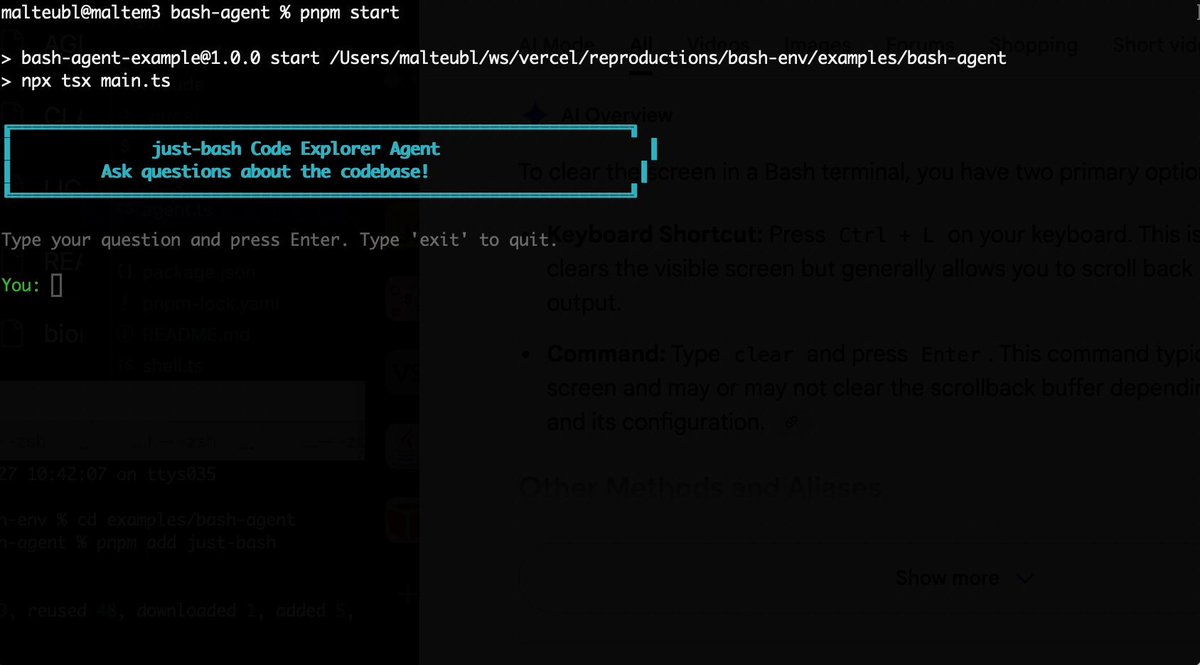
Bash is all you need! Which is why I'm introducing my holiday project: just-bash just-bash is a pretty complete implementation of bash in TypeScript designed to be used as a bash tool by AI agents. Because it turns out agents love exploring data via shell scripts, even beyond coding. It comes with grep, sed, awk and the 99th percentile features that an agent like Claude Code or Cursor would use. In fact, Claude Code can use it for secure bash execution. In the package - A bash-tool for AI SDK - A binary for use by yourself or your coding agents - An overlay filesystem to feed files to your agent securely - A Vercel Sandbox compatible API, so you can quickly upgrade to a real VM if you need to run binaries - An example AI agent that explores the just-bash code base using just-bash - I imported the Oils shell bash compatibility suite and just-bash passes a very good chunk What is interesting about this codebase: It was essentially entirely written by Opus 4.5. Coding agents love bash and they are good at reproducing it. They are also great at text-book recursive descent parsers and AST tweet-walk interpreters. That said, it is, like, a lot of code and I didn't read it all 😅. This is very much a hack, but it also seems to be _really_ useful. I haven't really found anything agents want to use that it doesn't support and it's fast and secure (caveats apply). It doesn't have write access to your computer and the filesystem is given a root that the agent cannot escape from. Find it at Related: Our recent blog post how we migrated our data analysis agent to bash tools and achieved incredible quality improvements The video shows the example agent investigating the just-bash code base

Malte Ubl

124,713 次观看 • 5 个月前

🚨 OpenAI just launched Codex, a brand-new autonomous coding agent that can build features and fix bugs on its own. We’ve been using it Every 📧 for a few days, and I’m impressed. I invited Alexander Embiricos (ben davies), a member of the product staff responsible for Codex, to demo Codex and talk about it live on a special edition of AI & I: What Codex is and how it works Codex is designed to be used by senior engineers—it performs coding tasks like adding features or fixing bugs autonomously. It's built to allow you to start many sessions at once, so you can have multiple agents working in parallel. Codex is built to have "taste" OpenAI trained Codex to have the taste of a senior software engineer. It knows how big codebases work, how to write a good PR, and uses clean, minimal code. Why an “abundance mindset” is best for interacting with agents Codex is designed to allow users to delegate many tasks at once without getting caught up in the details. This lets you point an abundance of agents at a specific task like a difficult bug—it’s worth it even if only one of them succeeds. How OpenAI is thinking about agents Codex is one piece of a unified super-assistant OpenAI wants to eventually build—an agent that helps users easily get things done by selecting the right tools for them behind the scenes. OpenAI’s vision for the future of programming In the future developers will probably spend less time writing routine code and more time guiding agents, reviewing their work, and making strategy decisions. Programming will become more social, letting teams easily delegate multiple tasks at once, allowing people to focus on ideas and collaboration instead of routine coding. Watch below!

Dan Shipper 📧

145,487 次观看 • 1 年前