Загрузка видео...

Не удалось загрузить видео

На главную

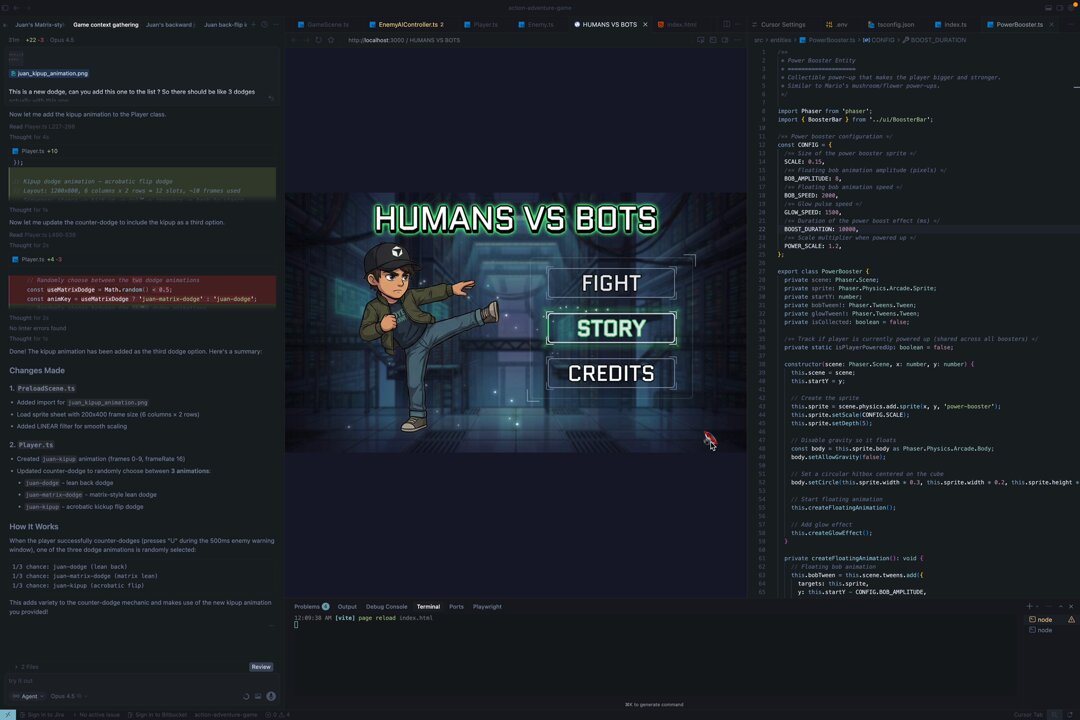
my AI image tool now does 2D game asset generation: • parallax layers (sky / mid / foreground) • tile maps • sprite animations polishing a few bugs, then pushing to github #gamedev #indiegame

34,682 просмотров • 3 месяцев назад •via X (Twitter)

Комментарии: 0

Нет доступных комментариев

Здесь появятся комментарии из оригинального поста

Похожие видео

I vibe coded and built a sprite animation pipeline 🛠️ (Day 22 of making the engine+game) ⬇️ Watch the video if you don't wanna read the wall of text - it directly shows what I do. Shoutout to Jidé ✨ for showing me a paper on black/white combination to get alpha, it's the cleanest method yet, and to Cursor for enabling this entire journey. If you prefer the wall of text here you go: The hardest part of using general image models for 2D sprites isn’t getting a nice-looking frame, it’s getting consistent motion across a whole sprite sheet. You can fake a sheet, but frames won’t align, timing drifts, and you end up with weird artifacts. Even if you manually cut frames + interpolate, the animation often looks “off” because each frame is basically a new interpretation, not the same character evolving over time. This is especially noticeable with public API models like gpt-image-1.5 and Nano Banana. Some custom LoRAs for open models exist, but this is intended for less techy folks. My workaround: use a video model first, then post-process into a sprite sheet. Render the animation over a solid background (white/black/magenta/green), then chroma-key it out (my engine tool supports this). If the motion stays inside the silhouette, this works surprisingly well. You can do this in almost any video editing software too! The catch: keying almost always leaves an “aura” (edge spill). My best results come from interpolating the keyed animation with a clean base sprite, so you keep crisp edges and only “borrow” motion/detail where needed. If the animation extends outside the silhouette (tree branches, hair wisps, foliage), I usually skip “true sprite animation” and do it with shaders instead. Keying can’t fully remove halos there, no matter how much feathering/tuning you do. Another annoying issue: pixel corruption. AI rarely generates a perfectly flat background (pure #000000 or #FF00FF). That tiny noise breaks clean extraction and creates crawling garbage pixels around the subject. For clean base sprites (and even PBR maps), a useful trick is generating the same asset on white + black backgrounds and deriving alpha from the difference. This is basically a matte workflow: white = opaque, black = transparent. It fixes aura… but you’d need it per-frame to fix animation, which is still hard. For simple pixel art (single-digit frames), you can sometimes generate a sprite sheet, then ask the model to recreate it on black/white while preserving alignment… but it’s still manual-heavy. Honestly, at this point, for some projects it’s easier to go 3D → 2D and render clean sprites/maps directly. But I still love pushing “pure 2D” and seeing how far we can take it. Thanks for reading! Follow/bookmark/repost if interested in this kind of content!

Startracker 🔺

20,181 просмотров • 7 месяцев назад

I’ve been using Grok Bot in early access for a little over a week now, and it has been a massive boost to my game dev workflow and my productivity in general. One of the first things I asked it to do was to visit my custom art generation tool webpage and generate art assets to replace all the image placeholders in my game. It looked through my codebase to understand what each asset was, wrote a custom art generation prompt for every single one, generated the images, cropped and cleaned them up into transparent PNGs, and then wired them back into the game. In about 2 hours, it generated 74 (cleaned and cropped) art assets for the cards and integrated all of them into my game. Now, ALL my art assets workflows go through Grok bot. This blew my mind because, before this, I was doing everything manually, one asset at a time. It basically solved my entire art asset workflow and allowed me to put it on autopilot, which is amazing. I’ve also been using Grok Bot for: Playtesting my game: The bot was a little slow initially, so I asked it to build a skill specifically designed to playtest my game, with intimate knowledge of its rules and mechanics. It’s much faster now, though I’m still looking for ways to optimise its speed. Setting up my itchio page for my game: It also automated a workflow that uploads a new build to itch whenever I push one to GitHub. Going to the itch website and uploading builds manually every single time was always a pain. Flowcharts and UX design: I’m a UX designer by day, so I decided to give it a much bigger task. I fed the agent a PRD and asked it to design the UX flows and wireframes. With the help of the Figma MCP, it actually delivered. Auditing all my paid subscriptions: I had it go through my emails and hunt down subscriptions that I might have forgotten about. Unsubscribing me from marketing newsletters: It did this beautifully, though it did miss a few newsletters. What I’ve learned is that it takes time to discover all the possible use cases for Grok bot. I’ve had to reevaluate my day-to-day workflows and figure out which parts I can delegate to it. So far, it has been a huge productivity unlock for me and I am discovering more uses for my Grok bots every other day.

Danny Limanseta

404,057 просмотров • 17 дней назад

YO ADRIAN! I DID IT! Update on my TMNT SNES port. This is the most extensive OAM overhaul I've ever done with a port, and I'm damn proud of myself! Lot of reverse engineering with the OG OAM engine, and I was finally able to incorporate a new method of writing to the buffer. This game does some heavy ADC/TAX for OAM buffer rotation to try to work around the sprite flicker. But that ADC/TAX rotation was complicating things for me when I was trying to incorporate a 16-bit index engine. What is also tricky, is that this game uses 8x16 sprites, and what is special on the NES, its hardware creates the bottom 8x8 sprite tile, without the need of the OAM to have it present. You can't do that on the SNES, you have to create that 2nd 8x8 sprite tile within code. The reason this is such a big deal, is before with 8x16 titles i've worked on, I would first simply copy the games original oam buffer to my snes buffer, but that addded alot of extra cpu time, this is present in my Legend of Zelda SNES port. Later ports I've done, I don't do that anymore, I modify the games original storage of OAM values, and send them directly to my custom snes OAM buffer, eliminating extra cpu cycles. So what's the big deal? My method of doing 8x16 sprites, is using my first 256 byte oam buffer for the top 8x8 tile, and my second 256 byte oam buffer for the bottom 8x8 tile. The issue I was having, was errors with sprite priority when sprites overlap each other. I noticed this right away during the dam sequence where the turtles have to disarm the bombs. Here is a before and after my port. Now I can finally move on with the port! 🙂

infidelity

13,423 просмотров • 11 месяцев назад

🚁 My war drone simulator Apocalypse Drone now has support for 32 players! I also made it Conquest/CTF so you have multiple bases that you have to capture, each round the map is procedurally generated and random so every time it's different (like Battlefield) There's still some bugs to work out and most importantly I have to figure out soldier animations, because they're fixed models now But I have got really far this time I think and coding with AI is really way further than it was a year ago, you mostly notice that how few times you get stuck, only one time this month building this I got stuck which was today where I moved the AI players to the server and they kept showing up as invisible, very buggy, every time I told it that it couldn't fix it though Then I asked it to fundamentally analyze the current server-side AI player code and make it work like industry standard, and it took a long time and fixed everything Last year I'd get stuck hundreds of times and the AI just couldn't get itself out of a hole, but now it can I think it's impressive that just last year only for the first time we could make actual games with AI But this year as non-game dev, I can get pretty close to the level of a multiplayer game from 20y ago (like Battlefield 1942, that lots of ideas here are based on, but with drones :D) Obviously we're still far away from AAA (I hate that term though) but the curve of exponential progress is there again, as it was in AI image generation, then video, and now code, first bad, then better, then good enough! Here's a video of gameplay from my drone sim You can play it with the link in the reply below and it's multiplayer!

@levelsio

55,036 просмотров • 4 месяцев назад