正在加载视频...

视频加载失败

new this week in helium: - web content frame with concentric rounded corners that dynamically adjust based on the adjacent surface across all platforms - a whole lot of zen mode UX and stability improvements that make it a joy to use, including new options to pin the sidebar...

168,453 次观看 • 4 个月前 •via X (Twitter)

43 条评论

Helium 的头像
Helium4 个月前

helium is open source, developed in public, and fully transparent. if you're extra curious, you can take a look at all changes in the commit history: if you like helium and would like to support it, you can sponsor our work at :D

Helium 的头像
Helium4 个月前

not a fan of the rounded frame? you can turn it off in settings and enjoy consistent content separators instead:

kenneth 的头像
kenneth4 个月前

can you guys stop winning for a sec? other browsers need to catch up

azure 的头像
azure4 个月前

dark theme now feels like it's using the primary color where the secondary should be and vice versa i almost submitted a bug report because imo it just looked like a really weird change

Luan Gjokaj 的头像
Luan Gjokaj4 个月前

I switched from Arc since the release of Zen Mode, and I absolutely love Helium. If you are a zen mode user, must have Chrome Extension: 👇

deaen 的头像
deaen4 个月前

btw the windows download on is outdated, it always feels like it takes a couple days to update it on here, always had to download the release directly from the github repo

leonam 的头像
leonam4 个月前

Any plans for releasing Helium for android? 🥹🥹

André Pinto 的头像
André Pinto4 个月前

Updated, but "Zen mode" it's not appearing :S Do I have to enable something? Thanks in advance

Helium 的头像
Helium4 个月前

right, forgot to mention that it’s still flagged:

@dingchilling 🫪 的头像
@dingchilling 🫪4 个月前

need auto update for windows asap so i can install it for everyone 🙏🏻

misaligned agent 的头像
misaligned agent4 个月前

> options to pin the sidebar or the top bar i love you guys this is exactly what i wanted but was too lazy to file a feature request

Dávid 的头像
Dávid4 个月前

nooo my colors

Helium 的头像
Helium4 个月前

they're all here, with more options to come soon!

Dávid 的头像
Dávid4 个月前

but they are so dull now, it barely changes the look

wukko 的头像
wukko4 个月前

@heliumbrowser would you prefer them to be more vibrant?

Dávid 的头像
Dávid4 个月前

@heliumbrowser i liked how they were before honestly, this way its like choosing from gray or gray. little noticeable when on light websites, but like basically indistinguishable when viewing anything thats not white

wukko 的头像
wukko4 个月前

@heliumbrowser frame colors were extremely muddy before, but i will look into increasing color tinting in the next updates

Dávid 的头像
Dávid4 个月前

@heliumbrowser i agree that it wasnt perfect before either, looking forward to future updates!!

john 的头像
john4 个月前

thx guys you're the best. can you make an ultra bloated browser named hydrogen that causes my PC to crash when i try to open one new tab

TPM 的头像
TPM4 个月前

is there a way we can revert the colors on the top bar (tabs + url)? the new ones look too bright imo

bronya 🎔 的头像
bronya 🎔4 个月前

really not a fan of the colours now tbh

Rony Kati 的头像
Rony Kati4 个月前

DRM when 🤔

Allen Guarnes 的头像
Allen Guarnes4 个月前

Just missing 2 features before I can completely switch: - containers / workspaces - translation

A 的头像
A4 个月前

add tree style tab bro, i'll never leave

Célia 的头像
Célia4 个月前

@uwukko All My Friends Love Helium

irazz 的头像
irazz4 个月前

Would switch to helium if the dev tools had these lines. Please add them they are so helpful

Jason 的头像
Jason4 个月前

awesome, is it possible to bind the show/hide tab bar to a shortcut instead of hover?

Matvai 的头像
Matvai4 个月前

Welp, time to unround those corners on my end.

x4r1n 的头像
x4r1n4 个月前

Not sure if this was fixed with this update but Helium is the only browser where I noticed red pixels in any media that I play. In videos and some images there will be random red pixels in certain dark areas. Not sure if this is a Helium issue or something on my end.

デビルズ・シャドウ😈 的头像
デビルズ・シャドウ😈4 个月前

zen mentioned. Glad to see more zen UX features ported. As soon as zen mode stops being a flag, I'll try daily-driving Helium for a while. Keep up the good work!

seulgibair 的头像
seulgibair4 个月前

bookmark drop down plsssssssssss

Saeed 的头像
Saeed4 个月前

Why don’t you just add a screenshot feature like Zen Browser or Arc has? It’s a simple yet incredibly useful feature.

lukas 的头像
lukas4 个月前

so much better with every release recently, amazing

Filiberto Vignaga 的头像
Filiberto Vignaga4 个月前

@uwukko Definitely the best browser I have ever used!

2Epik4u 的头像
2Epik4u4 个月前

please add push notifications 🥺

ian souza 的头像
ian souza4 个月前

Two small things that would instantly win me over, I’d uninstall Dia without thinking. I’m deep in the vertical tabs camp. In the vertical tab sidebar, it’d be awesome if bookmarks lived there too. Picture your bookmarks pinned up top as clean little icons you can tap into, similar to Dia, but with Helium’s twist, Staying on vertical tabs, Dia nails this one: when you grab a tab and drag it up, you get an easy split view option on the edge. Super smooth, super intuitive. Would love to see that same interaction here.

Phantom 的头像
Phantom4 个月前

Would you guys consider adding tab switcher UI, similar to alt tab

P-P-Pavel P-P-Pavel 的头像
P-P-Pavel P-P-Pavel4 个月前

It’s too wide. it was better before.

G0B ‎ ‎ 𓃵 的头像
G0B ‎ ‎ 𓃵4 个月前

Will there be an iOS version?

stysan 的头像
stysan4 个月前

awesome

Odsii 的头像
Odsii4 个月前

cool feauture with the slpit view. @brawe should implement it.

Hamza 的头像
Hamza4 个月前

I LOVE HELIUM I LOVE HELIUM I LOVE HELIUM

@RosineyGoT 的头像
@RosineyGoT4 个月前

Não tem como reproduzir conteúdos de streaming, exemplo Netflix, HBO?
相关视频

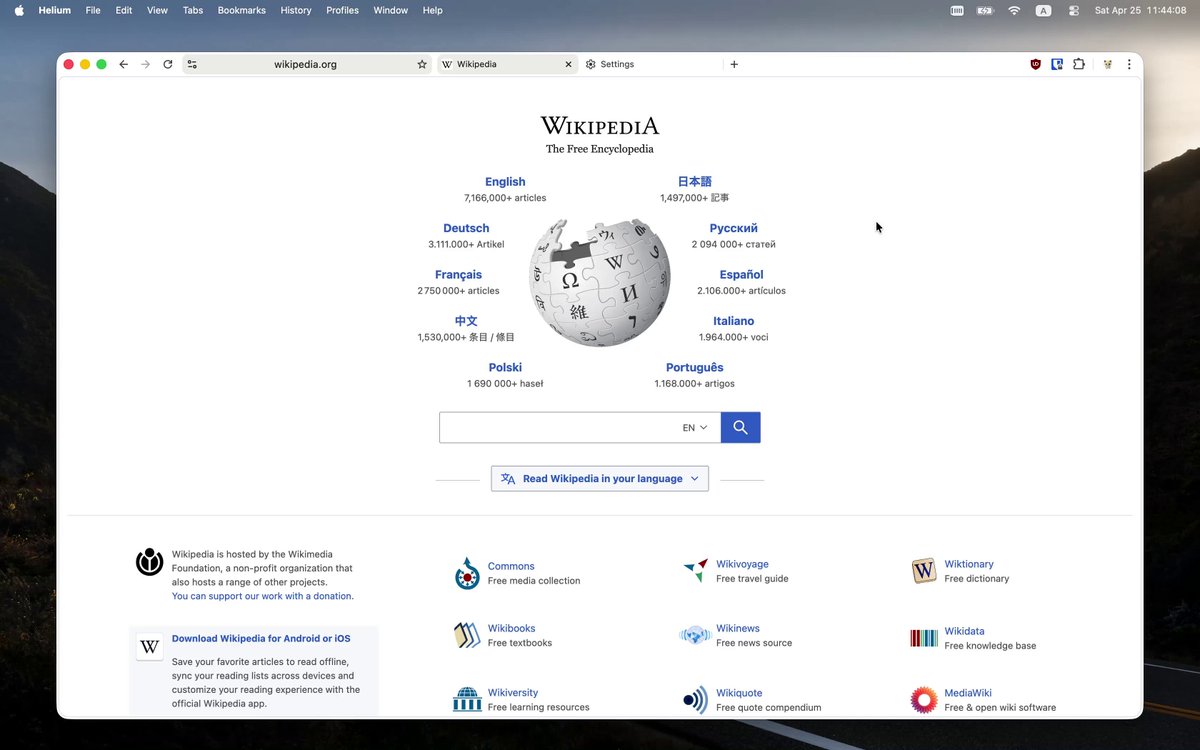
long time no posting, here's some of the stuff we released in helium recently: - customizable keyboard shortcuts on all platforms - automatic updates on windows - frameless mode (previously zen mode), with floating sidebar, is now out of beta and included in settings by default - improved fingerprint noising: fixed the canvas noising algorithm and added protections against analysis attacks (thank you Cynthia 🐈 for your report, research, and assistance) - tab URL copying, one or multiple, formatted as a list with line breaks - manual tab hibernation, with an option to hibernate all tabs except for selected/active ones - an option to close tabs to the left (or above, in vertical layout) - redesigned toast notifications, now anchored to the active web page, and no longer blinding in dark mode - toast notification about newly opened background tabs in frameless mode (can be disabled in settings) - redesigned the infobar, it no longer looks out of place - improved QR code generation, now it's actually useful - downloads bubble is now shown instead of the full page whenever applicable - kagi search now supports reverse image search from image context menu - frameless mode animations are now smoother - better color contrast in light and dark modes - a lot of bug fixes and other minor improvements all of these changes are present in the latest version of helium. if you're using helium on windows, please update to the latest version, so your browser can be updated automatically from now on!

Helium

181,412 次观看 • 3 个月前

I asked Garry Tan how to use meta prompting to get better at AI: "My partners at YC Jared Friedman and Pete Koomen showed me how to do this. You can take almost anything that you do all the time and just drop it into a context window. And then say, “Here’s a bunch of inputs and outputs." And maybe you also add a bunch of notes. And then you tell it, “Write me a prompt that can act as an agent that takes this input and makes this output over here.” You can do this for almost any type of knowledge work. And you can even introspect. "What are things you notice that I did to convert this from the input to the output?”. And then you can just start using the prompt. Initially, it’s going to suck. Because it’s just not that smart yet. But what’s funny is now, I also use it to Iterate my writing. You can be very direct, "I would never say that", "Don’t say it like this", or "Oh, you used the long word there, use the short word". Just speak to it conversationally. And then when you're happy with the output, you can use that new output to make a new prompt. "Based on this conversation, give me a better initial prompt that incorporates all the things we talked about." And you can do this with literally everything. And in theory, there’s so much it applies to that people do day-to-day. You could use it for tweets. You could use it for editing podcasts. You can use it for pretty much everything. I have a folder of prompts that I use all the time. My YouTube prompt is on v27 or something. I'll go through this process with all the different max models. I'll use GPT 5.2 Pro. I’ll use Grok. I'll use Claude. Then, I’ll take all the outputs from all the models and put them into Claude and say "Here’s my prompt, here’s the output from four LLMs, including yourself. Rate each response and tell me what the pros and cons of each approach are." And I usually say "give it to me in numbered form". And then you can agree with one, disagree with two, tell it three is this or that. And then after that, you say given all of this, synthesize it."

The Peel

51,632 次观看 • 6 个月前