正在加载视频...

视频加载失败

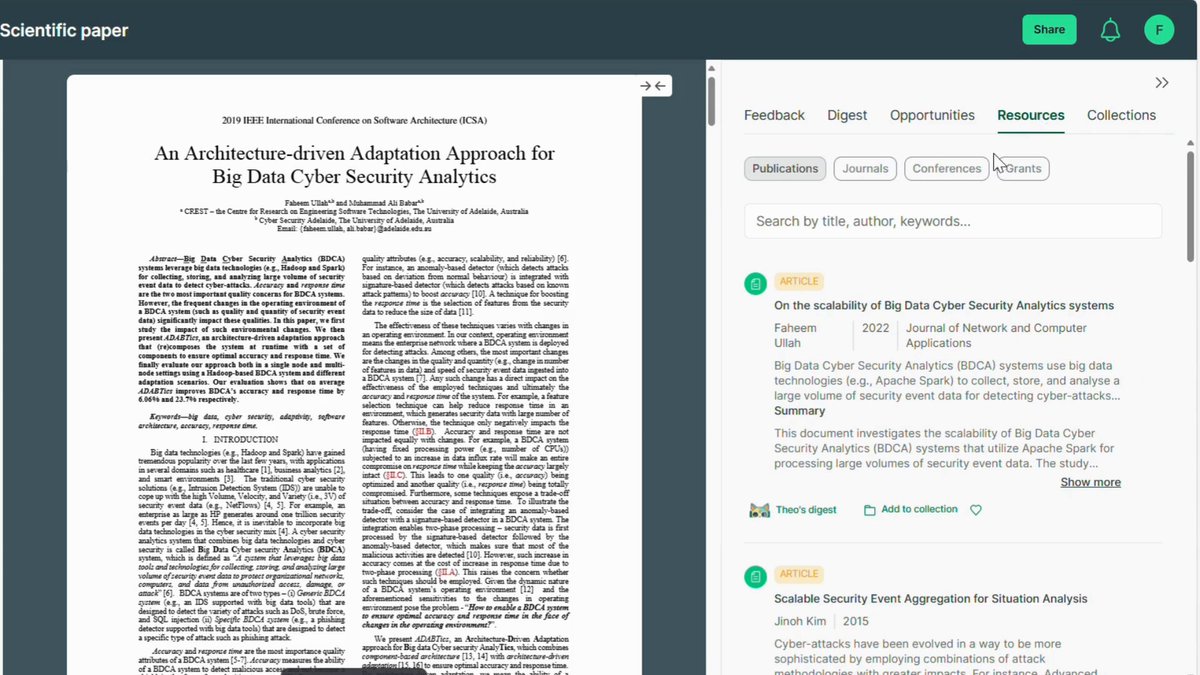
PhD Students - How to insert citations in your paper in seconds. Use this FREE tool to insert citations on the go. 1. Go to 2. Insert the text of your research paper 3. Select the text for which you want a citation 4. Paperpal will suggest you citations....

149,669 次观看 • 4 个月前 •via X (Twitter)

0 条评论

暂无评论

原始帖子的评论将显示在这里

相关视频

Use this FREE tool to generate the first draft of ANY type of literature review. Meet AnswerThis — a tool that makes literature review faster and easier. Here’s how it works. 1. Visit and log in. 2. Select the 𝐿𝑖𝑡𝑒𝑟𝑎𝑡𝑢𝑟𝑒 𝑅𝑒𝑣𝑖𝑒𝑤 option from the menu. 3. From the prompt helper, select 𝑊𝑟𝑖𝑡𝑒 𝑎 𝑙𝑖𝑡𝑒𝑟𝑎𝑡𝑢𝑟𝑒 𝑟𝑒𝑣𝑖𝑒𝑤 𝑜𝑛. 4. Enter your research topic in the blank text field ➝ For example, Vulnerabilities in Big Data Systems 5. Click 𝐶𝑟𝑒𝑎𝑡𝑒 to generate the initial search prompt. 6. Press Enter to see research filter options. 7. Choose your response type based on your needs. ➝ Structured Literature Review: Citation-rich and detailed. ➝ Dynamic Research Assistant: To explore research gaps. ➝ AI Only: Fast, but unreliable with no citations. 8. Set the minimum number of citations for the review. ➝ Choose at least 10 for comprehensive results. 9. Decide whether to enable 𝑇𝑢𝑟𝑏𝑜 𝑀𝑜𝑑𝑒 for faster results. ➝ Disabling it gives you more comprehensive answers. 10. Select the sources for search results. ➝ Choose both web and databases for thorough results. 11. Specify the date range to get recent papers. 12. Enable 𝑑𝑜𝑢𝑏𝑙𝑒-𝑐ℎ𝑒𝑐𝑘 𝑐𝑖𝑡𝑎𝑡𝑖𝑜𝑛𝑠 for accurate results. 13. Once filters are set, click 𝑆𝑢𝑏𝑚𝑖𝑡 𝑆𝑒𝑎𝑟𝑐ℎ to proceed. 14. After a while, your literature review will be generated. ➝ Sources and citations will be listed on the right. 15. Review the results and assess the paper sources carefully. 16. Add relevant papers to your library for easy access later. 17. Export citations in formats like BibTeX or CSV as needed. 18. You can also download the review as a Word or PDF file. Treat this literature review as an initial draft. Refine it and build your review on the top of it. Ready to make literature review effortless? Try AnswerThis ( today and see the difference!

Faheem Ullah

12,694 次观看 • 6 个月前

PhD Students – Use this tool to paraphrase the text in your manuscript for FREE. First, why you need to paraphrase? The first draft you write is often very rough. It needs to be revised to polish it for submission. For this, you can use a paraphraser. Here is one you can use it for FREE. 1. Go to and log in. 2. Upload your file or copy/paste your text in a new file. 3. From the options on right, click Paraphraser. 4. Now select the text you want to paraphrase. 5. After text selection, click paraphrase. 6. Trinka.ai will show the paraphrased text. 7. You can also see the changes made. 8. You can increase or decrease the level of paraphrasing. 9. You can also select to show the revisions. 10. Go through the paraphrase text carefully. 11. You can choose among multiple paraphrased alternatives. 12. After your final selection, click replace. 13. This will replace original text with paraphrased text. 14. You can apply this process for the entire text. Make sure that you go through the changes made. This is important so that only your text gets refined. However, the meaning of the text remains the same. In addition to paraphrasing, Trinka also offers to ➝ Fix all grammatical errors in your manuscript ➝ Proofread your manuscript before submission ➝ Check consistency in your manuscript writing ➝ Evaluates the level of bias in your writing ➝ Checks plagiarism level in your manuscript Try Trinka.ai here: Anything you’d like to add?

Faheem Ullah

17,951 次观看 • 1 年前

Read 100 paywalled research papers for free every month! You don't even need a university account to do this. Here's how to read paywalled papers on JSTOR for free: 1. Go to jstor(dot)org and click on "Register" in the top-right corner. You can register with your personal Google or Outlook account. Or, you can create a JSTOR account manually. 2. Once you've logged in to your JSTOR account, click on "Workspace" in the menu bar. Then click on "Create folder." Choose a name for your folder and click on "Create."Creating folders in Workspace is a great way to keep your papers organized. 3. Type in the keywords in the search bar to find relevant papers. JSTOR willl give you a list of papers. To read a paper for free, click on "Read online." You will see a preview of the paper. Scroll down a bit and click on "Read Online" again. 4. If you find the paper super-relevant to your project, click on "Save" on the top of the article. Choose the folder you just created in your Workspace and save the paper in it. If you go to your Workspace, the paper will show up in the relevant folder. 5. You can also take notes on papers in your Workspace. To do so, click on the "Add Note" button under a paper and start typing. Click on "Save" to your save your note. 6. If you already have a paper and you want to related to it, you can use Text Analyzer. To do so, click on "Tools" and select "Text Analyzer." Upload the paper you have and JSTOR will give you a list of papers related to you original paper. 7. Text Analyzer also lets you callibrate your search parameters. Adjust the priority for different terms by moving the priority scale left or right. You can more related terms and adjust their priority. Text Analyzer will update the results accordingly. 8. If you find a paper interesting, simply click on it and then select "Read Online." 9. You can also add papers to your Zotero library. Open the paper you want to add and click on the Zotero Connector in the top-right corner of your browser. Choose the Zotero collection you want to save the paper in and click on "Done." The paper will show up in your Zotero. Found this post on JSTOR helpful? • Repost to share it with your friends and colleagues. •Follow me for more posts on academic writing.

Mushtaq Bilal, PhD

31,810 次观看 • 2 年前