正在加载视频...

视频加载失败

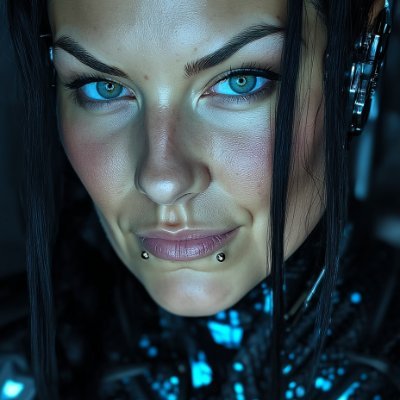
"SPACE BASTARDS" - Episode 1: The Takeoff When your spacecraft decides physics are optional and your co-pilot is a drama queen. Fan-Made Series. Non-commercial fan film. (Predator character © 20th Century Studios - used under fair use for parody/homage) Grok imagine Kling AI Google Gemini Suno Nano Banana Pro...

33,434 次观看 • 8 个月前 •via X (Twitter)

0 条评论

暂无评论

原始帖子的评论将显示在这里

相关视频

New body-physics test for the best AI video tools: The newly released Grok Imagine 1.5, the king Seedance 2.0, Google’s “revolutionary super-duper” Gemini Omni Flash, and the old-timer Kling 3.0 Pro. This time I tested how each model handles realistic running motion, body movement, fabric physics, and natural secondary motion. And the result was much less obvious than I expected. Believe it or not, I can’t call Seedance the clear winner this time. Each model got several attempts. - Grok Imagine 1.5: The new version is finally available on the official Grok website, so I could properly test it. Honestly, I didn’t notice a massive improvement over the previous version. Still, the result was acceptable. It produced the most cartoonish image, and the woman runs as if she’s wearing heels, but the body physics were decent enough. It also understood the instructions quickly and followed them correctly. - Kling 3.0 Pro: The old man decided to test my patience. It repeatedly blocked a simple running scene as adult content, then misunderstood the instructions several times. The successful result has the most realistic lighting and frame rate, but the actual body physics look strange. It almost feels like loose foam padding is bouncing inside the leggings. There are also several visible artifacts and unnatural movements. - Gemini Omni Flash: As usual, it gave me that strange slow-motion, low-FPS look that Google models seem to love. But it didn’t censor anything, understood the instructions immediately, and produced a beautiful, realistic result. Surprisingly, this is the output I liked the most in this test. - Seedance 2.0: Seedance also blocked a couple of generations, just like Kling, but eventually produced a strong result. It delivered the most beautiful and visually appealing footage, but I honestly expected better physics. The video looks great, yet I can’t confidently call it the most physically accurate result. - My ranking: 1. Gemini Omni Flash — not perfect, but the best overall result for me 2. Seedance 2.0 — visually stunning, but I preferred Omni’s physics 3. Grok Imagine 1.5 — cartoonish look and strange running, but still acceptable 4. Kling 3.0 Pro — the longest wait, the strangest physics, and the most inconsistent result Do you agree with my ranking? #AIVideo

Alpha Mom

155,583 次观看 • 2 个月前

Two weeks in Japan. Hundreds of photos. One creative rabbit hole I couldn’t resist going down. Last year, I created a song as an experiment. I wanted to blend Japanese and English lyrics and see what kind of mood it would create. It turned into something atmospheric and different from anything I’d done before. Then my wife and I spent two incredible weeks in Japan late last year, and the experience stuck with me. Seeing the temples, shrines, and local shops while my wife and I wandered around Kyoto left a lasting impression. When I got back, I realized that the song needed a visual story. So I decided to build a full music video around it. I started by fleshing out the concept and writing a shot list like a real production. Then the fun began. What’s interesting is that many of the locations you see in the video actually started as photos I took while my wife and I wandered around Kyoto. Those images became the foundation for the environments that were later generated and brought to life with AI. It was a fascinating, creative process. Part music creation, part photography, part storytelling, and part AI experimentation. Tools used in the process: Nano Banana Pro (Google Flow) – for image generation Midjourney (Midjourney) – for additional image creation Google VEO3 (Google Flow) – for video generation Kling 3.0 (Kling AI) – for video generation Final Cut Pro (Apple) – for editing SUNO (Suno) – for song generation Amazing how far the creative toolset has come. If you have an idea in your head, you can now actually build it! Take a minute to watch Rain + Light (雨と光) and tell me what stood out to you. Would love to hear your feedback.

Chip – onthechain.io

13,399 次观看 • 6 个月前

I challenged myself to create a commercial type video based on my country of birth. I am proud of the final product and wish to share it with you all, specially with the fantastic AI community here in X that has given me so much support. Maybe this way you can see a little bit of my surroundings and habitat and know a little bit more about me. This video was created 100% with artificial intelligence. A process that, in a traditional production, would have taken months of work and a full professional team, costing tens of thousands of dollars. I made it alone, in two weeks, without leaving my office. By combining creativity, patience, and a series of cutting-edge tools, I generated between 500–700 images, 200–250 videos, and 20 songs. All of it was curated, edited, and finally unified into one piece. Tools used: 🎨 Midjourney / Nano Banana – image and visual concept generation. 🎥Grok / Veo / Midjourney – video and scene creation. 💻 Photoshop – keyframe retouching and enhancement. 🧠 ChatGPT / Gemini / Grok – scriptwriting, narrative design, and conceptual direction. 🎧 ElevenLabs / Suno AI – original music composition. 🎞️ CapCut / After Effects – final editing and color grading. It was an arduous but deeply rewarding process, a demonstration of what a single creator can achieve when artistic vision meets advanced technology. An experiment… but also proof that the future of creation is already here. #ecuador #AIart #aivideos

Toshi

18,356 次观看 • 11 个月前

Warner Bros and Netflix executives just froze a $100,000,000 historical epic production after seeing this 48-second clip. A 20-year-old solo creator generated a hyper-realistic scene of a time-traveling travel vlogger interviewing King Leonidas at Thermopylae in 480 BC with zero CGI budget. Total setup cost: $25. Render speed: 4 minutes. Film studio hired: NONE. 142 million views in 3 hours. Half the comments are arguing over the historical accuracy of the 300 Spartans, the other half are demanding a full documentary series. Here is why your brain falls for this visual magic: 1. Dynamic Lip-Sync & Facial Physics: Perfect voice alignment, realistic sweat textures, and organic micro-expressions on both the presenter and Spartan soldiers mid-march. 2. Multi-Agent Cinematic Consistency: Continuous physics rendering of brass armor reflections, dust particulate dynamics, and synchronized footstep impacts. 3. Spatial Camera Logic: Seamless hand-held vlog aesthetic blended with Hollywood-grade depth of field and realistic outdoor light refraction. The dynamic next-gen AI stack operating under the hood: -> Claude 3.7 Sonnet for historical dialogue script, spatial camera vectors, and narrative pacing -> Veo 3.1 for rendering hyper-realistic cinematic lighting, mountain environments, and volumetric dust -> Kling 3.0 Omni for generating multi-character marching mechanics, shield physics, and lip-sync alignment -> Seedance 2.5 for locking facial identity, armor detail consistency, and historical costume accuracy -> ElevenLabs Spatial for 3D binaural shield clashing, marching footsteps, and acoustic voice reverberation -> CapCut Pro for adding raw mobile camera noise, dynamic speed ramps, and historical color grading Hollywood spends hundreds of millions flying 200-person crews to Greece with heavy camera rigs and extra actors. This creator rendered a full-scale ancient battle documentary before her morning coffee got cold. Save this breakdown: the full prompt sequence and workflow pipeline are pinned in the thread.

mojesko

1,941,440 次观看 • 5 天前

In the second episode of Scenius Studio's mini-series "The Use-Case", I sit down with Andrej Co-Founder of touch grass. Grass gives users the ability to earn ownership in the Grass network by supplying the protocol with their unused internet bandwidth for data scraping purposes (something that is already happening to most of us and we don’t get paid!). The grass protocol packages this scraped web data and sells it to AI companies who have insufficient data to further develop their models. With over 3 millions users and millions of annualized revenue, Grass is a real commercial business with a roadmap that makes it one of the most exciting projects at the intersection of crypto x AI and data. In this episode we discuss: ➔ Andrej’s background in physics, finance, and sports betting ➔ Big companies using your IP address without your knowledge or permission ➔ How the Grass protocol puts a toll booth on your internet bandwidth highway ➔ Packaging web scraped data and selling it to AI companies building Multi-Modal models ➔ Dynamics between the Grass Protocol and the labs entity developing Grass’ IP ➔ Protocol design decisions to ensure that all tokenholders (VCs, team, and community) are aligned ➔ Why Grass needed to be built on crypto rails to maximize its potential ➔ The future of LLMs and how they will search for context and information Hope you enjoy this episode of Scenius Studio's "The Use-Case". Links to listen in bio or below👇

Ben Jacobs

22,468 次观看 • 1 年前

Seedance 2.0 is allowing us to enter a new era of music video creation. Here is how I created HONEY. It was a quick test to see how well this workflow holds up. 🐝 1 - Write your song and generate the music with Suno 5.5. 2 - Use an image generator of your choice. For HONEY I combined both Grok Imagine for aesthetics and Nano Banana Pro for refined editing. 3 - In Capcut I import my audio and just save out a blank video video containing the audio. This step is important because this video file containing audio will now be used with Seedance 2.0 as a video reference with Omni. This allows the AI to apply automatic and realistic lipsync and movement to the music, it's extremely powerful! 4 - Once I have a both my image and video with audio as reference, I use Seedance 2.0 Omni and upload my starting image and then the video reference with the audio. 5 - From here I'm simply prompting like normal, specifying what's happening in my scene with detailed instructions, mentioning multi shots and camera angle changes and then specifying that the person is singing along to the song. I type out the lyrics that are present to have better lipsync accuracy. 6 - Once I have generated a video and like the result, I do video to video, so i upload that video that just got generated and type "The scene continues" and prompt new actions to take place. This allows you to expand on a narrative. These new shots can be used as B-ROLL and since I uploaded my video as reference I have full consistency of everything it saw in the video. This is also extremely powerful. 7 - This is actually the most difficult part. Edit in Capcut. This is where you need to understand pacing and shot selection from all the scenes you generated to bring it all together. You must be strategic with the editing. Goodluck! I'll probably record a video tutorial at some point as it's easier to see what is being done.

Travis Davids

19,236 次观看 • 4 个月前