Video wird geladen...
Video konnte nicht geladen werden
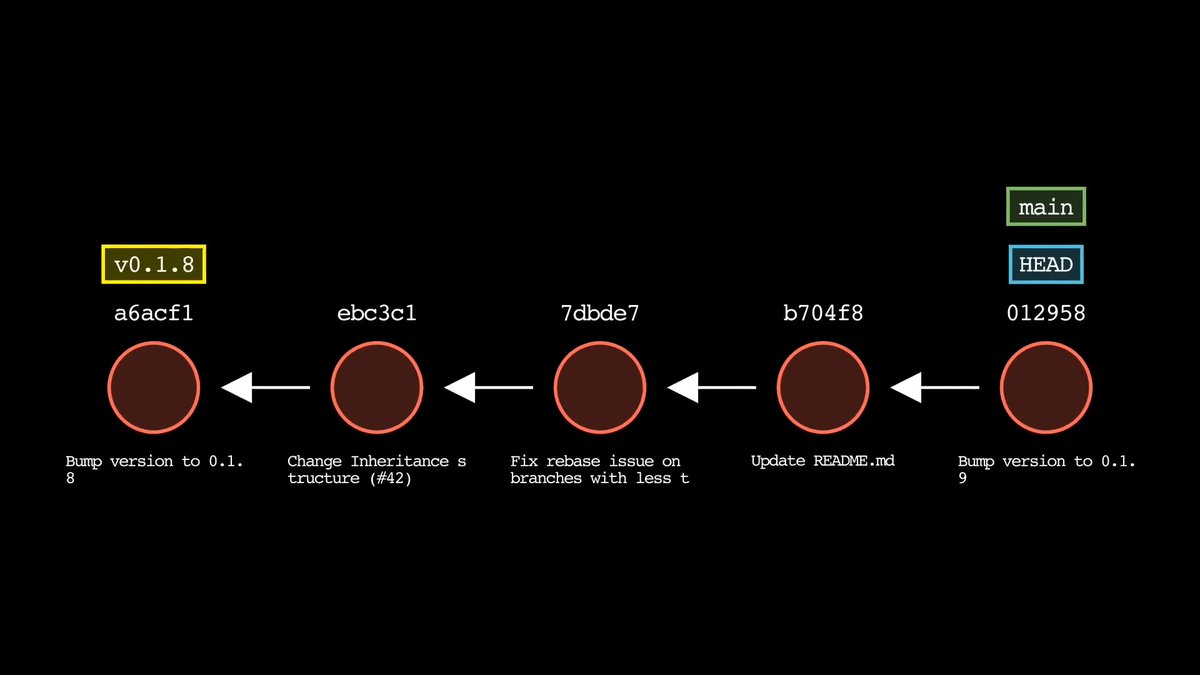
Test your git knowledge with this developer challenge: after a git reset, three commits are removed from the log, but now you realize you need them back. What are your options? Share your answer in the comments.

13,519 Aufrufe • vor 6 Monaten •via X (Twitter)
9 Kommentare

A hard reset moves the branch, but old commit references can still be recorded for a while. Which Git tool remembers where HEAD used to point?
Result: Yes, those commits usually are recoverable for a while. Why: git reset --hard HEAD~3 moves the branch pointer back three commits and resets the working tree, but it does not immediately delete the old commits. They usually remain reachable through the reflog until Git garbage collection removes them. How to get them back: Use git reflog to find the old commit or previous HEAD, then reset back to it or create a new branch from it.

Yeah, those commits aren’t actually gone. git reset --hard HEAD~3 just moves the pointer back, it doesn’t delete them. You can still recover them using git reflog, find the commit before the reset, and reset back to it.
Thanks for looking out for the community’s commits. 🤝

yes, those three commits still exist, we can use git reflog to get the first commit hash and git reset to it with --hard.

@googledevs Recover via reflog magic

I'd check reflog. Like a save scum for your repo. Don't tell juniors how close they came.

Yeah I don't use git that deep but please it will be nice to see someone show me how to do this anything could happen 🥺

reflog