Loading video...

Video Failed to Load

Go Home

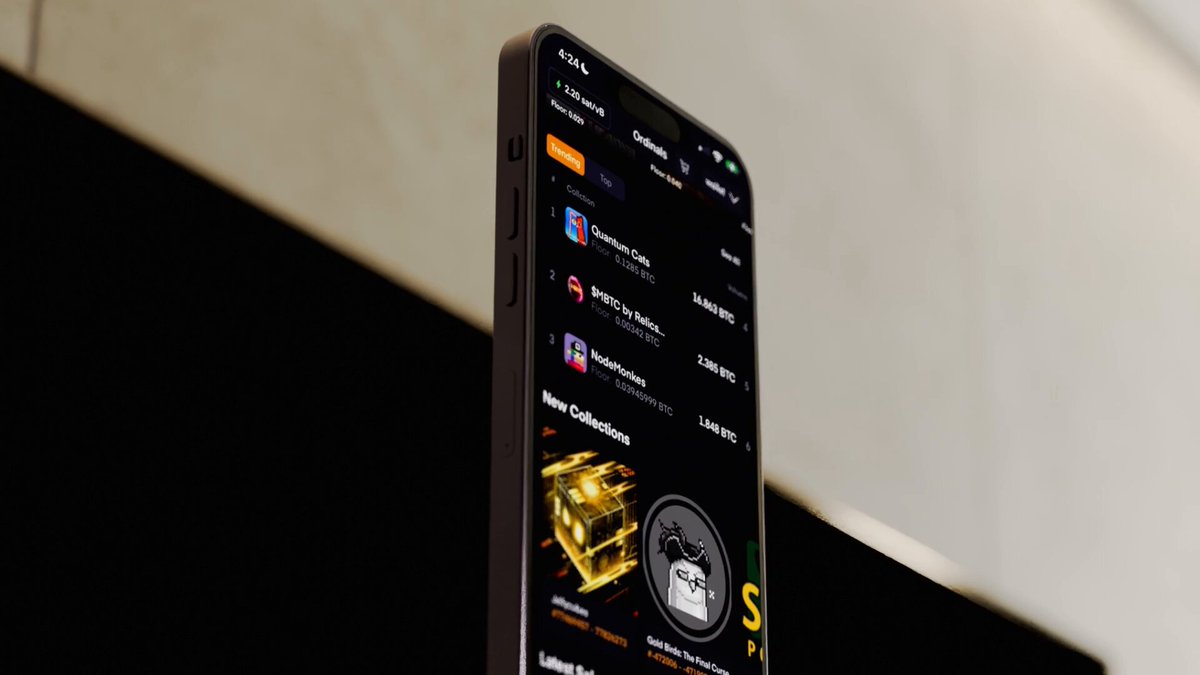
The easiest way to create generative art on Bitcoin. Choose a library (p5.js, Three.js), paste your code, preview it live, then download. The file is complete. Just inscribe it with any service and you’re on Bitcoin. The OnChainMonkey® OCM Dimensions GitHub was just updated with this in-browser feature:

69,158 views • 5 months ago •via X (Twitter)

0 Comments

No comments available

Comments from the original post will appear here

Related Videos

OCM Genesis is the collection of many firsts. Genesis owners will be able to upgrade this month ⚡️ Back in February, Genesis was the first 10K images of a collection inscribed on Bitcoin. The generative art was inscribed in inscription #20219, paying homage to the year (2021) and month (9) we launched Genesis on Ethereum, September 2021. Then, in March, we inscribed another 10k generative art collection on Bitcoin. This collection was kept secret and set aside exclusively for Genesis owners. When you upgrade your OCM Genesis, you will own a piece from this generative art collection that uses the DNA of your Genesis. Both of these extraordinary inscriptions are linked together forever onchain in the first 10k collection on Block 9. Genesis pioneered the parent-child collection provenance feature of the Ordinals Protocol. It is the first 10K collection to use this onchain provenance on Bitcoin. Genesis is also the first 10K collection inscribed on Block 9 sats, the oldest sats in circulation. Block 9 sats are the ideal canvas for high-end works on Bitcoin and our Genesis owners will own some of the best Block 9 real estate on Bitcoin. Sat numbers are very important and Genesis has a special range, one of the lowest and earliest ranges of sequential Block 9 sats. Additionally, every Genesis on Bitcoin has a sat number that matches its Genesis ID, making it incredibly simple to locate and view your Genesis on Bitcoin. Genesis embodies the convergence of art, technology, and innovation, creating a masterful fusion of digital artistry with the blockchain as the canvas. Poetically engineered, collectors and onlookers alike can appreciate the timeless aesthetic of the OCM Genesis and its abstract art collection, both generated onchain through code. As more details are revealed, the story of the upgrade process and all it entails will come to be appreciated as art in itself. Inscribing multiple collections onto a targeted sequential block 9 sat is Bitcoin native art at its core, immortalized onchain for all to marvel. Genesis owners will be collectors of the most significant digital artifact on Bitcoin. If you're a collector of Ordinals, OCM Genesis is an essential addition to your collection. Own a piece of blockchain history and be a part of this exclusive community of digital artifact collectors. OCM Genesis is for the Pioneers, the Trend Setters, The First. !RISE

OnChainMonkey®

61,548 views • 2 years ago

Unpacking OCM Genesis on Bitcoin: A Guide. OCM Genesis is upgrading from Ethereum to Bitcoin this month. I put together this guide to help everyone understand what OCM Genesis holders on Ethereum will get when they upgrade to Bitcoin (Hint: it's A LOT!) 👇👇👇 Before diving in, a reminder that everything you will see in this guide is happening 100% on-chain on #Bitcoin. I've also included a video demonstration of the features! By the end of this guide, it will be clear why this is being called an UPGRADE and not simply a migration! Chapter 1: Viewing Your OCM on Bitcoin To view your OCM Genesis on Bitcoin, navigate to and replace the 09017 with the ID number for your OCM. My OCM is #9017. Chapter 2: Your Sat Page A sat is a small piece of Bitcoin. When you upgrade, you will own the sat identified on your sat page, along with all of the inscriptions on it. The sats your OCM Genesis is inscribed on are significant: Your sat is on Block 9. This is the earliest Bitcoin block in circulation. Your sat is on sat range 450x. Block 9 includes sat 450x through 499x. Sat 450x represents the lowest numbered bitcoin in circulation. Only 2% of Block 9 sats are in sat range 450x. Your sat offset is 178-XXXXX, where XXXXX is the ID number for your OCM. All OCM Genesis were inscribed on sequentially numbered sats, on this specific sat range. 450-178-XXXXX is a good way to remember where your OCM lives. Chapter 3: One Sat, Four Inscriptions At the bottom of the page for your sat you will see several inscriptions: 1. OCM Genesis: Perspectives 2. OCM Genesis: 20219 3. OCM Genesis: Deconstructed (AKA: Objects, Code, Motion) 4*. OCM Genesis: Certificate of Ownership *This will be inscribed onto your sat during your upgrade process. Each of these inscriptions is applied onto your single sat via re-inscription. They are inseparable: permanently intertwined on your Block 9 450x sat. You get ALL FOUR when you upgrade to BTC. Chapter 4: Understanding Your Inscriptions OCM Genesis: Certificate of Ownership This inscription will certify that you are the owner of not only all of the inscriptions on this sat, but also the OCM Genesis on Ethereum (though you will no longer be able to access the asset on Ethereum). OCM Genesis: 20219 The OG. This is the child of the parent inscribed back in February, Inscription #20219, for the year (2021) and month (9) Genesis launched on Ethereum. - Press SPACEBAR to move the eyes! OCM Genesis: Deconstructed The parent was secretly inscribed in March. Inscription #464551. This is an abstract art piece that uses the DNA of your Genesis OCM. - Press SPACEBAR to freeze the current position of the shapes! OCM Genesis: Perspectives The perspective of your OCM changes with each passing minute. Odd minutes = OCM Genesis: 20219. Even minutes = OCM Genesis: Deconstructed. This one has a lot of things going on! - Press '2' to view OCM Genesis: 20219. - Press '3' to view OCM Genesis: Deconstructed. - Press '4' to view the inscription numbers of the two parents (20219, 464551), and the ID of your OCM. - Press 'M' to view the metadata(traits) of your OCM. Popular meta-traits such as Nips, 4+ Zeros, and Matching are included within the metadata. - Right-click-save to download the SVG of OCM Genesis: 20219. Epilogue There is a LOT to unpack here, even just on the surface. Under the surface? The engineering complexity and care woven into these pieces are intrinsic to the art itself, and I believe will come to be appreciated as such. I also think that people will look back and identify OCM Genesis as being well ahead of its time. And hopefully, through this demonstration of the power of Bitcoin Ordinals, OCM inspires other Ethereum collections to UPGRADE over to Bitcoin. !RISE Looking to participate in this historic upgrade? Turn 🔔 on for OnChainMonkey® Pick up an OCM Genesis on Ethereum: Questions? Come join the OCM Discord:

imjosh

21,189 views • 2 years ago

How to create Farcaster mini app without coding - Step 1: > Go to ChatGPT > Just type: "I would like to create a Farcaster mini app, can you give me some ideas?" > Choose any one of the ideas - Note: - You can also type your own idea to ChatGPT and alter it - Step 2: - Go to ChatGPT > Paste the first prompt (shared in my channel) > Include the project you chose and tell ChatGPT to alter the prompt according to the idea below - Step 3 - Go to: > Sign up using Gmail or GitHub > Projects -> New Project -> Type the name of your project >Just paste the prompt we created earlier > It will start creating your app > If you need to alter anything, just go to GPT and type: [ I need a prompt to alter "your issue (like changing colour, etc.)" in my app already created in v0app by Vercel ] > Copy the prompt and paste it in v0 > No need to worry about errors , it will rectify them for you > If your project is finished, just click "Publish" on your top right > It will automatically host your app in Vercel > Click "Visit site" to see your app on another device and copy the website URL - Step 4 - Go to: v0 app > Just paste Prompt 2 from the file I provided > Click Publish once it’s completed - Step 5 - Go to: v0 app > Just paste the prompt 3 from the file I provided - Step 6 (Important) > Just paste Prompt 4 from the file I provided - Step 7 > Just paste Prompt 4 from the file I provided - Step 8 > Just paste Prompt 6 from the file I provided > It’s an important step to do — you need to create a manifest inside your app so that you can host it on Farcaster - Step 9 - Go to: > Sign up or Login > Settings → Developers → Mini Apps → Create Manifest (New) > Paste your website URL (remove https) > It should be like: > If you find any error while doing this, just copy and paste it in the v0 app > Once everything is finished, you need to create Account Association > Scan the QR on your mobile and tap and hold the Yes button > It will show an error — just copy and paste those errors into the v0 app > Click Publish again, and then click Refresh in Manifest > Click Open your app > for the main prompt file check our tg channel link in our bio

Maran

48,106 views • 7 months ago