正在加载视频...

视频加载失败

This AI doesn’t just automate. It uses your computer like a human clicks, types, navigates all from a simple prompt. Meet Simular Pro, the first production-grade computer-use agent. It runs thousands of steps, 24/7, so you don’t have to. How? Most agents flake. Simular Pro doesn’t. It combines two...

76,011 次观看 • 1 年前 •via X (Twitter)

0 条评论

暂无评论

原始帖子的评论将显示在这里

相关视频

AI AGENTS 101 (58 minute free masterclass) send this to anyone who wants to understand ai agents, claude skills, md files, how to get the most out of AI etc in plain english: 1. chat vs agents - chat models answer questions in a back and forth while agents take a goal, figure out the steps, and deliver a result 2. agents don’t stop after one response. they keep running until the task is actually finishedno babysitting required 3. everything runs on a loop. they gather context, decide what to do, take an action, then repeat until done 4. the loop is the system. they look at files, tools, and the internet. decide the next step. execute and then feed that back into the next step. over and over until completion 5. the model is just one piece. gpt, claude, gemini are the reasoning layer. the key is model + loop + tools + context 6. mcp is how agents use tools. it connects things like browser, code, apis, and your internal software. once connected, the agent decides when to use them to get the job done 7. context beats prompt all day. you don't need to write perfect prompts. load your agent with context about your business, style, and goals and then simple instructions work 8. claude.md or agents.md is the onboarding doc it tells the agent who it is, how to behave, what it knows, and what tools it can use. this gets loaded every time before it starts 9. memory.md is how it improves. agents don’t remember by default. this file stores preferences, corrections, and patterns you tell the agent to update it, and it gets better over time 10. skills + harnesses make it usable. skills are reusable tasks like writing, research, analysis the harness is the environment like claude code or openclaw that runs everything. basiclaly, different interfaces, same system underneath this episode with remy on The Startup Ideas Podcast (SIP) 🧃 was one of the clearest ways of understanding a lot of the core concepts of ai agents could be the best beginners course for ai agents 58 mins. all free. no advertisers. i just want to see you build cool stuff. im rooting for you. send to a friend watch

GREG ISENBERG

376,293 次观看 • 5 个月前

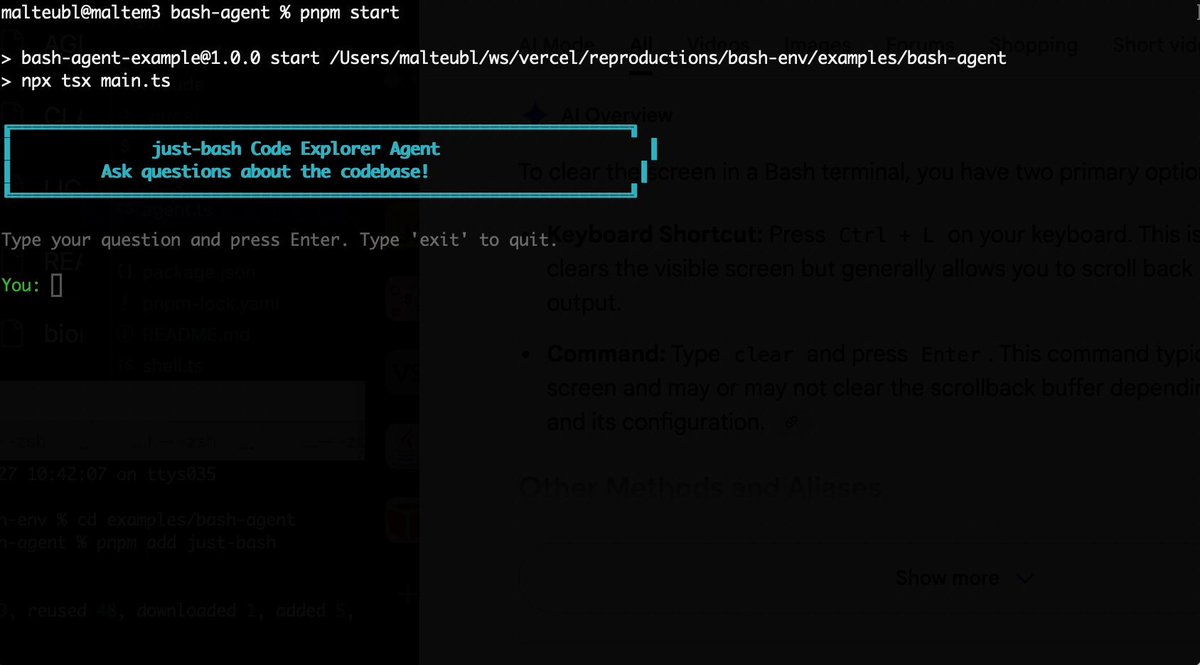
Bash is all you need! Which is why I'm introducing my holiday project: just-bash just-bash is a pretty complete implementation of bash in TypeScript designed to be used as a bash tool by AI agents. Because it turns out agents love exploring data via shell scripts, even beyond coding. It comes with grep, sed, awk and the 99th percentile features that an agent like Claude Code or Cursor would use. In fact, Claude Code can use it for secure bash execution. In the package - A bash-tool for AI SDK - A binary for use by yourself or your coding agents - An overlay filesystem to feed files to your agent securely - A Vercel Sandbox compatible API, so you can quickly upgrade to a real VM if you need to run binaries - An example AI agent that explores the just-bash code base using just-bash - I imported the Oils shell bash compatibility suite and just-bash passes a very good chunk What is interesting about this codebase: It was essentially entirely written by Opus 4.5. Coding agents love bash and they are good at reproducing it. They are also great at text-book recursive descent parsers and AST tweet-walk interpreters. That said, it is, like, a lot of code and I didn't read it all 😅. This is very much a hack, but it also seems to be _really_ useful. I haven't really found anything agents want to use that it doesn't support and it's fast and secure (caveats apply). It doesn't have write access to your computer and the filesystem is given a root that the agent cannot escape from. Find it at Related: Our recent blog post how we migrated our data analysis agent to bash tools and achieved incredible quality improvements The video shows the example agent investigating the just-bash code base

Malte Ubl

125,326 次观看 • 7 个月前

Our first short course with Anthropic! Building Towards Computer Use with Anthropic. This teaches you to build an LLM-based agent that uses a computer interface by generating mouse clicks and keystrokes. Computer Use is an important, emerging capability for LLMs that will let AI agents do many more tasks than were possible before, since it lets them interact with interfaces designed for humans to use, rather than only tools that provide explicit API access. I hope you will enjoy learning about it! This course is taught by Anthropic's Head of Curriculum, Colt_Steele. You'll learn to apply image reasoning and tool use to "use" a computer as follows: a model processes an image of the screen, analyzes it to understand what's going on, and navigates the computer via mouse clicks and keystrokes. This course goes through the key building blocks, and culminates in a demo of an AI assistant that uses a web browser to search for a research paper, downloads the PDF, and finally summarizes the paper for you. In detail, you’ll: - Learn about Anthropic's family of models, when to use which one, and make API requests to Claude - Use multi-modal prompts that combine text and image content blocks, and also work with streaming responses - Improve your prompting by using prompt templates, using XML to structure prompts, and providing examples - Implement prompt caching to reduce cost and latency - Apply tool-use to build a chatbot that can call different tools to respond to queries - See all these building blocks come together in Computer Use demo Please sign up here:

Andrew Ng

170,425 次观看 • 1 年前