Loading video...
Video Failed to Load
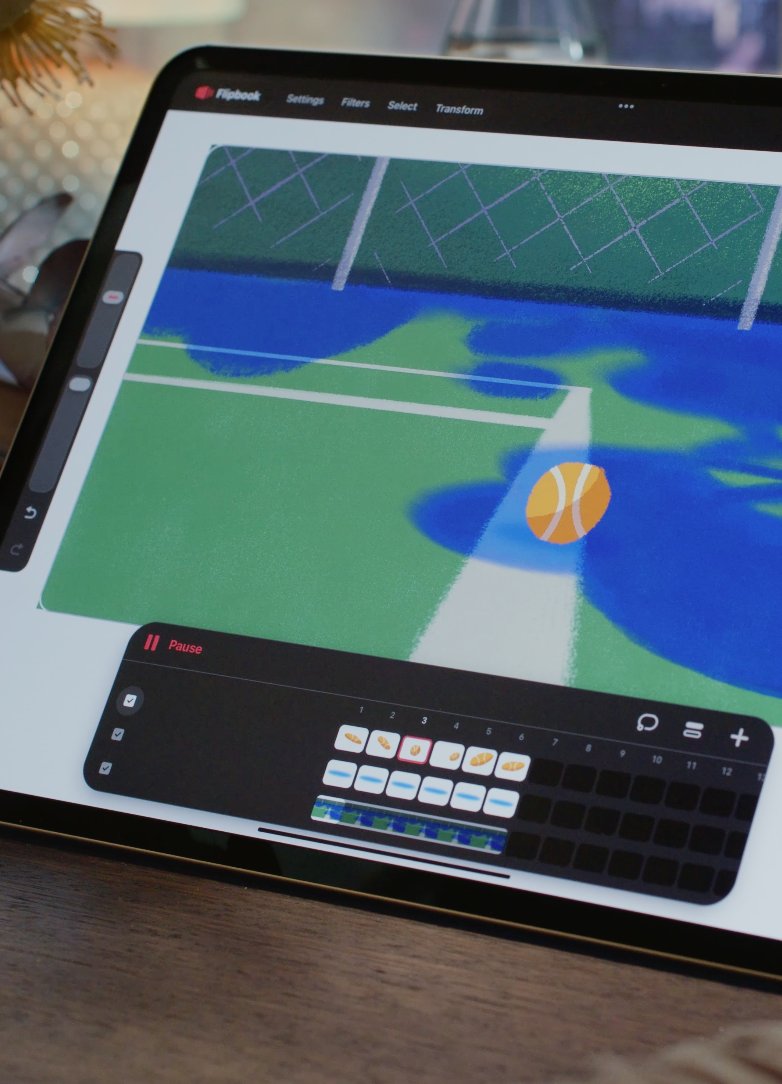
This update to Procreate brings: 🎨 Active layer eyedropper ✅ Multiple layer actions 🐛 A fix for the brush duplicate bug Head to the AppStore to download Procreate 5.4.11 today! #Procreate

483,421 views • 4 months ago •via X (Twitter)
66 Comments

Any update on the bucket tool referencing multiple layers (reference AND other layer), bucket tool causing a darker filling of colors when used on existing colors regardless of any other layers or blend modes or the ability to swipe between multiple reference images?

Thank you for sharing feedback! We've noted this down 🙏 Can you DM us a video of the ColorDrop darkening issue?

@NeonRivers_ I reported this issue many years ago
Hi there! The behaviour from your linked video is currently expected in the app; ColorDrop can fill empty areas of a Layer with your active color, but if you use ColorDrop on an area that already has different colors or textures (like a photo or drawing) the color is applied as a tint filter on the existing content, with the Threshold changing the strength of the tint in this case. Some options you can try are: - Create a new layer on top so you can create and edit content freely, as well as use ColorDrop in conjunction with other tools without affecting your original image. - To apply a flat colour directly over any previously created content, you can also enclose the area with the Selections tool > Once you have isolated the area you wish to edit, from the Selections toolbar at the bottom, enable 'Color Fill'. This will fully change the area inside your selection to be your active colour.
@NeonRivers_ This is exactly the opposite how bucket tool should work. If I wanted a tint I would donin on a separate layer or via filter, when I drop a bucket of paint somewhere, I expect it to be exact colour, because that is how it works in every single program. What gives?
@NeonRivers_ We have recorded your feedback on this 🙏

Please tell me sample from active layer can be toggled on so I don't have to tap with my other finger every time 🙏
At the moment you're only able to activate the Active Layer Eyedropper with another finger, but we will note down your vote for a toggle 💜

is there any way to revert this?? the multiple layer actions is awful. grouping layers is so tedious now
Thanks for sharing your thoughts 🙏 It's not possible to roll back to the previous update, but we'll take note of this feedback.

@spacelyft14 I completely second this opinion, please add an option to use the previous way of grouping layers. Respectfully, this new way added nothing, just messed with my learned muscle memory and added extra steps for something that was simple and effective 😭
@Procreate for real, the muscle memory makes this update a serious downgrade. why cant we get cool updates, like channel editing!? or more file types like dds !?
@paperjimin We can certainly note these suggestions too. Appreciate your input everyone 🫶
procreate if you add channel editing i will give u my firstborn 🙏

Thank you so much for adding that active layer eyedropper I’ve been waiting on this for so long, I could kiss you consensually

Hello! Can we bring back the one button to group layers from previous version please? ;; it feels so tedious to like click so many stuff just to group layers while drawing, also the muscle memory is hard to beat

Thanks for making the experience worse and less seamless by adding a step to group multiple layers. Do you even bother to think before you act on these changes?

But why can’t I move my layers? 😭 it just adds a gap ;o;
We're investigating why this issue can sometimes happen. Does a force restart help resolve this for you? 🙏

Why procreate keeps crashing!!!! *****These apps developers offer no practical solutions rather then just resetting the iPad, checking if you have enough memory, or re-installing the defective app.. @Apple
Hey there, this is the typical troubleshooting steps we start with in order to understand the issue better. But if the issue persists, please let us know and we'd be happy to look into it for you. Have you e-mailed our wonderful support team?

Would it be possible to add a triangle colour wheel option in the colour pallate menu? Like you can go through the settings and choose whichever shape works best for you to be the colour wheel in the middle of the hue ring?
Happy to note this feature request down for you 🙌

Put the group button back where it was this is the most infuriating thing EVER.

Using the "reference" tool becomes useless if you start at a small canvas like 200x200. It makes the reference image insanely blurry :c Why is reference image quality tied to canvas size? Is this due to a ram limitation?

Please improve the automatic selection and bucket tool selection, by adding control over gaps and expanding threshold SEPARATELY!!! It gets exhausting either bucket the whole canvas or getting weird white line gaps around objects because we swipe it all to the left!
Thanks for the feedback! We plan to add a gap detection tool, and we have added your upvote for it 🙏
It would be nice if the reference not just by one singular layer but by whole canvas or by different color since current bucket tool ignore color difference and washes over everything
We'll note this down 💜

Great work keep it up! ( @AddyAddyO )

Thanks for this! Can u add more choices on the quick menu? Rather than having only 6 Ik u can make another quick menu but more options on one click would be nice. Thank you
We'll note down your request for more QuickMenu options 🙌

still no nondestructive adjustment layers and a proper symmetry tool, great!

sooo what about procreate pocket... aha... ahaaa. please. updates to procreate pocket and my life is yours
@ruxpiin We have big plans for Pocket! Check out the link below to see what we've been cooking 💜
ohmy gosh yes. im so excited, it may take time to get used to the new interface but im excited to see it come out eventually!

Any chance you guys will ever release Procreate on other devices?

@Procreate is there anyway to being back the old group layers button? I despite the fact that its a two step process from a drop down menu now. Why make such an unnecessary change?

Wow 🤩

😍😍

At long last!!! Thank you all so much for the great work.

You have my heart, please polish the bucket tool and give us some options for auto line gap filling and you'll have my soul!
We're actively working on Gap Detection now! We've added your vote to this 💜

Checked out my Procreate Folio and it’s empty. Is procreate portfolio no more ?
Hey! Folio has changed to focus on our community discussion boards 🤗 You can access your previous uploads via your account: Tap your Avatar (top right) > Account > Account Settings > scroll to the bottom > and tap Download Account, Data > then tap Request Account Data 🖼️

Please Procreate, I'm begging you, take back the private layer feature. Bc so many use that feature to fake their process, procreate time-lapses are not seen as credible proof that an artist made their work on their own.

Hello Procreate, the app still duplicates brushes even after the update. It was one brush I used then started to go back to multiples duplicates, even brushes I wasn't or haven't used
Thanks for reporting. We've been testing this issue more to find the fix 🙏

Can we now reference grouped layer?
This isn't available in the current app, but happy to note your request down for it 🙌
Cant wait ☺️

I didn’t know eye dropper was changed so I was sitting here wondering why my dropper tool randomly stopped selecting colors 😭

Can you fix the thing where it doesn’t add a colour to my history anymore when I click the colour :(( I don’t like the new change where I have to actually draw something with the colour to add it to my recently used
Thanks for your feedback about this behaviour change 🙏 We've noted your thoughts and support for this to be reverted 💜
thank u!! it’s such a small thing but I feel like it really slows me down when I’m working because it was so easy to just choose a colour from the wheel and just tap out & tap back into the colour selector to have it added to history
Thank you for sharing more. This is good context for us to hear 🙏

Life saving for the brush bug 🐛 thank you so much!!! Huge difference
Thanks for your support and patience 🐛🙏 Enjoy the update!

This has been genuinely so useful. Any plans on adding clipping mask to groups?
It's in our plans!
Awesome thanks

Are you planning to add blending modes for layer groups?
It's in our plans 🙌

Love yall!! Any thoughts on adding a creature where multiple people can draw on a shared canvas at once?
This is not currently on our roadmap but we'll note down your suggestion for it 🙌

can we have a tool that alters line thickness next plz tyvm