正在加载视频...

视频加载失败

Today, Profound is launching Aim, the first background agent purpose-built for marketers. For months, we've been obsessed with one problem: dashboards tell you what's happening, but not how to act on the data. Aim is the agent harness designed specifically for marketing. Aim is trained from scratch on Profound's...

76,220 次观看 • 26 天前 •via X (Twitter)

0 条评论

暂无评论

原始帖子的评论将显示在这里

相关视频

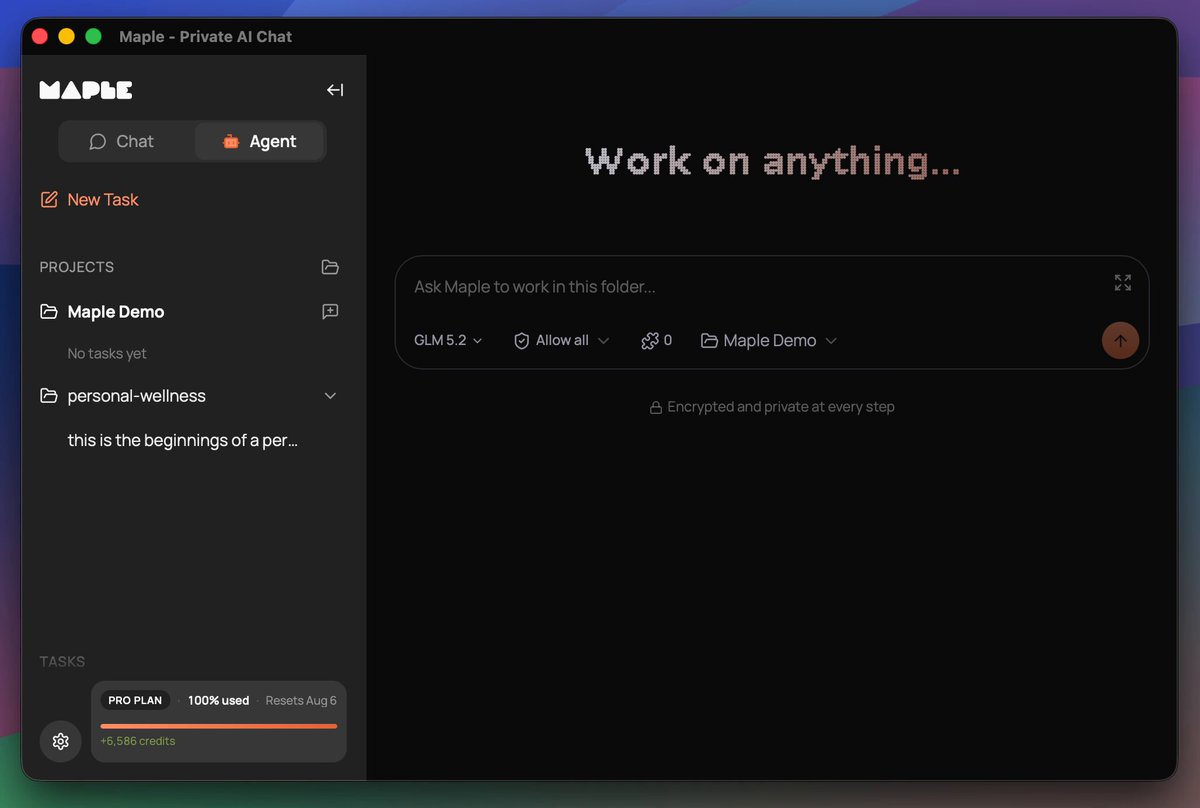
Maple is preparing for the release of a co-working agent. You install it locally and it works with your files, whether it's office work or building websites and apps. It's a turnkey solution, as easy as Claude Code, that keeps your data secure and private, no data sharing with closed AI labs. This is THE sovereign AI app for individuals and businesses who want powerful AI while retaining ownership of their information. Why build an agent into the Maple app when other agents already exist? Easy, we want to give you control over your work. We don't have a business plan that incorporates making money off our users' data. In the age of AI, your information, whether it's personal or company trade secrets, is the single thing that differentiates you from everyone else. We all have access to AI that can build a professional website for selling shoes. But your strategy and network for how you sell shoes should not be shared with your competitors. Sovereignty is the path to protecting what makes you, you. Maple sits at the intersection of Usability and Sovereignty. Maple gives you the best tools that are both easy to use and maintain your data sovereignty. Sovereign for one, sovereign for all. It has been a journey to get here. We brought to market the very first personal chatbot with end-to-end encryption using TEEs in late 2024. Prior to that there were proofs of concept but no full product offerings. Every other AI chat product on the market handled your data in plain text, either selling you a service to get your data or asking you to trust that they won't snoop on you. Quickly people found Maple and latched onto its open-source code and verifiable encryption. We didn't stop there. You may remember earlier this year we teased a product called "Maple Agent" and opened up a waiting list. That product is a mobile app that acts as your AI "friend", maintaining one long continuous chat, and getting to know you over time. I dislike using the word "friend" there, but it's the best way to convey the UX in a few words. AI is a tool, always has been, always will be. Any kind of friendly personality on top is just synthetic. In our testing, the UX of Maple Agent is really powerful for what it does. Think about the many short AI chats you have in your favorite app, whether it's looking up a historical fact or asking advice about a topic. With Maple Agent, those all go away in favor of the long-running chat with the friendly agent. It's like you have your own personal assistant who knows you so well and can look up anything for you. When I ask AI certain questions, I want to ask an expert who already understands my situation so I'm not repeating myself for the 100th time. That's the amazing value the personal agent brings to the table. We still see great utility for a personal agent like the "Maple Agent". Thousands of people on the waiting list, hoping to get their hands on it, agree that the concept is worth exploring and trying out. We were constrained in launching it due to a few circumstances, one of them being access to the scale of compute needed to power it. We have a clear path laid out for how to get there, but today is not the day to execute on that. It will be in the near future. Instead we have a different agent ready to go that we think is also incredible. We now have an agentic harness inside of the Maple Research app. This thing is a powerhouse. It even builds and publishes its own software releases. The agent in Maple Research works with your local filesystem, speaks to the largest open models running in TEEs, utilizes local models for certain tasks, is compatible with MCP tools, has an API for connecting to anything you need, and also supports the ACP protocol, which means it can be extended in the future to speak to other tools like Claude Code, Codex, and local models running on your own hardware. A big unlock for us was the Goose Development Kit, which powers the core of our agent harness. More on that to come as we publish articles and documentation later about the agent. The agent inside Maple Research doesn't have a name. At least not yet, not sure if it ever will. For now we call it "Chat Mode" and "Agent Mode". Think of this as the workhorse, the truck, the heavy lifter. Our other "Agent", the phone app, is your sidekick in your pocket, ready to help with quick things and ongoing conversations about life. I am incredibly excited about the Maple Research Agent. While I'm already seeing great results using it for internal work items, I'm especially thrilled about the personal health and wellness work it's doing for me. I know there are plenty of apps out there for compiling wellness data, but I'm having it build a tool tailored specifically for what I need, without the extra fluff. And none of my health data is being donated to the closed AI labs or sent to advertisers. I know that the AI logic is not being silently adjusted to fit the whims of a large corporation that has paid for product placement. It's me, state of the art AI, and my data. That's how I want it. Maple's new agent makes that possible. We can't wait for you to try it out. If you want early access, comment here, email us, reach out in some way. To those on the other agent waitlist, you're already in the queue. Thanks for reading this lengthy update. :)

Mark

29,135 次观看 • 6 天前

PhD Students – How to automatically extract data from papers for your literature review? Extracting relevant data from papers is challenging. However, this process can be automated. Meet AnswerThis – a tool that extracts data in seconds. Here is how it works. 1. Go to and log in. 2. After logging in, click on 𝐸𝑥𝑡𝑟𝑎𝑐𝑡 𝑑𝑎𝑡𝑎. 3. Then click on 𝑈𝑝𝑙𝑜𝑎𝑑 𝑃𝐷𝐹 and upload your papers. 4. These are the papers from which you want to extract data. 5. After uploading papers, select data you want to extract. 6. The predefined options are - Key findings - Research gaps - Methodology - Limitations - Future work - Contributions - Practical implications 7. You can also extract custom data e.g., dataset used. 8. For example, I want to extract methodology used in these papers. 9. I selected 𝑀𝑒𝑡ℎ𝑜𝑑𝑜𝑙𝑜𝑔𝑦 and clicked on 𝐴𝑑𝑑 𝐶𝑜𝑙𝑢𝑚𝑛. 10. AnswerThis extract data about methodology used in the papers. 11. You can change data view from normal to Table View. 12. For this, scroll back to top and click on 𝑇𝑎𝑏𝑙𝑒 𝑉𝑖𝑒𝑤. 13. Now for instance, you want to extract more data from these papers. 14. Go back to the top and click on 𝐸𝑥𝑡𝑟𝑎𝑐𝑡 𝑑𝑎𝑡𝑎. 15. Select the data type you want to extract. 16. For example, I want to extract data about future work. 17. So I click on 𝐹𝑢𝑡𝑢𝑟𝑒 𝑊𝑜𝑟𝑘 and then clicked on 𝐴𝑑𝑑 𝑐𝑜𝑙𝑢𝑚𝑛. 18. AnswerThis extracted data about future work from the papers. 19. After extracting the desired data, you can export it. 20. Select the data you want to extract. 21. Then click on 𝐸𝑥𝑝𝑜𝑟𝑡 𝑑𝑎𝑡𝑎. 22. Your data will be exported in CSV format. You can then analyze this data for your literature review. Try AnswerThis today: Anything you'd like to add?

Faheem Ullah

21,390 次观看 • 9 个月前

We’re entering the 10x speed of research publication workflow with AI. SciSpace (SciSpace), the first AI Agent built exclusively for the scientific community, is releasing so many inredibly useful features. 🎯 This is the AI Agent that can use 150+ tools, 59 databases, and 280M+ papers A few weeks back they launched BioMed Agent - It can design entire molecular biology workflows and even create publication-ready illustrations in a single prompt. This is its new domain-specialized AI co-scientist that sits on top of the existing SciSpace Agent and automates full biomedical workflows, from raw data and papers to analysis, decisions, and the final production-grade illustrations. You just need to give it 1 prompt. And today the added the following - Library Search, so it can search and analyze the PDFs already sitting in My Library, letting people ask questions across their own paper pile while keeping it private. - Now connects directly to Zotero, so the Agent can pull and work with the papers you already saved there without manual uploads. - For bigger prompts, it auto-triggers a Report Writing Sub-Agent that turns the chat into a structured research-style report, which is way cleaner for literature reviews and long summaries. - And when you get something worth keeping, Save to Notebook lets you store the output as .md notes with citations in My notebooks, so the work becomes reusable research notes instead of disappearing into chat. Behind the scenes, it indexes the PDF text, pulls a few relevant chunks for the question, then writes an answer grounded on those chunks.

Rohan Paul

11,574 次观看 • 6 个月前