Loading video...

Video Failed to Load

Go Home

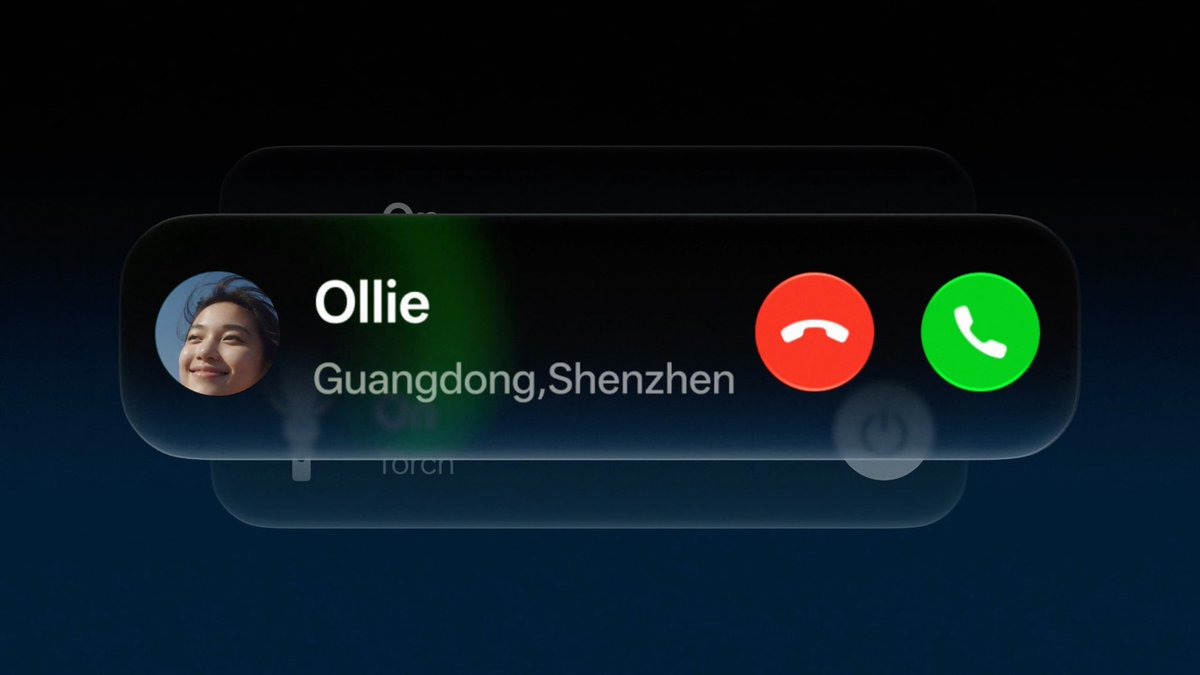
Visual Effect API - Stacked Cards - ScrollView - iOS 17 - Xcode 15

30,800 views • 2 years ago •via X (Twitter)

0 Comments

No comments available

Comments from the original post will appear here

Related Videos

Some heroes score goals. Legends stop them. Created in the iconic Captain Tsubasa manga-inspired style and brought to life with Seedance 2.0 on PixVerse Genzo Wakabayashi (若林源三), the No. 1 goalkeeper, standing between Brazil and glory in a World Youth Championship final. One free kick. One prediction. One impossible save. Prompt: Create a 15-second cinematic anime sports sequence in a manga-to-motion 2.5D hybrid style. Maintain strict character continuity: an original elite Japanese goalkeeper archetype (short black hair under a red cap, white-and-blue national kit, red gloves, calm analytical expression, elite reaction timing). No real-world character replication. STYLE: Ink-drawn manga panels transitioning into cinematic animation. Halftone shading, bold speed lines, impact freeze frames, floodlit night stadium, strong depth-of-field. Emphasis on reading play → positioning → anticipation → save execution → aftermath control. FORMAT: 16:9 · 15 seconds · 6 cuts · no UI, no overlays, no watermark 🔊 CORE SOUND RULE Commentary must explain decision-making, not just describe action. Audio must reinforce “anticipation → execution → outcome denial.” 🎞️ SHOT BREAKDOWN (REWRITTEN FOR CLEAR SAVE LOGIC) SHOT 1 (0:00–0:02.5) — “FREE KICK THREAT” VISUAL: Wide manga stadium. Free kick position clearly dangerous. Wall set. Keeper already slightly adjusting position. COMMENTARY (calm): “Saigo no furikku… koko ga shoubu da.” SOUND: Stadium low hum Distant wind Subtle tension drone SHOT 2 (0:02.5–0:05) — “READING THE SHOT” VISUAL: Keeper on line. BUT important change: he subtly shifts one step BEFORE the kick. Close-up: eyes tracking attacker + wall alignment + goal corner prediction. 0.3s anime flash shows: predicted ball curve line in his vision (overlay style manga effect) COMMENTARY (focused): “Wakabayashi… yomi kitta.” (“He has read it.”) SOUND: Heartbeat becomes clearer Soft “analysis cue” rising tone Crowd almost silent SHOT 3 (0:05–0:07) — “SHOT IS STRUCK (PREDICTED)” VISUAL: Boot hits ball. 0.4s manga impact frame. BUT keeper already moving weight BEFORE ball fully leaves foot. Key change: he is not reacting late — he is already launching. COMMENTARY (sharp): “Utta—!! …yoso doori!” (“Shot—!! Just as expected!”) SOUND: Sharp kick crack Whoosh begins immediately (keeper movement starts early) Crowd inhale SHOT 4 (0:07–0:10.5) — “ANTICIPATION SAVE (KEY HERO MOMENT)” VISUAL (IMPORTANT): Instead of last-second dive, show: Keeper already mid-air BEFORE ball reaches top corner path He intercepts trajectory early Hand meets ball at highest predicted point, not desperate reach Add split-second anime overlay: predicted curve line collapsing as ball is redirected COMMENTARY (explosive): “Yonda!! WAKABAYASHI TOMETA—!!” (“He read it!! Wakabayashi stops it!!”) SOUND: Deep bass surge Air rush from full dive CLEAN impact “THOOM” Immediate crowd explosion (clear denial reaction) SHOT 5 (0:10.5–0:13) — “CONTROL OF MOMENT” VISUAL: Keeper lands cleanly, already looking at ball going away from danger zone (important: show ball SAFE, not near goal). Defenders relaxing = proof save succeeded. COMMENTARY (relieved admiration): “Kanzen ni… yomi kiru.” (“Completely read and controlled.”) SOUND: Grass slide Crowd roar sustained but now celebratory Brass starts rising SHOT 6 (0:13–0:15) — “HERO CONFIRMATION” VISUAL: Keeper stands alone framed by goalpost. Ball cleared away in background. Teammates arrive after outcome is already safe. Freeze frame manga panel effect. COMMENTARY (soft legend tone): “Goal wa… mou nai.” (“The goal… is no more.”) SOUND: Crowd fades into warm echo Single orchestral hero note Silence into black

Shami

35,677 views • 2 months ago

How to 10x your design with Figma Make ⭐️ I spent 40+ hours testing Figma Make prompts. Most designers waste time with vague prompts and get garbage outputs. Here are the exact prompts and proven workflow that actually work: 1️⃣. Prompt formula: Bad: "Create a dashboard" Good: "Create a SaaS analytics dashboard with: → Left sidebar navigation (240px wide) → Top bar with user profile → 4 metric cards in a grid → Line chart showing revenue trend → Use blue (#2563EB) as primary color" The more you specify = higher quality. 2️⃣ Workflow: Import Your Design System First Before your first prompt: → Go to your main Figma file → Export your component library → Import it into Make → Add this to every prompt: "Use components from [Your Library Name]" Now everything matches your brand automatically. 3️⃣. Prompt for Interactive States: "Create a login form with: → Email and password inputs → Show error state when fields are empty → Disabled button state when form is incomplete → Success message after submission → Add smooth transitions between states" Gets you working prototypes, not static screens. 4️⃣. Advanced Prompts: Data States "Create a user list screen with three states: → Loading (skeleton screens) → Success (populated table with 10 users) → Empty (illustration + 'No users yet' message + 'Add User' CTA)" One prompt = complete UX coverage. 5️⃣. The "Design System Drift” Fix: Notice Make using wrong colors? → Try this Prompt: "Analyze my imported library and list all color tokens, then regenerate using only those exact values" It'll self-correct and stick to your system. 6️⃣. Responsive Design Prompt: "Create a pricing page with 3 tiers. Make it responsive: → Desktop: 3 columns side-by-side → Tablet: 2 columns with 3rd below → Mobile: Stacked vertically → Use Auto Layout for fluid scaling" This gets you mobile + desktop in one shot. 7️⃣. Magic Troubleshoot Prompts: Output looks off? → Try: "Redesign this following Material Design principles" → Or: "Make this follow iOS Human Interface Guidelines" → Or: "Apply Gestalt principles for better visual hierarchy" Give it design frameworks to follow. It works magic. Designers who master prompt engineering in 2026 will ship 10x more than everyone else. P.s. I made a Gameboy for Pokémon. (bookmark this for later)

Felix Lee

12,706 views • 7 months ago