Video wird geladen...
Video konnte nicht geladen werden
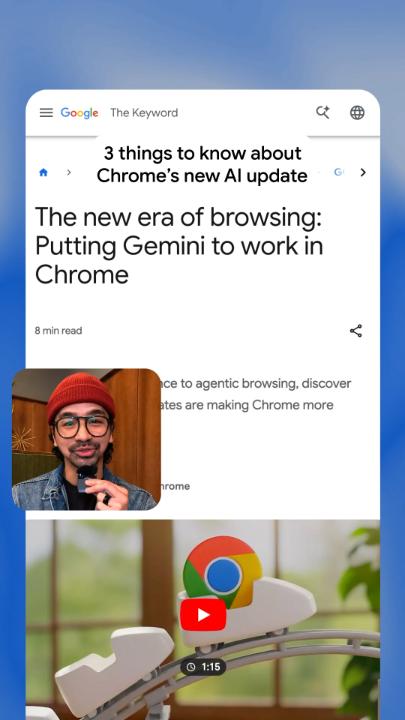
We’re introducing major updates to Gemini in @GoogleChrome for MacOS, Windows and Chromebook Plus. Built on Gemini 3, our most intelligent model, these powerful new AI features can help you multitask more easily and get the most out of the web 🧵
2,159,782 Aufrufe • vor 8 Monaten •via X (Twitter)
40 Kommentare

With a new side panel experience for Gemini in @GoogleChrome, you can always have a browsing assistant at your side — no matter what tab you’re currently in. Save time and multitask without interruption — compare options across tabs, summarize product reviews, or handle a different task.
We’re bringing the creative power of Nano Banana into @GoogleChrome, so you can transform images on the fly without needing to download and re-upload images or open another tab. Just type a prompt in the side panel to explain what you’re trying to do.
You can also get things done, quickly, with Connected Apps in @GoogleChrome — including Gmail, Calendar, YouTube, Maps, Google Shopping and Google Flights. Traveling to a conference? Gemini in Chrome can dig up the email with event details, reference context from Google Flights and draft an email to your colleagues with your arrival time.
You’ll be able to customize your experience even more with Personal Intelligence in the coming months. If you opt in, @GoogleChrome will remember context from past conversations so you get uniquely tailored answers to whatever you're looking for.
For years, @GoogleChrome autofill has handled the small stuff, like automatically entering your address or credit card. Today, we’re introducing auto browse to handle multi-step chores on your behalf — like complex travel logistics or professional workflows. It’s rolling out now to AI Pro and Ultra subscribers in the U.S.
Learn more about the new features coming to @GoogleChrome →

@googlechrome this you?

@googlechrome And just like that Google killed perplexity Comet

@googlechrome $Google just keeps cooking

@googlechrome just need auto tab management similar to @arcinternet nothing more

@googlechrome gemini 3 in chrome is big energy but i mostly just need it to judge my 150 open tabs and tell me which ones are actually load bearing

@googlechrome DO NOT WANT MORE AI B.S. IN MY BROWSER

@googlechrome There is no privacy , akin to "thought police". Google will know more about you that you know about yourself.

@googlechrome This is one of the worst displays of how to use AI. You spent 30 seconds writing out a message to open Command-N to start a new email. Are you serious, guys?

@googlechrome This is way bigger than your standard update. Gemini 3 baked into Chrome actually changes how you browse. It's like browsers have been basically the same forever and this is finally something different.

@googlechrome But only in the US 🤷🏻♂️

@googlechrome This update feels like the browser finally catching up to how we actually think and work. Seamless side-panel assistance, on-the-fly image magic with Nano Banana, and real agentic browsing? Chrome just became dramatically more useful. Excited to try it all.

@googlechrome Auto-browse handling complex workflows on your behalf, this is where AI gets genuinely useful. The next unlock: portable proof of authorization that works across services:"This agent is acting for this user, within these permissions

In December the following request in Gmail Gemini was not possible without me doing it manually, hopefully these improvements make this possible: 1. search email archive for emails with specific keywords, a specific date range, plus it being sent to a specific person 2. apply a specific gmail label to those emails so I can easily find them later 3. create a google spreadsheet with a list of those emails showing columns like date, who it was to, the subject, and a link back to gmail for that specific message. 4. There should be one email per month in that date range, if one is missing make sure to note the missing month on the spreadsheet. Gmail Gemini could not do this itself. It walked me through doing it myself and it wrote a script for the google doc side which helped, but I still did the bulk of the work.

@googlechrome What data is going to be shared, stored, and used to train your models?

@googlechrome So, Chrome is now a personal assistant? Just what I needed – another thing to subtly judge my browsing habits. Progress!

@googlechrome How cute 🥰

@googlechrome Hi @Google, with the new Gemini AI features being added to Chrome, will there be an option to disable this functionality, especially for enterprise/business environments? Thanks!🙏

@googlechrome Can you do something about chrome consuming a lot of memory.

@googlechrome Finally here! can't wait to try it out

@googlechrome finally.

@googlechrome مرحبا غوغل لقد فقدت شريحة مرتبطة بحسابي الجميل و جرب كل طرق استرجاع ولم تنجح معي اريد تواصل معكم لدي معلومات مرتبطة بحساب مفقود من عام 2024 ولاسف لا اتذكر كلمة المرور

@googlechrome can it organize my bookmarks in chrome yet

@googlechrome rip perplexity comet

@googlechrome How can I deactivate your stupid AI voice overs in YT?

@googlechrome gemini 3 in chrome devtools would be huge

@googlechrome Same to Grok. All support the best advanced technologies' benefits to customers. Thanks to all.

@googlechrome Time to download Chrome again

@googlechrome And there goes all the AI browsers

@googlechrome Only in US :(

@googlechrome

@googlechrome nice update

@googlechrome

@sundarpichai @googlechrome Rip @perplexity_ai 💀

@googlechrome