Video wird geladen...
Video konnte nicht geladen werden
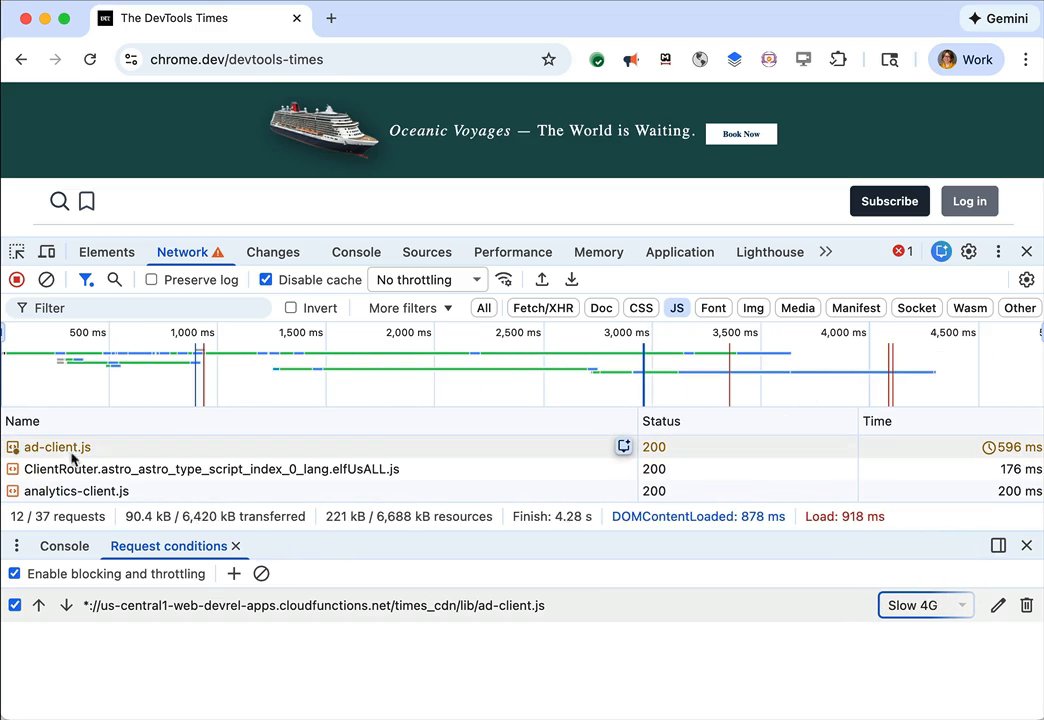
Why pay for LinkedIn Premium when you can just fire up Chrome devtools? 😏

1,030,741 Aufrufe • vor 7 Monaten •via X (Twitter)
43 Kommentare

linkedin charging $40 a month to hide html is genuinely one of the great business models of our time.

... and here's an even better trick :)
This community note is actually incorrect. Sure, I didn't test it in 2026, but this was working last year.

I never get why devs are doing that shit in the frontend, dude you want to block something do it in the backend....

Well it is not a secret anymore. I've been doing it and more for years. As @faltorn said, why devs do that, while back end it a better solution. hint. Grab source code, give it to LLM to extract all interesting you need from any websites, even the ones behind paywall 😉

lol Make a Chrome Extension out of it and get rich

This is false, they have a cdn that brings an already blurred photo

Why use chrome devtools when you can just avoid the dumpster fire.

Question should be: Why do we need linkedIn?
@GamandeepSingh4 ... and this is an excellent question.

Oh my goodness I never bothered trying because I wrongfully assumed they’d safeguard. This is actually crazy 😭

You’re a dev. So you have the knowledge to do this. But not everyone knows how to. That’s why LinkedIn can still monetise from this aspects.
I'm not saying otherwise :)
Yeah. I understand!

Could you just make a wrapper plugin for chrome removing the blur? 🤔

@grok give step by step implementation for this.

Here's step-by-step to unblur LinkedIn profile viewers with Chrome DevTools: 1. Log into LinkedIn, go to your profile page. 2. Click the "X profile viewers" number/link. 3. Scroll to the list with blurred names/photos. 4. Right-click a blurred item > Inspect (or Ctrl+Shift+I). 5. In Elements tab, Ctrl+F search "blur". 6. Find filter: blur(XXpx) or similar CSS, change XX to 0 or delete the rule. 7. For all at once, switch to Console tab and paste: document.querySelectorAll('[style*="blur"]').forEach(el => = 'none'); Names appear instantly. Refresh resets it.

, your suggestions do not seem to work. Are you sure that info is up to date? So far as I can tell the blurred image is not a style-blurred sharp image, it's a blurred image. When I search for blur in the Inspect elements, it reports finding some instances of it, but nothing I do makes me able to see the word blur anywhere in the Inspect window. This might be due to my ignorance of how to use the Inspect window. I wonder if anyone can show screenshots or a screen recording of following this procedure successfully.
Thanks for trying it and the details—LinkedIn tweaks their UI often, so the CSS blur may now be server-side on the images themselves (not filter). Alternative that usually works: On the profile viewers page, right-click > View Page Source. Ctrl+F for "lastName\"". Scan the JSON blocks around matches for full names (and sometimes photo URLs). This pulls the raw data even if blurred in UI. Refresh resets it. Try and report back?

How would someone deblur this? There's no such tag in any of the div.

the devtools -> network tab pipeline is the only LinkedIn hack that actually works. respect.

Old trick never to be shared in public :-)

Nah they have blured images😮💨

Just developer things

Thank you for the very thorough explanation…

Been doing this for the last 2 years!
same!

I cannot see on phone what you are showing.

Why netflix when you can spend 52727 hours finding the torrent and download a movie

is this against TOS?

Classic

Dude lmfaoo I be doing this all the time but instead I just search up the name in a new tab or I think if you click on a particular section of each profile it bypasses the paywall

😂😂

True, but you can only see a few people hidden behind. The real value for me is Linkedin Sales Navigator, where you can find the decision maker in any industry and location in 3 seconds. Anyone using my strategy with this tool finds a job literally 10x faster.

Obselete information

Why even use Linkedin in the first place ? (Otherwise nice use of devtools)

Delete it

hey hey hey... dont broadcast it and have them patch it

Why do even back end send those first of all..

No way this is legal

hey hey can u not, this isn't to broadcast buddy

Haha client side premium feature rendering is never a good idea lol 😂
I want something to deblur the rest of the screen that gets blurred when you click in the model selector on Google AI Studio.