Made this Adidas Predator commercial using Renoise Canvas, combining... cinematic football intensity, luxury lifestyle moments, and realistic stadium atmosphere into one fast-paced sports ad. Made this using GPT Image 2 and Seedance on Renoise Canvas. What I really liked about Canvas: • Everything stays organized in one place — characters, scenes, images, videos, and references • No more scattered folders or messy creative workflow • Reusing the same character across different scenes feels seamless and consistent • Makes long-form or cinematic projects much smoother to manage over time • The whole process feels far more production-ready and creator-focused Prompt Below👇 #RenoiseCanvasshow more

Shami
18,645 次观看 • 2 个月前
I made a second version! This time, I improved... the opening to make it more eye-catching, added extra padding to the character shots so the video won’t get cropped across different social platforms, and updated the prompt into English. I also improved the canvas workflow. Previously, I had to generate multiple images and videos one by one, then pick the best results. Now the canvas supports generating multiple results in a single run, which has greatly improved my workflow efficiency. Now you only need to swap the image, and the same video prompt can still produce great results. Which anime cosplay should I make next? Full workflow and prompts:show more

underwood
178,121 次观看 • 1 个月前
🚀 Update Next Scene V2 only 10 days after... last version, now live on Hugging Face 👉 🎬 A LoRA made for Qwen Image Edit 2509 that lets you create seamless cinematic “next shots” — keeping the same characters, lighting, and mood. I trained this new version on thousands of paired cinematic shots to make scene transitions smoother, more emotional, and real. 🧠 What’s new: • Much stronger consistency across shots • Better lighting and character preservation • Smoother transitions and framing logic • No more black bar artifacts Built for storytellers using ComfyUI or any diffusers pipeline. Just use “Next Scene:” and describe what happens next , the model keeps everything coherent. 🧩 Try it directly in ComfyUI, or check the thread to launch it on fal . Open-source, no restrictions, made for filmmakers, animators, and dreamers. ComfyUI #AIcinema #LoRA #Flux #Qwen #ComfyUI #AIart #GenerativeVideo you can test on comfyui or to try on you can go here : and use my lora link : start your prompt with "Next Scene:" and lets go !!show more
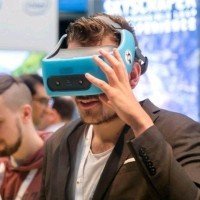
Lovis Odin
43,276 次观看 • 8 个月前
Nano Banana + Veo 3 is soooo good for... UGC videos 🤯 This Nano Banana + Veo 3 + n8n workflow generates full UGC campaigns with consistent characters, from a single product photo. Perfect for e-comm brands & agencies who need AI UGC that actually looks like a real campaign. Here's the problem with most AI video: You generate 10 videos and get 10 different "creators." Different faces, different vibes, different everything. This n8n workflow solves it: → Upload one product photo via n8n form → AI analyzes your product automatically → Nano Banana locks in a consistent character → Veo 3 generates multiple scenes with that same talent → Everything auto-stitches into finished campaign videos → Download-ready UGC in minutes One product photo. One AI creator. Unlimited scenes. What you get: - Full UGC campaigns with character consistency - Multiple videos featuring the exact same "creator" - Auto-stitched final output—no editing required - Production-ready content in minutes, not days Built 100% in n8n. Want the full workflow? > Comment "UGC" > Like this post And I'll send it over (must be following so I can DM)show more

Mike Futia
31,638 次观看 • 6 个月前
currently experimenting with WAN 2.6 I2V on GMI Cloud... in this test, I’m comparing two audio workflows and honestly both perform really well. one scene uses audio generated directly from the prompt, while the other uses manually uploaded audio taken from the film 300. visually, both deliver strong motion and solid performance. however, the version with audio coming straight from the prompt feels slightly more refined, camera movement is smoother, transitions flow more naturally and the sync between voice, facial motion, and pacing feels more cohesive. lip sync, especially for Chinese dialogue also comes across a bit cleaner. you can choose single shot for a clean, focused moment or multi shot if you want more cinematic transitions, even when working from just one reference image. one important note: always turn on prompt extension. it makes a noticeable difference in how well the model understands motion, transitions and overall scene flow. both audio approaches are totally usable, but if you’re building dialogue driven or cinematic scenes, starting with audio from the prompt gives WAN 2.6 a bit more context to work with. I’ll be pushing this further with more dynamic camera movement and transitions next. more experiments coming soon ✨ Wanshow more

DStudioproject
96,950 次观看 • 7 个月前
Midjourney sref + Sora 2 Pro is the sauce.... With one Midjourney style image, you can give a specific style for your entire project. I created two different 12-second clips and edited them together. Some details aren’t fully consistent, like the iPod or AirPods because the clips were made separately from a single image (Character in a specific style). It could be fixed in post-production, but that would take more time, and this was more of an experimental test. It would be great to add the actual product image with the current one to maintain product consistency. I feel like if there were a way to add 2–4 images into this workflow, it could open up a lot more possibilities and consistency. With an API, it could be possible. Or let’s see what Veo 3.1 has to offer.show more

Allar Haltsonen
10,141 次观看 • 9 个月前
I just dropped myself into a Taylor Swift-style music... video without writing a single prompt, timeline, or storyboard. I uploaded one photo and the song. That's it. Atlabs AI took over from there: • Built the character sheet • Planned the scenes • Generated the prompts • Synced every cut to the beat • Delivered a finished edit Most AI video tools promise automation, but the tradeoff is usually creative control. This was the opposite. The agents handled the production work while I focused on direction. Every scene, transition, framing choice, and creative decision stayed in my hands. When the edit was ready, I could jump in, swap shots, rework sequences, change the mood, and fine-tune the story. It felt less like using a tool and more like working with an AI production crew. We're moving beyond prompting. The next wave is directing autonomous creative workflows that understand the music, build the narrative, and still leave the final call to you. Character: ChatGPT Image Video: Seedance This is the most fun I've had making a music video in a long time.show more

Sharon Riley
36,280 次观看 • 1 个月前
Sora 2 + n8n is absolutely insane 🤯 This... n8n automation generates entire UGC campaigns with the same AI creator across unlimited videos. All from one Airtable form. Perfect for DTC brands & agencies who need brand consistency in their AI ads without hiring real creators. Why this matters: Every AI video tool gives you a random person each time. You can't build multi-video campaigns because your "creator" changes in every clip. Sora 2 consistent characters solves this: Same AI creator → Different scenes → Unlimited videos The n8n workflow: → Fill out Airtable form once (select your character, describe scenes, choose quantity) → Claude AI generates professional Sora 2 prompts automatically → Sora 2 renders videos with your consistent character → Videos auto-upload to ImageKit CDN → Everything tracked in Airtable with shareable URLs No manual prompting. No file management. No different people in every video. What you can create: → 3-part testimonial series with the same person → Before/during/after transformation campaigns → Product tutorial sequences that feel cohesive → Entire ad creative libraries with your "brand ambassador" Track everything in Airtable: → Video status (queued → generating → complete) → Shareable URLs for each clip → Scene descriptions and prompts → Production-ready in 5-10 minutes Built 100% in n8n + Airtable. Want the complete template? > Comment "SORA" > Like this post And I'll send it over (must be following so I can DM)show more
Mike Futia
18,972 次观看 • 8 个月前
📖THE STEP MOST CREATORS SKIP IS WHY THEIR AI... ANIMATION LOOKS INCONSISTENT Consistency across clips doesn't come from prompting — it comes from the reference image. The pipeline, step by step: ▪ Start with ChatGPT Image 2 — generate a full character design sheet first, not just a single frame. Multiple angles, expressions, and outfit variations in one image keeps the character consistent across every scene ▪ Build a storyboard inside ChatGPT Image 2 as well — define each shot, camera angle, action, and mood before touching Seedance at all. This is the step most people skip and it's the reason clips look disconnected ▪ Define a color palette and lighting mood early — golden afternoon light, soft warm tones, dramatic shadows. Lock those values and repeat them across every prompt ▪ Take each storyboard frame into Seedance 2.0 as the reference image — one frame becomes one clip ▪ Write the Seedance prompt around the character action, not the scene description. The scene is already in the image. The prompt handles motion, camera behavior, and timing ▪ Keep clip duration between 4-6 seconds per shot — shorter clips give more control over pacing and reduce motion drift on character faces ▪ Match camera movement type across consecutive clips — if one shot dollies in, the next should hold or pull back, not dolly again The consistency across these frames comes from the character design sheet, not from luck. Seedance reads the reference image and the prompt together — if the reference is detailed enough, the output stays on-model. This video was created by ALOKXMEHTA 📥 tomorrow: the exact ChatGPT Image 2 prompt structure used to generate a multi-angle character design sheet like this one 🔖One article covers the entire workflow — it is pinned below, do not scroll past it.show more

Zentrix⌚️
12,846 次观看 • 17 天前
Veo 3.1 + n8n is insane 🤯 Google's new... model lets you generate studio-quality UGC videos that look like they cost $1k to produce. Copy my entire automated workflow below 👇 Most e-commerce brands & creative agencies are stuck choosing between: → Expensive creator networks ($500-$2k per video) → In-house production (weeks of coordination) → Stock footage that looks generic This n8n automation cuts through all of that. Here's the complete process: Step 1: Upload one product image to an n8n form Step 2: AI generates multiple UGC prompt variations automatically Step 3: Veo 3.1 renders each prompt into ultra-realistic video Step 4: System creates testimonials, unboxings, demos & lifestyle shots Step 5: All videos delivered to your workspace production-ready Total cost per video: $2-3 Total time: 15 minutes for 20+ videos Full commercial rights: yours forever This is the same workflow I've been using to generate 100+ UGC videos for e-comm brands. 100% automated. Want the complete n8n workflow? > Comment "VEO" > Like this post And I'll send it over (must be following so I can DM)show more
Mike Futia
83,659 次观看 • 9 个月前
Seedance 2.0 + Claude Code is f*cking insane 🤯... I built a Claude skill that creates UGC ads on demand. One product + one prompt = the AI creator, the script, the scene-by-scene shot list, and the finished video. All inside Claude Code. Perfect for DTC brands and agencies who can't afford to keep paying $500-$1,500 per UGC video and waiting 2 weeks for revisions. This skill eliminates the entire loop: → Tell Claude the product, ad angle, and length → Skill writes the GPT Image 2.0 prompt to generate the AI creator from scratch → Skill writes every scene prompt, dialogue line, and delivery direction → Pipes it into Seedance 2.0 with character + product + voice locked → Speed up + caption in CapCut → Ship the ad in 20 minutes No more paying $11 per video on Arcads. No more 2-week revision cycles. No more PR boxes to creators who ghost you. What you get: → Perfect character consistency across every scene → Voice consistency that holds clip-to-clip → Real product fidelity using your actual product photo as a reference → Multi-scene day-in-life, testimonial, and action-shot formats out of the box Built 100% with a Claude skill + Seedance 2.0. I recorded a full step-by-step tutorial showing the exact workflow so you can build these AI UGC ads yourself. Want the full breakdown? > Like this post > Comment "UGC" And I'll send it over (must be following so I can DM)show more
Mike Futia
38,303 次观看 • 2 个月前
Beauty ads just changed forever. Free Claude Opus 4.8... + GPT Image 2 + Seedance 2.0 workflow to spin up 100s of video ads. No studio, no model, no macro lens, no shoot day. Here's what nobody in beauty marketing wants to say out loud. That glossy lip shot. The droplet hitting the surface in slow motion. The whip-pan into the next scene. The crystalline product splash. All the stuff that used to need a real set, a real camera op, and a full shoot day. You can generate every frame of it from a text prompt now, and stitch it into a finished ad before your coffee goes cold. The workflow is almost stupidly simple: → Tell Claude Opus 4.8 the beauty shot you want (dewy skin macro, gloss-on-lips contact, ripple transition, the works) → Claude turns it into a shot-by-shot storyboard plus a prompt for every frame → GPT Image 2 generates the photoreal stills, frame by frame → Seedance 2.0 animates each one into a clip with that buttery slow-mo glide → You drop the clips into HeyOz and assemble the full ad in one place The real unlock is volume. This isn't one hero video. Once the workflow is dialed, you spin up hundreds of variations. Different shades, different models, different hooks, different transitions. The exact creative volume Meta rewards, minus the production cost that used to make it impossible. Old way: one shoot, one look, $10k+, weeks of waiting. New way: a hundred angles, any look, a few dollars each, same afternoon. I wrote up the entire workflow. The Claude storyboard prompt, the GPT Image 2 frame prompts, the Seedance motion settings, the full assembly flow. Completely free, no email gate. Want it? Comment "GLOSS" and I'll send it straight over. (make sure you're following so it can actually reach you)show more

Ahad Shams
11,051 次观看 • 1 个月前
Claude Code + Nano Banana 2 is f*cking cracked... 🤯 I built a skill inside Claude Code that writes JSON image prompts for Nano Banana 2, and the outputs look like they came from a professional photo shoot. One plain-text prompt. Claude rewrites it as structured JSON with lighting, camera, composition, style, and negative prompts. Then fires it off to Nano Banana 2. All inside Claude Code. Perfect for DTC brands and agencies who need high-volume ad creative without booking a shoot. If you're using Nano Banana 2 for product shots and lifestyle images but every generation feels like pulling a slot machine lever — random lighting, inconsistent style, plastic skin, misspelled labels ... This skill fixes the entire output: → You describe what you want in plain English → Claude rewrites it as a structured JSON prompt (lighting, camera angle, lens, depth of field, color grading — all of it) → Fires it to Nano Banana 2 via API → Saves the prompt + image in organized folders → You iterate on the style until it's dialed, then every output matches No more slot machine prompting. No more inconsistent brand imagery. No more burning credits on unusable generations. What you get: - Photo-realistic product shots and lifestyle images on demand - Full control over style, lighting, composition, and camera settings - Saved JSON prompts you can reuse across every campaign - A skill that gets smarter the more feedback you give it Built 100% in Claude Code with a custom skill + Python scripts. I put together a full playbook showing the exact skill, the JSON schema, and the workflow to set this up yourself. Want the full playbook? > Like this post > Comment "BANANA" And I'll send it over (must be following so I can DM)show more
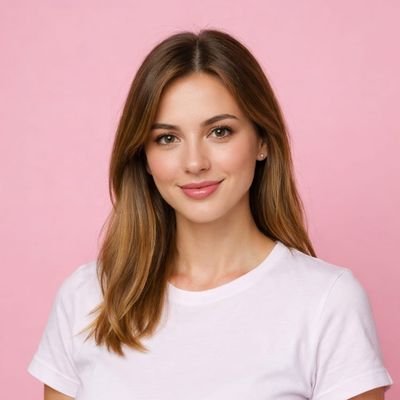
NOVA
63,725 次观看 • 3 个月前
Claude Code + Nano Banana 2 is f*cking cracked... 🤯 I built a skill inside Claude Code that writes JSON image prompts for Nano Banana 2, and the outputs look like they came from a professional photo shoot. One plain-text prompt. Claude rewrites it as structured JSON with lighting, camera, composition, style, and negative prompts. Then fires it off to Nano Banana 2. All inside Claude Code. Perfect for DTC brands and agencies who need high-volume ad creative without booking a shoot. If you're using Nano Banana 2 for product shots and lifestyle images but every generation feels like pulling a slot machine lever — random lighting, inconsistent style, plastic skin, misspelled labels ... This skill fixes the entire output: → You describe what you want in plain English → Claude rewrites it as a structured JSON prompt (lighting, camera angle, lens, depth of field, color grading — all of it) → Fires it to Nano Banana 2 via API → Saves the prompt + image in organized folders → You iterate on the style until it's dialed, then every output matches No more slot machine prompting. No more inconsistent brand imagery. No more burning credits on unusable generations. What you get: - Photo-realistic product shots and lifestyle images on demand - Full control over style, lighting, composition, and camera settings - Saved JSON prompts you can reuse across every campaign - A skill that gets smarter the more feedback you give it Built 100% in Claude Code with a custom skill + Python scripts. I put together a full playbook showing the exact skill, the JSON schema, and the workflow to set this up yourself. Want the full playbook? > Like this post > Comment "BANANA" And I'll send it over (must be following so I can DM)show more
Mike Futia
211,416 次观看 • 4 个月前
Google Gemini Omni is f*cking insane for UGC ads... 🤯 Google just dropped their new video model and I spent the past 24 hours putting it through its paces. Multi-shot UGC ads -> Consistent creator across every scene ->Agent mode that runs the whole session. Perfect for DTC brands and agencies who need UGC creative at volume without hiring creators or paying per-video platform fees. If you're briefing creators every week, waiting days for footage, paying $150–$300 per UGC video, and still getting ads that miss the brand vibe... Gemini Omni eliminates the entire loop: → Generate a realistic AI creator from a single image prompt → Upload your creator + product image, reference both by filename in every prompt → Agent mode writes and runs your full production session → Creator stays consistent across every scene change and outfit → Product label accurate, correct color, readable text → 5-shot direct response ad in one briefing No creator briefs. No waiting for footage. No per-video platform fees. What you get: → Multi-shot UGC ads with a locked creator across every scene → AI creator image prompt tuned for realism — not plastic AI faces → Asset tagging system that keeps your product consistent shot to shot → A reusable workflow: new product, new angle, same pipeline I also built a Claude Cowork skill that writes your entire production package before you generate a single frame: Creator prompt, shot list, dialogue, asset-tagged prompts, and voiceover script. I put together a full playbook with the Claude skill file and the exact workflow to run this yourself. Want access for free? > Like this post > Comment "OMNI" And I'll send it over (must be following so I can DM)show more
Mike Futia
33,522 次观看 • 1 个月前
This workflow is perfect for creating short fashion-style cinematic... videos. I simplified the original prompts based on willie’s method, and the whole process is now much faster and more stable: 1. Generate a 3×3 keyframe grid (Nano Banana Pro only) Use this simple prompt: “In a 3x3 grid, show this character in different angles, keep the scene the same, random poses. This is far simpler and more efficient than my old prompts. You can generate multiple times and just pick the keyframes you like most. 2. Extract a high-res keyframe (Super stable trick) Take a screenshot of the keyframe you want from the 3×3 grid, send it back to Nano Banana Pro, and simply say: “Give me a high-resolution version.” This method is much more stable than relying on complex upscaling prompts. 3. Generate the video with Kling 2.5 Turbo Upload the first and last frames to Kling 2.5 Turbo and use this prompt: “The camera very slowly and smoothly lowers on a boom.” From my testing, Kling 2.5 Turbo offers the best balance of stability and cost — other models are either less consistent or noticeably more expensive. 4. Final speed adjustment with willie’s tool (Critical step) Use the tool built by willie to fine-tune the playback speed of each clip. This step is essential for getting that premium cinematic feel. I’ll drop the tool link in the comments.show more
underwood
22,173 次观看 • 7 个月前
Contact sheet prompting is the hottest AI video technique... right now 🤯 One image in → 6 consistent frames out → cinematic video ads in minutes. But everyone's doing it manually. I automated the entire workflow in n8n + Airtable. Here's why contact sheet prompting is blowing up: You give AI one reference image, and it generates a grid of consistent shots — same face, same outfit, different angles. Instant storyboarding, full creative control, no photoshoots. The problem? It's super tedious: → Write the prompt manually → Generate the contact sheet → Crop each frame by hand → Feed frames into a video model one by one → Repeat for every product This n8n automation handles all of it: → Upload character image + product image → AI analyzes both and writes the contact sheet prompt → Nano Banana Pro generates a 6-frame grid → System extracts each frame automatically → Kling 2.5 generates smooth transitions between frames → You get 5 video clips ready to stitch Approval checkpoints at every stage, no surprises. What lands in your Airtable: → AI-generated creative prompt → Core hero image (model + product) → 6-frame contact sheet → 5 cinematic video clips → Full control before each generation step Contact sheet prompting on autopilot. I filmed a 20 minute Loom video showing you exactly how I set it up. Want the Loom + the complete n8n workflow + Airtable base? > Comment "SHEET" > Like this post And I'll send it over (must be following so I can DM)show more
Mike Futia
53,607 次观看 • 7 个月前
Kling 3.0 for AI UGC videos is absolutely insane... 🤯 I spent 25,000+ credits in Kling perfecting the ultimate prompting framework to get the best AI UGC outputs possible. And the 3.0 update just made everything even better. Perfect for DTC brands and agencies who want high-quality AI UGC without paying $500/video for actual UGC. Here's what Kling 3.0 unlocks for AI UGCL → "AI Director" system that understands full scripts and auto-schedules camera angles (shot/reverse shot) in one generation → 3 to 15 second cinematic clips with full temporal coherence → Improved character and element locking so your subject stays consistent across shots and angles → Native 4K output for both video and stills — actually usable for professional ad creative And best of all: perfect character consistency ACROSS different shots. What this means for AI UGC: - Multi-shot storytelling in a single generation cycle - Longer clips that actually hold together - Consistent characters across your entire ad - Output quality that's ready for paid media This is the closest AI video has gotten to replacing a real shoot for performance creative. I recorded a full breakdown of the prompting framework I built after burning through 25,000 credits. Want access to all the prompts I use to create AI UGC with Kling? > Like this post > Comment "KLING" And I'll send it over (must be following so I can DM)show more
Mike Futia
25,478 次观看 • 5 个月前
Contact sheet prompting is the hottest AI video technique... right now 🤯 If you've seen this technique blowing up, here's why it works: You feed AI one image, and it generates a grid of consistent shots—same face, same outfit, different angles and poses. Instant storyboarding. Full creative control. No reshoots. But doing it manually is brutal: → Write the prompt from scratch → Generate the contact sheet → Crop each frame by hand → Feed frames into a video model one at a time → Repeat for every single product That's hours of work per campaign. This n8n automation handles everything: → Upload a character image + product image → AI analyzes both and writes the contact sheet prompt → Nano Banana Pro generates a 6-frame grid → System extracts each frame automatically → Kling 2.5 creates smooth transitions between frames → 5 video clips land in Airtable ready to use No manual cropping. No frame-by-frame prompting. No tedious busywork. What you get in Airtable: - AI-generated creative prompt - Hero image (model + product) - Full 6-frame contact sheet - 5 cinematic video clips - Approval gates before each step All inside n8n + Airtable. Contact sheet prompting on complete autopilot. I recorded a 20-minute Loom showing exactly how I built this. Want the walkthrough + the full n8n workflow + Airtable base? > Like this post > Comment "CONTACT" And I'll send it over (must be following so I can DM)show more
Mike Futia
24,559 次观看 • 6 个月前
20 days ago, I connected Claude Code to my... newly created instagram handle.. I gained 4.3M views and 6500+ followers in less than a month [ i post Ai generated animated stories ] Full workflow: i let claude study my account before i write another reel.. This is the cleanest content workflow i've built on claude. give it your IG first. 4 prompts handle the rest.. niche research, the reel script, the hook, and the daily automation.. the whole loop is basically, give claude your IG → find what's working → write retention-optimized scripts → engineer the hook → automate the daily output.. ▫️ Setup: give claude your instagram open claude code. claude code has a built-in web tool that browses any public URL. or install any agentic browser like Browser Harness or Firecrawl or Comet browser paste this with your handle filled in: "Browse and pull the last 30 reels and posts. Analyze my recurring topics, top-performing hooks, formats, and engagement patterns. Then map out my actual audience and what they consistently respond to." claude reads your profile, pulls every reel down, and now has the context to personalize every prompt below to YOUR account, not a generic niche. if you're on claude desktop, the same works with firecrawl MCP connected. ▫️ Prompt 1 find what actually goes viral in your niche: "Analyze the highest-performing Instagram Reels, TikToks, and Reddit posts in the [niche] niche from the last 30 days. Identify repeating hooks, visual styles, emotional triggers, and content formats that consistently generate high engagement. Then summarize the 5 strongest content angles optimized for AI-generated content and short-form videos." run this after the setup. you get 5 angles backed by what's already working in your niche, cross-checked against what's already working on YOUR account. ▫️ Prompt 2 write a high-retention reel script "Write a short-form Instagram Reel script about [topic] with an aggressive hook in the first 2 seconds. Create immediate curiosity, tension, or controversy to stop scrolling, then deliver a fast and satisfying payoff. Keep it under 30 seconds and optimize the structure for watch time, replays, comments, and shares. Finish with a subtle CTA." the line that matters: "optimize the structure for watch time, replays, comments, and shares." claude writes for the metrics, not just the word count. ▫️ Prompt 3 engineer better hooks "Study the top-performing Reels in [niche] and break down the hook structure, pacing, and emotional triggers used in the first 3 seconds. Then generate 5 new hook variations that are even more curiosity-driven, emotionally charged, and optimized to stop scrolling instantly. Focus on triggers like surprise, fear, ego, urgency, or desire." most reels die in the first 2 seconds. this prompt has claude reverse-engineer what already works, then give you 5 sharper versions to swap in. ▫️ Prompt 4 automate the whole workflow "Build a complete AI-powered content workflow for Instagram in the [niche] niche. The system should identify trending topics daily, generate high-retention scripts, create matching AI visuals, turn them into short-form videos, and generate optimized captions and hashtags. Structure everything as a repeatable workflow designed for consistent daily posting and growth." once the niche and script structure are validated, this turns it into a daily loop. one prompt that handles topic → script → visual → video → caption. these 4 prompts are the building blocks. the setup is what makes them yours. your real value is in the [niche] you plug in. content workflow built in one weekend, daily posting on autopilot from monday.show more

Axel Bitblaze 🪓
198,181 次观看 • 29 天前
This Kling 3.0 UGC workflow is absolutely insane 🤯... It generates hyper-realistic UGC-style ad videos from a single text prompt — talking heads, unboxings, testimonials, tutorials — in one shot. Perfect for DTC brands and agencies who need to scale UGC without paying $500 per UGC video. Here's the problem: You're either paying creators who take weeks to deliver, or you're stitching together janky 5-second AI clips that look obviously fake. Kling 3.0 solves it: → Write a prompt with character, scene, and dialogue → Get a 10-15 second UGC video with realistic facial expressions → Native voice control — tone, pacing, emotion per line → Multi-shot scenes in one generation (hook → demo → CTA) → Paste negative rules to kill AI artifacts instantly No creator fees. No stitching clips. No uncanny valley. What you get: → 6 copy-paste prompt templates for every UGC format →Voice & dialogue cheat sheet with tone keywords → Multi-shot ad structure (hook → problem → solution → CTA) → Image-to-video workflow for branded product shots → A "where it fails" section so you don't waste credits → ChatGPT template to convert any rough idea into a Kling prompt I built a full prompting guide for UGC ads on TikTok and Meta. Want the guide? > Like this post > Comment "KLING" And I'll send it over (must be following so I can DM)show more
Mike Futia
36,071 次观看 • 5 个月前