Loading video...

Video Failed to Load

Go Home

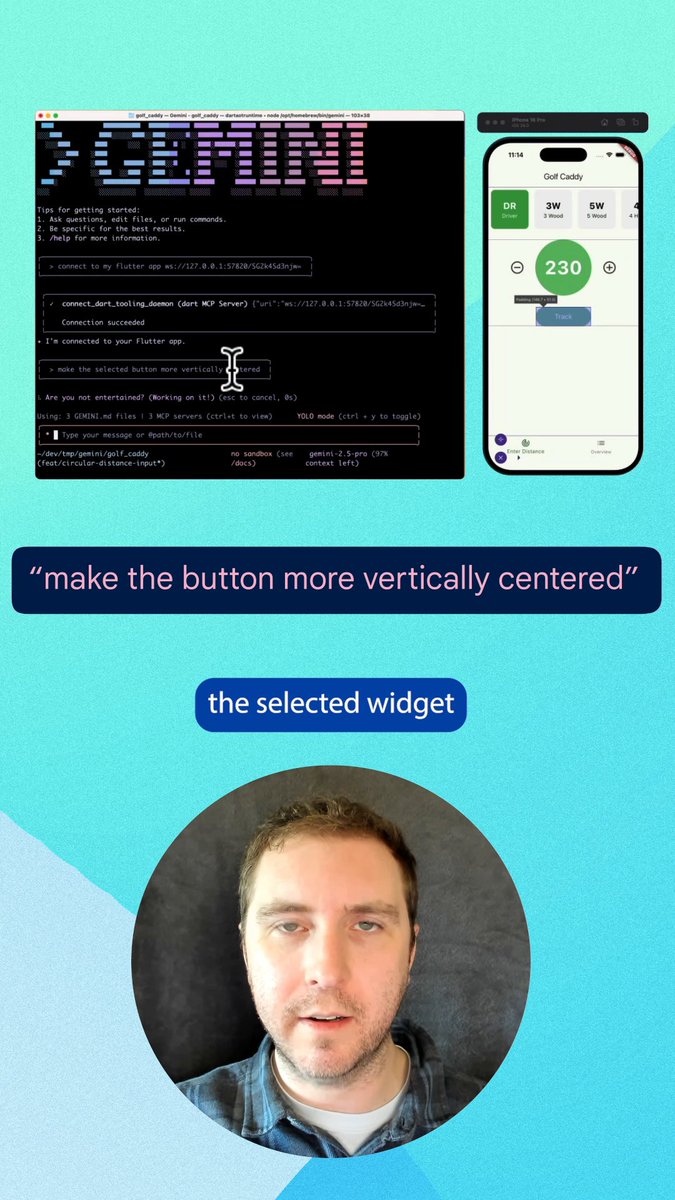
Android is shifting to an intelligence system. 🧠 This evolution gives developers a spectrum of ways to engage users. Out of the box, Gemini can automate tasks across your app by analyzing the screen with zero code required. For deeper integration, the AppFunctions Jetpack library provides an MCP-like solution....

28,944 views • 1 month ago •via X (Twitter)

0 Comments

No comments available

Comments from the original post will appear here

Related Videos

Gemini for Android is here! This new app makes it easier to access Google's chatbot, powered by the Gemini Pro LLM, right from your Android device. You can ask Gemini a question by tapping the launcher icon or long-pressing the power button. Once invoked, the Gemini overlay lets you enter a text or text+image prompt. You can tap the camera icon to snap a photo or press the "add this screen" button to take a screenshot of the current page to include in your prompt. The Gemini app for Android is available on Google Play with support for English, but support for Korean and Japanese will be coming next week. While there won't be an app for iOS, iPhone users can access Gemini by opening the Google App and tapping the "Gemini" button up top. How can you long-press the power button to invoke Gemini if that gesture is handled by Google Assistant? The answer is that the Gemini Android app can replace Google Assistant as your default assistant if you want, meaning all the ways you'd normally invoke Google Assistant on your phone can instead invoke Gemini. Unfortunately, Gemini currently doesn't offer ALL the same functionality as Google Assistant and requires an active data connection, but more features will be added over time. There's also now a Gemini Advanced tier, which offers access to Google's most powerful Ultra 1.0 LLM. Access to Gemini Advanced requires a subscription to the new $20/month "AI Premium" Google One plan, which offers the same benefits as the 2TB plan but adds access to Gemini Advanced and soon Gemini features in Gmail, Docs, & other Workspace apps (formerly under the Duet AI umbrella). Gemini Advanced is available in English on the web.

Mishaal Rahman

38,428 views • 2 years ago

Today, Box is announcing major new AI agent capabilities to let customers tap into the full value of their unstructured data. First, we’re announcing all new updates to the Box AI Studio to make it even easier to build AI agents that tap into your enterprise content for any job function, business process, or industry specific use case. We are also expanding our set of foundational agents that customers will be able to use to work with their enterprise content, including new features like search and research on unstructured data. Next, we’re announcing Box Extract to enable customers to use AI agents seamlessly for complex data extraction from any type of document or content. This makes it easier than ever to pull out data from contracts, invoices, research data, marketing assets, medical charts, and more. Finally, we’re introducing Box Automate, a new workflow automation solution within Box that lets you deploy AI agents across enterprise content-centric workflows. With Box Automate, you can design your business process in a simple drag and drop builder and then drop in AI agents at any step in the process. This ensures agents execute tasks at the right steps in a workflow every time. Best of all, our AI agents and workflow tools are designed to work across any system our customers work within, whether it’s leveraging pre-built integrations, Box APIs, or the new Box MCP Server. Ultimately, all of these capabilities come together to transform how companies can work with their enterprise content. Software has historically only been good at automating work that deals with structured data, which is why ERP, CRM, and HR systems have been mainstays of enterprise software for so long. The data in these systems fits neatly into a database, and the workflows are very ripe for automation. But it turns out most of the work in the world deals with unstructured data. It’s ideating through research documents, working with a client on contracts, reviewing details for a new product launch, looking at a patient’s healthcare record to make a diagnosis, working through due diligence documents for an M&A deal, and so on. For the first time ever, we can begin to bring all new insights and automation to this work with AI agents. At Box, we’re incredibly excited to be on this journey to help customers transform how they work with their most important data.

Aaron Levie

91,863 views • 10 months ago

New course: MCP: Build Rich-Context AI Apps with Anthropic. Learn to build AI apps that access tools, data, and prompts using the Model Context Protocol in this short course, created in partnership with Anthropic Anthropic and taught by Elie Schoppik Elie Schoppik, its Head of Technical Education. Connecting AI applications to external systems that bring rich context to LLM-based applications has often meant writing custom integrations for each use case. MCP is an open protocol that standardizes how LLMs access tools, data, and prompts from external sources, and simplifies how you provide context to your LLM-based applications. For example, you can provide context via third-party tools that let your LLM make API calls to search the web, access data from local docs, retrieve code from a GitHub repo, and so on. MCP, developed by Anthropic, is based on a client-server architecture that defines the communication details between an MCP client, hosted inside the AI application, and an MCP server that exposes tools, resources, and prompt templates. The server can be a subprocess launched by the client that runs locally or an independent process running remotely. In this hands-on course, you'll learn the core architecture behind MCP. You’ll create an MCP-compatible chatbot, build and deploy an MCP server, and connect the chatbot to your MCP server and other open-source servers. Here’s what you’ll do: - Understand why MCP makes AI development less fragmented and standardizes connections between AI applications and external data sources - Learn the core components of the client-server architecture of MCP and the underlying communication mechanism - Build a chatbot with custom tools for searching academic papers, and transform it into an MCP-compatible application - Build a local MCP server that exposes tools, resources, and prompt templates using FastMCP, and test it using MCP Inspector - Create an MCP client inside your chatbot to dynamically connect to your server - Connect your chatbot to reference servers built by Anthropic’s MCP team, such as filesystem, which implements filesystem operations, and fetch, which extracts contents from the web as markdown - Configure Claude Desktop to connect to your server and others, and explore how it abstracts away the low-level logic of MCP clients - Deploy your MCP server remotely and test it with the Inspector or other MCP-compatible applications - Learn about the roadmap for future MCP development, such as multi-agent architecture, MCP registry API, server discovery, authorization, and authentication MCP is an exciting and important technology that lets you build rich-context AI applications that connect to a growing ecosystem of MCP servers, with minimal integration work. Please sign up here!

Andrew Ng

142,010 views • 1 year ago