Загрузка видео...

Не удалось загрузить видео

На главную

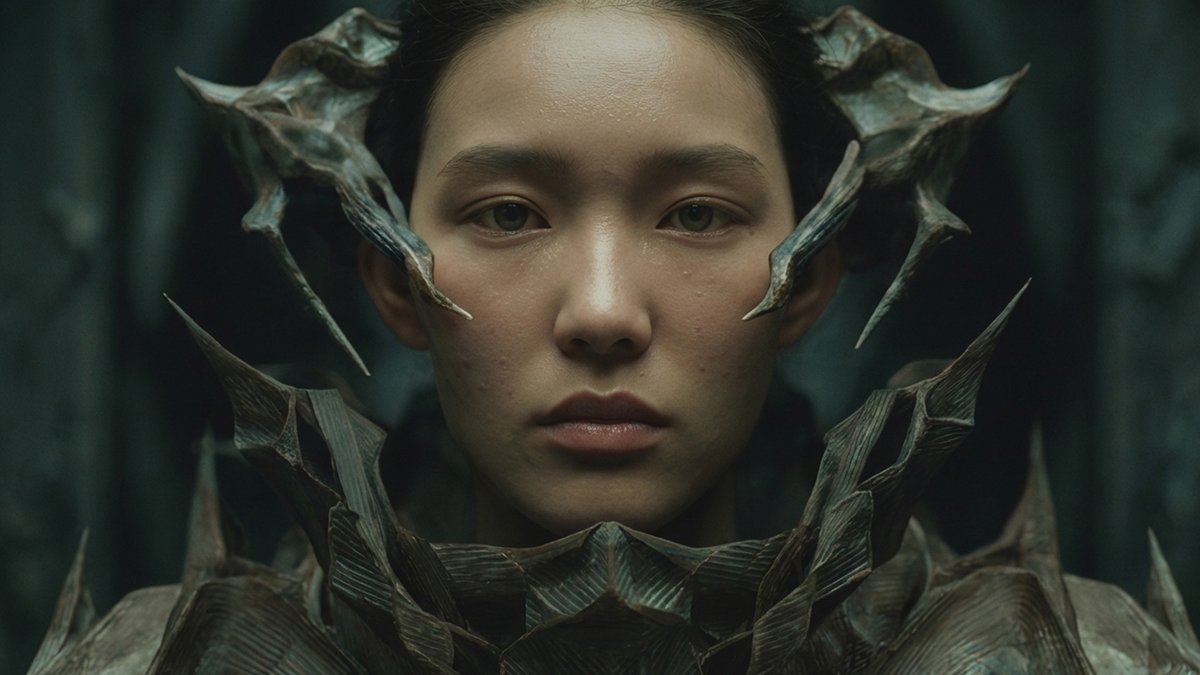
ANTARCTICA by invideo Creative Residency partner 44creator. Built entirely on invideo Agents & Models. What is Agents & Models inside invideo? A workspace designed for creators who want granular control over consistency and realism. → Nano Banana Pro: For establishing the perfect visual style. → Kling 2.6: For high-fidelity,...

421,778 просмотров • 6 месяцев назад •via X (Twitter)

Комментарии: 0

Нет доступных комментариев

Здесь появятся комментарии из оригинального поста

Похожие видео

Nano Banana Pro + n8n is absolutely insane 🤯 Google just released Nano Banana Pro and I already have it running inside n8n + Airtable. The use case? Steal your competitors' Facebook static ads. Perfect for DTC brands & agencies who see competitor ads they want to replicate with their own products. Nano Banana Pro is SICK: → 4K resolution output (studio quality) → Multiple image inputs (up to 14 images in one generation) → Perfect text rendering in multiple languages → Maintains consistency across up to 5 people Here's the workflow: You see a killer competitor Facebook ad. Perfect layout, colors, messaging—but it's their product, not yours. Instead of briefing a designer and waiting days for recreations... This automation does it in 30 seconds: → Upload competitor ad image in Airtable → Upload your product image → Click "Generate" button → Nano Banana Pro swaps ONLY the product → Keeps everything else identical (layout, fonts, colors, graphics) → Returns 4 variations automatically → All delivered back to Airtable instantly No designer bottlenecks. No recreation from scratch. No guessing what works. What you get: → Competitor-inspired ads with your product → Same proven layout and design language → 4 variations per request for testing → Everything organized in Airtable → Feels like a mini creative co-pilot Built 100% in n8n + Airtable. I filmed a 30-minute Loom video walking you through how to set it up step-by-step. Want the n8n template, Airtable base, and Loom video for free? > Comment "BANANA" > Like this post And I'll send it over (must be following so I can DM)

Mike Futia

88,555 просмотров • 8 месяцев назад

🍌 🚨 𝗡𝗘𝗪: 𝗜𝗻𝘁𝗿𝗼𝗱𝘂𝗰𝗶𝗻𝗴 𝗡𝗮𝗻𝗼 𝗕𝗮𝗻𝗮𝗻𝗮 𝗣𝗿𝗼 𝗶𝗻 𝗚𝗼𝗼𝗴𝗹𝗲 𝗔𝗱𝘀, our most advanced image generation model built for professional marketing applications. Nano Banana Pro brings a new era of functional, high-fidelity design directly into your campaign workflow, empowering you to create compelling, on-brand visuals for driving results. Here’s how: 💬 𝗖𝗼𝗻𝘃𝗲𝗿𝘀𝗮𝘁𝗶𝗼𝗻𝗮𝗹 𝗲𝗱𝗶𝘁𝗶𝗻𝗴: Easily prompt Nano Banana Pro with the edits you want to be made to your uploaded asset, and the new model can rapidly create seasonal variations, and test new creative concepts without starting from scratch. ✨ 𝗨𝗻𝗽𝗮𝗿𝗮𝗹𝗹𝗲𝗹𝗲𝗱 𝗱𝗲𝘁𝗮𝗶𝗹 & 𝗿𝗲𝗮𝗹𝗶𝘀𝗺: Showcase your products with incredible fine detail and photo realistic accuracy. Nano Banana Pro now renders complex textures and eye-catching graphics for professional visuals. 🖼️ 𝗠𝘂𝗹𝘁𝗶𝗽𝗹𝗲 𝗽𝗿𝗼𝗱𝘂𝗰𝘁𝘀, 𝗼𝗻𝗲 𝗰𝗼𝗵𝗲𝘀𝗶𝘃𝗲 𝘀𝗰𝗲𝗻𝗲: Instantly create lifestyle scenes or product showcases featuring up to five of your products together. Provide the images, and the model composes a natural, visually engaging scene to promote your catalog. Nano Banana Pro is smarter, sharper, and here to accelerate your campaign workflows. Starting to roll out today in Google Ads →

Google Ads

244,688 просмотров • 8 месяцев назад

All these demo videos make HEAD SWAPPING with Nano Banana look so easy, but then you give it a try and you're like... uh... what? Why didn't that work? Here's what I've found. Nano Banana reads your image, almost literally, so if you write on the image, it reads the text. This is how Higgsfield AI 🧩 has capitalized on the tech: "Write on the image" and give it direction, right? Totally true, but you don't need Higgi to write on your image. Nano Banana will understand your direction regardless of where you write on your image. On one hand, Higgi is really smart, because they're hranessing the tech in a unique way, but the whole "Higgsfield's Banana Placement" is a bit of a misnomer. It's more of a "Banana Placement" and Higgi is just giving you a sort of basic Photoshop-type tool to work with (again, pretty smart), but the real tech is the Banana. 🍌 This is how I head swapped heads in Runway, but Nano Banana maintains the aesthetic qualities of your image almost perfectly, whereas Runway Reference spits out a very Gen-4 looking image. I like using Nano in Freepik (now Magnific), mainly because it's fast and I can get 4 gens at a time, and you need to gen a dozen times of so before you get a winner (most of the time). I was pumped when I saw Freepik introduce the @ reference feature, just like Runway has, but it doesn't seem to work for head swapping. My guess is because that's not really how Nano Banana tech works... ideally. Marco is the person I saw using this "A" and "B" method, back when Nano was on LM Arena, and man-oh-man, it just works... like a charm. You need experiment with how much of the face you blot out, and the angle and facial expression of your new head if you want the blend to be perfect. All of the results in this video are 100% Nano Banana. I did not do any Photoshop work to the images after the fact. I really hope this helps. Let me know if you have any questions. I'm happy to help. And I'll keep posting videos like this if you guys find them useful. Let me know! And if you want more serious, one-on-one AI consultation you can throw something on the books here:

Jordan Daniel Chesney

62,089 просмотров • 11 месяцев назад