Video wird geladen...

Video konnte nicht geladen werden

Zur Startseite

Cursor gets Perplexity API search tool while being FULLY AUTO CONTROLLED by Claude Computer use. So cursor performs web research! cursorrules and system prompt in comment Tool is just a function in tools .py file and you can add more tools of any kind as long as you update...

49,245 Aufrufe • vor 1 Jahr •via X (Twitter)

11 Kommentare

Profilbild von echo.hive
echo.hivevor 1 Jahr

system message for comp use and cursorrules for cursor agent

Profilbild von echo.hive
echo.hivevor 1 Jahr

If you are interested in learning how to use Cursor more in depth, I have a 28 chapter 1000x Cursor Course building full apps from scratch with 19 hours of content. link is in my bio if you are interested

Profilbild von echo.hive
echo.hivevor 1 Jahr

download the "computer use auto control cursor with tools": source code by becoming a patron:

Profilbild von echo.hive
echo.hivevor 1 Jahr

here is a better image of the system message. it looks blurry in the above post

Profilbild von Steve Darlow (edu/acc)
Steve Darlow (edu/acc)vor 1 Jahr

Amazing! Keep up the awesome work!!

Profilbild von echo.hive
echo.hivevor 1 Jahr

Thank you 🙏 much appreciated

Profilbild von Saquib Mehmood
Saquib Mehmoodvor 1 Jahr

28 chapters to learn how to use cursor? Bro, no one has this much time, cursor is essentially VS code with #LLMs integration. Takes about 15 to 20 mins to get going on it for @code users.

Profilbild von echo.hive
echo.hivevor 1 Jahr

@code It is for people who might benefit from it. Each chapter is me coding a different app from scratch.

Profilbild von Stijn
Stijnvor 1 Jahr

.@joaomdmoura How hard would it be to implement CrewAI agents here that can be called autonomously by the Cursor Agent inside computer-use?

Profilbild von Adam Schwartz
Adam Schwartzvor 1 Jahr

Awesome. How do you update cursor rules?

Profilbild von echo.hive
echo.hivevor 1 Jahr

Thank you 🙏you just write over it and edit it just like any other file. you can create it like any other file too. just needs to have a dot in front of it

Ähnliche Videos

I asked Garry Tan how to use meta prompting to get better at AI: "My partners at YC Jared Friedman and Pete Koomen showed me how to do this. You can take almost anything that you do all the time and just drop it into a context window. And then say, “Here’s a bunch of inputs and outputs." And maybe you also add a bunch of notes. And then you tell it, “Write me a prompt that can act as an agent that takes this input and makes this output over here.” You can do this for almost any type of knowledge work. And you can even introspect. "What are things you notice that I did to convert this from the input to the output?”. And then you can just start using the prompt. Initially, it’s going to suck. Because it’s just not that smart yet. But what’s funny is now, I also use it to Iterate my writing. You can be very direct, "I would never say that", "Don’t say it like this", or "Oh, you used the long word there, use the short word". Just speak to it conversationally. And then when you're happy with the output, you can use that new output to make a new prompt. "Based on this conversation, give me a better initial prompt that incorporates all the things we talked about." And you can do this with literally everything. And in theory, there’s so much it applies to that people do day-to-day. You could use it for tweets. You could use it for editing podcasts. You can use it for pretty much everything. I have a folder of prompts that I use all the time. My YouTube prompt is on v27 or something. I'll go through this process with all the different max models. I'll use GPT 5.2 Pro. I’ll use Grok. I'll use Claude. Then, I’ll take all the outputs from all the models and put them into Claude and say "Here’s my prompt, here’s the output from four LLMs, including yourself. Rate each response and tell me what the pros and cons of each approach are." And I usually say "give it to me in numbered form". And then you can agree with one, disagree with two, tell it three is this or that. And then after that, you say given all of this, synthesize it."

The Peel

51,632 Aufrufe • vor 6 Monaten

Our first short course with Anthropic! Building Towards Computer Use with Anthropic. This teaches you to build an LLM-based agent that uses a computer interface by generating mouse clicks and keystrokes. Computer Use is an important, emerging capability for LLMs that will let AI agents do many more tasks than were possible before, since it lets them interact with interfaces designed for humans to use, rather than only tools that provide explicit API access. I hope you will enjoy learning about it! This course is taught by Anthropic's Head of Curriculum, Colt_Steele. You'll learn to apply image reasoning and tool use to "use" a computer as follows: a model processes an image of the screen, analyzes it to understand what's going on, and navigates the computer via mouse clicks and keystrokes. This course goes through the key building blocks, and culminates in a demo of an AI assistant that uses a web browser to search for a research paper, downloads the PDF, and finally summarizes the paper for you. In detail, you’ll: - Learn about Anthropic's family of models, when to use which one, and make API requests to Claude - Use multi-modal prompts that combine text and image content blocks, and also work with streaming responses - Improve your prompting by using prompt templates, using XML to structure prompts, and providing examples - Implement prompt caching to reduce cost and latency - Apply tool-use to build a chatbot that can call different tools to respond to queries - See all these building blocks come together in Computer Use demo Please sign up here:

Andrew Ng

170,425 Aufrufe • vor 1 Jahr

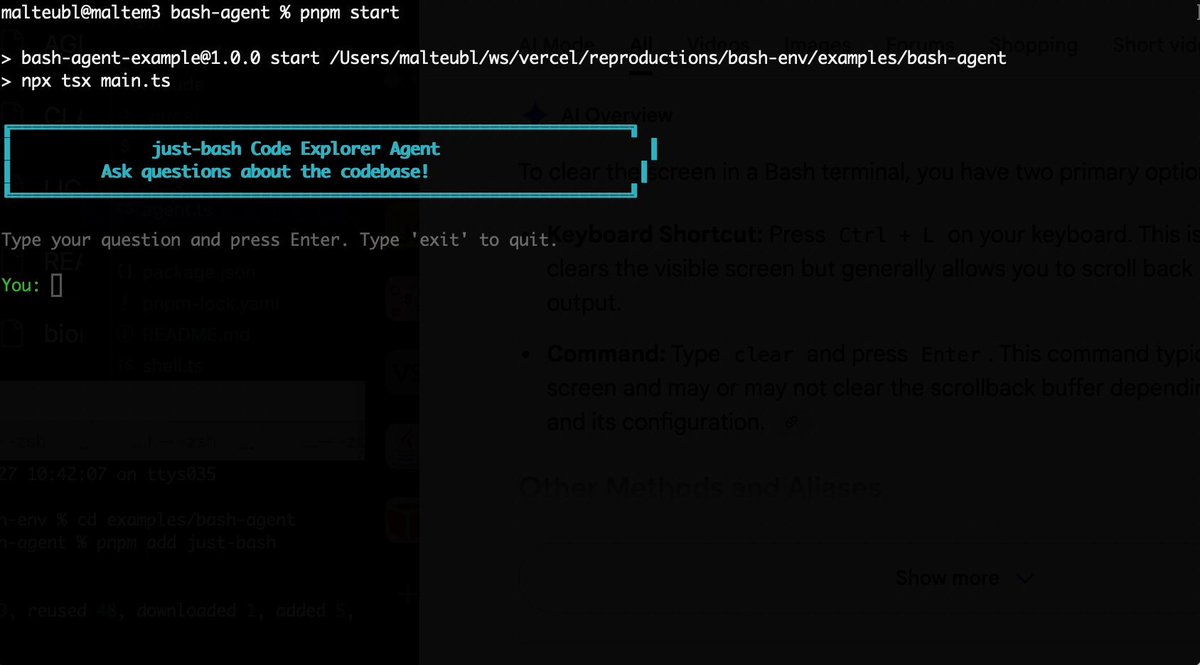
Bash is all you need! Which is why I'm introducing my holiday project: just-bash just-bash is a pretty complete implementation of bash in TypeScript designed to be used as a bash tool by AI agents. Because it turns out agents love exploring data via shell scripts, even beyond coding. It comes with grep, sed, awk and the 99th percentile features that an agent like Claude Code or Cursor would use. In fact, Claude Code can use it for secure bash execution. In the package - A bash-tool for AI SDK - A binary for use by yourself or your coding agents - An overlay filesystem to feed files to your agent securely - A Vercel Sandbox compatible API, so you can quickly upgrade to a real VM if you need to run binaries - An example AI agent that explores the just-bash code base using just-bash - I imported the Oils shell bash compatibility suite and just-bash passes a very good chunk What is interesting about this codebase: It was essentially entirely written by Opus 4.5. Coding agents love bash and they are good at reproducing it. They are also great at text-book recursive descent parsers and AST tweet-walk interpreters. That said, it is, like, a lot of code and I didn't read it all 😅. This is very much a hack, but it also seems to be _really_ useful. I haven't really found anything agents want to use that it doesn't support and it's fast and secure (caveats apply). It doesn't have write access to your computer and the filesystem is given a root that the agent cannot escape from. Find it at Related: Our recent blog post how we migrated our data analysis agent to bash tools and achieved incredible quality improvements The video shows the example agent investigating the just-bash code base

Malte Ubl

125,326 Aufrufe • vor 8 Monaten