Video wird geladen...

Video konnte nicht geladen werden

Zur Startseite

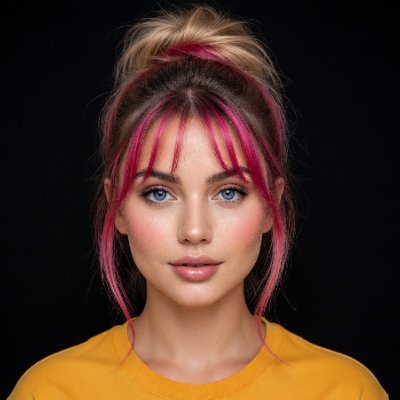
Finally got Mira dancing. ✨ She wasn't created with a single prompt. I started by building Mira as a consistent AI character, then used a real dance reference, extracted its depth motion with Sjolt , and transferred the choreography in Seedance 2.0 while keeping her identity as consistent as...

19,359 Aufrufe • vor 23 Tagen •via X (Twitter)

0 Kommentare

Keine Kommentare verfügbar

Kommentare vom Original-Post werden hier angezeigt

Ähnliche Videos

Tamanna Bhatia 🩷 Created this by using a movement sheet as a reference image to animate the dance using Seedance 2.0 + ChatGPT image 2.0 GPT Image 2.0 Prompt: Dance Sequence Instruction Sheet [VISUAL STYLE] A composition featuring a highly detailed 3D-rendered female dancer. Designed like a professional choreography guide with a technical, diagram-inspired layout. Clean white background, soft studio lighting, and strong contrast to highlight body movement and posture. [GRID LAYOUT] Structured 4×4 panel grid (16 frames total), evenly spaced with thin black divider lines. Each panel is identical in size and clearly numbered from 1 to 16 to show a continuous dance progression. [CHARACTER] Use image1 as the base character. The same female dancer appears consistently across all panels with accurate likeness and proportions. [WARDROBE] The dancer wears a stylish, performance-ready outfit: a well-fitted top paired with a short, flowy skirt. The look should feel modern and visually appealing while still practical for dance movement. Fabric should subtly respond to motion (slight flow and folds), even in grayscale. [PANEL STRUCTURE – EACH FRAME] Top-left: Step number + short dance move title (e.g., “Step 5 – Spin Transition”) Center: Full-body pose capturing a precise moment in the choreography Bottom-left: 3–4 lines of concise instruction describing the move Overlay: Motion arrows and directional guides illustrating how the dancer transitions [MOTION INDICATORS] Incorporate curved arrows for fluid motion, straight arrows for directional steps, and circular indicators for spins or turns. Emphasize rhythm, weight shifts, and body isolation. [RENDER QUALITY] High-detail sculpted 3D style with smooth grayscale shading, subtle shadows, and clean linework. Maintain a polished, concept-art level finish with clarity in every pose. [RESTRICTIONS] No color, no background scenery, no extra characters, no visual clutter, only the dancer and instructional elements..

Sydney

11,457 Aufrufe • vor 3 Monaten

i built a way to generate realistic AI influencer vlogs without ever touching a camera. this was supposed to stay internal but f*ck it, i'm leaking the entire production system. pick any topic. or paste in a script. a few minutes later you've got a finished influencer-style vlog with: > a consistent AI character > cinematic shots > natural dialogue > realistic iPhone footage > b-roll here's how it works: the workflow first breaks your script into a complete scene-by-scene storyboard with timestamps, camera directions, dialogue, environments, pacing, and shot planning so every clip has a purpose instead of feeling randomly generated. each scene gets its own reference image prompt for Higgsfield that locks the character's identity, clothing, camera angle, lighting, and environment to keep the person looking the same across the entire vlog. those reference images are then animated in Seedance 2.5 using scene-specific prompts that control movement, lip sync, ambient audio, dialogue, camera motion, and timing so every clip feels like it was filmed on an iPhone instead of generated by AI. finally everything gets assembled in CapCut with b-roll, subtitles, transitions, music, pacing, and final polish into a complete vlog that's ready to upload. you're not filming,hiring actors or recording voiceovers. the whole thing goes from idea → finished AI influencer vlog. the document i'm sharing includes: > the complete scene breakdown framework > every Higgsfield image prompt > every Seedance 2.5 animation prompt > dialogue for every scene > b-roll prompts > editing workflow inside capcut > structural notes that make the vlog feel real instead of AI RT + reply "AI VLOG", i'll DM you the entire production blueprint.(must be following so i can DM.)

Sulfur

71,978 Aufrufe • vor 6 Tagen