Loading video...

Video Failed to Load

Go Home

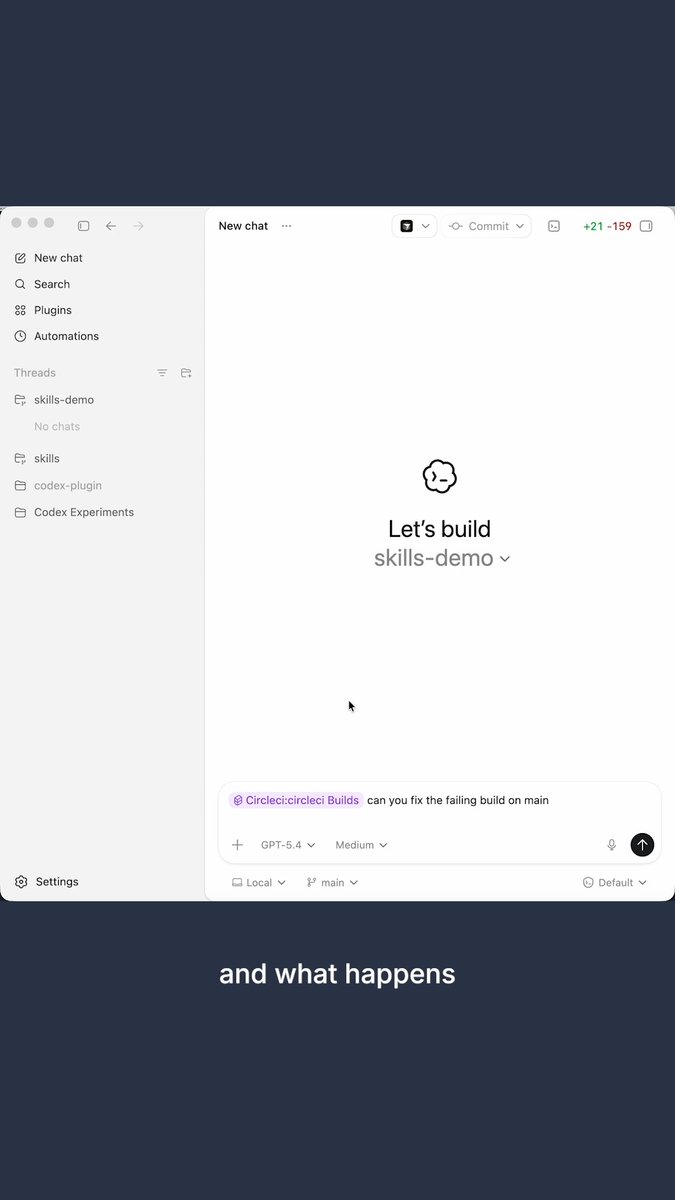
gpt-6 astra arrived with experimental codex features which are f**king insane... including a new way to carry context across long tasks. [here is what to setup today] 1) context management → notes and searchable history across context windows rollout 2)budgets → track a configured token budget during a task...

47,987 views • 23 hours ago •via X (Twitter)

0 Comments

No comments available

Comments from the original post will appear here

Related Videos

EVERYTHING YOU NEED TO KNOW ABOUT CHATGPT'S "LOVABLE KILLER" CODEX SITES (in 25 mins): TLDR; the coolest part is that apps you build can update themselves autonomously 1. Codex Sites is not Replit or Lovable or Bolt. Those are great for one-prompting a full app. Codex Sites is for building apps that the agent keeps improving without you touching them. 2. Your personal website can update its own stats. Your internal dashboard can refresh its own data. Your product can add features while you sleep. The app is alive. 3. Start by invoking at-sites. Use realistic sample data. Always say "save for review, do not deploy." This unlocks building a real product, not a homepage. 4. Add persistent storage so the app remembers everything between visits. Without this it resets every time. Ask Codex to show you the data model before it builds. 5. Create safe actions. These are the specific things the agent is allowed to do to your app: add data, update cards, move things, score things. You define the boundaries. The agent operates within them. 6. Build skills so any future Codex chat knows how to interact with your app. The skill is basically a manual for the agent. Without it, every new chat starts from zero. 7. Save gate like a video game. Codex doesn't auto-save. Create checkpoints before you deploy so you can roll back if something breaks. 8. Close the autonomous loop. This is the magic. Once memory, safe actions, and skills are set up, the agent can update your app from any chat, any context, without you switching tabs. 9. Use the plugins most people are sleeping on. Figma, Canva, HeyGen for avatar videos, Game Studio for interactive experiences, FAL for image generation, Hugging Face for open source models. Worth adding a few. 10. The big picture: we went from building apps to raising apps. You set up the structure, the guardrails, and the skills. The agent does the rest. That's autonomous product building and it's here right now. Tbh, Codex sites isn't perfect. Still a lot to be desired like domains, db, authentication etc. But it's a glimpse into this idea that apps can be updated/improved upon automonously. And Codex Sites is REALLY good if you live in Codex everyday. Which more and more of are. And that's really cool. Will be interesting to see how Lovable, Bolt, Replit etc react to this. full tutorial on The Startup Ideas Podcast (SIP) 🧃 where you get your pods watch share with a friend i'm rooting for you What do you think of Codex and Codex sites?

GREG ISENBERG

68,972 views • 3 months ago

Gemini-1.5 Pro has its spotlight stolen today, and people are poking fun at Sora vs Google memes. Well, I think it's the biggest boost in LLM capability so far in 2024. v1.5's 10M token context (1) excels at retrieval; (2) generalizes zero-shot to extremely long instructions like full tutorials and codebases; and (3) works across modalities such as text, audio, and video. Here's a stunning example: v1.5 learns to translate from English to Kalamang purely in context, following a full linguistic manual at inference time. Kalamang is a language spoken by fewer than 200 speakers in western New Guinea. Gemini has never seen this language during training and is only provided with 500 pages of linguistic documentation, a dictionary, and ~400 parallel sentences in context. It basically acquires a sophisticated new skill in the neural activations, instead of gradient finetuning. I talked about the Myth of Context Length many times before: don't get too excited by claims of 1M or even 1B context tokens. LSTMs already achieved literally infinite context length 25 yrs ago! What truly matters is how well the model actually uses the context to solve real-world problems, and Gemini-1.5 has surpassed the SOTA with flying colors. The paper is also well-written with lots of solid quantitative analysis on in-context memorization and generalization. Paper: “Gemini 1.5: Unlocking multimodal understanding across millions of tokens of context” Congrats to Jeff Dean Oriol Vinyals Sundar Pichai and team!

Jim Fan

278,517 views • 2 years ago

Everyone wants agent swarms. Very few people are talking seriously enough about the context layer that makes swarms useful. Even with one agent, context is fragile. Too little context and the agent guesses. Too much context and it wastes tokens, loses focus, or reasons over irrelevant noise. The sweet spot is precise context: the right knowledge, in the right structure, at the right moment. With many agents, that challenge explodes. Each agent produces decisions, assumptions, findings, summaries, risks, and partial conclusions. Unless that knowledge becomes shared, structured, and reusable, every new agent is forced to rediscover what another agent already learned. That is not a swarm. That is a crowd. Shared context graphs are what turn agent activity into agent collaboration, and OriginTrail DKG V10 brings them to life. Was just playing with some final polishing for the V10 release, and it is really powerful to see shared context graphs where multiple agents contribute knowledge into the same connected memory, with attribution visible directly in the graph ui. That matters for three reasons. First, agents can access and build on one shared memory instead of staying trapped in isolated sessions. Second, the graph structure helps them retrieve the exact context they need, instead of stuffing everything into a prompt and hoping the model sorts it out. Third, verifiability of provenance. You can see which agent contributed each piece of knowledge, trace the source, and decide what to trust. Tokenmaxxing starts with fewer tokens, but the deeper story is coordination - agents stop reloading the world and start building on shared, verifiable context. That is the foundation for serious multi-agent work across software engineering, research, finance, operations, project management, and far beyond. The future is not more agents, it is agents working from shared, verifiable context. But the more the merrier, of course.

Jurij Skornik

11,180 views • 3 months ago

New short course: LLMs as Operating Systems: Agent Memory, created with Letta, and taught by its founders Charles Packer and Sarah Wooders. An LLM's input context window has limited space. Using a longer input context also costs more and results in slower processing. So, managing what's stored in this context window is important. In the innovative paper MemGPT: Towards LLMs as Operating Systems, its authors (which include the instructors) proposed using an LLM agent to manage this context window. Their system uses a large persistent memory that stores everything that could be included in the input context, and an agent decides what is actually included. Take the example of building a chatbot that needs to remember what's been said earlier in a conversation (perhaps over many days of interaction with a user). As the conversation's length grows, the memory management agent will move information from the input context to a persistent searchable database; summarize information to keep relevant facts in the input context; and restore relevant conversation elements from further back in time. This allows a chatbot to keep what's currently most relevant in its input context memory to generate the next response. When I read the original MemGPT paper, I thought it was an innovative technique for handling memory for LLMs. The open-source Letta framework, which we'll use in this course, makes MemGPT easy to implement. It adds memory to your LLM agents and gives them transparent long-term memory. In detail, you’ll learn: - How to build an agent that can edit its own limited input context memory, using tools and multi-step reasoning - What is a memory hierarchy (an idea from computer operating systems, which use a cache to speed up memory access), and how these ideas apply to managing the LLM input context (where the input context window is a "cache" storing the most relevant information; and an agent decides what to move in and out of this to/from a larger persistent storage system) - How to implement multi-agent collaboration by letting different agents share blocks of memory This course will give you a sophisticated understanding of memory management for LLMs, which is important for chatbots having long conversations, and for complex agentic workflows. Please sign up here!

Andrew Ng

201,127 views • 1 year ago

How can you solve complex tasks using a Large Language Model? Here is a 2-minute introduction to everything you need to know to 10x the quality of your results. Let's talk about three techniques, in order of complexity, starting with the easiest one: • In-Context Learning • Indexing + In-Context Learning • Fine-tuning In-Context Learning The team that trained GPT-3 found something they couldn't explain: You can condition a model using examples of how you want it to behave. I included an example prompt in the attached video. You can "teach" the model how you want it to interpret questions, select the correct answers, and format the results by giving a few examples. You can also give specific knowledge to the model that will be helpful when formulating answers. We call this approach "grounding the model." There's another example in the video. Indexing + In-Context Learning Unfortunately, there is a limit to how much data you can include in a prompt. We call this the "context size." One version of GPT-4 supports a context of approximately 6,000 words, while the other supports 25,000 words. Although this sounds like a lot, many applications need more than that. Imagine you wrote a book and want to build an application to answer any questions about your story. What happens if your book is longer than the context? That's where Indexing comes in. Using a model, you can turn every book passage into an embedding. These are vectors, numbers that "encode" the passage's text. You can then store these embeddings in a particular database that supports fast retrieval of these vectors. You can then turn any question into an embedding and search the database for the list of passages that are similar to that query. Instead of using the entire book to ask the model, you can now use the relevant passages as in-context information, effectively working around the context size limitation. Fine-tuning Fine-tuning can give you an extra boost to get reliable outputs from your LLM. It is, however, the most complex approach on the list. There are different approaches to fine-tuning a model with your data. A popular technique is to process your data with your LLM and use the outputs to train a new classifier that solves your specific task. Notice that here you aren't modifying the LLM. Instead, you are chaining it with your trained classifier. Another approach is to modify the parameters of the LLM using your data. Think of this as "rewiring" the model in a way that solves your particular task. The results and costs will vary depending on how many layers you want to fine-tune from the original model. Many companies think that fine-tuning is the solution to their problems. In my experience, many will benefit from exploring the other two approaches. I love explaining Machine Learning and Artificial Intelligence ideas. If you enjoy in-depth content like this, follow me Santiago so you don't miss what comes next.

Santiago

384,510 views • 3 years ago

Three months ago, Codex was trash for knowledge work. Now it's my daily driver. I use it for writing, recruiting, deep engineering work, and everything in between. It even keeps me at inbox 0. I chatted with Every 🧱's head of growth Austin Austin Tedesco on Every 🧱's AI & I about what changed, and why he now spends 80% of his working time in the Codex desktop app too. We get into: - How Codex went from making Austin feel like an idiot to being the place he goes to get stuff done, including complex tasks like writing go-to-market plans using existing material from Slack, Notion, and meeting transcripts. - Why the Codex’s desktop app, which is faster and more reliable than Claude Desktop/Cowork, is the real differentiator. - How I source candidates with Codex by having it identify career arcs, not keywords—my go-to move is identifying organizations likely to teach the skills Every needs for a role, and then find candidates from that pool who have since gone on to work in AI. This is a must-watch for anyone who's wondering whether it’s finally time to give Codex a try. Watch below! Timestamps How Codex went from a tool for senior engineers to a daily driver for knowledge work: 00:00:57 How Claude Code proved that a great coding agent works for any knowledge work: 00:02:42 Austin's switch to Codex: 00:07:24 How Austin set up Codex with folders, keys, and reviewer agents: 00:13:48 Using Codex to brainstorm automations across Gmail, Slack, and Notion: 00:18:24 How Austin manages the human review step when Codex is drafting communications: 00:22:42 Using Codex to build specialized agents inspired by product executive Claire Vo: 00:28:54 Synthesizing meeting transcripts and Slack threads into a go-to-market plan: 00:31:09 Building a live KPI tracker in Notion that agents can read: 00:40:15 Using Codex for recruiting: 00:44:54

Dan Shipper 📧

55,561 views • 4 months ago

HERMES AGENT CAN SHARE MEMORY WITH CODEX AND CLAUDE CODE THROUGH HINDSIGHT. ONE MEMORY BANK. ONE AGENT REMEMBERS, EVERY OTHER AGENT KNOWS. the problem: you use Hermes for orchestration. Codex for coding. Claude Code for debugging. each has its own memory. switch between them and you explain the same project three times. Hindsight fixes this. one shared memory bank that every agent reads and writes to. tell Codex: "the test color for this project is purple." switch to Hermes. ask: "what test color did I pick?" Hermes answers: "purple." no copy-paste. no re-explaining. instant recall. HOW IT WORKS: Hindsight runs as a Docker container on your machine. self-hosted. your data stays local. an LLM powers the memory processing (retain, recall, reflect). RETAIN: extracts facts from your conversations. entities, decisions, preferences, project context. saved to the memory bank automatically. RECALL: when you ask a question, Hindsight pulls from semantic search, keywords, graph connections, and temporal data. fused into one answer. REFLECT: deeper reasoning layer. connects memories across sessions. identifies patterns in your work. produces observations that get smarter over time. CONNECT TO HERMES: Desktop app: Settings → Memory and Context → switch provider from Namosin to Hindsight. set API URL to your local Docker container. set bank ID. done. CLI: hermes memory setup → select Hindsight. verify: hermes memory status should show: provider: hindsight, installed, available. CONNECT TO CODEX: npx hindsight-coding-agents install codex \ --self-hosted --server this installs lifecycle hooks: initialize memory on session start. recall context during work. retain the session when done. enable hooks in Codex: Settings → Hooks → trust all three. CONNECT TO CLAUDE CODE (same command): npx hindsight-coding-agents install all "all" connects every detected agent on your machine. Claude Code, Codex, Cursor, and others. one command. every agent shares the same bank. TAGS FOR FILTERING: every memory gets tagged by harness (Hermes, Codex, Claude Code) and optionally by project name. in the Hindsight control plane: filter by harness. see only Hermes memories. or only Codex memories. or search across everything. soft partitions inside one bank. not hard walls. cross-reference when you need to. ONE BANK OR MANY: one global bank: solo dev, related projects. all agents share everything. patterns emerge across projects. per-project banks: unrelated codebases. each project gets its own memory. no cross-contamination. your call. start with one. split when projects diverge. KNOWLEDGE PAGES (v0.9.0): Hindsight auto-generates living summaries from your accumulated memories. components, concepts, conventions, decisions. not static docs. projected from real agent conversations. auto-refresh as new memories land. WHAT TO KNOW: self-hosted via Docker. your data never leaves your machine. backup system built in (admin CLI + scheduled exports). works with any LLM (local Ollama, OpenAI, Codex subscription). memory defense: redact or block sensitive content automatically. 33,000+ memories accumulated in ~10 days of normal use.

YanXbt

29,200 views • 18 days ago