Загрузка видео...

Не удалось загрузить видео

На главную

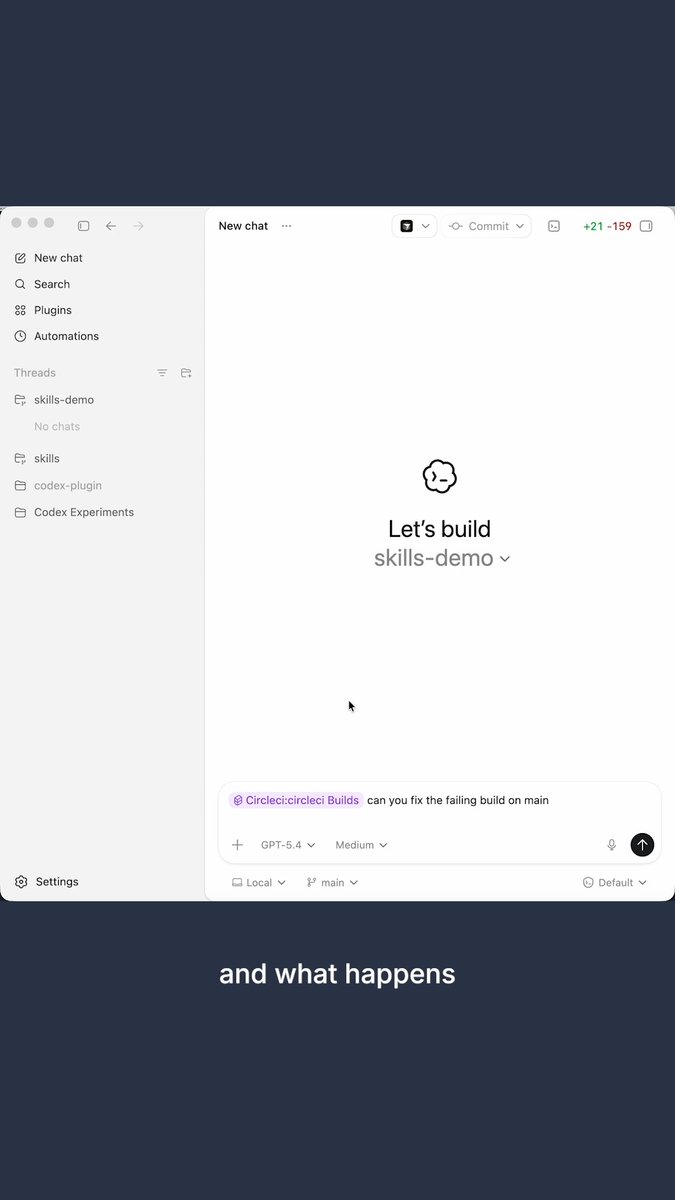
herdr 0.7.4 is out! many fixes, many additions, and structural work for multi-client 👀 but this one ships one of the two most wanted features: customizable sidebar. both agent and workspace rows: plugins, custom scripts, agent hooks, or just settings can put anything on them. claude's live task title,...

93,988 просмотров • 2 месяцев назад •via X (Twitter)

Комментарии: 38

Фото профиля herdr
herdr2 месяцев назад

and the second most wanted: floating panes (we named them popup panes in the architecture, so both names are correct :P). bind any script or command to a pane that floats over your layout lazygit, a scratch shell, or an agent hud that drills into whatever pane you're on. no splits harmed.

Фото профиля herdr
herdr2 месяцев назад

also: sidebar rows no longer have a default gap between entries, so everything packs tighter and feels better. if you miss the old spacing, row_gap = 1 brings it back. row docs: full notes:

Фото профиля zebra
zebra2 месяцев назад

It's amazing! Btw, your Pi status line is so cool. Would you mind sharing what plugin or configuration you're using for it?

Фото профиля herdr
herdr2 месяцев назад

of course!

Фото профиля zebra
zebra2 месяцев назад

Thank you!

Фото профиля Makaroni
Makaroni2 месяцев назад

pac-man eating pi's context window is genuinely the most unhinged feature description ive ever read shipped it tho

Фото профиля Elijah Wilt
Elijah Wilt2 месяцев назад

Herdr is the best

Фото профиля Felipe Alves
Felipe Alves2 месяцев назад

Herdr is the best

Фото профиля Ugur Tarlig
Ugur Tarlig2 месяцев назад

Made Cmd+G in herdr open a “recent agents” picker: It jumps across Codex + Claude sessions, sorted by the latest real transcript event—not flaky file mtimes. Searchable, theme-aware, and Cmd+Shift+G keeps herdr’s native navigator. Code + tests:

Фото профиля Pres Mihaylov
Pres Mihaylov2 месяцев назад

Excellent ship, was doing some workarounds in my fork to make this work, great to see it native

Фото профиля Pho
Pho2 месяцев назад

Windows version when? I really love your windows builds

Фото профиля Crokily
Crokily2 месяцев назад

Just made a lazygit plugin for herdr: it starts as a compact sidebar for the Git stuff I use most, then expands into full lazygit with U when I need it. C opens an AI commit pane, and ; opens settings. been pretty handy for me so far Repo:

Фото профиля Vranac Srdjan
Vranac Srdjan2 месяцев назад

that is awesome, thank you

Фото профиля Konrad Krasowski
Konrad Krasowski2 месяцев назад

Fire 🔥. Thank you for the floating pane 🙏

Фото профиля Satyaa Goyal
Satyaa Goyal2 месяцев назад

Bring that web server 😔

Фото профиля Tomas Varga
Tomas Varga2 месяцев назад

Yes, thank you! i was just working on new plugin that can benefit from sidebar customizations.

Фото профиля Daniel
Daniel2 месяцев назад

w herdr 🙏

Фото профиля Fede
Fede2 месяцев назад

Herdr is the GOAT.

Фото профиля Daniel White
Daniel White2 месяцев назад

Goated 🐐🐐

Фото профиля Ugur Tarlig
Ugur Tarlig2 месяцев назад

Thank you very much! With this release, are we able to have custom sorting in the sidebar? Recently active agents on top in the sidebar?

Фото профиля Synthetic Sea
Synthetic Sea2 месяцев назад

Herdr is so good, well done

Фото профиля Zinger Bee
Zinger Bee2 месяцев назад

really cool

Фото профиля Eric Jeker
Eric Jeker2 месяцев назад

Adopted!

Фото профиля Ray Todd
Ray Todd2 месяцев назад

What about the copy text issue which causes extra lines to be captured

Фото профиля Tosu of Black Wind 🌪️
Tosu of Black Wind 🌪️1 месяц назад

we like the sheep 🐑

Фото профиля Monty
Monty2 месяцев назад

keep up the good work sir. thank u.

Фото профиля jintong.liu
jintong.liu2 месяцев назад

pretty cool!

Фото профиля BlockedPath
BlockedPath2 месяцев назад

Yes this is amazing!

Фото профиля ljudina83
ljudina832 месяцев назад

is there a way to launch apps when starting herdr?

Фото профиля Raj Josyula
Raj Josyula2 месяцев назад

Can we have @herdrdev integrated with @orca_build ?

Фото профиля Salem Sayed 🔻
Salem Sayed 🔻2 месяцев назад

i need that pac-man

Фото профиля Nik
Nik2 месяцев назад

really enjoying herdr thanks for all the hard work!

Фото профиля Bernhard Keprt
Bernhard Keprt2 месяцев назад

Nice. Gonna check it out 👍

Фото профиля Spencer
Spencer2 месяцев назад

How is the PI configured in the Agents panel of the sidebar? I like it very much!

Фото профиля Waldo Milanes
Waldo Milanes2 месяцев назад

pac-man eating the context window started as a bit but that's genuinely the gauge i want most

Фото профиля Tài Ba Pi-Si
Tài Ba Pi-Si2 месяцев назад

Tôi không hiểu gì về Code hay về kỹ thuật. Những gì Bạn đang làm là đang đóng góp gì đó cho Pi Network đúng không?

Фото профиля pol
pol2 месяцев назад

Awesome! I’ve been using herdr inplace of tmux and it’s great. Although i have been having trouble with getting agents state on mac os running docker agent sandbox.

Фото профиля Sebastian Buzdugan
Sebastian Buzdugan2 месяцев назад

custom sidebar is useful, but agent hooks need strict permission scopes before multi-client ships

Похожие видео

Everyone wants agent swarms. Very few people are talking seriously enough about the context layer that makes swarms useful. Even with one agent, context is fragile. Too little context and the agent guesses. Too much context and it wastes tokens, loses focus, or reasons over irrelevant noise. The sweet spot is precise context: the right knowledge, in the right structure, at the right moment. With many agents, that challenge explodes. Each agent produces decisions, assumptions, findings, summaries, risks, and partial conclusions. Unless that knowledge becomes shared, structured, and reusable, every new agent is forced to rediscover what another agent already learned. That is not a swarm. That is a crowd. Shared context graphs are what turn agent activity into agent collaboration, and OriginTrail DKG V10 brings them to life. Was just playing with some final polishing for the V10 release, and it is really powerful to see shared context graphs where multiple agents contribute knowledge into the same connected memory, with attribution visible directly in the graph ui. That matters for three reasons. First, agents can access and build on one shared memory instead of staying trapped in isolated sessions. Second, the graph structure helps them retrieve the exact context they need, instead of stuffing everything into a prompt and hoping the model sorts it out. Third, verifiability of provenance. You can see which agent contributed each piece of knowledge, trace the source, and decide what to trust. Tokenmaxxing starts with fewer tokens, but the deeper story is coordination - agents stop reloading the world and start building on shared, verifiable context. That is the foundation for serious multi-agent work across software engineering, research, finance, operations, project management, and far beyond. The future is not more agents, it is agents working from shared, verifiable context. But the more the merrier, of course.

Jurij Skornik

11,180 просмотров • 3 месяцев назад

HERMES AGENT CAN SHARE MEMORY WITH CODEX AND CLAUDE CODE THROUGH HINDSIGHT. ONE MEMORY BANK. ONE AGENT REMEMBERS, EVERY OTHER AGENT KNOWS. the problem: you use Hermes for orchestration. Codex for coding. Claude Code for debugging. each has its own memory. switch between them and you explain the same project three times. Hindsight fixes this. one shared memory bank that every agent reads and writes to. tell Codex: "the test color for this project is purple." switch to Hermes. ask: "what test color did I pick?" Hermes answers: "purple." no copy-paste. no re-explaining. instant recall. HOW IT WORKS: Hindsight runs as a Docker container on your machine. self-hosted. your data stays local. an LLM powers the memory processing (retain, recall, reflect). RETAIN: extracts facts from your conversations. entities, decisions, preferences, project context. saved to the memory bank automatically. RECALL: when you ask a question, Hindsight pulls from semantic search, keywords, graph connections, and temporal data. fused into one answer. REFLECT: deeper reasoning layer. connects memories across sessions. identifies patterns in your work. produces observations that get smarter over time. CONNECT TO HERMES: Desktop app: Settings → Memory and Context → switch provider from Namosin to Hindsight. set API URL to your local Docker container. set bank ID. done. CLI: hermes memory setup → select Hindsight. verify: hermes memory status should show: provider: hindsight, installed, available. CONNECT TO CODEX: npx hindsight-coding-agents install codex \ --self-hosted --server this installs lifecycle hooks: initialize memory on session start. recall context during work. retain the session when done. enable hooks in Codex: Settings → Hooks → trust all three. CONNECT TO CLAUDE CODE (same command): npx hindsight-coding-agents install all "all" connects every detected agent on your machine. Claude Code, Codex, Cursor, and others. one command. every agent shares the same bank. TAGS FOR FILTERING: every memory gets tagged by harness (Hermes, Codex, Claude Code) and optionally by project name. in the Hindsight control plane: filter by harness. see only Hermes memories. or only Codex memories. or search across everything. soft partitions inside one bank. not hard walls. cross-reference when you need to. ONE BANK OR MANY: one global bank: solo dev, related projects. all agents share everything. patterns emerge across projects. per-project banks: unrelated codebases. each project gets its own memory. no cross-contamination. your call. start with one. split when projects diverge. KNOWLEDGE PAGES (v0.9.0): Hindsight auto-generates living summaries from your accumulated memories. components, concepts, conventions, decisions. not static docs. projected from real agent conversations. auto-refresh as new memories land. WHAT TO KNOW: self-hosted via Docker. your data never leaves your machine. backup system built in (admin CLI + scheduled exports). works with any LLM (local Ollama, OpenAI, Codex subscription). memory defense: redact or block sensitive content automatically. 33,000+ memories accumulated in ~10 days of normal use.

YanXbt

29,200 просмотров • 1 месяц назад

New short course: LLMs as Operating Systems: Agent Memory, created with Letta, and taught by its founders Charles Packer and Sarah Wooders. An LLM's input context window has limited space. Using a longer input context also costs more and results in slower processing. So, managing what's stored in this context window is important. In the innovative paper MemGPT: Towards LLMs as Operating Systems, its authors (which include the instructors) proposed using an LLM agent to manage this context window. Their system uses a large persistent memory that stores everything that could be included in the input context, and an agent decides what is actually included. Take the example of building a chatbot that needs to remember what's been said earlier in a conversation (perhaps over many days of interaction with a user). As the conversation's length grows, the memory management agent will move information from the input context to a persistent searchable database; summarize information to keep relevant facts in the input context; and restore relevant conversation elements from further back in time. This allows a chatbot to keep what's currently most relevant in its input context memory to generate the next response. When I read the original MemGPT paper, I thought it was an innovative technique for handling memory for LLMs. The open-source Letta framework, which we'll use in this course, makes MemGPT easy to implement. It adds memory to your LLM agents and gives them transparent long-term memory. In detail, you’ll learn: - How to build an agent that can edit its own limited input context memory, using tools and multi-step reasoning - What is a memory hierarchy (an idea from computer operating systems, which use a cache to speed up memory access), and how these ideas apply to managing the LLM input context (where the input context window is a "cache" storing the most relevant information; and an agent decides what to move in and out of this to/from a larger persistent storage system) - How to implement multi-agent collaboration by letting different agents share blocks of memory This course will give you a sophisticated understanding of memory management for LLMs, which is important for chatbots having long conversations, and for complex agentic workflows. Please sign up here!

Andrew Ng

201,127 просмотров • 1 год назад