Загрузка видео...

Не удалось загрузить видео

На главную

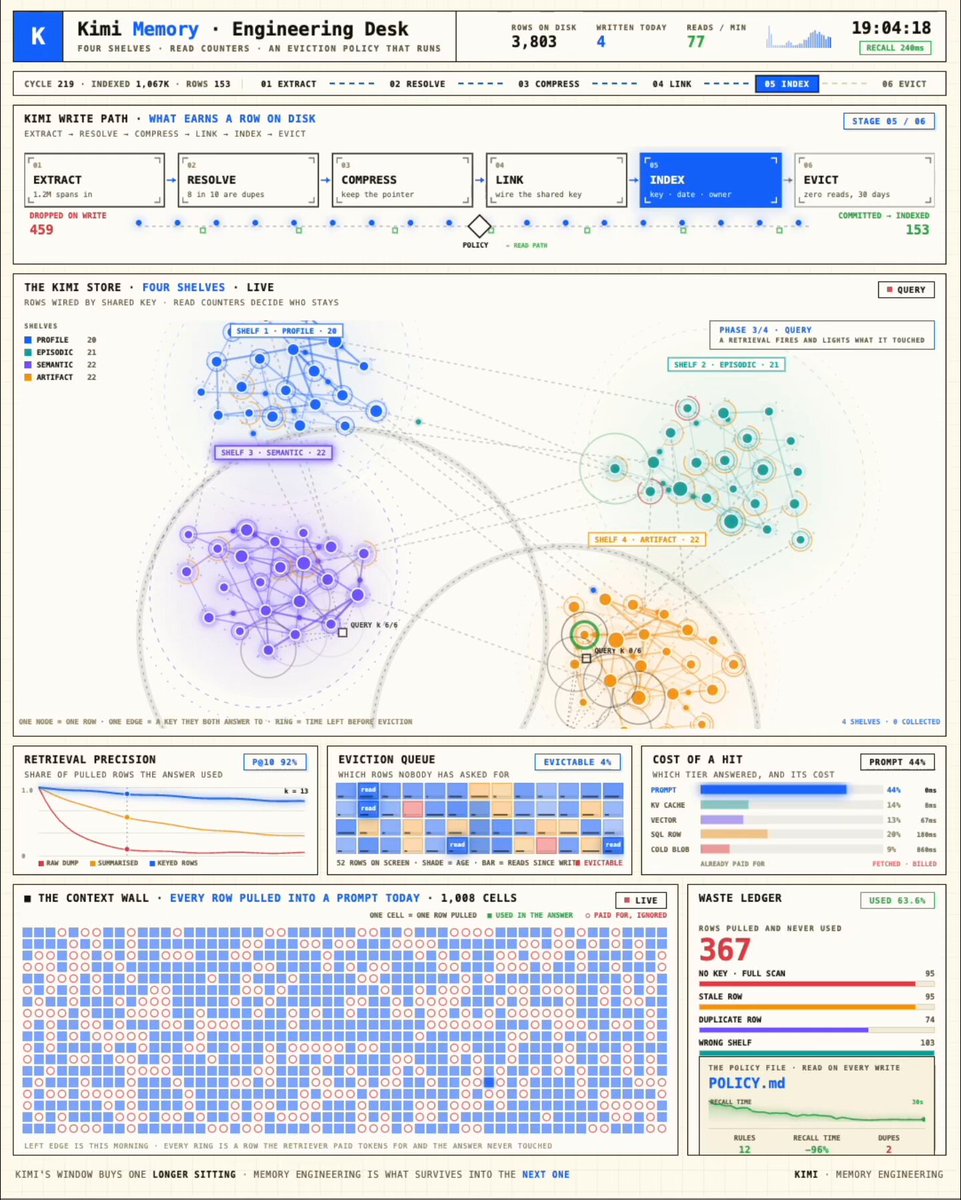
most agent memory is one file that grows forever and gets re-read every single turn. it overflows the context, overwrites old facts, loses the thread. that's why your agent feels sharp on day one and lost by week three. Sibyl Memory replaces the pile with a structure: → leaner...

78,219 просмотров • 21 дней назад •via X (Twitter)

Комментарии: 0

Нет доступных комментариев

Здесь появятся комментарии из оригинального поста

Похожие видео

Everyone wants agent swarms. Very few people are talking seriously enough about the context layer that makes swarms useful. Even with one agent, context is fragile. Too little context and the agent guesses. Too much context and it wastes tokens, loses focus, or reasons over irrelevant noise. The sweet spot is precise context: the right knowledge, in the right structure, at the right moment. With many agents, that challenge explodes. Each agent produces decisions, assumptions, findings, summaries, risks, and partial conclusions. Unless that knowledge becomes shared, structured, and reusable, every new agent is forced to rediscover what another agent already learned. That is not a swarm. That is a crowd. Shared context graphs are what turn agent activity into agent collaboration, and OriginTrail DKG V10 brings them to life. Was just playing with some final polishing for the V10 release, and it is really powerful to see shared context graphs where multiple agents contribute knowledge into the same connected memory, with attribution visible directly in the graph ui. That matters for three reasons. First, agents can access and build on one shared memory instead of staying trapped in isolated sessions. Second, the graph structure helps them retrieve the exact context they need, instead of stuffing everything into a prompt and hoping the model sorts it out. Third, verifiability of provenance. You can see which agent contributed each piece of knowledge, trace the source, and decide what to trust. Tokenmaxxing starts with fewer tokens, but the deeper story is coordination - agents stop reloading the world and start building on shared, verifiable context. That is the foundation for serious multi-agent work across software engineering, research, finance, operations, project management, and far beyond. The future is not more agents, it is agents working from shared, verifiable context. But the more the merrier, of course.

Jurij Skornik

10,936 просмотров • 25 дней назад

New short course: LLMs as Operating Systems: Agent Memory, created with Letta, and taught by its founders Charles Packer and Sarah Wooders. An LLM's input context window has limited space. Using a longer input context also costs more and results in slower processing. So, managing what's stored in this context window is important. In the innovative paper MemGPT: Towards LLMs as Operating Systems, its authors (which include the instructors) proposed using an LLM agent to manage this context window. Their system uses a large persistent memory that stores everything that could be included in the input context, and an agent decides what is actually included. Take the example of building a chatbot that needs to remember what's been said earlier in a conversation (perhaps over many days of interaction with a user). As the conversation's length grows, the memory management agent will move information from the input context to a persistent searchable database; summarize information to keep relevant facts in the input context; and restore relevant conversation elements from further back in time. This allows a chatbot to keep what's currently most relevant in its input context memory to generate the next response. When I read the original MemGPT paper, I thought it was an innovative technique for handling memory for LLMs. The open-source Letta framework, which we'll use in this course, makes MemGPT easy to implement. It adds memory to your LLM agents and gives them transparent long-term memory. In detail, you’ll learn: - How to build an agent that can edit its own limited input context memory, using tools and multi-step reasoning - What is a memory hierarchy (an idea from computer operating systems, which use a cache to speed up memory access), and how these ideas apply to managing the LLM input context (where the input context window is a "cache" storing the most relevant information; and an agent decides what to move in and out of this to/from a larger persistent storage system) - How to implement multi-agent collaboration by letting different agents share blocks of memory This course will give you a sophisticated understanding of memory management for LLMs, which is important for chatbots having long conversations, and for complex agentic workflows. Please sign up here!

Andrew Ng

200,729 просмотров • 1 год назад

this video is the CLEAREST explanation of how claude skills + AI agents work and how to use them most people set up an AI agent and wonder why it keeps disappointing them. the context window is everything context is what the model assembles before it takes any action. think of it like everything the agent needs to read before it does anything. the quality of what goes in determines the quality of what comes out. the models are genuinely really good right now. claude and gpt are exceptional. the variable is almost always the context you give them. 1. agent.md files are mostly unnecessary every single line you put in an agent.md file gets added to every single conversation you have with your agent. a 1000 line file is around 7000 tokens burning on every run. the model already knows to use react. it can read your codebase. save the agent.md for proprietary information specific to your company that the model genuinely cannot know on its own. 2. skills are the actual unlock a skill.md file works differently. what loads into context is only the name and description, around 50 tokens. the full instructions only appear when the agent recognizes it needs that skill. so instead of 7000 tokens on every run you have 50. and the agent stays sharp because the context window stays lean. the closer you get to filling the context window the worse the agent performs, same way you perform worse when someone dumps 10 things on you at once. 3. here is how to actually build a skill the right way most people identify a workflow and immediately try to write the skill. what you want to do instead is run the workflow by hand with the agent first. walk it through every single step. tell it what to check, what good looks like, what bad looks like. correct it in real time. once you have had a full successful run from start to finish, tell the agent to review everything it just did and write the skill itself. it writes a better skill than you will because it has the full context of what actually worked in practice not in theory. 4. recursively building skills is how you go from frustrated to reliable when the skill breaks, and it will break, ask the agent exactly why it failed. it will tell you specifically what went wrong. fix it together in that same conversation. then tell it to update the skill file so that failure mode never happens again. ross mike did this five times with his youtube report generator. it now pulls from eight different data sources and runs flawlessly every single time without him touching it. 5. sub agents are something you earn not something you set up on day one start with one agent. build one workflow. turn it into one skill. once that works add another. ross mike has five sub agents now covering marketing, business, personal and more. it took months to get there and every single one exists because a workflow proved it deserved to exist. the people who set up 15 sub agents on day one and wonder why nothing works skipped all the steps that make the thing actually run. 6. your workflow is the thing the model cannot get anywhere else the model has been trained on everything. it knows more than you about most things. what it does not have is your specific process, your taste, your way of doing things. that is what skills capture. that is what makes your agent actually useful versus a generic one. downloading someone else's skill means downloading their context onto your setup and it will not work the way you want it to because it was never built around how you work. this is the clearest explanation of how agents actually work i have heard. Micky runs this stuff every single day and the results show it. full episode is now live on The Startup Ideas Podcast (SIP) 🧃 where you get your pods people charge for this sorta stuff i give away the sauce for free i just want you to win watch

GREG ISENBERG

192,024 просмотров • 2 месяцев назад

Hermes agent just left the terminal. 𝗛𝗲𝗿𝗺𝗲𝘀 𝗗𝗲𝘀𝗸𝘁𝗼𝗽 dropped yesterday. native app for macOS, Windows, and Linux. for months Hermes was the agent that learned your projects, wrote its own skills, and built a model of who you are. all of it buried in terminal logs. now it has a window. the important part is that it's not a wrapper. it runs the same agent core, the same sessions, memory, and skills as the CLI. you can start a task in the terminal and finish it in the app without anything resetting. the state is shared across every interface, not copied between them. what the GUI actually adds: → streaming chat that shows live tool calls and inline reasoning instead of a spinner → a preview rail that renders pages, code, and images right beside the conversation → an artifacts panel that collects every file the agent has ever produced → remote gateway mode, so you can point the app at a VPS and run the heavy work elsewhere → skills, cron, profiles, and gateways managed point-and-click instead of through YAML → voice mode, drag-drop files, and inline image generation remote gateway mode is the one worth slowing down on. the agent runs 24/7 on a $5 server while you control it from your laptop like a local app. other agent UIs are chatboxes with a logo. this one shows the autonomy instead of hiding it, so you watch the skills load, the tools fire, and the artifacts pile up as it works. it was teased in Jensen's GTC keynote. MIT licensed, local-first, no telemetry. if you already run Hermes, download it and everything is already there. your chats, memory, and skills carry straight over. i wrote a full masterclass on Hermes Agent that walks through the SOUL. md identity layer, the three-tier memory system, the self-evolving skills loop, and how to run three specialized agents 24/7. desktop is the interface that finally does all of it justice. the article is quoted below.

Akshay 🚀

50,822 просмотров • 18 дней назад

THIS GUY CONNECTED HIS AI AGENTS TO HIS OBSIDIAN AND BUILT A BRAIN THAT LEARNS ON ITS OWN. HERE'S HOW TO BUILD IT Obsidian is just markdown files sitting in a folder. That turns out to be the perfect memory for an AI agent, because an agent can read and write those files directly. He wired his agents into the vault so they pull context from it, do the work, and write what they learned back. The notes aren't the point. The loop is, and it gets sharper every cycle How to build it: 1. Point an agent at your vault. The fastest way, no plugins, no API keys: open a terminal and run npx obsidian-mcp /path/to/your/vault. That exposes your Obsidian folder to Claude as a tool it can read, search, and write to. Add it to your Claude Code or Cowork config and restart 2. Confirm it can see the brain. Ask it: "list the notes in my vault and summarize what's in them." If it reads them back, the connection is live. Now it starts every task with everything the vault already holds instead of from zero 3. Give each agent one job and a write-back rule. Tell it: "research this, then save what you found as a new note in /brain with links to related notes." One agent researches, one summarizes, one plans. Each writes its output back into the vault 4. Close the loop. Add one line to every agent's instructions: "read /brain before starting, write your result back when done." Now each task leaves the vault richer, and the next run reads that before it works. It compounds instead of resetting 5. You only steer. Review what the brain produces, point it at the next thing. The agents handle the reading, writing, and connecting The edge isn't better notes. It's a brain that feeds itself, so the work gets sharper every cycle instead of starting over Bookmark this

Yarchi

57,678 просмотров • 14 дней назад

New short course: Long-Term Agentic Memory with LangGraph. Learn to build an agent with long-term memory in this course developed in collaboration with taught by its Co-Founder and CEO, Harrison Chase! Personal assistance and productivity tasks have become important use cases for agents. An important feature of an AI assistant, such as a coding or calendar assistant, is its ability to keep improving over time from its experience. Agent memory is the key capability that enables this. To add memory to an agent, you must first figure out what to store and what to retrieve when it is time to use the information. Additionally, you’ll have to decide when to update the stored information. For example, you might update in each iteration loop of the agent or perform updates in the background, with a helper agent. In this course, you will learn a mental framework to build agents with long-term memory. You'll create a useful email assistant that can respond, ignore, and notify using writing, scheduling, and memory-management tools. You’ll develop your agent's memory by adding facts to its memory store, provide examples to learn the user's preferences, and optimize system prompts to evolve instructions based on previous responses. In detail, you’ll: - Learn how the three types of memory--semantic, episodic, and procedural–and the two update mechanisms–via hot path and in the background–apply to your agents. - Build an email agent with writing, scheduling, and availability tools, along with a router that triages incoming email and handles it accordingly by ignoring, responding, or notifying the user. - Add tools to your email agent that allow it to operate on semantic memory by learning facts about the user, storing them in a long-term memory store, and searching over them in future interactions. - Incorporate episodic memory, in the form of few-shot examples, in the triage step of your agents to help them learn and update user preferences. - Add procedural memory as system prompts, optimized with feedback to improve the instructions the agent follows. Learn how to approach memory in agents, and start building agents with long-term memory with LangGraph! Please sign up here:

Andrew Ng

131,640 просмотров • 1 год назад