Video wird geladen...

Video konnte nicht geladen werden

Zur Startseite

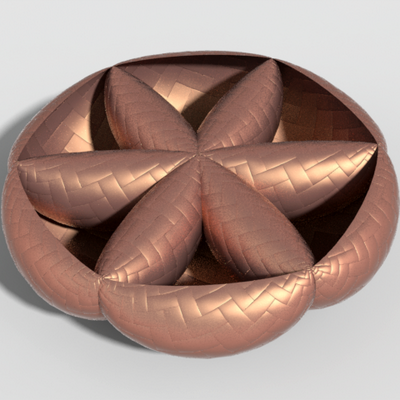
Nice new implementation of "stripe patterns" in GeometryCentral, thanks to David Joudan: The stripes algorithm computes evenly-spaced stripes aligned with a given vector field. This version also carefully extracts isolines, even around singularities.
23,373 Aufrufe • vor 2 Jahren •via X (Twitter)

3 Kommentare

Profilbild von Keenan Crane
Keenan Cranevor 2 Jahren

Based on the original paper here: Credit also goes to @nmwsharp for help integrating code into GeometryCentral.

Profilbild von IceSL
IceSLvor 2 Jahren

@dJourdan_

Profilbild von Johannes Soltwedel
Johannes Soltwedelvor 2 Jahren

@ryan

Ähnliche Videos

Darts are small, stitched down folds that give a garment shape. They are typically used on areas that need to hug the curves of a body, such as the waist of a jacket or above the seat on a pair of trousers. Unfortunately, darts can also distort a pattern. This is especially obvious on chalkstripes and pinstripes, since the pattern should match across the body and pockets. Here are four ways tailors have dealt with this issue: — Steed: Place the dart between the stripes and carefully shape it so that the lines move out where they need, matching the pockets. (IG steedtailors) — Leonard Logsdail: Place the dart along the stripe. This means one of the stripes suddenly disappears around the chest, but the pattern still matches across the pockets. IMO, this is fine on fine stripes, but can be jarring on very bold stripes. Looks good here though. (IG leonardlogsdail) — Sartoria Raffaniello: Place the dart between two of the stripes, so you push them together. This will make two of the stripes converge like an arrowhead point. (IG sartoria_raffaniello) — Jerry Xu: Place the dart between two stripes, but make them converge into a single stripe, allowing you to match the pattern across the pockets. (IG jerrysuit163) — Tailor CAID: Do away with the front dart entirely. This results in straighter sides, which won't hug your waist, but you preserve the pattern completely. Also, a mark of classic American style. (IG tailorcaid) — Liverano & Liverano: Replace the front dart with a hidden underarm dart. This preserves the pattern for the area that people see and allows you to get some waist shaping. (IG liveranoandliverano) — Salve Studios: Next level. Move the pattern! This is clearly too laborious for most tailoring commissions, but nice to see this kind of craft. (IG salve.studios)

derek guy

63,107 Aufrufe • vor 7 Monaten

🎓 Learn how to create a Cherry Wood Material in a matter of seconds in my latest video series (AAA) Pro Tips! ____________________________________________________ In this video, the steps are as follows: 1. Create a slightly red-colored fill layer with high gloss to act as the woods base material. 2. Add a second fill layer with a black mask, and inside that mask add a stripes greyscale set to planar projection. These stripes will act as the wood rings and should be projected onto your mesh in a natural way. The stripes should also be set to max softness, and followed by a Directional Noise 3 with a blend mode set to Difference. 3. Add a levels to tweak the mask and add an anchor point to the mask as well. 4. Create another fill layer with a dark brown diffuse, and store the information from the anchor point into its mask. Apply a levels to increase its intensity, and then add a fill layer up top with the anchorpoint information applied again, but set its blending mode to Subtract. 5. Create an additional fill layer with a very dark diffuse channel. Add a mask to the fill layer and inside its mask add a fill layer containing the anchorpoint information, from the Wood Rings. This fill layer can now be used to add some dark contrast to the center of the wood rings 6. A warp filter should also be used to apply some subtle imperfections to the wood rings and grain. Now we are left with a very nice result of Cherry wood! ____________________________________________________ More AAA Game Dev Tips can be found on my YouTube channel here: Stay tuned for more weekly Tips. Let me know below what you would like to learn in future videos! 👇 Happy Texturing! 💚 #gameart #texturing

Cohen Brawley

25,184 Aufrufe • vor 2 Jahren

CoDeF: Content Deformation Fields for Temporally Consistent Video Processing abs: paper page: present the content deformation field CoDeF as a new type of video representation, which consists of a canonical content field aggregating the static contents in the entire video and a temporal deformation field recording the transformations from the canonical image (i.e., rendered from the canonical content field) to each individual frame along the time axis.Given a target video, these two fields are jointly optimized to reconstruct it through a carefully tailored rendering pipeline.We advisedly introduce some regularizations into the optimization process, urging the canonical content field to inherit semantics (e.g., the object shape) from the video.With such a design, CoDeF naturally supports lifting image algorithms for video processing, in the sense that one can apply an image algorithm to the canonical image and effortlessly propagate the outcomes to the entire video with the aid of the temporal deformation field.We experimentally show that CoDeF is able to lift image-to-image translation to video-to-video translation and lift keypoint detection to keypoint tracking without any training.More importantly, thanks to our lifting strategy that deploys the algorithms on only one image, we achieve superior cross-frame consistency in processed videos compared to existing video-to-video translation approaches, and even manage to track non-rigid objects like water and smog.

AK

153,241 Aufrufe • vor 2 Jahren