Video yükleniyor...

Video Yüklenemedi

Ana Sayfaya Dön

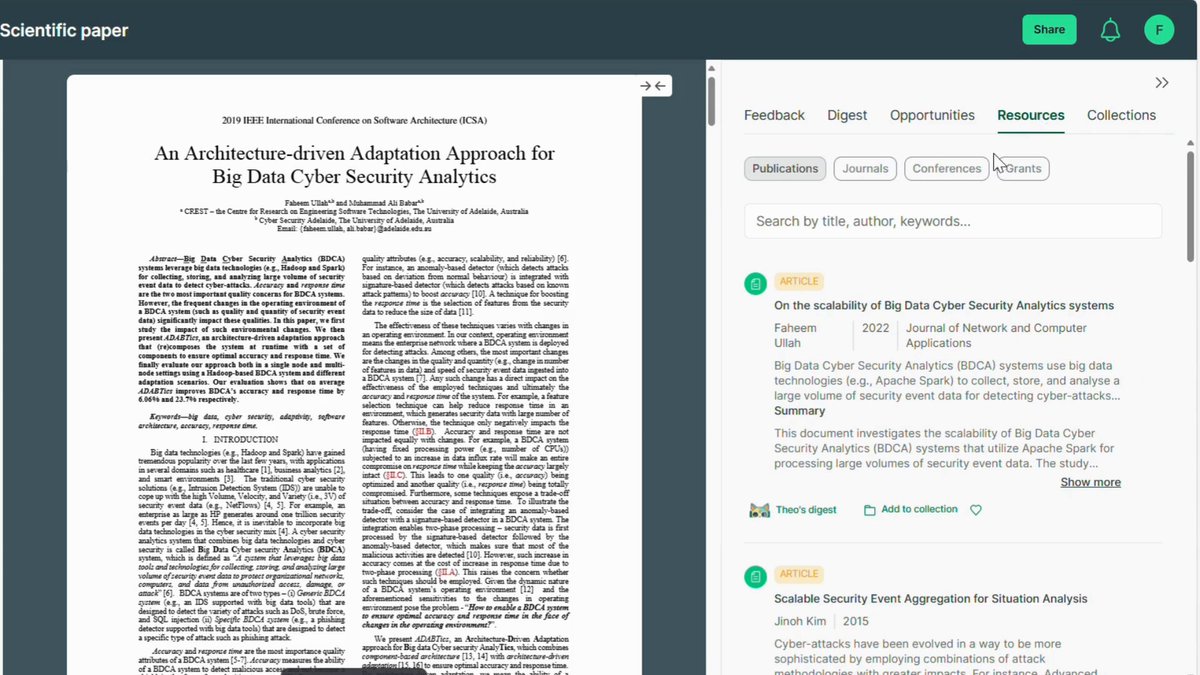
PhD Students - How to create a poster in seconds. 1. Go to 2. Paste the abstract or upload your paper 3. At the top, click on portrait abstract 4. Your poster will be created 5. Download and edit it if needed

47,982 görüntüleme • 3 ay önce •via X (Twitter)

0 Yorum

Yorum bulunmuyor

Orijinal gönderinin yorumları burada görünecek

Benzer Videolar

PhD Students – How to extract data from papers for your literature review in seconds? Extracting data from papers takes a lot of time. You can automate this process with Bohrium 𝐇𝐨𝐰 𝐭𝐨 𝐚𝐮𝐭𝐨𝐦𝐚𝐭𝐢𝐜𝐚𝐥𝐥𝐲 𝐞𝐱𝐭𝐫𝐚𝐜𝐭 𝐝𝐚𝐭𝐚 𝐟𝐫𝐨𝐦 𝐩𝐚𝐩𝐞𝐫𝐬? 1. Go to and log in 2. Click on 𝐾𝑛𝑜𝑤𝑙𝑒𝑑𝑔𝑒 𝐵𝑎𝑠𝑒 from the left menu 3. Upload the papers you selected for literature review 4. You will see the following option against each paper - Read PDF - Key Takeaway - AI Poster 5. Click on 𝑅𝑒𝑎𝑑 𝑃𝐷𝐹 for the first paper in your list 6. Write a prompt for the data you want to extract 7. For example, you can enter datasets, methodology etc. 8. It will extract the required data from the paper 9. If you want to extract Key Takeaways from the paper 10. Go back and click on 𝐾𝑒𝑦 𝑇𝑎𝑘𝑒𝑎𝑤𝑎𝑦𝑠 11. Bohrium will extract Key Takeaways from the paper 12. In addition to this, you also have 2 more options - AI Poster - Podcast 13. Click on 𝐴𝐼 𝑃𝑜𝑠𝑡𝑒𝑟 and it will create a poster for you 14. This is the poster based on the given research paper 15. If you click on 𝑃𝑜𝑑𝑐𝑎𝑠𝑡, it will convert the paper to audio 16. You can listen to the paper instead of reading it Repeat this cycle for all the papers in your pool. You will end up with the required data. You can use this data to write your literature review Try Bohrium today for FREE: Anything you’d like to add?

Faheem Ullah

13,352 görüntüleme • 10 ay önce

How to create Farcaster mini app without coding - Step 1: > Go to ChatGPT > Just type: "I would like to create a Farcaster mini app, can you give me some ideas?" > Choose any one of the ideas - Note: - You can also type your own idea to ChatGPT and alter it - Step 2: - Go to ChatGPT > Paste the first prompt (shared in my channel) > Include the project you chose and tell ChatGPT to alter the prompt according to the idea below - Step 3 - Go to: > Sign up using Gmail or GitHub > Projects -> New Project -> Type the name of your project >Just paste the prompt we created earlier > It will start creating your app > If you need to alter anything, just go to GPT and type: [ I need a prompt to alter "your issue (like changing colour, etc.)" in my app already created in v0app by Vercel ] > Copy the prompt and paste it in v0 > No need to worry about errors , it will rectify them for you > If your project is finished, just click "Publish" on your top right > It will automatically host your app in Vercel > Click "Visit site" to see your app on another device and copy the website URL - Step 4 - Go to: v0 app > Just paste Prompt 2 from the file I provided > Click Publish once it’s completed - Step 5 - Go to: v0 app > Just paste the prompt 3 from the file I provided - Step 6 (Important) > Just paste Prompt 4 from the file I provided - Step 7 > Just paste Prompt 4 from the file I provided - Step 8 > Just paste Prompt 6 from the file I provided > It’s an important step to do — you need to create a manifest inside your app so that you can host it on Farcaster - Step 9 - Go to: > Sign up or Login > Settings → Developers → Mini Apps → Create Manifest (New) > Paste your website URL (remove https) > It should be like: > If you find any error while doing this, just copy and paste it in the v0 app > Once everything is finished, you need to create Account Association > Scan the QR on your mobile and tap and hold the Yes button > It will show an error — just copy and paste those errors into the v0 app > Click Publish again, and then click Refresh in Manifest > Click Open your app > for the main prompt file check our tg channel link in our bio

Maran

48,106 görüntüleme • 7 ay önce

How to read a research paper 10x faster? PhD Students are often under time pressure. Many research papers but little time to read. Meet Bohrium – a tool that can 10x your paper reading. 𝐇𝐨𝐰 𝐜𝐚𝐧 𝐁𝐨𝐡𝐫𝐢𝐮𝐦 𝐡𝐞𝐥𝐩 𝐲𝐨𝐮 𝐫𝐞𝐚𝐝 𝐬𝐦𝐚𝐫𝐭𝐞𝐫? 1. Go to and log in. 2. Click on 𝑁𝑒𝑤 𝐶ℎ𝑎𝑡 and then on 𝐿𝑖𝑡𝑇𝑎𝑙𝑘 3. Upload the paper you want to read 4. Click on 𝑆𝑢𝑚𝑚𝑎𝑟𝑖𝑧𝑒 from the list. 5. Bohirum will summarize the paper for you. 6. This will help you understand the gist of the paper. 7. Now click on 𝐸𝑥𝑡𝑟𝑎𝑐𝑡 𝐹𝑖𝑛𝑑𝑖𝑛𝑔𝑠 8. Bohrium will extract key findings from the paper. 9. Go through each of the key finding. 10. Bohrium links each finding to respective part 11. This way you can see the links to the paper. 12. In the similar manner, you can also ↳ Extract information about research methods ↳ Academic concepts used in the paper 13. Bohrium can also help you in your writing 14. For example, you can use it to create diagrams 15. You can use Bohrium to create ✓ Graphical abstract ✓ Mechanism diagram ✓ Flowchart ✓ Concept cover 𝐖𝐡𝐚𝐭 𝐢𝐬 𝐬𝐩𝐞𝐜𝐢𝐚𝐥 𝐚𝐛𝐨𝐮𝐭 𝐁𝐨𝐡𝐫𝐢𝐮𝐦? → You can upload and chat with multiple papers together → Instead of only summarizing, it helps you in deep understanding → It links key findings to exact sections of the paper → It works like research-focused but free NotebookLLM Try it today:

Faheem Ullah

27,133 görüntüleme • 6 ay önce