Video yükleniyor...

Video Yüklenemedi

Ana Sayfaya Dön

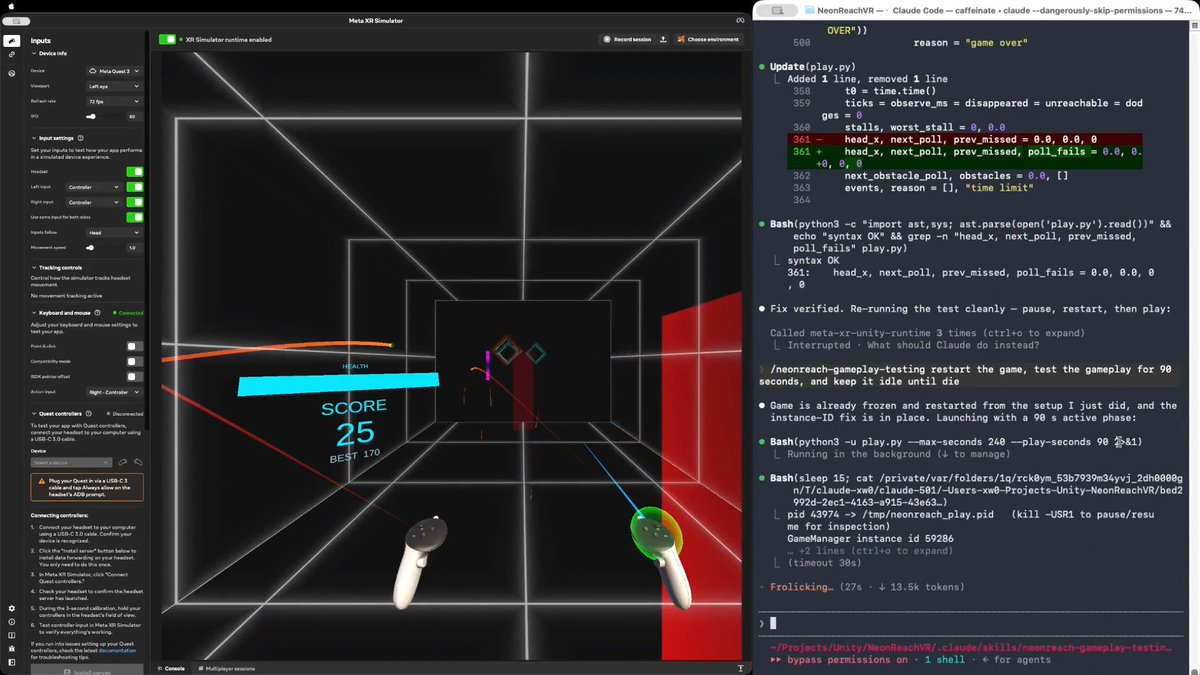
Released WebXR Export + Unity XR Interaction Toolkit support🎉 AR + VR modes, on headsets and phones. Hands tracking. WebXR Input Profiles. Mixed Reality Capture. Try at Get at #VirtualReality #MixedReality #ScreenshotSaturday

40,656 görüntüleme • 2 yıl önce •via X (Twitter)

9 Yorum

De-Panther profil fotoğrafı
De-Panther2 yıl önce

Nice to see how many like this release🤩 There's still work to do. Optimizations, more and better integrations with Unity's Input System and other XR packages. GitHub approved my sponsors page. One time or monthly sponsorships would help development

Nigam Arora profil fotoğrafı
Nigam Arora1 yıl önce

HOW MUCH WEALTH COULD YOU GENERATE IF YOU COULD FOLLOW THE MOST ACCURATE STOCK MARKET ANALYSIS? Over 100 million page views of Arora Calls. Unique proven ZYX method.

🌵 Marcel Wiessler profil fotoğrafı
🌵 Marcel Wiessler2 yıl önce

Awesome! Congrats!!!

HAS profil fotoğrafı
HAS2 yıl önce

This is amazing. Great job!

Juan Lam profil fotoğrafı
Juan Lam2 yıl önce

You are incredible!

RANPARA JAYDEEP profil fotoğrafı
RANPARA JAYDEEP2 yıl önce

@Ravindra__op

Yannick Comte profil fotoğrafı
Yannick Comte2 yıl önce

@SimonDarksideJ Just tried it on a Quest 3, it's impressive good job :) How much is the render scale? Looks like it's 50%

De-Panther profil fotoğrafı
De-Panther2 yıl önce

@SimonDarksideJ It's 100% but no anti aliasing

Fluxxr profil fotoğrafı
Fluxxr1 yıl önce

WebXR + Unity XR is a game-changer, but prioritizing hand tracking over broader accessibility risks alienating users with older devices. Innovation’s great, yet inclusivity drives adoption—will this deepen the VR/AR divide or bridge it?

Benzer Videolar

📣 I talk a lot about Meta SDKs because I spend a lot of time with these tools. But also when someone asks me what VR/MR tools they can use for cross platform support, I recommend 𝗨𝗻𝗶𝘁𝘆’𝘀 𝗫𝗥 𝗧𝗼𝗼𝗹𝗸𝗶𝘁 which provides: - 𝗖𝗿𝗼𝘀𝘀-𝗽𝗹𝗮𝘁𝗳𝗼𝗿𝗺 𝘀𝘂𝗽𝗽𝗼𝗿𝘁: Meta Quest, OpenXR, Windows Mixed Reality, + more - 𝗜𝗻𝘁𝗲𝗿𝗮𝗰𝘁𝗶𝗼𝗻𝘀: Hover, select, grab - 𝗙𝗲𝗲𝗱𝗯𝗮𝗰𝗸: Haptic + visual tint/line for possible & active interactions - 𝗨𝗜: Canvas interaction via XR controllers - 𝗨𝘁𝗶𝗹𝗶𝘁𝗶𝗲𝘀: XR Origin support for stationary & room-scale VR - 𝗫𝗥 𝗛𝗮𝗻𝗱𝘀: this is an extended package to support more advanced hand tracking interactions 👉 Also, it supports 𝗔𝗥 𝗳𝗼𝗿 𝗺𝗼𝗯𝗶𝗹𝗲 𝗳𝗲𝗮𝘁𝘂𝗿𝗲𝘀 𝘁𝗵𝗿𝗼𝘂𝗴𝗵 𝗔𝗥 𝗙𝗼𝘂𝗻𝗱𝗮𝘁𝗶𝗼𝗻, the features are: - 𝗔𝗥 𝗴𝗲𝘀𝘁𝘂𝗿𝗲 𝘀𝘆𝘀𝘁𝗲𝗺: Maps screen touches to Input System gesture events via TouchscreenGestureInputController - 𝗦𝗰𝗿𝗲𝗲𝗻-𝘀𝗽𝗮𝗰𝗲 𝗶𝗻𝗽𝘂𝘁: Feeds touch data into XRRayInteractor for AR interaction - 𝗔𝗥𝗧𝗿𝗮𝗻𝘀𝗳𝗼𝗿𝗺𝗲𝗿: Converts place, select, translate, rotate, scale gestures into object manipulation 👨‍💻 And to emulate your apps/games without physical devices I recommend the following: - 𝗫𝗥 𝗗𝗲𝘃𝗶𝗰𝗲 𝗦𝗶𝗺𝘂𝗹𝗮𝘁𝗼𝗿 for VR/MR to test your interactions - 𝗔𝗥 𝗙𝗼𝘂𝗻𝗱𝗮𝘁𝗶𝗼𝗻 𝗥𝗲𝗺𝗼𝘁𝗲 𝟮.𝟬 for AR Foundation testing, this allows you to remotely test all the AR features by connecting the Unity editor to your physical device (iOS or Android) 💡 Are you using Unity’s XR Toolkit? ISDK? any other toolkit?

Dilmer 👓

12,943 görüntüleme • 3 ay önce

"Aydan why don't you make videos anymore?" Why? Because over the last two years every single time I get in vr to try and film. This shit happens. It makes it so fucking hard to get motivated to do it when I can't get one locked off angle shot. Before you say something like "Have you covered all the reflective surfaces?" "Have you re-paired the trackers?" "Try replacing the lighthouses?" "Try replacing the cables?" "The Dongles might be bad?" "The Trackers might be bad?" "The Controllers might be bad?" "Try a USB hub?" "Try USB Ports?" "Try this 7-1 in one dongle hub?" "Try Tundra Trackers?" "Try This 3-1 dongle hub?" "Try pairing one controller each to a dongle, and pair the trackers to a single dongle too?" "Have you tried reinstalling the software? "Have you tried Steam VR Beta?" "Try Slime trackers?" "Try Quest Pro?" "Try less 2.4ghz band devices?" "Maybe your Wifi bulbs are interfering?" "Try Bigscreen Beyond 2e?" "Try 2 Lighthouses?" "Try 3 Lighthouses?" "Try 4 Lighthouses?" "Maybe your computers bad? Get a new one?" YES. I have fucking tried all that shit. Literally have spent thousands of dollars trouble shooting this issues. I currently own 3 tracking headsets 9 lighthouses 6 vive trackers 3 tundra trackers 8 slime trackers 5 pairs of index controllers. And I've tried on 3 different computers. I have talked to like 20 different people. No one has an answer. I'm at the end of my rope at this point. Every time I get into VR I'm filled with dread because I know I'm going to get mad or frustrated. I'm just...sad. I want to make content, but I don't fucking know what to do at this point.

Aydan

12,819 görüntüleme • 4 ay önce

Sharing a small personal project I’ve been slowly building over the past couple of years, mostly on weekends and in spare moments: Cosmic XR, a mixed reality experience that brings space and the universe into your own room. This project began from my deep love for space, and the desire to let people not just observe, but reach out and interact with planets, moons, and other celestial wonders — to touch, rotate, and scale them with their hands, as if they were right in front of them. For those familiar with HoloLens, many parts of this app are inspired by the open-source Galaxy Explorer project, which played a key role in building many parts of the experience. I’m grateful to build on that foundation. As a single-person project, there’s still much to improve — technically, visually, and content-wise. But I wanted to share it now, in hopes that it brings a sense of curiosity and wonder to anyone who tries it. If you're into space and immersive experiences, I’d love for you to give it a try — you can explore it without purchasing through the “Try Before You Buy” feature on Meta Quest Store: I hope this experience reminds us of how small we are — and how precious each moment is, a fleeting blink in the vast timeline of the universe. Disclaimer: Cosmic XR was designed and developed entirely in my personal time using personal resources as a passion project. It is not affiliated with or endorsed by my employer. #CosmicXR #MixedReality #AugmentedReality #VR #MetaQuest #Cosmos #Space #NASA #galaxy #milkyway #Quest3 #Quest3S #Quest2 #QuestPro #HandTracking #SpatialComputing #SpatialInteraction #SpaceApp #STEM #XRforEducation #PassionProject #Astrophysics #JWST #STEMLearning #EdTech #Astronomy #SpaceScience #JamesWebb #Hubble #SpaceExploration

Yoon Park (박동윤)

13,076 görüntüleme • 1 yıl önce

The sense of presence in VR is something amazing. And it is what convinces me that sooner or later, VR will succeed. VR is now in one of its down moments. That's why, in these harsh days, I wanted to get back to feeling what made me fall in love with this technology: presence and immersion. I took some very good-looking PCVR experiences, like Half-Life: Alyx, or AirCar, and tried them at the maximum resolution possible on my Dell Pro Max T2 Tower, featuring an #NVIDIA RTX 6000 graphics card. Until a few months ago, I was using my old laptop, which started to show throttling issues, so I was used to lowering the render resolution, while this time, I was moving the slider up and up. The results have been astonishing: even a demo like AirCar made me in awe again, and Half-Life: Alyx was as immersive as I have ever tried it. As much as I love standalone VR, because I think it helped a lot in democratizing the technology, the WOW sensation that you can try on PCVR today is still unbeatable. Probably a good compromise between the two can be cloud rendering, but we still have to wait for it to become a reality. The sense of being somewhere else is a wonderful sensation, and everyone I demoed VR to all these years has been amazed by it, too. And every day, something makes me feel "there" (like today), I remember why I love this technology and why one day it will have a higher adoption. Sure, there are a lot of problems to solve, but I'm convinced one day it will happen. When? Well, it is always 5 to 10 years, every year... #VirtualReality #VR #technology [Disclaimer: I mentioned the PC model because I'm a #DellProPrecision ambassador, and I have been given the PC to do tests and experiments and share my results. There is no monetary compensation or sales affiliation related to this post]

TonyVT SkarredGhost

28,906 görüntüleme • 3 ay önce

Folks, here's another little design exercise that I spent the last few hours on 👍 This is based on a thesis I had for basically a decade now: Aiming in FPS games with the right analog stick is quite bad. Your thumb has maybe 1cm of travel on a tiny stick, fighting a spring, trying to make precise micro-adjustments AND fast 180-degree turns with the same input. If we're being honest, that's a terrible interface for the task. Your wrist, on the other hand, has roughly 180 degrees of rotational range, uses your entire forearm's muscle groups, and can make both ultra-precise micro-corrections and fast sweeping motions naturally. It's why mouse aiming destroys stick aiming: You're using your wrist and arm, not your thumb. So the thesis is simple: what if we just used wrist rotation directly as the aiming input? No VR headset, no special hardware. Just hold an old Switch1 Joy-Con in your right hand and rotate your wrist. Small rotations for precision tracking, larger rotations for fast turns. Recoil kicks the camera up and you instinctively tilt your hand back to compensate, etc. To me, it just feels right. I built a little prototype to test this. It has 4 weapons with some recoil, cover you can lean around, jump/crouch, lock-on targeting, ammo management, blablabla. The whole point is to see if this input method feels as good in practice as it does in theory. The aiming algorithm handles all the shitty stuff: Dead zones against shaky hands, auto-clutching when you unwind your wrist, asymmetric sensitivity because human wrists rotate further inward than outward, response curves for precision at low speed without sacrificing fast flicks, etc. I made a quick video to show the prototype in action. And if you wanna try it yourself, I put a small zip file up here that contains the executable:

thomasmahler

11,678 görüntüleme • 3 ay önce

Video Gaussian Splats are one of the most wonderful things I've experienced in my last year in tech and XR. They are like having a real person in front of you and have the potential to bring people closer to their idols, or their distant family members, or to store immersive memories forever. Now that I have a Dell Pro Max Tower T2 PC with a powerful #NVIDIA graphics card, I have finally been able to try at home the "memories" offered by Gracia AI, and boy, I was amazed. In the PCVR version, you can really get close to the artists dancing and syncing, and in the frames where the recording doesn't have many artifacts, it is almost like having a real artist in front of you. And it is impressive that this technology works even when the singer is dancing with quick movements! But these recordings can be pretty huge (the one with McKenzi Brooke is 21GB!) and require a powerful computer, so now Gracia is also streaming these GS videos, and I was able to try the Amy May performance also on Quest! I have to say that quality-wise, even streamed, they are amazing. But there are more artifacts than in the PC version: I noticed that when I got close to the singer. But there is a huge advantage in having them on Quest: you can see them in mixed reality. It was like having the singer having a private performance for me in my house. Crazy cool! I'll keep experimenting with these performances and maybe write an article in the upcoming weeks. In the meantime, let me know your impressions, too! #VirtualReality #technology #innovation (Disclaimer: I entered the #DellProPrecision ambassador program, so I was provided the PC from Dell, and I'm using it to make some experiments and share them with you. No monetary compensation or affiliate sales programs are involved.)

TonyVT SkarredGhost

12,817 görüntüleme • 3 ay önce

The state of LOW-FI and platform support (Death of PCVR): When the Kickstarter ran back in , the main focus was "Next-Gen VR", meaning at the time PCVR, with high hopes for PSVR2 (which hadn't been officially announced). During the next year or so, we (myself, Noah Rayburn and Mark Schramm #VR #AR #MR) focused purely on supporting PC VR hardware. Rift/S, Vive, Index (including controllers), all WMR devices, etc... Mark even added HOTAS and Leap Motion support. BUT, as I'm sure you know, PCVR has been in decline since around the launch of Half-Life: Alyx, which Anton Hand so eloquently called the punctuation mark on the gravestone of PCVR. The Rift store is a ghost town.. like officially.. even according to Meta, Viveport (lets not even go there), what else we got? WMR Store? Was that even a thing? Anyway... Lucky for us, PSVR2 was just over the horizon and we had the dev kits! How well is PSV2 doing though? Guess is (based on speaking with other top VR devs), not that great... Somewhere in there, the great and powerful Noah Rayburn was able to implement a pretty slick "non-VR mode" upon my request to be able to test the game without having to keep taking the HMD off and on while balancing controllers on my knees and working with janky Quest link stuff. Good news! Non-VR mode is great! No just for testing, but for playing. We decided to go full in on it's development and offer it to the consumers. Bonus, it also runs on Steam Deck! (See video below). Now as we gear up to finish the game and run out of money (hopefully in that order), I'm thinking a lot about the market for the game and our placement in it. We have a decent amount of wishlists (66k on Steam and 24k on PS5) so far. Hope is that launching as a PSVR2 title will capture a good chunk of those users, pushing it up on the general PSN store ranking (notoriously hard for indies to do otherwise), and we'll make some sales to traditional flat PS5 gamers as well. Snowballing a bit if we're lucky. Steam launch could do decently well if timed properly, with hopes of the same "VR first" snowballing effect. Why am I telling you all of this? I just thought it would be good to get it in writing and have a place to point. We are starting to run low on money (PCVR presales have basically dried up), so it's also to let you know that the fire is lit under my ass to ship this thing. That said, it won't ship until its good and done. A delayed game is eventually good, but a rushed game is forever bad. Oh, and before you say "Why not port it to Quest", put down the pipe. I understand that you're not a developer, but take my word for it, that's not happening. Not with this budget(or lack thereof), this sized team , or this generation of devices. Ok. that's it. My longest twitter post. PC/PCVR Preorder and early access: Steam Wishlist PSN Wishlist ❤️🧡💙🖤

Blair Renaud // LOW-FI 🟥🟧⬛

69,789 görüntüleme • 2 yıl önce

Fast Company just published a great piece on World Labs , Fei-Fei Li , Marble, and the idea that spatial intelligence / world models may be one of the next big shifts in AI. I was happy to be quoted in the article, but I also wanted to share more context about my own experience with World Labs and Marble, and why this direction is especially interesting to me. My starting point: volumetric capture — For the past few years I’ve been exploring and using volumetric capture and reconstruction (photogrammetry, NeRFs, 3D Gaussian Splats) mostly capturing locations around Montreal. Alleys, museums, urban interiors. I love every step of it: the capture itself, the pipeline, and what can be done with the output. Turning real spaces into real-time explorable systems. I do this personally, sharing explorations here, and professionally as chief technologist, and co-founder of Dpt. Physical reality + generative manipulation — In my work I’m especially drawn to mixing physical reality with generative and digital manipulation: using physical interfaces (light, clay, ink, ... ) to drive generative AI pipelines, building mixed reality prototypes that reshape your surroundings, or starting from real captured spaces and transforming them using tools like Marble. Like many people, I saw the World Labs announcement on Twitter in September 2024, and Marble when it surfaced in early December. But by then, I already had a sense something was coming. The first conversation — As someone deep into volumetric capture and radiance fields, I obviously knew about Ben Mildenhall and his pioneering work on NeRF. To my surprise, Ben reached out to me in late June 2024. He’d been following some of my experiments and wanted to chat about my process and workflows and how I was using this “stuff” creatively. At that point he didn’t share what he was building, but we had a genuinely great conversation about radiance fields, AI, and my work. He was curious about the creative perspective, not just the technical one. When the World Labs announcement dropped a few months later, it all made sense. I understood what Ben had been working on, and why the creative angle mattered to them. Then in August 2025, he invited me to try the Marble beta, and I’ve been experimenting with it since. Experimenting with Marble — The first thing I used Marble for was materializing scene and world concepts during ideation at the studio, and seeing if and how it could fit into our production pipeline. In parallel, I dove into a series of experiments focused on world manipulation: starting from real captured spaces and transforming them using Marble. I’d already been exploring that idea using img2img diffusion with ControlNet on NeRF renders, real-time video streams, and even mixed reality using headset camera feeds. But Marble brings something different. It generates persistent, spatially cohesive 3D worlds that can be rendered in real time across a wide range of devices. That’s a real shift. Experiment 01: Parallel Realities — The first experiment, Parallel Realities, starts from a volumetric capture of a real location, reconstructed as 3D Gaussian Splats. Using Marble, I generate an alternate version of that same space, something informed by the original architecture: abandoned, nature-reclaimed, alternate era. Then, using Spark (World Labs’ 3D Gaussian Splatting renderer for THREE.js) I make both realities coexist in the same spatial coordinate system. From there, I use a portal UX mechanic to let the user step between the real reconstruction and the Marble-generated version. Experiment 02: Hidden Depth The second experiment, Hidden Depth, does not transform a space as much as expand it. A captured location has a visual boundary (a mural, a doorway, a dark corridor) and Marble generates what exists beyond it. For example: a Montreal alley has a painted mural; step through it and you’re inside a world informed by what is actually depicted there. World Labs showcased part of this work here: And in their Spark 2.0 post: The project page is here: Why this matters to me — Being able to start from a real 3D Gaussian Splat scene and manipulate it with Marble opens up a lot of ideas. The 3DGS pipeline is becoming an increasingly compelling foundation for exploration, experimentation, and storytelling. What matters most to me right now is more control. The more I can steer the generated scene or world, the more useful the tool becomes. I want more features like the already existing multiple input images and Chisel, the blockout-based approach. I would like better local control, the ability to expand a generated world more and more while preserving coherence, and the ability to directly import 3D Gaussian Splat scenes to be used as a starting point. I want more ways to shape the result, not just a “prompt and hope” approach. — It is exciting to see this field moving from research and demos toward actual creative workflows.

Hugues Bruyère

65,393 görüntüleme • 1 ay önce

The pressure on e-hailing drivers has been building for some time, and the recent escalation suggests criminals increasingly see them as soft targets. Here’s the reality of what’s happening: 1. Drivers Are Easy Targets: e-hailing drivers work alone, often at night, and accept trips from unknown passengers. Criminals exploit this by: • Requesting rides to isolated areas • Using fake or newly created accounts • Targeting drivers to steal vehicles, phones and cash. In many cases the trip itself is the setup for a robbery or hijacking. 2. Organized Patterns Emerging: We’re not only seeing opportunistic crimes...In several provinces there are signs of organized groups targeting drivers. Tactics include: • Multiple suspects posing as passengers • Coordinated robberies in specific areas • Stolen vehicles used in other crimes. Some drivers have even been kidnapped and forced to transfer money from their bank apps. 3. Limited Protection: Unlike traditional taxi structures, e-hailing drivers often operate without real-time security support. While platforms provide tracking and emergency buttons, response times are often too slow when a violent robbery unfolds. Drivers also struggle to get consistent police follow-up after incidents. 4. Why We’re Seeing an Escalation: A few factors are driving the spike: • High unemployment and economic pressure • Criminal syndicates looking for vehicles and quick cash • Weak enforcement against fraudulent e-hailing accounts. Once criminals realize a method works, it spreads quickly. 5. What Needs to Change: If this trend isn’t addressed urgently, it will worsen. Authorities and platforms need to act: • Stronger rider verification (ID checks for accounts) • Geo-fencing for high-risk zones • Dedicated police response units for e-hailing crimes • Better information sharing between SAPS and platforms. Right now drivers are essentially frontline workers without protection. *This attack took place last year.

Yusuf Abramjee

14,502 görüntüleme • 4 ay önce

Engineer builds AR ad blocker for real life using Snap Spectacles and Gemini AI | Aamir Khollam, Interesting Engineering A prototype AR app detects ads in your surroundings and blocks them live through Snap Spectacles using Google’s Gemini AI. You can pay for YouTube Premium to avoid watching ads during your sacred food-with-YouTube ritual, or pay for Spotify to not pester you with ads while you try to get a morning workout in, but what can you do about real-life advertisements? A Belgian software developer may have found a workaround. Stijn Spanhove has created an experimental augmented reality app that detects and digitally covers physical ads like billboards and soda cans in the real world. Built for Snap’s fifth-generation AR glasses (Snap Spectacles), the prototype uses Google’s Gemini AI to identify branded content and instantly mask it. Instead of the original imagery, the app places a bright red square over the detected ad. These red blocks also name the hidden brand, like “Bol. billboard,” turning ad removal into a kind of real-time brand callout. “It’s exciting to imagine a future where you control the physical content you see,” Spanhove posted on X (formerly Twitter). In follow-up replies, he hinted at additional features, including options to replace the red square with personal photos or text from a notes app. Check it out below – Combines Snap and Google tools The app relies on Snap’s Depth Cache API to register objects in 3D space and maintain spatial consistency as the user moves. Gemini, Google’s generative AI model, identifies the ads themselves, whether on large posters, newspaper pages, or food packaging. This allows the blocker to function beyond obvious signage. In demo clips shared by Spanhove, it successfully covers ads on cereal boxes, magazines, and public signage, though not without a delay of a second or two. The red overlays appear to float stably, following head movements and perspective shifts with accuracy. Still, it’s early days. Spanhove describes the software as “experimental,” and the user experience reflects that. Because Snap Spectacles use transparent displays, the overlays can’t fully block light, so the original ad sometimes faintly shows through. Also, the Spectacles’ narrow 46-degree field of view limits coverage to only what’s directly ahead. Design stirs debate The app has sparked strong reactions online. Many praised the concept of user-controlled visual space, while others criticized the bold red boxes as more jarring than the ads themselves. One suggestion, from user Hexographer ⬣Backup account⬣, proposed replacing the red blocks with more visually pleasing alternatives, such as “images of local foliage or animal life.” They also suggested that users could set a custom folder of replacement visuals, including personal or family photos. Others asked for cross-platform support, but the app currently only works with Snap Spectacles. Devices like the Apple Vision Pro or Meta Quest will need separate development efforts. Despite its limitations, the project arrives at a moment when major tech firms like Meta and Microsoft have scaled back their AR ambitions. Snap, meanwhile, continues renting its Spectacles to developers at $99 per month, making experiments like Spanhove’s possible. Read more:

Owen Gregorian

45,774 görüntüleme • 1 yıl önce