正在加载视频...

视频加载失败

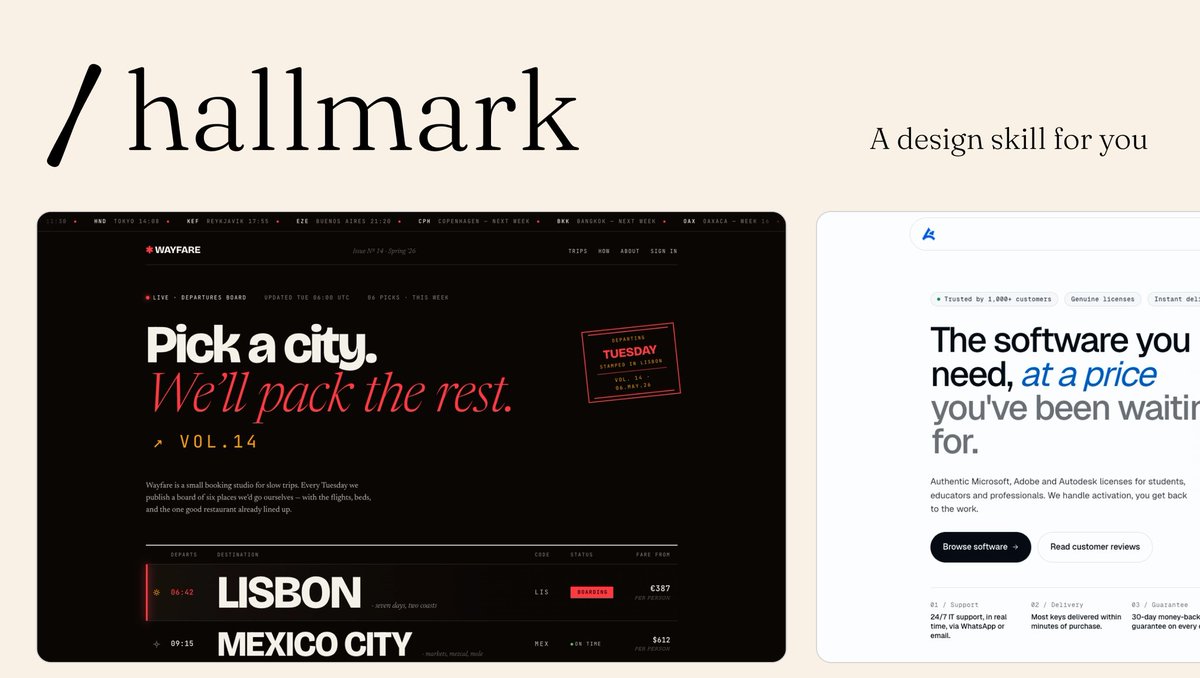
This is an amazing Codex tip. Works even better when paired with persistent Codex memory files in Obsidian. Gave me 8 recommended skills relevant to active projects. Do try this!

253,402 次观看 • 3 个月前 •via X (Twitter)

0 条评论

暂无评论

原始帖子的评论将显示在这里

相关视频

HERMES AGENT CAN SHARE MEMORY WITH CODEX AND CLAUDE CODE THROUGH HINDSIGHT. ONE MEMORY BANK. ONE AGENT REMEMBERS, EVERY OTHER AGENT KNOWS. the problem: you use Hermes for orchestration. Codex for coding. Claude Code for debugging. each has its own memory. switch between them and you explain the same project three times. Hindsight fixes this. one shared memory bank that every agent reads and writes to. tell Codex: "the test color for this project is purple." switch to Hermes. ask: "what test color did I pick?" Hermes answers: "purple." no copy-paste. no re-explaining. instant recall. HOW IT WORKS: Hindsight runs as a Docker container on your machine. self-hosted. your data stays local. an LLM powers the memory processing (retain, recall, reflect). RETAIN: extracts facts from your conversations. entities, decisions, preferences, project context. saved to the memory bank automatically. RECALL: when you ask a question, Hindsight pulls from semantic search, keywords, graph connections, and temporal data. fused into one answer. REFLECT: deeper reasoning layer. connects memories across sessions. identifies patterns in your work. produces observations that get smarter over time. CONNECT TO HERMES: Desktop app: Settings → Memory and Context → switch provider from Namosin to Hindsight. set API URL to your local Docker container. set bank ID. done. CLI: hermes memory setup → select Hindsight. verify: hermes memory status should show: provider: hindsight, installed, available. CONNECT TO CODEX: npx hindsight-coding-agents install codex \ --self-hosted --server this installs lifecycle hooks: initialize memory on session start. recall context during work. retain the session when done. enable hooks in Codex: Settings → Hooks → trust all three. CONNECT TO CLAUDE CODE (same command): npx hindsight-coding-agents install all "all" connects every detected agent on your machine. Claude Code, Codex, Cursor, and others. one command. every agent shares the same bank. TAGS FOR FILTERING: every memory gets tagged by harness (Hermes, Codex, Claude Code) and optionally by project name. in the Hindsight control plane: filter by harness. see only Hermes memories. or only Codex memories. or search across everything. soft partitions inside one bank. not hard walls. cross-reference when you need to. ONE BANK OR MANY: one global bank: solo dev, related projects. all agents share everything. patterns emerge across projects. per-project banks: unrelated codebases. each project gets its own memory. no cross-contamination. your call. start with one. split when projects diverge. KNOWLEDGE PAGES (v0.9.0): Hindsight auto-generates living summaries from your accumulated memories. components, concepts, conventions, decisions. not static docs. projected from real agent conversations. auto-refresh as new memories land. WHAT TO KNOW: self-hosted via Docker. your data never leaves your machine. backup system built in (admin CLI + scheduled exports). works with any LLM (local Ollama, OpenAI, Codex subscription). memory defense: redact or block sensitive content automatically. 33,000+ memories accumulated in ~10 days of normal use.

YanXbt

29,200 次观看 • 15 天前

Three months ago, Codex was trash for knowledge work. Now it's my daily driver. I use it for writing, recruiting, deep engineering work, and everything in between. It even keeps me at inbox 0. I chatted with Every 🧱's head of growth Austin Austin Tedesco on Every 🧱's AI & I about what changed, and why he now spends 80% of his working time in the Codex desktop app too. We get into: - How Codex went from making Austin feel like an idiot to being the place he goes to get stuff done, including complex tasks like writing go-to-market plans using existing material from Slack, Notion, and meeting transcripts. - Why the Codex’s desktop app, which is faster and more reliable than Claude Desktop/Cowork, is the real differentiator. - How I source candidates with Codex by having it identify career arcs, not keywords—my go-to move is identifying organizations likely to teach the skills Every needs for a role, and then find candidates from that pool who have since gone on to work in AI. This is a must-watch for anyone who's wondering whether it’s finally time to give Codex a try. Watch below! Timestamps How Codex went from a tool for senior engineers to a daily driver for knowledge work: 00:00:57 How Claude Code proved that a great coding agent works for any knowledge work: 00:02:42 Austin's switch to Codex: 00:07:24 How Austin set up Codex with folders, keys, and reviewer agents: 00:13:48 Using Codex to brainstorm automations across Gmail, Slack, and Notion: 00:18:24 How Austin manages the human review step when Codex is drafting communications: 00:22:42 Using Codex to build specialized agents inspired by product executive Claire Vo: 00:28:54 Synthesizing meeting transcripts and Slack threads into a go-to-market plan: 00:31:09 Building a live KPI tracker in Notion that agents can read: 00:40:15 Using Codex for recruiting: 00:44:54

Dan Shipper 📧

55,561 次观看 • 4 个月前

EVERYTHING YOU NEED TO KNOW ABOUT CHATGPT'S "LOVABLE KILLER" CODEX SITES (in 25 mins): TLDR; the coolest part is that apps you build can update themselves autonomously 1. Codex Sites is not Replit or Lovable or Bolt. Those are great for one-prompting a full app. Codex Sites is for building apps that the agent keeps improving without you touching them. 2. Your personal website can update its own stats. Your internal dashboard can refresh its own data. Your product can add features while you sleep. The app is alive. 3. Start by invoking at-sites. Use realistic sample data. Always say "save for review, do not deploy." This unlocks building a real product, not a homepage. 4. Add persistent storage so the app remembers everything between visits. Without this it resets every time. Ask Codex to show you the data model before it builds. 5. Create safe actions. These are the specific things the agent is allowed to do to your app: add data, update cards, move things, score things. You define the boundaries. The agent operates within them. 6. Build skills so any future Codex chat knows how to interact with your app. The skill is basically a manual for the agent. Without it, every new chat starts from zero. 7. Save gate like a video game. Codex doesn't auto-save. Create checkpoints before you deploy so you can roll back if something breaks. 8. Close the autonomous loop. This is the magic. Once memory, safe actions, and skills are set up, the agent can update your app from any chat, any context, without you switching tabs. 9. Use the plugins most people are sleeping on. Figma, Canva, HeyGen for avatar videos, Game Studio for interactive experiences, FAL for image generation, Hugging Face for open source models. Worth adding a few. 10. The big picture: we went from building apps to raising apps. You set up the structure, the guardrails, and the skills. The agent does the rest. That's autonomous product building and it's here right now. Tbh, Codex sites isn't perfect. Still a lot to be desired like domains, db, authentication etc. But it's a glimpse into this idea that apps can be updated/improved upon automonously. And Codex Sites is REALLY good if you live in Codex everyday. Which more and more of are. And that's really cool. Will be interesting to see how Lovable, Bolt, Replit etc react to this. full tutorial on The Startup Ideas Podcast (SIP) 🧃 where you get your pods watch share with a friend i'm rooting for you What do you think of Codex and Codex sites?

GREG ISENBERG

68,972 次观看 • 3 个月前