正在加载视频...

视频加载失败

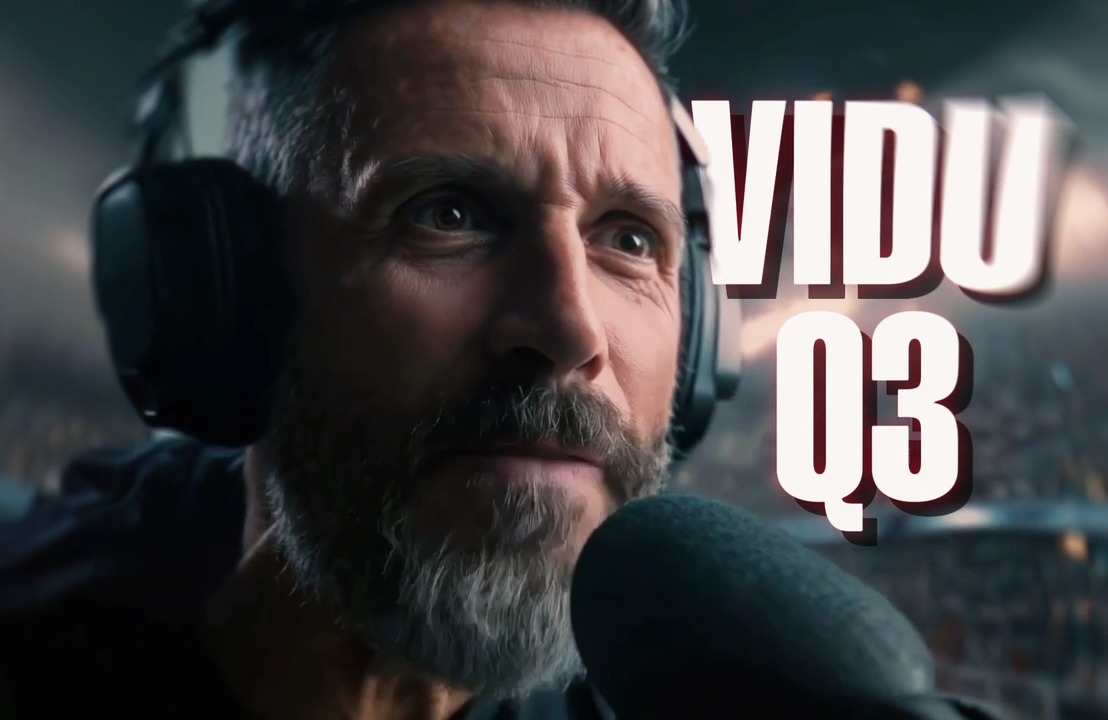
Vidu Q3 is here — built for storytelling. Reference anything. Generate sound & visuals together. 6 effects · 5 audio · 4 scenes Create cinematic stories, faster than ever. ⚡️ 🎁RT+Follow+Reply=300 Credts(72h Only) #ViduQ3RTV #storetelling #animation #effect #AI

17,787 次观看 • 4 个月前 •via X (Twitter)

0 条评论

暂无评论

原始帖子的评论将显示在这里

相关视频

Here's my first series of Anime created by Generative AI. Vidu 2.0 is a groundbreaking advancement for storytelling in the Anime style. #vidu @Viduforhuman Hi everyone 😊 😉 Here's my first AI-created Anime series. The name of my anime is Kuro & Yuki. I won't spoil the story for you, but it begins with these two boys locked up in what appears to be a highly secure institute/prison. Yuki has reached the age where he has awakened his power. While wandering the corridors of the institute, he meets Kuro, a boy with autism. It's a fleeting encounter as they end up being separated. As the story unfolds, you'll understand who they really are and why they are locked up. I don't plan on making episode 2 yet, even though I've grown attached to my characters' story. I'll continue the story only if a lot of people are interested and want to know what happens next. Otherwise, I'll explore other universes and styles of Anime 😉 Tools: - Epidemic Sound (For sound effects) - Vidu AI (to transform frames into animation) - ElevenLabs (for certain expressions) When I say Vidu 2.0 is a game-changer, I mean it. I had already made my animation with the previous version of Vidu, but when they gave me access to the beta, I urgently changed my plans and recreated all the animations. Let me tell you, it's a whole new level. My first animation was ultra frustrating to bring my ideas to life! Really! And since Vidu couldn't handle many image styles, I clearly couldn't bring my ideas to life. But with Vidu 2.0, I enjoy it much more! For the first time, I really get to bring my ideas to life! Until now, I always had to make compromises. Of course, Vidu is still not perfect, and there are still many obstacles, but it is a truly magnificent advancement! (and it surpasses all the Anime-style AIs I've tested recently) Moreover, Vidu 2.0 is fantastic for special effects, but also for embedding elements into the video (like a hand that appears and interacts with the character, or another character; and the best part is that they perfectly match the style of the original images!) * The animations/images and voices are AI-generated * The SoundDesign is traditional and done by me * The story was entirely written by me (I don't use AI to create my stories, it's important to me to write them myself) The voices were generated thanks to Nijivoice (for secondary characters) and Hailuo Audio (for main characters). I thank Yachimat (yachimat - AI Short Anime) for introducing me to Nijivoice, it's very generous of him! During the beta, we didn't consume credits, otherwise, this animation would have cost me around 20,000 credits, ha ha. Vidu 2.0, with its superb stability and fidelity to the style of images, offers brand new horizons for storytelling! One problem with Vidu 2.0 is that for now, you have to manually extend videos (by exporting the last frame). As you can see, this allowed me to create long scenes with different actions, and everything fits together perfectly! There are still many obstacles to storytelling, such as character consistency (I use the image to video function; I produce my images with Nijijourney) and it's always laborious to have a consistent character! The same goes for backgrounds. Here are the points I've identified that would facilitate storytelling: For Vidu: - Function to extend videos (you can already do this manually by exporting the last frame) - Function to invent the beginning or end of a video using a single frame (you can already do this manually by putting a completely white or completely black image as the first or last frame; this technique also allows you to have very dynamic results with Vidu 2.0! ) - It's difficult to obtain facial expressions for certain image styles (the same image style that the previous version couldn't handle at all). - More dynamism There's always room for improvement, but Vidu 2.0 has truly opened up exciting new possibilities for creative storytelling. ai aiart aianimation aianime ainews anime animenews aitools aitool

Naegiko

66,904 次观看 • 1 年前

Test of Vidu 2.0 Update Vidu is the equivalent of Veo 2 for creating Anime with AI! #vidu #viduspeed (Music by Takachan: Hi everyone, hope you're well ^^ 😄👍 It's been a while since I posted because I've been working on an animation. I struggled a lot with character and background consistency issues, so it's still in production! 😉 Today, we are here to test Vidu version 2.0, which will be released in 6 days (By the way, did you spot the Anime references I included? ha ha). Here’s what you need to know: In 3 words: Speed, stability, dynamism ✔ Speed: This new version allows you to animate an image in a few seconds, much faster than previous versions. ✔ Stability: Until now, Vidu was way too dynamic, and we had very little control over it, making storytelling particularly complicated. This version is extremely stable, allowing you to create stories easily. ✔ Image Style Fidelity: This version is extremely faithful to your image styles, something the previous version of Vidu had a lot of trouble with, as it always tried to change the appearance and texture of characters. This version perfectly retains the image style! For example, at 00:19. ✔ Transitions: The transitions have been greatly improved; they are also very stable! At 00:16, you have examples of transitions. It's also a big step forward! ✔ Better Prompt Understanding: Another excellent thing for storytelling! ✔ I also note Vidu 2.0's ability to identify tiny characters and animate them dynamically, which is really great!! You can see it at 00:22. In this animation, I tried to use all of these features. ❌ Negative Point: This exceptional stability gain is at the expense of movement. To continue having very dynamic renders (for example, a character running extremely fast), you'll either need to use keyframes or switch to version 1.5 (which has also been improved). Music by Takachan : ai aiart aianimation aianime ainews anime animenews aitools aitool Animations created with the help of Vidu AI: @Viduforhuman

Naegiko

20,293 次观看 • 1 年前

a16z a16z speedrun 🧊 request for startups: AI agents for creative storytelling 🎨 we want to see a new agentic UGC platform - like a next-gen Wattpad or Roblox - where agents help users compose their ideas into rich transmedia stories. think vibe coding but focused on creative storytelling why now? - humans love telling stories - but many of us get writer’s block or lack the tools to create rich media - professional storytellers in film, games have large support teams to help with writing, design, animation, etc. AI agents will soon be able to provide that same level of support to anyone a few key features in a new UGC platform: 1) AI creative assistant – an agent that helps storyboard, generate assets, code, & orchestrate elements across models to bring imagination to life 2) end-to-end workflow – set context, pull in references, and craft your entire story all within the platform. think Cursor for storytelling 3) voice creation – create multi-modally by simply speaking to the agent, making creation more accessible 4) multiplayer – storytelling as a social experience. families crafting bedtime stories together, friends building shared worlds after school etc 5) niche distribution wedge - a GTM strategy focused on delivering the best content possible for a niche vertical like anime or romantasy, rather than a generic catalog of “good enough” content for everyone the opportunity is huge - over 100M people visited Wattpad last month for fan fiction. one day, the next Harry Potter or Fourth Wing will be born from everyday consumers, empowered by AI creative assistants if you're building in this space, we’d love to talk! note: this content is not a solicitation or offering for securities, nor should it be construed as investment advice. see for additional information. for a full list of portfolio companies, visit

Jon Lai

173,912 次观看 • 1 年前

I’ve tested dozens of AI video tools for ecommerce ads. Most still look obviously fake. They either distort the product, break character consistency, or completely miss the pacing that makes viral content actually work. Wizstar was the first one that genuinely surprised me. I tested Wizstar’s Wizstar_official Video Reference workflow using a viral-style ad, and honestly… I wasn’t ready for how accurate it would be. It didn’t just “generate a similar video.” It recreated the entire feel of a high-performing ad — the pacing, the transitions, the camera movements, even that subtle “social-first” storytelling rhythm that usually takes real creative teams to get right. And the wild part is… it still kept the product completely stable across brand-new scenes. No distortions. No weird AI shifts. Just clean, consistent visuals from start to finish. What really impressed me is that Video Reference isn’t just copying visuals at all. It actually analyzes the structure behind viral ecommerce content — things like: - how the hook is built, - how attention is retained across cuts, - and how emotion is paced through the video. Then it rebuilds that logic into a completely new ad, optimized for product testing and fast campaign iteration. And it feels like it understands performance content. The workflow also handled synchronized audiovisual timing surprisingly well — cuts land where they should, motion matches the sound, and the storytelling flow feels intentionally designed, not randomly generated. Combined with stable product consistency and influencer-style framing, the final output honestly felt closer to a real paid social campaign than anything I’d expect from an AI tool. What surprised me is that Wizstar isn’t powered by just one model—it orchestrates multiple top-tier AI models, including Seedance 2.0, and even supports face input out of the box. If you’re curious to try it yourself, you can test it here: New users get free credits, and the first membership is only $19 — plus a complimentary 30-second E-commerce Agent experience included. #Wizstar

Doreen

153,944 次观看 • 2 个月前

i built a way to make full ai films with seedance 2.5 + higgsfield without shooting a single frame in real life you start with a screenplay, a treatment, or even just an idea and it gives you an actual production plan: scenes, shots, character references, locations, dialogue, b-roll, sound, captions, everything you need to turn it into a finished film this was supposed to stay internal but f*ck it, i’m sharing the whole workflow here’s how it works: the script gets broken down scene by scene, then every scene gets turned into a proper shot list with prompts that account for character continuity, wardrobe, lighting, locations, camera movement, pacing, and what needs to happen before and after that shot those prompts get run through seedance 2.5, using reference assets and longer generations to keep the film feeling like one world instead of a thousand random ai clips stitched together then the footage gets assembled with voice, sound design, music, dialogue, captions, and transitions into an actual watchable film the whole system is built to take you from script to a finished film seedance 2.5 is coming soon on higgsfield, but i’m sharing the full breakdown before it so you can be prepared: the script-to-scene system that turns a screenplay into a real production plan seedance 2.5 prompt setup for cinematic shots and consistent characters the reference-asset workflow for keeping faces, wardrobe, locations, and visual style locked in the editing, voice, sound, and caption workflow that turns generated clips into a finished movie RT + reply “FILM” and (i’ll send it over must follow so i can dm)

Sulfur

48,621 次观看 • 22 天前

Seedance 2.0 is allowing us to enter a new era of music video creation. Here is how I created HONEY. It was a quick test to see how well this workflow holds up. 🐝 1 - Write your song and generate the music with Suno 5.5. 2 - Use an image generator of your choice. For HONEY I combined both Grok Imagine for aesthetics and Nano Banana Pro for refined editing. 3 - In Capcut I import my audio and just save out a blank video video containing the audio. This step is important because this video file containing audio will now be used with Seedance 2.0 as a video reference with Omni. This allows the AI to apply automatic and realistic lipsync and movement to the music, it's extremely powerful! 4 - Once I have a both my image and video with audio as reference, I use Seedance 2.0 Omni and upload my starting image and then the video reference with the audio. 5 - From here I'm simply prompting like normal, specifying what's happening in my scene with detailed instructions, mentioning multi shots and camera angle changes and then specifying that the person is singing along to the song. I type out the lyrics that are present to have better lipsync accuracy. 6 - Once I have generated a video and like the result, I do video to video, so i upload that video that just got generated and type "The scene continues" and prompt new actions to take place. This allows you to expand on a narrative. These new shots can be used as B-ROLL and since I uploaded my video as reference I have full consistency of everything it saw in the video. This is also extremely powerful. 7 - This is actually the most difficult part. Edit in Capcut. This is where you need to understand pacing and shot selection from all the scenes you generated to bring it all together. You must be strategic with the editing. Goodluck! I'll probably record a video tutorial at some point as it's easier to see what is being done.

Travis Davids

19,236 次观看 • 4 个月前

The creative industry is not ready for what is coming. I just spent a few days at a design and tech gathering, and I need to say this out loud. Most of the people leading this industry are far behind. I heard the same tired lines again and again. “AI cannot do this.” “We only use AI for ideation.” “AI will never understand beauty.” This is not an insult to peers. It is simply the truth of where we are. Meanwhile a different group is emerging. The creative early adopters. People like us who have thrown ourselves into the technology, pouring in countless hours, becoming surgical in how we use the tools. We are pushing boundaries. Yet even here something is missing. Mastery. Craft. Taste. Storytelling. Editing beyond text documents. That is why projects like Neural Viz stand out so clearly. Depth. Creativity. Precision. Taste. And remember this: what was created in a single week today would have been impossible only a year ago. The technology did not exist. This is not about Hollywood being “cooked.” Hollywood was already cooked long before AI. What we are witnessing is the evolution of rich media creation itself. It is the same magnitude of change as when traveling portrait painters gave way to cameras and photography. Back then, a portrait could take twenty sittings. Lighting would shift. Time would distort the subject. Painters welcomed cameras, using photographs in their studios as reference points. The art form did not die. It transformed. That is exactly where we are with AI. Except this time the pace is violent. We are already seeing one person create ten-minute stories in a single week. Soon it will take half that time. Then a single day. Then minutes. The next horizon is full-length films, complete with trilogies, franchises, and all the cinematic bells and whistles. The gatekeepers are gone. The barriers are gone. Storytelling itself is being rewritten in real time. We are standing at the edge of a creative shift unlike anything we have ever seen. And most of the industry still thinks AI cannot understand beauty. ⸻ Linus ps. had to re-post to get video included.

Linus ✦ Ekenstam

116,040 次观看 • 11 个月前

Claude Code can ship a 45-second animated explainer ad in 30 minutes. No video editor needed, just CC + skills. Here's how I made this video for Soteri Skin 👇 1. /plan Concept Brief (Claude Code) I handwrite a concept brief, then chat with the agent to iterate on it. The agent gathers any raw materials we might need - context about the brand, product images, end card, etc. The concept brief details the concept, characters, visual style, script, etc 2. /prepare a moodboard (CC + GPT Image 2 + ElevenLabs) After reviewing the script, generate: - character reference images - voiceover samples for the characters / narrator - the storyboard (scene by scene grid) - a few keyframe scenes 3. /generate Keyframes for each scene (CC uses Nano Banana or GPT Image 2) Uses the character references from the previous step to generate keyframes for each scene. I probably should have done a round of iteration at this step – there's some character drift and the pH meter representation could have been better. 4. /animate Keyframe → Animated Clip (CC uses Fal Seedance) Generate 2-4 representative scenes first to see a preview. If it looks good, then generate everything. 5. /stitch (CC + ffmpeg + ElevenLabs) - Stitch clips together with hard cut - Add a music score + SFX - Sync clips to the VO - Add captions - Review and edit timing / pacing issues 6. /watch the final cut and review it - as a video editor for technical errors (mismatched voiceover and visuals, AI hallucinations, etc) - as a viewer (ICP). I delegate most of the review to the agent because it catches more things and keeps me out of the loop as much as possible. It also fixes any issues found in the review. That's it. This video took me 30 minutes because I have already created skills for everything I described above. Some day, this will be < 5 minutes. I just review and chat to provide direction and feedback. The skills do all the technical work. 7. /learn Extracts learnings and updates the skills. This final step is really important. It turns this process into a closed loop system that makes the next video much easier to create because all the learnings from the human-in-the-loop process get encoded into code. Skills are code too. If you want access to the skill, drop a comment, and I'll DM it to you (must be following). If you want to make AI video ads like this, DM me.

Shiv

11,679 次观看 • 3 个月前

THE MOST COMPREHENSIVE AI VIDEO TUTORIAL (43 mins): how to use sora 2 + veo3 to turn 1 idea into 1M+ views (not AI slop, AI gold) 1/ start with the hook - before opening any tool, write 10 first lines that would stop someone mid-scroll. emotion, surprise, or curiosity. the first 3 seconds decide everything. 2/ script it in chatgpt - once you have the hook, prompt chatgpt to write a 30–45 second script with a clear setup, build, and twist. short, rhythmic sentences work best for retention. 3/ storyboard with reve or similar- drop the script in and visualize each moment. this keeps your pacing tight and your message clear before you hit generate. 4/ generate visuals with veo3 etc - turn the storyboard into scenes: cinematic lighting, expressive faces, fast transitions. keep a new image or motion every 2 seconds — pattern interrupts keep people watching. 5/ animate in sora 2- use sora 2 to bring everything to life. add subtle movement, dialogue sync, and environmental motion that feels handcrafted, not robotic. 6/ edit for rhythm and emotion - layer sound design and quick pacing. trim any fluff. test versions with different opening hooks or music cues. the most viral clips hit hard, then end fast. 7/ analyze and remix - post across shorts, reels, and tiktok. check retention graphs, rework the top 10% of performers, and double down on formats that hit. every viral creator has 10 quiet failures behind each success. MEGA thanks to PJ Ace for dropping the sauce on The Startup Ideas Podcast (SIP) 🧃 again PEOPLE CHARGE $$$ FOR THIS SORTA STUFF, IT'S FREE FOR YOU TO CRUSH IT I'd love to see him come back on, so please let us know if you enjoyed it AI slop is flooding every feed right now, which is exactly why great storytelling matters again. the people who use these tools with taste and intention will rise above the noise. this is the moment to build things that actually make people feel something. no one wants AI slop. everyone wants content that moves them, not just fills the feed.

GREG ISENBERG

137,811 次观看 • 10 个月前

someone is going to make millions with this in 2026 99% of people think this is a real human (or they fail to notice it’s an ai-generated video) but this video is completely ai-generated, including the background music. let me teach you how to create this in a few minutes follow this workflow step by step: first, create the base image of your ai influencer using nb pro. this is currently the best tool for character consistency i used a json prompt to generate the base image then i turn it into video (i will share the exact json prompt with you in this thread) now, to generate the video paste this prompt into google veo using the “frame to video” option “a man in his 40s sits on a 1980s living room couch, looking directly at the camera with a serious expression. he gestures naturally with one hand as he speaks in vintage tv broadcast aesthetic: "today is october 12th, 1985. what i'm about to tell you will sound impossible... but mark my words, these three predictions will come true. no background music, no sound effects” next, i gave it a chunk of script, i only changed the script dialogue each time and kept the rest of the prompt exactly the same using this method, you also get a little consintent voiceover here is the format for you to use: [character description] + [visual style] + [dialogue of your script for under 8 seconds] for example, for the next part dialogue; [A man in his 40s sits on a 1980s living room couch, looking directly at the camera with a serious expression. He gestures naturally with one hand as he speaks in Vintage TV broadcast aesthetic: "but mark my words, these three predictions will come true... ONE: You will carry a device no bigger than a playing card that holds ten thousand songs" ] rest things i adjusted in the editing, now how to clone the audio for these several clips we just generated? i got the best audio from the very first clip i generated using veo 3 but here is the trick: - export that clip to a video editor - detach the audio of it - duplicate it to make it 10+ seconds long - clone the voice over using elevenlabs (go to 11Labs-> click on voices-> click on "create or clone a voice" button in the top right side) (i named mine “1985 ai influencer” inside 11labs) then, finally export all your video clips into your video editor detach the audios of all clips, and export it to 11Labs to clone it with that "1985 AI Influencer" voice once you dubbed it, import it back to your editor that’s it. there are endless use cases where you can use such an ai influencer like this to promote your biz: - skincare - weight loss & nutrition - psychology and mental health - marketing and sales - predictions (like this video) - making money & career growth - dating, parenting, and so on… there are a few people already started using such ai influencers, you are just behind them, you can find their pages on instagram don't be lazy, create one such an ai influencer for your targeted biz 2026 is going to be yours

ViralOps

14,325 次观看 • 8 个月前

This is probably the most complex workflow I’ve ever built, only with open-source tools. It took my 4 days. It takes four inputs: author, title, and style; and generates a full visual animated story in one click in ComfyUI . I worked on it for four days. There are still some bugs, but here’s the first preview. Here’s a quick breakdown: - The four inputs are sent to LLMs with precise instructions to generate: first, prompts for images and image modifications; second, prompts for animations; third, prompts for generating music. - All voices are generated from the text and timed precisely, as they determine the length of each animation segment. - The first image and video are generated to serve as the title, but also as the guide for all other images created for the video. - Titles and subtitles are also added automatically in Comfy. - I also developed a lot of custom nodes for minor frame calculations, mostly to match audio and video. - The full system is a large loop that, for each line of text, generates an image and then a video from that image. The loop was the hardest part to build in this workflow, so it can process either a 20-second video or a 2-minute video with the same input. - There are multiple combinations of LLMs that try to understand the text in the best way to provide the best prompts for images and video. - The final video is assembled entirely within ComfyUI. - The music is generated based on the LLM output and matches the exact timing of the full animation. - Done! For reference, this workflow uses a lot of models and only works on an RTX 6000 Pro with plenty of RAM. My goal is not to replace humans, as I’ll try to explain later, this workflow is highly controlled and can be adapted or reworked at any point by real artists! My aim was to create a tool that can animate text in one go, allowing the AI some freedom while keeping a strict flow. I don’t know yet how I’ll share this workflow with people, I still need to polish it properly, but maybe through Patreon. Anyway, I hope you enjoy my research, and let’s always keep pushing further! :)

Lovis Odin

58,841 次观看 • 11 个月前

Want to write thrilling stories? Nick Bilton has the playbook. He's written for Netflix and The New York Times, and this episode is a tell-all class on how to create tension with hooks, cliffhangers, drama, and conflict. Highlights below: 1. Evil characters only work if readers care about them. 2. The best way to make readers care about an evil character is to humanize them. You can do that by focusing on simple details like how they lose their keys. Or, you can write about their mother because every murderer has a mother who loves them. 3. You can't look down on your characters. You have to look out with them. 4. Rule for writing screenplays: Get into the scene as late as you can, and get out of it as early as you can. 5. Fiction stories have the opposite shape as non-fiction ones. 6. In fiction, the kicker comes at the beginning and the summary comes at the end. In non-fiction, the summary comes at the beginning and the kicker comes at the end. 7. How’d Nick learn to tell better stories? By reading murder mysteries. 8. If the story's good enough, the book will fly off the shelves. Look at the Twilight series. The books sold like crazy even though the writing stinks. 9. How do you write good cliffhangers? Show people a little bit of the future, but don't reveal everything. 10. Ask the question at the end of one chapter and answer it shortly after. The answer doesn't need to come right away, but you have to answer it soon. 11. There are two kinds of stories that work: Big ones about something small, and small ones about something big. Stories in the middle are usually terrible. 12. Nick once asked the legendary journalist David Carr for advice. The response: “Keep typing until it turns into writing.” 13. You can tell a good story without knowing everything that happened, but you do need to know enough to make the reader feel like they're there. 14. Writers often over-describe their scenes. You only need three details. For example, if you're at a campground, you might only need the sight of the pine needles on the ground, the smell of a nearby campfire, and the sound of crickets in the distance. 15. We admire characters more for trying than their successes (this is rule #1 in Pixar's 22 Rules of Storytelling). That's just a little taste of what's in this episode with Nick Bilton. You can watch the full thing below. If you'd rather watch on YouTube or listen on Spotify or Apple, and I've shared those links in the reply tweets.

David Perell

81,036 次观看 • 1 年前