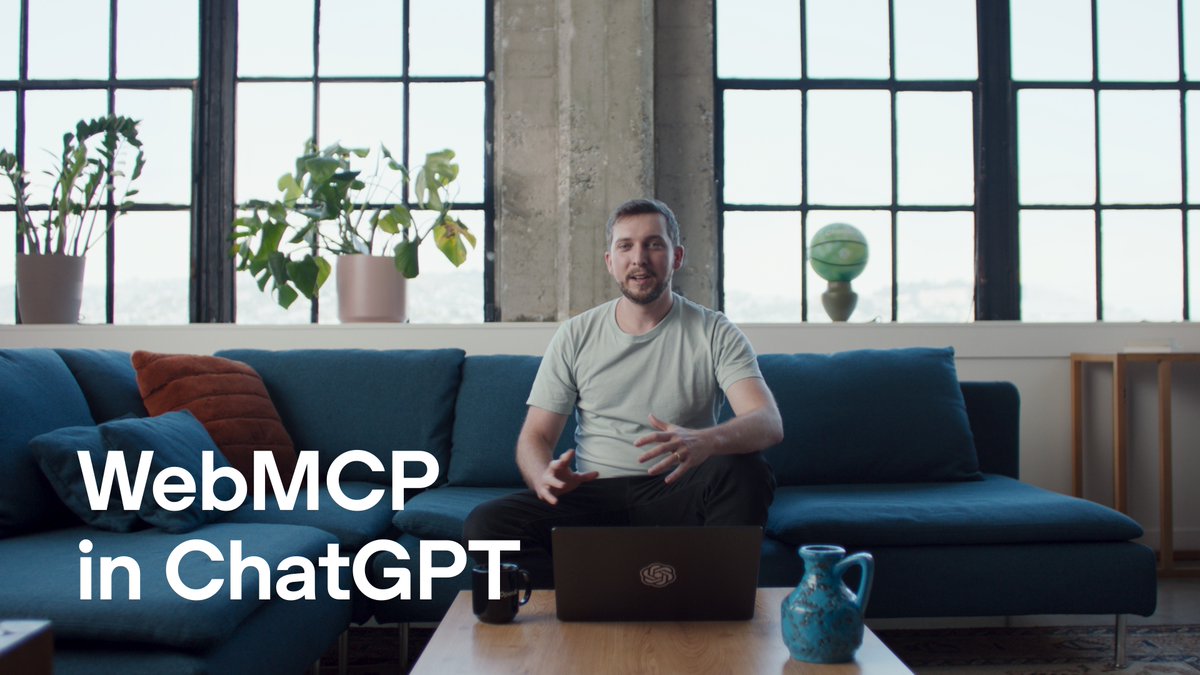
Loading video...

Video Failed to Load

Go Home

We just submitted our project to the OpenAI Developers WebMCP hackathon: The WebMCP Computer. WebMCP Computer is an operating system that lives inside the browser, with WebMCP as its native control layer. It is a computer that treats agents as first-class citizens, where files, processes, applications, windows, and the...

28,334 views • 1 month ago •via X (Twitter)

41 Comments

idan levin's profile picture
idan levin1 month ago

tagging some people that might find this relevant: @jxnlco @prd_008 @sarah_edo @Paul_Kinlan @andreban @kaskulikowski

Teodor Bucos's profile picture
Teodor Bucos1 month ago

@OpenAIDevs that's a winning idea. and amazing execution. the website is snappy and looks so polished. I'm also about to apply. great job!!

idan levin's profile picture
idan levin1 month ago

@OpenAIDevs ty! 🙏🏻

Matt Bishop's profile picture
Matt Bishop1 month ago

@OpenAIDevs Super cool!

idan levin's profile picture
idan levin1 month ago

@OpenAIDevs Thanks 🙏🏻

Taras Kokhanets's profile picture
Taras Kokhanets1 month ago

@OpenAIDevs Amazing! Looks promising💪🏻

idan levin's profile picture
idan levin1 month ago

@OpenAIDevs ty🙏🏻🚀

Shahaf Antwarg's profile picture
Shahaf Antwarg1 month ago

@OpenAIDevs 🔥

Opher Kahane's profile picture
Opher Kahane1 month ago

@OpenAIDevs Super cool!!!

idan levin's profile picture
idan levin1 month ago

@OpenAIDevs Thanks Opher 🙏🏻

Andrew Beal's profile picture
Andrew Beal1 month ago

@OpenAIDevs Love this

idan levin's profile picture
idan levin1 month ago

@OpenAIDevs Thanks Andy! Miss you!

Nathan Peterson's profile picture
Nathan Peterson1 month ago

@OpenAIDevs The URL-as-disposable-computer primitive is the interesting part. Agents stop being visitors and start getting a workspace with state.

David D's profile picture
David D1 month ago

@OpenAIDevs really cool and clever!

idan levin's profile picture
idan levin1 month ago

@OpenAIDevs thanks David!

安叫兽|Bird🕊️ 🔶 BNB's profile picture
安叫兽|Bird🕊️ 🔶 BNB1 month ago

@OpenAIDevs 把浏览器做成代理的操作系统,这个思路有点猛

idan levin's profile picture
idan levin1 month ago

@OpenAIDevs Thanks! 🙏🏻

Gal Kiraly's profile picture
Gal Kiraly1 month ago

@OpenAIDevs Very super cool! Love it 🔥

idan levin's profile picture
idan levin1 month ago

@OpenAIDevs Thanks 🙏🏻

Gavin Payne's profile picture
Gavin Payne1 month ago

@OpenAIDevs Coool. MCP web. Talking to computer vision is meta. Nice.

HarshBuilds's profile picture
HarshBuilds1 month ago

@OpenAIDevs REALLY COOOL

Mostafa Nasser's profile picture
Mostafa Nasser1 month ago

@OpenAIDevs Now this is some cool stuff

Ivan's profile picture
Ivan1 month ago

@OpenAIDevs Very cool! Well filmed demo too

Neelakandan NC's profile picture
Neelakandan NC1 month ago

@OpenAIDevs Soon it will be the normal

Hila Shmuel's profile picture
Hila Shmuel1 month ago

@OpenAIDevs very cool guys! !

idan levin's profile picture
idan levin1 month ago

@OpenAIDevs Thanks! Big fans of your work at Cabinet

MARUF's profile picture
MARUF1 month ago

@OpenAIDevs browser operating systems built around webmcp agents look incredible

Jatin Garg's profile picture
Jatin Garg1 month ago

@OpenAIDevs The native control layer part is the right shape for agents.

Cartwright's profile picture
Cartwright1 month ago

@OpenAIDevs 👀

MooNs's profile picture
MooNs1 month ago

@OpenAIDevs What’s the use of using mcp for this? Such a waste

mentria.ai's profile picture
mentria.ai1 month ago

@OpenAIDevs Bro literally brought the domain

zaqueu ribeiro's profile picture
zaqueu ribeiro1 month ago

Parabéns! Admito que deu até uma pontinha de inveja! Queria muito participar, mas não tenho elegibilidade. Seu projeto está incrível! Agora é só equipá-lo com package tools. Se puder dar uma olhada na biblioteca analogos no PyPI, acredito que ela pode agregar ferramentas interessantes e carregar novos domínios sem limites. Esse projeto tem um potencial enorme de escala!

Ryan Seddon's profile picture
Ryan Seddon1 month ago

@OpenAIDevs I just had this thought that this would be a really cool idea and here we are! Nice work.

idan levin's profile picture
idan levin1 month ago

@OpenAIDevs ty 🙏🏻

Thomidavids (♟️,♟️)'s profile picture
Thomidavids (♟️,♟️)1 month ago

@OpenAIDevs Hello Levin, I sent you a DM Would appreciate you checking that. Thanks

cronosM87's profile picture
cronosM871 month ago

@OpenAIDevs WebMCP doesn’t manage processes, compile code, handle concurrency, or virtualize a filesystem. 95% of the engineering heavy lifting here is WASM/WASI, OPFS, and virtualized POSIX runtimes running inside the browser sandbox. WebMCP is just a thin ~5% declarative wrapper

Mahesh Lambe's profile picture
Mahesh Lambe1 month ago

@OpenAIDevs Supercool.. smhow I thought that Codex is Agent Computer and WebMCP is helping it to do browser tasks with anything exists over web.

Singular Prism's profile picture
Singular Prism1 month ago

@OpenAIDevs even after watching the video 3 times and trying the demo I couldn’t not understand what this does

Morgan's profile picture
Morgan1 month ago

@OpenAIDevs Looks awesome. Why do we need WebMCP for this tho? Can an agent work on your own local computer already?

cskadarla's profile picture
cskadarla1 month ago

@OpenAIDevs This is great! I also participated in the challenge!!

Said Sadik's profile picture
Said Sadik1 month ago

@OpenAIDevs agents as first-class citizens is the right frame. the next question is what their citizenship papers look like, every platform still assumes a human clicked the signup button

Related Videos

WebMCP by Microsoft and Google is HERE and I'm surprised more people aren't talking about it. Why does it matter? BILLIONS of dollars are about to move through agents, and the internet isn't built for them yet. 1. SEO was about Google understanding your page. 2. AEO was about AI citing you. 3. WebMCP is about the agent actually finishing the job (buying, researching, requesting quote etc). WebMCP is basically websites with agent buttons. Instead of an agent scanning a page like a human, screenshotting and guessing where to click, the site just tells it "here's how to search, here's how to book, here's how to buy." 2 cash flowing businesses you could start today using WebMCP: 1. A WebMCP conversion agency Make boring business websites agent-ready. Law firms, HVAC, med spas, dentists. Build them the first tools (request a quote, book a consult), sell the setup for $2k, then charge a few hundred a month to monitor and improve it. 2. An agent mystery shopper. Test whether agents can actually complete the important journeys on someone's site, buying the hoodie, booking the consult, filing the claim. Hand them a report on where the agent got stuck, missing tools, bad descriptions, lost conversions. Charge monthly, then turn the repeated fixes into software. Full episode on The Startup Ideas Podcast (SIP) 🧃 with Vinny below You'll learn what WebMCP really is, see examples of it IN ACTION, and hear more about 2 startup ideas using WebMCP you can start today. WebMCP is pretty cool. Watch.

GREG ISENBERG

183,684 views • 2 months ago

5 real ways to make money with AI agents. And what you need to get started today. 1. Build websites and small apps. Use coding agents to help build and test landing pages, website updates or small business tools. Charge per project, with maintenance as an additional service. 2. Automate business admin. Customer records, follow-ups, weekly reports. Build agent-assisted workflows around repetitive jobs and charge for the setup and ongoing support. 3. Sell research businesses can use. Have agents research prospects, competitors or market opportunities. Verify the findings and deliver a paid report or recurring research package. 4. Run a content repurposing service. Use agents to turn existing videos, podcasts and articles into newsletter drafts and social posts. Edit and package the work as a monthly service. 5. Set up and manage agents for clients. Configure agents for research, inbox support or project updates. Charge for getting them working, then for managing and improving them. What do you need to get started? 1. A service you can deliver. 2. An agent and model access. 3. The files, tools and instructions needed for the job. 4. A way to find clients: Upwork, Fiverr or direct outreach. 5. A computer for your agents to work on. That’s where Orgo comes in. Its templates let you spin up a full cloud computer in seconds with your choice of agent already installed: OpenClaw, Claude Code, Codex, Hermes and more. Choose the computer specs, launch your template, then connect your model and the tools needed for the work. Give a research agent one computer and a coding agent another. Keep different clients in separate environments, with their files, apps and setup ready for the next job. The computers can work in parallel while your PC is off. You can watch what’s happening and jump into the desktop whenever you need to. The barrier to entry is a lot lower when you don’t need to buy hardware or build the whole setup yourself. Watch the video below: agents researching freelance opportunities and building projects, each on its own Orgo computer. Pick one idea and start building a sample you can show a potential client. Use the link below for a free 3-day Orgo trial:

Hermes Release Watch

23,244 views • 13 days ago