Video yükleniyor...
Video Yüklenemedi
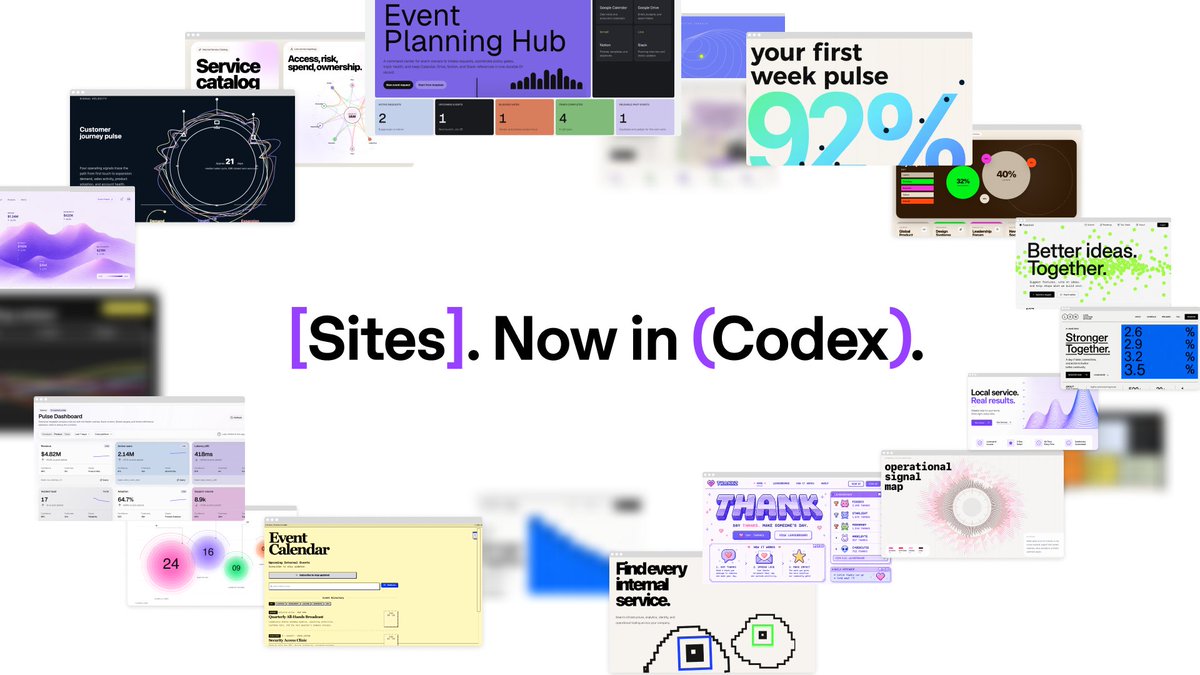
With canvases, Cursor can create apps like dashboards, reports, and internal tools. Now you can publish a canvas and share it with your team via URL.

175,289 görüntüleme • 4 ay önce •via X (Twitter)
34 Yorum

Design Mode is now available in canvases. Select and annotate UI elements directly in a canvas to guide Cursor's edits and iterate more quickly.
Cursor can now show your agent's context usage as an interactive report in a canvas. The context explorer breaks down where tokens go across the system prompt, tool definitions, rules, skills, and more.
Learn more:

@aye_aye_kaplan

Cursor has been amazing lately with their updates and composer 2.5 of course

lakebed ? 🤔 @theo

really love on how Cursor progress!

publish via URL and share with your team. day 2 is when someone shares it with the wrong team and the incident report writes itself.

Triggered a canvas last week already in cursor. Where to find the list of created canvas items?

It's probably most useful when your "app" is a one-time analysis you'd otherwise paste into a doc. Feels like a faster Retool for the no-infra crowd.

a good use generative ui

Cursor keeps shipping. Every week the gap between "idea" and "something people can actually open" gets smaller

wait this is actually huge, being able to share dashboards via url is exactly what teams need

If you want to test this out, sign up with my referral code for 50% off your first month!!

I got excited—I thought it would be a canvas like in Claude Design, Replit, or Figma. But it isn't 💔

The bottleneck for team AI coding isn't agent capability. It's shareability. A great agent in your IDE is a personal tool. Reviewable agent sessions are infrastructure. That distinction matters more than benchmarks.

The gap between idea and shareable product keeps shrinking

That's super cool

I really love the idea, I do think that the future of AI is having AI build the stuff we need on the go Just like this
Cursor is slowly turning "I need a developer for that" into "send me the link."
Honestly the missing piece. Tool definitions eat 30-40% of context in most agent setups and you don't notice until something breaks.

I'm using Cursor 3 recely much more than Claude Code and I'm very satisfied, but here some of feedbacks: - Switching between agents or projects should be easier than toggle the Sidebar everytime. I suggest an agents switcher on the top bar

Cursor canvases now publishable via URL for sharing dashboards and internal tools with your team.
Design Mode is interesting for product iteration, but I think the real unlock is when annotation metadata feeds directly into the agent's context rather than just guiding one-shot edits. Cursor's moving toward agentic workflows and this feels like a step in that direction.

canvases are nice but the actual win is sharing context with non-dev teammates without making them clone a repo. that's the missing piece for most internal tools right now.

Finally something that makes internal tools actually practical without begging engineering for weeks

Я уже запутался чем отличается курсор от кодекса

Read something this week that reframed how I think about developer AI costs.35% of provisioned AI seats consume less than 5% of plan capacity — billing at full rate every month. Stack Cursor, Copilot, and Claude per developer and nobody owns the combined @cursor_ai — does your team track total AI cost per developer across every tool in the stack? 👇#AIFinOps #DeveloperTools

Using this right now. I love it

two days, two major "share via URL" launches. the deploy gap is officially the thing everyone's racing to close.

woah, cursor is now canva for code 🧑💻

Publishing a canvas by URL is actually useful. My team will love this cuz now they can see and poke them quickly

Cool demo.

@grok canvas機能はチーム限定?