
Kōda's banner
Kōda's profile picture

Kōda

@aimikoda28,450 subscribers

Creative Technologist. Sharing ideas, prompts, workflows and things I craft. @astorie_ai creative partner.

Shorts

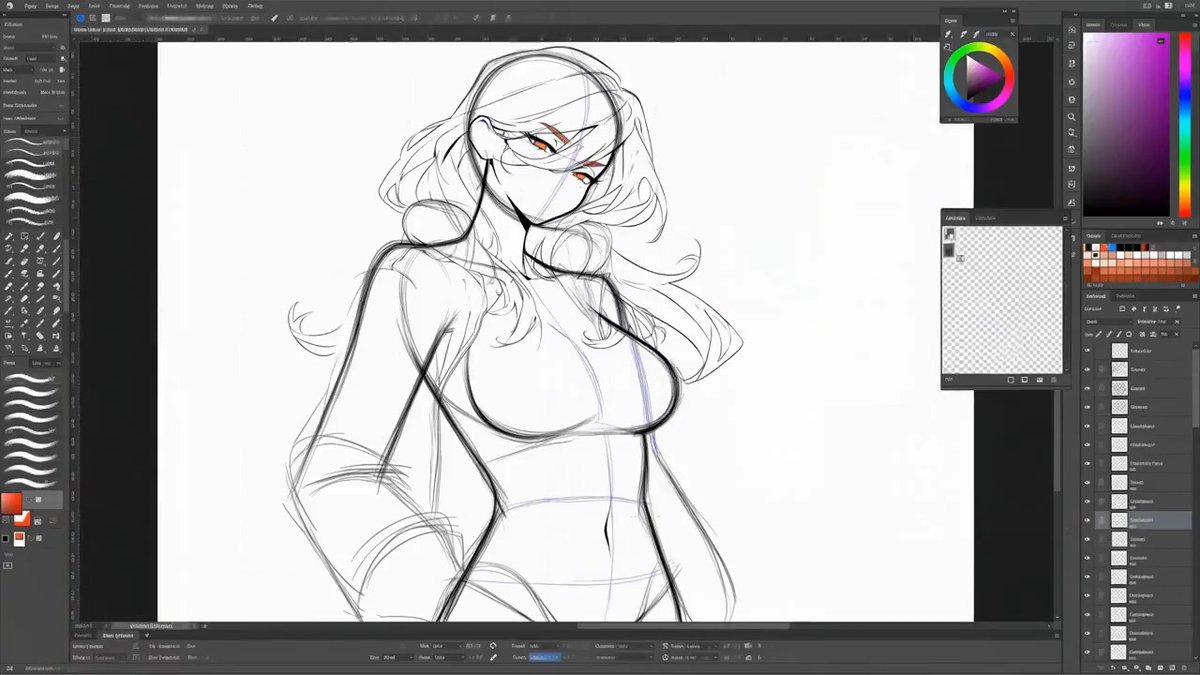
🔥 If I tell you this is how I create my characters, don't believe me. With this prompt, you can turn your character reference into a 15 second creation process video. From rough sketch to final render, the whole build comes together on screen inside a drawing UI. MiniMax H3 - You can find the prompt below.

🔥 If I tell you this is how I create my characters, don't believe me. With this prompt, you can turn your character reference into a 15 second creation process video. From rough sketch to final render, the whole build comes together on screen inside a drawing UI. MiniMax H3 - You can find the prompt below.

6,452,759 просмотров

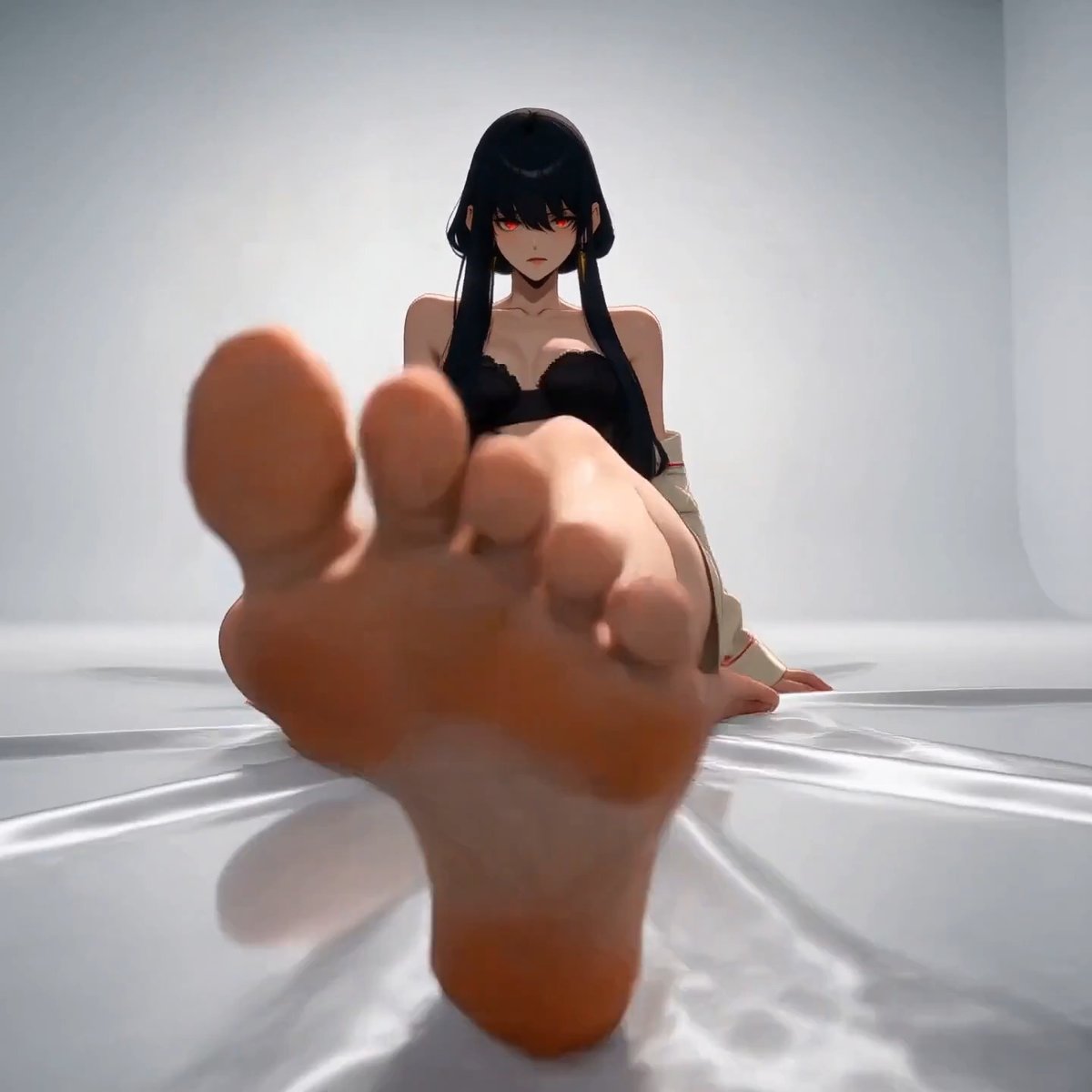
MiniMax H3 Anime Fashion Editorial in Motion. Create a fashion photoshoot for your character. Prompt in the replies.

MiniMax H3 Anime Fashion Editorial in Motion. Create a fashion photoshoot for your character. Prompt in the replies.

292,161 просмотров

MiniMax H3 - Prompt Share This prompt turns any reference image into a video showing how the subject could be made by hand from scratch. I tried it with my profile picture. It should work with any subject. Prompt: A cinematic creation film follows one maker reconstructing the main subject shown in the referenced image completely from scratch. The referenced image defines the finished subject’s complete visible appearance, proportions, structure, materials, colors, clothing or surface details, and distinctive features; ignore its background, framing, lighting, and unrelated elements. Begin directly on an empty, clean virtual workbench. Use a stable front three-quarter overhead view that keeps the developing subject readable. There is one maker throughout, represented by the same consistent left and right hands and forearms. Show no more than two hands at once. From 0 to 14 seconds, the entire creation unfolds as a clearly accelerated timelapse with rapid, purposeful hand movement and restrained motion blur. Short jump cuts compress repetitive manual work only after each action has visibly completed. Every cut inherits the exact form and progress left by the previous action. 0-2 seconds: One hand enters already holding the first foundation material, armature, or base element appropriate to the referenced subject and places it at the center. The second hand steadies it as the maker establishes the initial supporting form. 2-8 seconds: The maker rapidly develops the subject’s major structure and volumes using one coherent creation method appropriate to what the referenced image depicts. A living subject is sculpted as one continuous, non-gory digital form from armature to anatomy; a vehicle or machine is built from chassis to functional structure; an object is formed or assembled from its supporting body outward. Each additional material or component enters from outside the frame while firmly held by one of the maker’s hands, is carried to its destination, and remains under hand control until attached or shaped. 8-12 seconds: The same hands develop the recognizable outer form and reference-specific features. The maker sculpts, fits, wraps, stitches, fastens, carves, or polishes only where appropriate to the subject. Facial features, hair, clothing, body panels, wheels, glass, surfaces, accessories, or equivalent defining elements emerge through visible hand and tool contact, never through spontaneous transformation. 12-14 seconds: The maker refines proportions, edges, joints, surface transitions, textures, colors, and distinctive details until the developing subject closely matches the referenced image. One hand stabilizes the form while the other performs each final adjustment with a hand-held tool. 14-15 seconds: The maker removes the last tool by hand and withdraws both hands. The timelapse returns to normal speed as the camera makes a restrained push toward the completed subject and holds on a clean final view. Materials and components do not need to be visible before use, but anything newly introduced must enter the frame already held by one of the maker’s hands. Nothing moves, assembles, appears, disappears, or changes material independently. Maintain one maker, one continuous subject, one creation position, and one category-appropriate construction method. No assistants, extra hands, detached anatomy, duplicated elements, magical morphing, drawing phase, software interface, cursor, menus, annotations, or text overlays.

MiniMax H3 - Prompt Share This prompt turns any reference image into a video showing how the subject could be made by hand from scratch. I tried it with my profile picture. It should work with any subject. Prompt: A cinematic creation film follows one maker reconstructing the main subject shown in the referenced image completely from scratch. The referenced image defines the finished subject’s complete visible appearance, proportions, structure, materials, colors, clothing or surface details, and distinctive features; ignore its background, framing, lighting, and unrelated elements. Begin directly on an empty, clean virtual workbench. Use a stable front three-quarter overhead view that keeps the developing subject readable. There is one maker throughout, represented by the same consistent left and right hands and forearms. Show no more than two hands at once. From 0 to 14 seconds, the entire creation unfolds as a clearly accelerated timelapse with rapid, purposeful hand movement and restrained motion blur. Short jump cuts compress repetitive manual work only after each action has visibly completed. Every cut inherits the exact form and progress left by the previous action. 0-2 seconds: One hand enters already holding the first foundation material, armature, or base element appropriate to the referenced subject and places it at the center. The second hand steadies it as the maker establishes the initial supporting form. 2-8 seconds: The maker rapidly develops the subject’s major structure and volumes using one coherent creation method appropriate to what the referenced image depicts. A living subject is sculpted as one continuous, non-gory digital form from armature to anatomy; a vehicle or machine is built from chassis to functional structure; an object is formed or assembled from its supporting body outward. Each additional material or component enters from outside the frame while firmly held by one of the maker’s hands, is carried to its destination, and remains under hand control until attached or shaped. 8-12 seconds: The same hands develop the recognizable outer form and reference-specific features. The maker sculpts, fits, wraps, stitches, fastens, carves, or polishes only where appropriate to the subject. Facial features, hair, clothing, body panels, wheels, glass, surfaces, accessories, or equivalent defining elements emerge through visible hand and tool contact, never through spontaneous transformation. 12-14 seconds: The maker refines proportions, edges, joints, surface transitions, textures, colors, and distinctive details until the developing subject closely matches the referenced image. One hand stabilizes the form while the other performs each final adjustment with a hand-held tool. 14-15 seconds: The maker removes the last tool by hand and withdraws both hands. The timelapse returns to normal speed as the camera makes a restrained push toward the completed subject and holds on a clean final view. Materials and components do not need to be visible before use, but anything newly introduced must enter the frame already held by one of the maker’s hands. Nothing moves, assembles, appears, disappears, or changes material independently. Maintain one maker, one continuous subject, one creation position, and one category-appropriate construction method. No assistants, extra hands, detached anatomy, duplicated elements, magical morphing, drawing phase, software interface, cursor, menus, annotations, or text overlays.

117,060 просмотров

MiniMax H3 - Prompt Share Give it a character reference and it turns it into a high-tech digital assembly sequence. You can use parts of the result in your music videos too. Prompt: Use the provided reference as the final character target. Create a short premium cinematic character creation video where the character is built step by step through a high-tech digital assembly process. The sequence should feel fast, intense and visually sophisticated. Show a clear staged progression. Begin with abstract digital fragments, prototype sketches, blueprint-style drawings, construction lines and technical concept sheets appearing in the background. Then gradually assemble the character from the inside out, with limbs, body parts, clothing and facial features forming through scanning passes, holographic layers, wireframes, segmented image fragments, luminous particles and sleek interface elements. Let the arms, legs and other body parts visibly generate in stages, as if engineered by an advanced system. Some moments should show unfinished digital anatomy, partial structures and evolving forms before they lock into the final design. Keep the background alive with passing prototype art, silhouette studies, detail callouts and design variations to reinforce the feeling of a real creation process. The pacing should be rapid and aggressive, with dense motion, layered depth, sharp transitions and constant visual activity, while keeping the character build clearly readable as the main focus. The overall style should feel futuristic, polished, luxurious and cinematic. End with the fully completed character, cleanly revealed and clearly matching the reference.

MiniMax H3 - Prompt Share Give it a character reference and it turns it into a high-tech digital assembly sequence. You can use parts of the result in your music videos too. Prompt: Use the provided reference as the final character target. Create a short premium cinematic character creation video where the character is built step by step through a high-tech digital assembly process. The sequence should feel fast, intense and visually sophisticated. Show a clear staged progression. Begin with abstract digital fragments, prototype sketches, blueprint-style drawings, construction lines and technical concept sheets appearing in the background. Then gradually assemble the character from the inside out, with limbs, body parts, clothing and facial features forming through scanning passes, holographic layers, wireframes, segmented image fragments, luminous particles and sleek interface elements. Let the arms, legs and other body parts visibly generate in stages, as if engineered by an advanced system. Some moments should show unfinished digital anatomy, partial structures and evolving forms before they lock into the final design. Keep the background alive with passing prototype art, silhouette studies, detail callouts and design variations to reinforce the feeling of a real creation process. The pacing should be rapid and aggressive, with dense motion, layered depth, sharp transitions and constant visual activity, while keeping the character build clearly readable as the main focus. The overall style should feel futuristic, polished, luxurious and cinematic. End with the fully completed character, cleanly revealed and clearly matching the reference.

27,160 просмотров

MiniMax H3 Character Introduction Template So it looks like MiniMax H3 understands parameters. You can rewrite the text parameters in the prompt to match your character and use it that way. I’m sharing the character sheet and the prompt I used below.

MiniMax H3 Character Introduction Template So it looks like MiniMax H3 understands parameters. You can rewrite the text parameters in the prompt to match your character and use it that way. I’m sharing the character sheet and the prompt I used below.

183,535 просмотров

MiniMax H3 - Text to Video A city painted into existence. Change the city name and quote text and use it for any city. Prompt: [CITY_NAME] = EDINBURGH [QUOTE] = A city carved from stone and story. Create a fast, dense, cinematic 16:9 macro travel film where the entire identity of [CITY_NAME] is continuously painted into existence by living oil paint. Use a low grazing macro camera with extremely shallow depth of field. The world is a vast canvas covered in thick wet impasto paint, sculpted brushstroke ridges, carved grooves, glossy reflections and dense gold glitter. The paint must behave like an active force at all times. It flows like rivers, sweeps like brushwork, gathers like tides, curls at the edges, spills into new paths and physically constructs the city in real time. The film must feel fast, rich and uninterrupted. Use one continuous flowing camera move with no cuts. The camera races across the canvas, skimming over wet paint valleys, weaving between rising structures, accelerating through the city as new landmarks constantly appear ahead. Avoid slow drifting. Keep the visual progression energetic and tightly packed. Start with abstract moving pigment and rapidly transition into recognizable city formation. Show thick paint strokes being laid down, dragged, folded and pulled into shape by an invisible artistic force. Let streams of pigment split and merge like waterways, while dimensional brushstroke masses rise into streets, bridges, domes, towers, rooftops, plazas, canals and layered miniature architecture. Make the city feel as if it is being painted and built at the same time. Reveal many landmarks across the journey, not just one. Let the camera travel seamlessly through the whole city, with one landmark flowing directly into the next. As the camera advances, fresh paint forms arches, facades, bell towers, canal edges, stairways, statues, porticoes and skyline silhouettes associated with [CITY_NAME]. The transitions between landmarks should feel fluid and continuous, with brushstrokes extending forward to pull the viewer deeper into the city. Make the paint motion highly visible and expressive. Show pigment actively spreading across canvas, pouring into channels, stacking into forms, curving into structures and leaving wet textured trails behind. Gold glitter should move with the paint and collect along ridges and valleys, creating sparkling highlights that emphasize speed, direction and shape. Use warm golden key light from the lower left to ignite glossy paint and glitter. Add cool purple-blue ambient fill from the upper right to maintain a dreamy dusk atmosphere. Keep the distant background soft with haze and circular bokeh, but preserve strong clarity on the active foreground paint and newly formed landmarks. Toward the end, the camera rises and pulls back just enough to reveal a broader final view of the fully formed painted city, making it clear that the viewer has traveled through an entire living city built from moving paint. End on a striking travel-poster composition. Place elegant typography in the top left with generous breathing room. Show [CITY_NAME] in refined serif uppercase, with [QUOTE] beneath it in smaller delicate type. The overall feeling should be luxurious, poetic and visually intense, with continuous motion, dense landmark reveals and the clear impression that the whole city is being painted alive in real time.

MiniMax H3 - Text to Video A city painted into existence. Change the city name and quote text and use it for any city. Prompt: [CITY_NAME] = EDINBURGH [QUOTE] = A city carved from stone and story. Create a fast, dense, cinematic 16:9 macro travel film where the entire identity of [CITY_NAME] is continuously painted into existence by living oil paint. Use a low grazing macro camera with extremely shallow depth of field. The world is a vast canvas covered in thick wet impasto paint, sculpted brushstroke ridges, carved grooves, glossy reflections and dense gold glitter. The paint must behave like an active force at all times. It flows like rivers, sweeps like brushwork, gathers like tides, curls at the edges, spills into new paths and physically constructs the city in real time. The film must feel fast, rich and uninterrupted. Use one continuous flowing camera move with no cuts. The camera races across the canvas, skimming over wet paint valleys, weaving between rising structures, accelerating through the city as new landmarks constantly appear ahead. Avoid slow drifting. Keep the visual progression energetic and tightly packed. Start with abstract moving pigment and rapidly transition into recognizable city formation. Show thick paint strokes being laid down, dragged, folded and pulled into shape by an invisible artistic force. Let streams of pigment split and merge like waterways, while dimensional brushstroke masses rise into streets, bridges, domes, towers, rooftops, plazas, canals and layered miniature architecture. Make the city feel as if it is being painted and built at the same time. Reveal many landmarks across the journey, not just one. Let the camera travel seamlessly through the whole city, with one landmark flowing directly into the next. As the camera advances, fresh paint forms arches, facades, bell towers, canal edges, stairways, statues, porticoes and skyline silhouettes associated with [CITY_NAME]. The transitions between landmarks should feel fluid and continuous, with brushstrokes extending forward to pull the viewer deeper into the city. Make the paint motion highly visible and expressive. Show pigment actively spreading across canvas, pouring into channels, stacking into forms, curving into structures and leaving wet textured trails behind. Gold glitter should move with the paint and collect along ridges and valleys, creating sparkling highlights that emphasize speed, direction and shape. Use warm golden key light from the lower left to ignite glossy paint and glitter. Add cool purple-blue ambient fill from the upper right to maintain a dreamy dusk atmosphere. Keep the distant background soft with haze and circular bokeh, but preserve strong clarity on the active foreground paint and newly formed landmarks. Toward the end, the camera rises and pulls back just enough to reveal a broader final view of the fully formed painted city, making it clear that the viewer has traveled through an entire living city built from moving paint. End on a striking travel-poster composition. Place elegant typography in the top left with generous breathing room. Show [CITY_NAME] in refined serif uppercase, with [QUOTE] beneath it in smaller delicate type. The overall feeling should be luxurious, poetic and visually intense, with continuous motion, dense landmark reveals and the clear impression that the whole city is being painted alive in real time.

26,703 просмотров

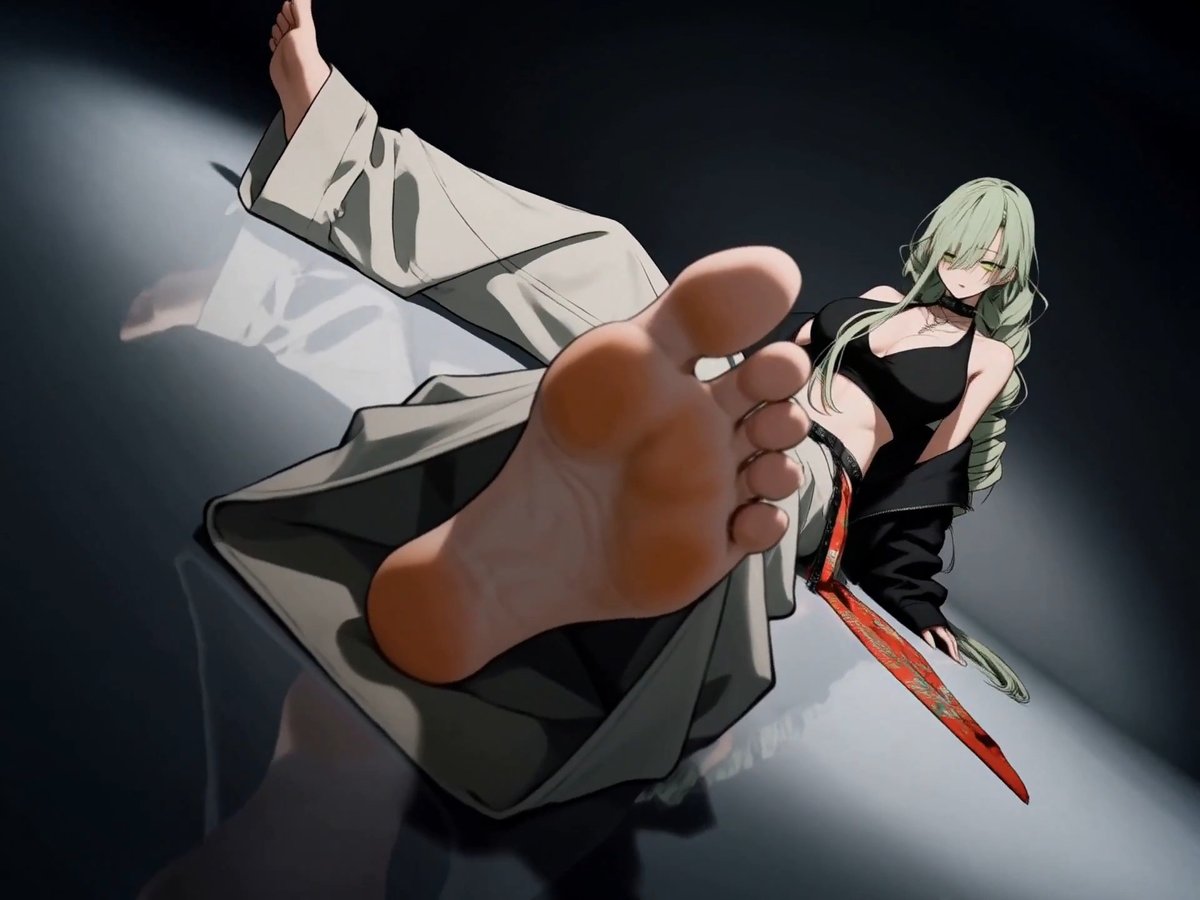
MiniMax H3 Character Introduction Prompt: Use @[char ref] as the sole character reference. Preserve the exact identity, face, body proportions, hairstyle, outfit, colors, materials and overall silhouette of the character throughout the entire video. Do not redesign, simplify or replace any defining visual features. Create a cinematic character introduction focused on presence, silhouette, attitude and controlled motion. 0–4s Begin with a close shot of a defining lower-body or detail element such as boots, shoes, feet, hands, clothing hem or an important accessory. The character enters frame or settles into position. The camera slowly tracks upward while hair, clothing and secondary elements move naturally in the wind or environment. 4–8s Reveal more of the body with a medium or medium-wide shot from the back, side or three-quarter angle. The character stands in a calm, composed way inside the environment. The camera makes a smooth orbit, arc or lateral move to gradually reveal the character’s face and silhouette. 8–12s Move into a tight cinematic portrait or upper-body shot. The character performs one subtle signature action that fits their personality, such as lifting the chin, turning the head, adjusting clothing, brushing hair aside, opening a hand, looking toward camera, or shifting posture. Keep the motion minimal and intentional. The expression should match the character’s vibe. 12–15s End with a strong full-body hero shot that clearly presents the entire design and silhouette. Use a low-angle, eye-level or slightly dramatic framing depending on the character’s personality. The character settles into a natural final pose and holds it confidently for a clean final reveal. VISUAL DIRECTION Premium cinematic presentation. Match the visual medium and rendering style of @[char ref]. Emphasize clean silhouette, elegant staging, subtle secondary motion, believable hair and cloth movement, strong composition, atmospheric depth and polished lighting. The scene should feel like a high-end anime, game or film character introduction. CAMERA Use a clear progression from detail reveal to partial reveal to face reveal to full-body hero reveal. Camera movement should be smooth, controlled and intentional. Avoid chaotic motion. ENVIRONMENT Place the character in a fitting environment that supports their identity and mood. The background should enhance the character without distracting from them.

MiniMax H3 Character Introduction Prompt: Use @[char ref] as the sole character reference. Preserve the exact identity, face, body proportions, hairstyle, outfit, colors, materials and overall silhouette of the character throughout the entire video. Do not redesign, simplify or replace any defining visual features. Create a cinematic character introduction focused on presence, silhouette, attitude and controlled motion. 0–4s Begin with a close shot of a defining lower-body or detail element such as boots, shoes, feet, hands, clothing hem or an important accessory. The character enters frame or settles into position. The camera slowly tracks upward while hair, clothing and secondary elements move naturally in the wind or environment. 4–8s Reveal more of the body with a medium or medium-wide shot from the back, side or three-quarter angle. The character stands in a calm, composed way inside the environment. The camera makes a smooth orbit, arc or lateral move to gradually reveal the character’s face and silhouette. 8–12s Move into a tight cinematic portrait or upper-body shot. The character performs one subtle signature action that fits their personality, such as lifting the chin, turning the head, adjusting clothing, brushing hair aside, opening a hand, looking toward camera, or shifting posture. Keep the motion minimal and intentional. The expression should match the character’s vibe. 12–15s End with a strong full-body hero shot that clearly presents the entire design and silhouette. Use a low-angle, eye-level or slightly dramatic framing depending on the character’s personality. The character settles into a natural final pose and holds it confidently for a clean final reveal. VISUAL DIRECTION Premium cinematic presentation. Match the visual medium and rendering style of @[char ref]. Emphasize clean silhouette, elegant staging, subtle secondary motion, believable hair and cloth movement, strong composition, atmospheric depth and polished lighting. The scene should feel like a high-end anime, game or film character introduction. CAMERA Use a clear progression from detail reveal to partial reveal to face reveal to full-body hero reveal. Camera movement should be smooth, controlled and intentional. Avoid chaotic motion. ENVIRONMENT Place the character in a fitting environment that supports their identity and mood. The background should enhance the character without distracting from them.

107,835 просмотров

MiniMax H3 - Text to Video, Burger Ad You can easily adapt this prompt for any food. Prompt: Create a high-end cinematic burger commercial in portrait format, designed like a premium restaurant campaign. Open on an extreme macro shot of a golden toasted bun, revealing tiny bake-specks, soft flour dusting and rich surface texture under warm directional light. The camera glides smoothly across the bun, then pulls back as the burger ingredients separate into a perfectly aligned exploded stack above a matte wooden tabletop. The full burger floats on a single vertical axis: toasted top bun, crisp ruffled lettuce, glossy tomato slices, translucent purple-red onion rings, melted cheddar, a thick char-grilled beef patty and toasted bottom bun. Each layer moves with elegant controlled motion, subtle rotation and realistic weight. Use premium food-commercial camera movement throughout: macro tracking shots, smooth dolly pushes, slow orbital moves, shallow-focus passes between ingredients and precise rack focuses. Add occasional speed ramps into slow-motion beauty moments. Let tiny crumbs, droplets and subtle steam move through the light for additional depth. Integrate bold hand-lettered white typography directly into the composition. Words appear between the floating burger layers, following the camera movement with kinetic typography. Letters can slide behind ingredients, reveal through depth, stretch slightly during transitions and lock cleanly into place. Add minimal white doodle strokes and graphic accent lines that animate around key ingredients. Lighting is luxurious and appetizing: soft directional key from upper-left, controlled fill, warm highlights, deep dimensional shadows and glossy specular detail on tomato, cheese and meat. Background is a refined warm brown gradient with subtle cinematic falloff. Build toward a final satisfying moment where all ingredients rapidly assemble into one perfect burger. The camera performs a fast controlled push-in, then settles into a polished hero shot. Steam rises gently from the patty, cheese settles over the edges and the typography resolves beside the burger. Final frame: centered premium burger hero shot, clean composition, elegant white campaign typography and subtle animated graphic accents. Visual style: luxury food advertising, modern restaurant campaign, cinematic macro photography, rich warm tones, high contrast, shallow depth of field, highly detailed food textures, sophisticated motion design, premium typography, smooth dynamic camera choreography, polished commercial finish.

MiniMax H3 - Text to Video, Burger Ad You can easily adapt this prompt for any food. Prompt: Create a high-end cinematic burger commercial in portrait format, designed like a premium restaurant campaign. Open on an extreme macro shot of a golden toasted bun, revealing tiny bake-specks, soft flour dusting and rich surface texture under warm directional light. The camera glides smoothly across the bun, then pulls back as the burger ingredients separate into a perfectly aligned exploded stack above a matte wooden tabletop. The full burger floats on a single vertical axis: toasted top bun, crisp ruffled lettuce, glossy tomato slices, translucent purple-red onion rings, melted cheddar, a thick char-grilled beef patty and toasted bottom bun. Each layer moves with elegant controlled motion, subtle rotation and realistic weight. Use premium food-commercial camera movement throughout: macro tracking shots, smooth dolly pushes, slow orbital moves, shallow-focus passes between ingredients and precise rack focuses. Add occasional speed ramps into slow-motion beauty moments. Let tiny crumbs, droplets and subtle steam move through the light for additional depth. Integrate bold hand-lettered white typography directly into the composition. Words appear between the floating burger layers, following the camera movement with kinetic typography. Letters can slide behind ingredients, reveal through depth, stretch slightly during transitions and lock cleanly into place. Add minimal white doodle strokes and graphic accent lines that animate around key ingredients. Lighting is luxurious and appetizing: soft directional key from upper-left, controlled fill, warm highlights, deep dimensional shadows and glossy specular detail on tomato, cheese and meat. Background is a refined warm brown gradient with subtle cinematic falloff. Build toward a final satisfying moment where all ingredients rapidly assemble into one perfect burger. The camera performs a fast controlled push-in, then settles into a polished hero shot. Steam rises gently from the patty, cheese settles over the edges and the typography resolves beside the burger. Final frame: centered premium burger hero shot, clean composition, elegant white campaign typography and subtle animated graphic accents. Visual style: luxury food advertising, modern restaurant campaign, cinematic macro photography, rich warm tones, high contrast, shallow depth of field, highly detailed food textures, sophisticated motion design, premium typography, smooth dynamic camera choreography, polished commercial finish.

24,934 просмотров

Even after the nerf, Seedance 2.0 can still generate beautiful women. Prompt below 👇 🔊

Even after the nerf, Seedance 2.0 can still generate beautiful women. Prompt below 👇 🔊

587,062 просмотров

Saber Poi Ritual Midjourney + Gpt Image 2 + Seedance 2.0 + Suno Workflow and prompts are in the replies.

Saber Poi Ritual Midjourney + Gpt Image 2 + Seedance 2.0 + Suno Workflow and prompts are in the replies.

259,898 просмотров

GPT Image 2 + Seedance 2.0 = Latte Art 🎶 Using a few techniques I’ve shared recently, you can create musical animations like this one. For this video, I used a Character Sheet + Storyboard + IPA. Even though it skips a beat or two in places, that’s totally normal. I think it blended the musical tone with the artistic style instead of following every beat literally. You can find the details below.

GPT Image 2 + Seedance 2.0 = Latte Art 🎶 Using a few techniques I’ve shared recently, you can create musical animations like this one. For this video, I used a Character Sheet + Storyboard + IPA. Even though it skips a beat or two in places, that’s totally normal. I think it blended the musical tone with the artistic style instead of following every beat literally. You can find the details below.

305,608 просмотров

MiniMax H3 Instead of sharing the prompts for each of these videos, I thought it would be more useful to share how I created that prompts. All of the videos were generated with text-to-video. First, find an image with the kind of scene, composition and mood you want to recreate. I used a few YouTube playlist thumbnails as references but Pinterest is also a great place to find inspiration. You can even use your own old or nostalgic photographs. Then upload the image to ChatGPT and ask it to describe the scene. The description it gives you can essentially become your text-to-video prompt. From there, you can generate completely new scenes with a similar composition, atmosphere and cinematic language. You can of course use the reference image directly with image-to-video or as a first frame. But if the original image isn't yours, I prefer using it only as visual inspiration and recreating the scene through text-to-video. This is the prompt I use with ChatGPT: "Describe the scene in this image in English, focusing primarily on what is happening, the characters, their actions and body language, the setting and the overall atmosphere. Also briefly describe the composition, framing, camera angle, approximate lens choice, lighting, color palette and cinematic aesthetic. Keep it concise and scene-focused rather than overly technical."

MiniMax H3 Instead of sharing the prompts for each of these videos, I thought it would be more useful to share how I created that prompts. All of the videos were generated with text-to-video. First, find an image with the kind of scene, composition and mood you want to recreate. I used a few YouTube playlist thumbnails as references but Pinterest is also a great place to find inspiration. You can even use your own old or nostalgic photographs. Then upload the image to ChatGPT and ask it to describe the scene. The description it gives you can essentially become your text-to-video prompt. From there, you can generate completely new scenes with a similar composition, atmosphere and cinematic language. You can of course use the reference image directly with image-to-video or as a first frame. But if the original image isn't yours, I prefer using it only as visual inspiration and recreating the scene through text-to-video. This is the prompt I use with ChatGPT: "Describe the scene in this image in English, focusing primarily on what is happening, the characters, their actions and body language, the setting and the overall atmosphere. Also briefly describe the composition, framing, camera angle, approximate lens choice, lighting, color palette and cinematic aesthetic. Keep it concise and scene-focused rather than overly technical."

54,352 просмотров

This time I asked for a war between the Ottoman army and the Orc army. Seedance 2.0

This time I asked for a war between the Ottoman army and the Orc army. Seedance 2.0

357,283 просмотров

MiniMax H3 Anime Chibi Reactions With this prompt, you can transform your character into different chibi / super-deformed (SD) anime reaction forms. Left: with a character reference. Right: without one. You can find the prompt in the replies.

MiniMax H3 Anime Chibi Reactions With this prompt, you can transform your character into different chibi / super-deformed (SD) anime reaction forms. Left: with a character reference. Right: without one. You can find the prompt in the replies.

19,182 просмотров

Interactive Creature Encyclopedia with MiniMax Design (H3) MiniMax H3 Used one UI reference image and 8 creature images. #MiniMaxH3 handles these type of UI animations really well. You can check the prompt below.

Interactive Creature Encyclopedia with MiniMax Design (H3) MiniMax H3 Used one UI reference image and 8 creature images. #MiniMaxH3 handles these type of UI animations really well. You can check the prompt below.

65,486 просмотров

MiniMax H3 Anime with Storyboard Making Omurice I kept the GPT Image 2 prompt for the storyboard extremely simple: "Create a rough sketch omurice-making storyboard with the given character." Even though the storyboard had panel numbers and a couple of small mistakes, H3 didn't have any issues with it. The video prompt was also very simple: "Use the storyboard @[storyboard ref] as sequential shot guidance, not as a static image. Do not treat the storyboard as one image. Follow each panel as a separate beat. Use @[character ref] as the character and visual style reference."

MiniMax H3 Anime with Storyboard Making Omurice I kept the GPT Image 2 prompt for the storyboard extremely simple: "Create a rough sketch omurice-making storyboard with the given character." Even though the storyboard had panel numbers and a couple of small mistakes, H3 didn't have any issues with it. The video prompt was also very simple: "Use the storyboard @[storyboard ref] as sequential shot guidance, not as a static image. Do not treat the storyboard as one image. Follow each panel as a separate beat. Use @[character ref] as the character and visual style reference."

30,622 просмотров

MiniMax H3 with GPT Image 2 Storyboards I think we can safely say storyboards work incredibly well with MiniMax H3. I'd definitely recommend adding storyboards to your workflow. I didn't include any scene descriptions in the video prompt at all. Its ability to understand reference images is really impressive. MiniMax H3 Prompt for this video: Use the storyboard @[storyboard ref] as sequential shot guidance, not as a static image. Do not treat the storyboard as one image. Follow each panel as a separate beat. Use @[character ref] as character reference. She talks while preparing the latte: まずはエスプレッソを淹れます。 ミルクをなめらかにスチームして、ゆっくり注ぎます。 カップに近づけて、模様を描いていきます。 最後にひと仕上げ。ラテアートの完成です。 -- You can find storyboard and character image prompt in the replies.

MiniMax H3 with GPT Image 2 Storyboards I think we can safely say storyboards work incredibly well with MiniMax H3. I'd definitely recommend adding storyboards to your workflow. I didn't include any scene descriptions in the video prompt at all. Its ability to understand reference images is really impressive. MiniMax H3 Prompt for this video: Use the storyboard @[storyboard ref] as sequential shot guidance, not as a static image. Do not treat the storyboard as one image. Follow each panel as a separate beat. Use @[character ref] as character reference. She talks while preparing the latte: まずはエスプレッソを淹れます。 ミルクをなめらかにスチームして、ゆっくり注ぎます。 カップに近づけて、模様を描いていきます。 最後にひと仕上げ。ラテアートの完成です。 -- You can find storyboard and character image prompt in the replies.

32,033 просмотров

Midjourney v8.2 + GPT Image 2 + Seedance 2.0 These characters were made for choreography like this. Created on @MartiniArt_ Prompts in the replies.

Midjourney v8.2 + GPT Image 2 + Seedance 2.0 These characters were made for choreography like this. Created on @MartiniArt_ Prompts in the replies.

121,035 просмотров

MiniMax H3 Anime Daily Routine Updated the old prompt. You can find the prompt in the replies. Reference character has glasses so I added a few details. Don't forget to update the prompt based on your character.

MiniMax H3 Anime Daily Routine Updated the old prompt. You can find the prompt in the replies. Reference character has glasses so I added a few details. Don't forget to update the prompt based on your character.

41,269 просмотров

Player stats UI animation with GPT Image 2 and MiniMax H3. This model is amazing for UI animations. Give GPT Image 2 your character image and ask it to create a stats UI. Then use that UI as a reference for MiniMax H3. You can check the prompt in the replies.

Player stats UI animation with GPT Image 2 and MiniMax H3. This model is amazing for UI animations. Give GPT Image 2 your character image and ask it to create a stats UI. Then use that UI as a reference for MiniMax H3. You can check the prompt in the replies.

41,766 просмотров

Videos

aimikoda's profile picture

Some mornings. Created with Seedance 2.5. Prompt in the replies.

Kōda

25,599 просмотров • 18 дней назад

aimikoda's profile picture

Seedance 2.5: Some Tips / Thoughts & Prompt Share I knew from the start that the story in this video was a little too ambitious for 30 seconds. Normally, it could easily have been a 2+ minute sequence but I wanted to squeeze it into 30 seconds because there were a few specific things I wanted to test. I used six different character references for this video and wrote the final prompt in Chinese. The council members were actually supposed to speak in an alien language but I think because I asked for English subtitles and wrote the dialogue itself in English, Seedance decided to make them speak English too. Seedance 2.5 follows prompts extremely well. Actually, "extremely strictly" might be a better way to describe it. You need to be very careful with timing. If you ask for too many actions within a very short time window, you may get what feels like a sped-up version of the scene. On the other hand, if you assign too much time to an action that should happen quickly, the result can feel unnaturally slow or almost like slow motion. At least, these are both things I've run into during my tests. The same applies when you use a shot list without timestamps. Depending on how much you ask the model to fit into each shot, the pacing can still end up too fast or too slow. Finding the right balance between the amount of action and the time available is very important. Another thing I noticed is that Seedance 2.5 can be very literal about motion and state transitions. For example, if a character is facing the camera and you want to see their back in the next moment, simply describing the next shot from behind may not be enough. If you don't explicitly say that the character turns around, the model can sometimes morph or transition directly into the rear view without performing the actual turn. Seedance 2.0 would usually handle these things on its own. So it helps to think not only about what you want to see but also how the scene gets there. Once you identify these kinds of issues and explicitly correct them in the prompt, you can usually get a much cleaner result. For scenes with multiple characters, dialogue and a lot of specific details, the 5,000-character prompt limit can also become restrictive in English. Sometimes there simply isn't enough room to describe everything properly. That's where Chinese prompts become useful. My original English prompt clearly needed much more detail, so I rewrote it in Chinese and used the extra space to describe the scene more precisely. You can see the result in the video. Prompt in the replies.

Kōda

15,808 просмотров • 24 дней назад

aimikoda's profile picture

White Saber

Kōda

41,271 просмотров • 2 месяцев назад