THE DEPTH MAP TRICK THAT FIXED DANCE ACCURACY IN... SEEDANCE 2.0 Feed the model a video of someone dancing and it tries to interpret everything- the person, the clothes, the lighting, the room, and somewhere in there, the movement. Feed it a depth map and there's nothing left to interpret but the motion. Most creators trying to transfer a dance to a character reference the source footage directly, then wonder why the choreography drifts. The problem isn't the model - it's that you handed it ten variables when you only wanted one. Here's the workflow 1. Lock the character reference in GPT Image 2 first -face, build, costume, so identity holds independently of whatever motion gets applied to it 2. Convert the source dance footage into a depth map instead of using the raw video -this strips out the original performer's appearance, clothing, and environment entirely 3. Feed the depth map as the motion reference and the character sheet as the identity reference- two separate inputs doing two separate jobs, not one input trying to do both 5. Let the depth map carry only spatial movement -the model receives body position and momentum with no competing information about who's moving or what they look like 6. Keep the character and motion inputs isolated throughout - the moment you mix appearance data into the motion reference, the model starts negotiating between two identities Why this works • Raw footage passes the model everything at once- performer, wardrobe, room, lighting -and the choreography competes with all of it for attention • A depth map is pure spatial information, so the only thing left to transfer is movement • Separating identity from motion means the character can stay locked while the dance stays accurate - normally you're trading one for the other • The accuracy gain isn't the model getting better, it's the model getting fewer decisions to make Use cases: ⁃ Dance and choreography transfer onto original characters ⁃ Motion capture-style workflows without motion capture ⁃ Any sequence where a specific movement needs to survive intact ⁃ Character showcase content built on existing performance footage The character sheet answers who's dancing. The depth map answers how - and keeping those two questions separate is the whole trick.show more

Nexlow
85,768 Aufrufe • vor 1 Monat
🤯 I didn’t expect Depth to track rooftop parkour... this cleanly! Used a fast climbing clip as the motion reference, then swapped in a student with twin tails and a backpack on a coastal school rooftop. The running path, wall contact, jumps, landings, and full-body continuity all hold together surprisingly well. 🌟 Workflow: 1. Pick a reference clip under 15 seconds 2. Convert it to Depth with Depth Anything V2 3. Generate a new character + scene 4. Feed everything into Seedance with the prompt below 🌟 Depth video conversion: You can build a local Depth converter with Codex — prompt in the comments. Depth opens up a lot more possibilities for parkour, climbing, martial arts, dance, and other complex full-body motion. Workflow + Prompt below 👇show more

Larus Canus
24,613 Aufrufe • vor 1 Monat
🤯 Found another great use case for Depth today!... I tried recreating this fashion transformation video with my own character, but the original character kept showing up. 🌟 So I switched the reference video to Depth, and it worked way better! Same motion and timing, but now I can use my own character and completely new outfits! Quick workflow in the comments Full Depth workflow in the quoted post 👇show more
Larus Canus
124,543 Aufrufe • vor 1 Monat
🤯 Depth videos perfectly solve false flags on reference... videos — and can perfectly recreate both martial arts and dance! Turned a Guan Dao martial arts clip into a Depth motion reference, swapped the fighter for a market auntie, and moved the scene to a T-junction inside a local market 🤣 🌟 Workflow: 1. Pick a reference clip under 15 seconds 2. Convert it to Depth with Depth Anything V2 3. Generate a new character + scene 4. Feed everything into Seedance with the prompt below 🌟 Depth video conversion: You can build a local Depth converter with Codex — prompt in the comments. This goes way beyond trending dances. Martial arts, polearms, and other complex movements can all be transferred cleanly with Depth! Workflow + Prompt below 👇show more
Larus Canus
51,129 Aufrufe • vor 1 Monat
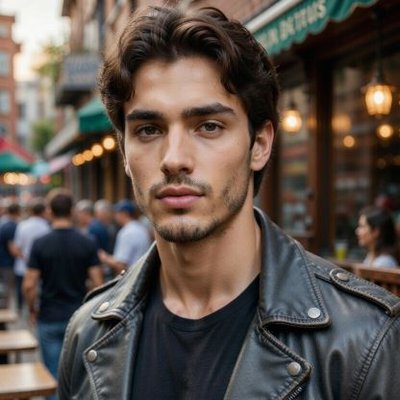
I handed a dance video over to AI... Try... this exact workflow yourself: I used PixVerse Depth Map Control to seamlessly map the original choreography onto a completely fresh character. The visual outcome is incredibly fascinating 👀 Instead of generating a scene from absolute zero, this specific setup helps you lock down crucial details from your base clip: • movement • body position • spatial structure Your source footage dictates the precise action, while a single reference picture establishes the new aesthetic. It is a brilliant way to level up your AI video experiments — granting you far more precision over how your animations move and shift.show more
LX™
59,128 Aufrufe • vor 1 Monat
Testing SCAIL-2, an open source model for motion transfer.... I wanted to see how it can handle driving videos with fast, dynamic movement. The part that really impressed me was how the model retained details from the input character's outfit (especially the straps on the shorts). I attached the input character below for you to compare against. The model also has a replacement mode that swaps the character into the driving video's scene, but here I used animation mode, which keeps the reference image's scene instead.show more

rob - comfyui
29,084 Aufrufe • vor 2 Monaten
Kling 2.6 Motion Capture is so good. It's a... huge leap forward. We've been able to do motion capture with AI for a while, but the quality bump finally made this approach useful. Here are the steps: - Get a reference video - record it or get a stock video - Grab the start frame of that video - Edit it using Nano Banana Pro. Ask to replace character and background. - Select the Kling 2.6 Motion Capture model in the video generator on Freepik (now Magnific) - Upload reference video + set the edited start frame - Video prompt can be simple e.g. "Gandalf dancing"show more

Martin LeBlanc
35,274 Aufrufe • vor 8 Monaten
🔥 AI video creation is finally evolving beyond basic... motion prompts. Try out Depth Map Control right here: Historically, the hardest part of the process has been maintaining scene consistency: • camera movement • object placement • spatial relationships Thanks to PixVerse Depth Map Control, you can now grab depth data from a reference video and merge it with a fresh image to explore highly directed video generation. The final outcome? Much smoother camera tracking. Highly cohesive visual scenes. It is a powerful workflow that hands creators actual authority over how their AI visuals shift and flow over time. 🎬show more

Elara Quinn
12,202 Aufrufe • vor 1 Monat
Seedance 2.0 has a fix for character drift almost... nobody uses. Every new text description is a fresh interpretation of appearance. That's where the drift comes from: a slightly different face, a slightly different outfit, proportions that shift from scene to scene. The @ Image tag solves this directly — attach a photo once, and it becomes the fixed source of truth for face, outfit, and proportions across the entire multi-shot sequence. The @ Video tag works the same way for motion and camera — tag a reference instead of describing it, and the model copies that exact style instead of an approximation. You're not making the model remember. You're just stopping yourself from reminding it differently every single time.show more

Zentrix⌚️
88,931 Aufrufe • vor 1 Monat
Gemini Omni's motion control is f*cking cracked i just... figured out how to turn 1 reference video into 50+ AI videos with the exact same movements... you have a video of someone eating, dancing, using a product, doing whatever complex motion you need. you feed it to Gemini Omni and it recreates that exact motion with a completely new AI character in literally one prompt i've tested this against Kling motion control and it's not even close. Kling falls apart the moment you try anything complex. eating scenes look weird, hand movements get mangled, anything multi-step breaks down completely. Gemini Omni handles all of it if you're still using kling motion control or paying creators to split test your videos, this replaces that entire workflow here's the thing though. you can't just prompt this out of the box. if you try to do motion transfer with default prompting you're going to get errors or the motion won't transfer properly. there's a specific prompting method that makes it work every time so i packaged up the whole system.. here's what you're getting: > full step by step video breakdown > how to find the best reference videos to use > the exact prompting system that allows for motion control transfer so you never get errors > the workflow for batching this out at scale (1 video → 50+) RT + reply "MOTION" and i'll send it over (must follow so i can dm)show more

Miko
60,895 Aufrufe • vor 1 Monat
📖THE STEP MOST CREATORS SKIP IS WHY THEIR AI... ANIMATION LOOKS INCONSISTENT Consistency across clips doesn't come from prompting — it comes from the reference image. The pipeline, step by step: ▪ Start with ChatGPT Image 2 — generate a full character design sheet first, not just a single frame. Multiple angles, expressions, and outfit variations in one image keeps the character consistent across every scene ▪ Build a storyboard inside ChatGPT Image 2 as well — define each shot, camera angle, action, and mood before touching Seedance at all. This is the step most people skip and it's the reason clips look disconnected ▪ Define a color palette and lighting mood early — golden afternoon light, soft warm tones, dramatic shadows. Lock those values and repeat them across every prompt ▪ Take each storyboard frame into Seedance 2.0 as the reference image — one frame becomes one clip ▪ Write the Seedance prompt around the character action, not the scene description. The scene is already in the image. The prompt handles motion, camera behavior, and timing ▪ Keep clip duration between 4-6 seconds per shot — shorter clips give more control over pacing and reduce motion drift on character faces ▪ Match camera movement type across consecutive clips — if one shot dollies in, the next should hold or pull back, not dolly again The consistency across these frames comes from the character design sheet, not from luck. Seedance reads the reference image and the prompt together — if the reference is detailed enough, the output stays on-model. This video was created by ALOKXMEHTA 📥 tomorrow: the exact ChatGPT Image 2 prompt structure used to generate a multi-angle character design sheet like this one 🔖One article covers the entire workflow — it is pinned below, do not scroll past it.show more
Zentrix⌚️
14,015 Aufrufe • vor 2 Monaten
For the facial animations in my game, I use... a technique that yields results similar to L.A. Noire. To keep it simple: I first generate a facial animation video using AI like LTX 2. Then, I create a video depth map from that animation and project it onto a face mask. Using vertex displacement, the depth map dynamically deforms the face as the character speaks. The result looks good in standalone VR. I actually created this workflow long time ago:show more
Alex
48,296 Aufrufe • vor 6 Monaten
One of the biggest challenges in video to motion... is scale! Most of the time people think of it as distance to the camera, but when you add multiple people the scale between them almost matters more! At cartwheel - with our newest model - we're really proud to capture distance and character scale accuratelyshow more

Andrew Carr 🤸
24,484 Aufrufe • vor 3 Monaten
omni motion control is f*cking cracked the left clip... is the original. the right is 100% ai, same video, one prompt i grabbed a weight loss transformation off tiktok, gave omni a single image of a totally different girl, and it rebuilt the whole clip around her. she copies the original move for move, down to the dumbbells and the timing. and she doesnt exist and i barely lifted a finger. this was the entire prompt, word for word: "replace the person in the video attached with the person attached in the image, make sure the weight loss transformation is exactly the same from fat to fit" gpt image 2 made the character and omni did the rest. thats it brands pay creators to reshoot the same winning ad with different people just to split test. now you film it once and swap the face for cents. one video turns into 50 i wrote up the full setup: > the prompt method that transfers motion without breaking > how to find reference videos that work > how to batch this out at scale comment "MOTION" and ill send it overshow more

jason
10,826 Aufrufe • vor 24 Tagen
I became a Midjourney Niji 7 character. Went to... MJ, made a character, used it as a reference in Higgsfield Cinema Studio, animated it, and then I used Motion Control to insert myself into the footage. Absolutely crazy for 5 minutes of work!show more

Alex Patrascu
46,625 Aufrufe • vor 7 Monaten
this effect is all over tiktok right now and... nobody's explaining how to actually do it properly... the 3d balloon character thing. where someone turns into a shiny inflatable version of themselves that still moves and talks. looks pretty smooth in feeds. the workflow is stupid simple once you see it. step 1: take any photo. drop it into an image gen tool (nano banana pro). prompt it with something like "make the person in the photo a plastic blow up balloon character with a shiny surface. keep the face details as 3d balloon details including the person in the background. don't change background" that's it for the image. don't overcomplicate the prompt. shorter = more consistent results. (learned this after wasting like 2 hours trying to get "perfect" prompts that kept giving me garbage) step 2: take that balloon image + your original video and drop both into kling motion control. prompt: "turn the motion and detailed mouth movement of the video to the setting of the image" that's literally it. kling maps the motion from the real video onto the balloon character. mouth moves. head turns. expressions transfer. the whole thing renders in a few minutes. the result looks like a $500 custom animation and costs you maybe $0.30 in kling credits. people are getting 500k+ views with these because the scroll-stop factor is insane. nobody expects to see a shiny inflatable version of someone giving a real speech or doing a product review. the play here is obvious btw. run this for client content (mix with the hook and real body, check the results yourself) or use it on your own faceless channels as a hook pattern before the algo catches up...show more

KNOX
25,773 Aufrufe • vor 7 Monaten
gemini omniflash is actually f*cking cracked. you can animate/edit... any video with a text prompt. character swaps, object transforms, full environment changes without regenerating/rotoscoping. everyone using AI to to animate and edit videos right now hits the same wall. the clip comes out 90% right and you regenerate from scratch hoping the 10% fixes itself. it never does. the fix is using your video as the input. omniflash edits what's already there instead of rolling the dice again. here's what's in the system: > the two-layer premiere trick: generate the same shot twice (one with background removed), stack them, cut at one frame, instant scene change > character swap with a single reference image (plus the one line you need or the model keeps the original's features) > object transforms that leave the rest of the frame untouched: stone into glowing sphere, candles into flowers > style transfer from an image reference instead of text, way more accurate > why stacking edits in one prompt breaks everything and the exact step order that doesn't > the audio limitation nobody mentions and how to work around it i packaged every prompt, the edit sequence, and the premiere layering setup. RT + reply "OMNI" and i'll send it over.show more
Sulfur
36,614 Aufrufe • vor 2 Monaten
The architecture of this new world model is one... of the most interesting things I've seen lately: Let me first explain how most world models work: They predict and render one frame at a time. If you are navigating in one of these worlds, and you look left, the model draws whatever looks right in the moment. Every time you change your viewpoint, the model has to imagine what should be there again, so it's very common for these models to "forget" what's in the world. For example, if you put a toy on the table, look away, then look back, the toy might not be there anymore. Tripo AI is releasing its Project Eden model, which works very differently: The model builds the world first, and then renders it based on that map. That map holds the real state of the world: the geometry, every object, where things are, what's already happened. The picture you see on screen gets generated from the map. This architecture flips the whole thing. Now, you get the following: 1. The world stops forgetting. Leave, come back, and the toy is still on the table because it lives in the map, not in the last frame you saw. 2. You can edit the world, and those changes persist for anyone who enters later. 3. Multiple people and AI agents can coexist in the world and see it from different perspectives. This is early research, but it's looking really promising. They just raised nearly $200M across two rounds to build it out. Tripo will be at SIGGRAPH 2026 (July 19–23, Los Angeles Convention Center). If you work in 3D, embodied AI, simulation, or anything spatial, go connect with them there.show more

Santiago
30,244 Aufrufe • vor 2 Monaten
One trick we discovered for avoiding realistic face moderation... issues in Seedance 2.0 is using character turnaround sheets (front / side / back views). The first video is one of our experiment results — and it runs successfully. We’ve now integrated character turnarounds directly into our workflow + canvas system: 1. If your artwork was generated on our site, you can drag the image into the canvas directly from the Assets tab 2. Click the “Character Turnaround” button above the image to automatically generate a 3-view turnaround sheet 3. Create a new video node and use the turnaround sheet directly with Seedance 2.0 inside the workflow I’ve shared the workflow link in the comments if you want to explore the exact prompts, setup, and workflow details.show more

underwood
32,883 Aufrufe • vor 3 Monaten
Only one Adobe Firefly video prompt from our research... hit production-ready on the first generation. Prompt in comments 👀 It looks you have to direct the camera as much as the model to get the most out of Firefly. Every other video session in our research needed a revision. Revising the first frame is where Firefly broke: >motion failures (temporal flicker, motion continuity, physics in motion) carried 60% of video's issue mix once designers re-prompted. TLDR: in Adobe Firefly, the camera does a lot of the work. Bake it into the first prompt and the video lands. Its by far the best time to be a creative.show more
ben @ CVPR
12,847 Aufrufe • vor 3 Monaten