Video wird geladen...

Video konnte nicht geladen werden

Zur Startseite

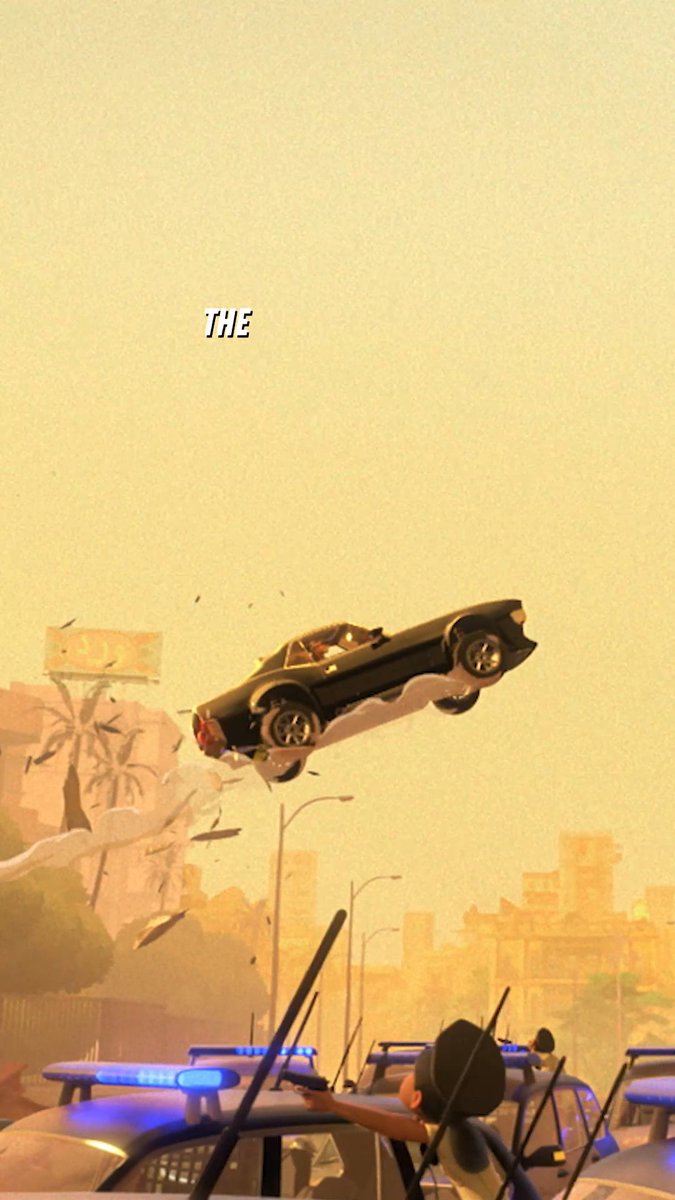
From rocket launches 🚀 to insane chase scenes 🏎, The Bad Guys 2 is a visual thrill ride thanks to these talented artists: Joanna Wu: Head of Lighting & Compositing Matt Baer: Visual Effects Supervisor Jesse Averna: Editor Théophile Bondoux: Head of cinematography, layout

16,759 Aufrufe • vor 1 Jahr •via X (Twitter)

0 Kommentare

Keine Kommentare verfügbar

Kommentare vom Original-Post werden hier angezeigt

Ähnliche Videos

One of the workflows I helped advance and lead for Destiny 2 was our static compositing pipeline for marketing visuals. When we were creating marketing content for #Destiny2, we always needed strong key visuals for weapons, characters, abilities, and other in-game elements. Unlike a traditional gameplay screenshot, where everything is baked into one static image, composited shots let us isolate individual elements and light them more precisely. That gave us a lot more flexibility to build scenes with better legibility, clearer focus, stronger lighting, improved contrast, and a more intentional overall look. One of the biggest strengths of compositing is having access to individual layers in Photoshop. That layered approach not only makes the editing process easier, but also makes the final artwork much more flexible. Images can be adapted for trailer motion graphics, reworked for print, or pushed further as creative needs evolve. Destiny 2 composites are built using Adobe Photoshop alongside in-game captures. Using advanced development tools, we light, capture, and isolate characters, weapons, and props directly from the game environment, all of which were originally created by the talented Bungie 3D art teams. Those assets are then brought into Photoshop, where they’re cut out and assembled into custom scenes using layered compositions and visual effects. The composites highlighted below are a few of the Destiny 2 pieces I’ve worked on that are meaningful to me. Let me know what your favorite is!

Biwald

67,940 Aufrufe • vor 3 Monaten

Created with GPT Image 2 + Omni Flash / Seedance 2.0 Prompt: Create a clean, premium storyboard infographic for a product ASMR unboxing video. Design specifications: Background: White background with a modern, minimalist layout. Title at the top: STORYBOARD Product name in bold dark blue: HAN RIVER WET & DRY 2 IN 1 STEAM IRON Subtitle: ASMR UNBOXING (POV HAND) Information boxes below the title: Duration: 30 Seconds (3 Parts) Style: POV Hand, ASMR, Premium Product Commercial Audience: Home Users, Housewife, Young Adults Voiceover: No Voiceover (Pure ASMR) Audio Suggestion: Tapping, Crinkle, Cardboard, Click, Steam, Water Pouring Layout: Create 12 storyboard panels arranged in a 4 column × 3 row grid, divided into three horizontal blocks labeled PART 1 (0 to 10s), PART 2 (10 to 20s), and PART 3 (20 to 30s). Each panel should contain: A numbered dark blue badge (1 to 12) with its respective timestamp. A realistic cinematic image showing the scene. Handwritten white and orange doodle text sketched over the image. Four text sections below every image: VISUAL: ACTION: DOODLE: AUDIO: Aesthetic Style: Premium lifestyle commercial advertising style. Realistic product photography, light wood or beige table, soft warm studio lighting, shallow depth of field, POV hands only with no face visible. The product is a sleek, cream colored handheld steam iron with a gold rimmed ceramic base. Storyboard sequence: PART 1 (0 to 10s) 1 (0 to 2.5s) Visual: Product box placed flat on a wooden table. Action: Hands enter frame and tap the sides of the box. Doodle: NEW! Audio: Cardboard tapping. 2 (2.5 to 5s) Visual: Close up of the box lid, focusing on the brand logo. Action: Fingers gently trace the printed logo and illustration. Doodle: LET'S OPEN! Audio: Finger scratching on cardboard. 3 (5 to 7.5s) Visual: A box cutter slicing the sealing tape. Action: Blade slowly cuts through the adhesive tape. Doodle: SLICE... Audio: Tape cutting. 4 (7.5 to 10s) Visual: The box flaps are opened, revealing the wrapped product and manual inside. Action: Hands open the main flaps wide. Doodle: WOW! Audio: Box opening. PART 2 (10 to 20s) 5 (10 to 12.5s) Visual: Instruction manual being held up. Action: Hands flip through the pages of the manual. Doodle: MANUAL Audio: Paper flipping. 6 (12.5 to 15s) Visual: The iron is lifted out, still wrapped in its protective plastic sheet. Action: Pulling the wrapped unit completely out of the box. Doodle: CRINKLE~ Audio: Plastic crinkling. 7 (15 to 17.5s) Visual: Peeling away the protective plastic cover to reveal the premium body. Action: Hands slowly unwrap and twist the iron to inspect it. Doodle: SO CLEAN! Audio: Plastic removal. 8 (17.5 to 20s) Visual: Ultra close up of the pristine ceramic soleplate. Action: A single finger smoothly glides down the center of the soleplate. Doodle: SMOOTH Audio: Finger glide on ceramic. PART 3 (20 to 30s) 9 (20 to 22.5s) Visual: Rotating the ergonomic handle. Action: Hand twists the handle 180 degrees until it locks into place. Doodle: 180° Audio: Handle rotation click. 10 (22.5 to 25s) Visual: Water being added to the built in tank. Action: Pouring clean water slowly into the small inlet using a measuring cup. Doodle: FILL Audio: Water pouring. 11 (25 to 27.5s) Visual: The steam button being pressed. Action: Thumb presses the button, and a powerful burst of steam erupts from the base. Doodle: PSSSH~ Audio: Steam release blast. 12 (27.5 to 30s) Visual: Final hero shot of the steam iron standing upright next to its box and measuring cup. Action: Hand enters frame to give a confident thumbs up. Doodle: READY! Audio: Light tap on the table. Footer Infographic Sections: WHAT'S IN THE BOX: Small grid icons showing Steam Iron, Instruction Manual, Measuring Cup, and Power Cord. KEY FEATURES: Checkmarks for Wet & Dry 2 in 1 180° Swivel Handle 150ml Water Tank Ceramic Soleplate Powerful Steam WARRANTY: A prominent 2 YEARS WARRANTY shield badge. IDEAL FOR / WHY CHOOSE IT: Minimalist icons for Home Use, Travel, Small Spaces Bullet points: Lightweight Easy to Use Fast Heating Safe Metadata Text Line: Total Duration: 30 Seconds Format: Vertical (9:16) Style: POV Hand, ASMR, Premium Product Commercial Typography should resemble a professional creative agency storyboard layout featuring neat spacing, sharp dark blue accents, thin gray grid boundaries, and a highly polished presentation structure perfect for a client pitch.

Shore Lyn

32,855 Aufrufe • vor 2 Monaten

How Martin Scorsese Uses AI: Prototyping Set Ideas By Bringing His Thoughts to Life Black Forest Labs CEO Robin Rombach explains to @jason: Jason: “You sat in a room with Marty Scorsese and showed him your tools, what was his reaction?” Rombach: “He clearly has a vision in his head of a scene or scenery where maybe a new movie will be shot, and he's trying to explore that. We basically looked at the scenery of a village in Eastern Europe somewhere, and he was describing it. We saw some outputs, we iterated on the outputs. Getting the mental picture of something out of your head and communicating it in a visual way by making these images, or a series of images, just makes it easier to communicate and convey an idea of what is actually in your head. I think that's one of the very interesting and powerful ways to use this technology.” Jason: “Is to get the inspiration, to get the vision, out of his head onto an image?” Rombach: “Yeah, language ultimately is a little bit of a lossy communication medium, right? It's also interpreted in different ways, but then visual information is so rich. An image or video, there's so much signal in it, and it's just another way of communicating. And I think that's one of the beautiful things that this technology ultimately enables.” ------------------------------ Thanks to our partners for making this possible! Most advertisers have never heard of the platform with an $11B annual run rate in ad spend. AppLovin Ads — 1B+ daily active users, full-screen video ads watched for a median of 35 seconds, and businesses are profitably spending hundreds of thousands of dollars a day on it. Advertiser access is in closed beta. The window is open at Positioned at the nexus of technology and the capital markets, Nasdaq provides premier platforms and services for global capital markets and beyond with unmatched technology, insights and markets expertise.

The All-In Podcast

51,522 Aufrufe • vor 2 Monaten

The most prominent example of a film that was financially viable because of generative AI was “Here” by Robert Zemeckis. Starring Tom Hanks and Robin Wright, it shows a couple living through multiple decades. The film’s budget was ~$50m and wouldn’t be able to cover traditional process for de-aging: ▫️Make-up: Takes hour to put on and can make actors look 10 years younger (but not 50 as the film requires) ▫️CGI: Expensive and long (per NYT, “Persuading us that we’re watching Hanks and Wright in their 20s would have required hundreds of VFX artists, tens of millions of dollars and months of postproduction work.”) Zemeckis says “Here” was able to be made in 2024 but not in 2021 (due to CGI costs). Also by using generative AI, Hanks and Wright could act more naturally without thick make-up (or those CGI dots) on their face. The AI effects were done by Metaphysics (the company’s content head is Ed Ulbrich, the former CEO of Digital Domain, James Cameron’s FX firm). Metaphysics AI tools were particularly useful because of how much video and images there are of Hanks and Wright over the decades (won’t be the case for all actors). Some of those images include 1994’s “Forrest Gump”, which was also directed by Zemeckis starring Hanks and Wright. That banger used a lot of advanced aging effects for the time and won the 1995 Best Visual Effects Oscar. A best case scenario might be instead of a studio spending $200m for a single blockbuster, it could finance and staff up 4 films at $50m (which could reach same visual quality bar using new tech). *** More from NYT: “Here” featurette:

Trung Phan

677,857 Aufrufe • vor 9 Monaten