Загрузка видео...

Не удалось загрузить видео

На главную

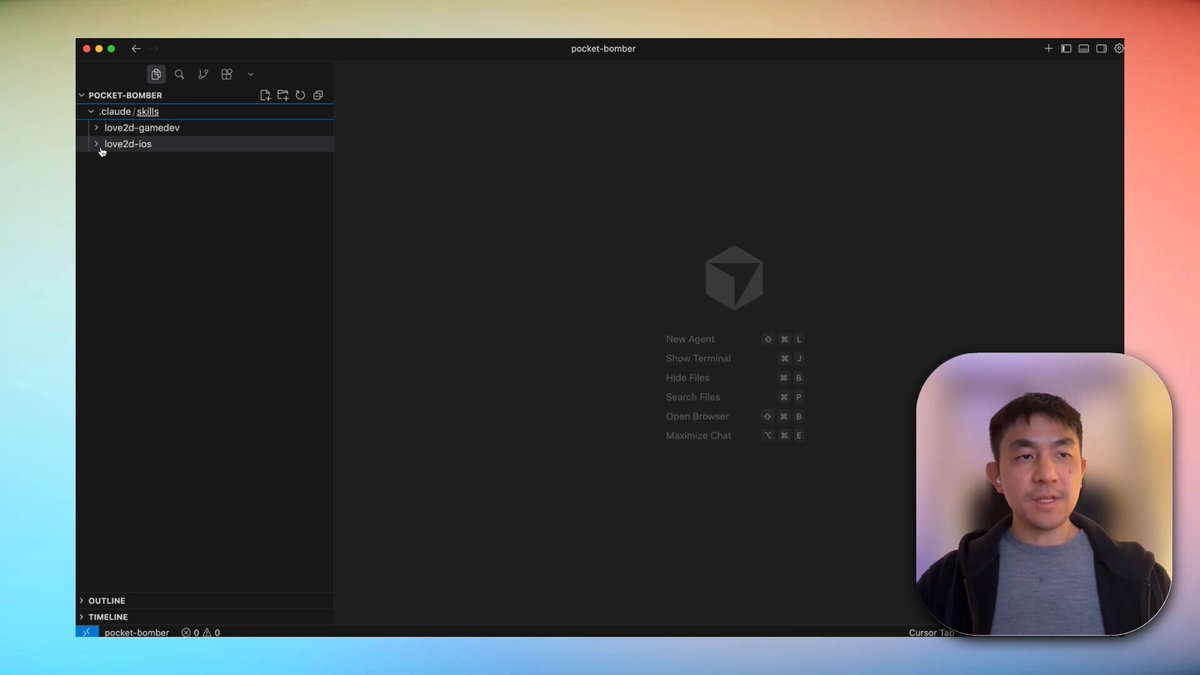
Getting really happy with this workflow for vibe coding games for iOS! > love2d-gamedev skill > build + test directly macbook > fast iterations > love2d-ios skill > adds virtual joystick + touch controls > creates xcode project + builds Used Kimi K2.5 + Claude Code 👇

30,869 просмотров • 7 месяцев назад •via X (Twitter)

Комментарии: 0

Нет доступных комментариев

Здесь появятся комментарии из оригинального поста
Похожие видео

THIS GUY VIBE CODED A FULL CAPYBARA FOOD DELIVERY GAME IN 2 WEEKS WITH CLAUDE CODE you play as a capybara delivering food on a bike. orders stack on the back, you have a phone with apps in-game and the whole delivery system is realistic 2 weeks, zero game dev experience, and ENTIRELY AI generated the full stack: > claude code for all the code > three.js for the 3D engine > suno for original music > elevenlabs for sound effects and voice > GPT images-2 and grok for textures and illustrations > tripo3d for generating all the 3D assets the cinematics are all in-game too. he asked claude to build a cinematic editor with timeline controls, camera animation, and transitions. then he just placed the cameras himself his workflow was more planning than coding (obviously): > come up with the core mechanic > plan every feature using claude /plan mode > generate assets with AI tools > spend most of his time on the final polish, prop placement, and making the design feel right he said the human part is what most vibe coded games are missing. AI can generate everything but having taste for what looks good and what feels right is still on you the game is playable right now in the browser this is what vibe coding is actually capable of in the game dev space right now a year ago this would have taken a small team of developers, a sound designer, and an artist working together for months now one person with no experience can ship a polished playable game with story, music, and mechanics in 14 days the tools keep getting better and the barrier to making real games keeps getting lower

Om Patel

241,709 просмотров • 4 месяцев назад

In the late 1990s, Hiroaki “Hiro” Nanahoshi founded MotoRex in Gardena, California and built a business around doing what seemed impossible at the time: legally bringing the Nissan Skyline R32, R33 and R34 into America years before they qualified for the 25 year rule. MotoRex went through crash testing and federal compliance work, and for a brief moment they had cracked the code. Then Hollywood called. MotoRex employee Sean Morris brought R32s and a white 1995 R33 Skyline GT R to the casting call for The Fast and the Furious. Universal painted the R33 yellow and it became Leon’s car, played by Johnny Strong, later nicknamed “Big Bird.” Paul Walker never owned that R33, but he met the MotoRex crew around this period and became genuinely obsessed with GT Rs. He later bought a silver R34 GT R from MotoRex, borrowed their famous Blackbird R34 and eventually owned a white R34 GT R V Spec II. They were on top of the world until it all came crashing down. NHTSA investigated MotoRex and found false conformity statements for 17 Skylines. On February 15, 2006, MotoRex lost its Registered Importer license, and shortly afterward federal eligibility for the R32 and R34 was pulled, leaving only certain 1996 to 1998 R33s eligible. MotoRex collapsed and Hiro was arrested amid separate criminal investigations. Even Big Bird didn’t get a happy ending. The actual yellow R33 from The Fast and the Furious was later seized in Wisconsin over its import and VIN situation and crushed in 2012. One company helped create America’s Skyline obsession, put the GT R into the orbit of Fast and Furious and Paul Walker, then disappeared almost as spectacularly as it arrived.

PATINA RESEARCH

26,016 просмотров • 28 дней назад

I built a Claude skill that turns Claude Code into your personal coding tutor. The core insight: Claude Opus 4.5 is already the best tutor in the world. Anthropic cooked with this model! It has incredible emotional intelligence and deep coding knowledge. What this skill does is just provide a harness—a way for Claude to agentically build the right context about YOU so it can personalize the tutoring experience in exactly the right way. Here's what makes it work: Learner profile from day one. The first time you use it, Claude interviews you. It asks about your programming background, your goal (where do you want this to take you?), and who you are as a person. This gets saved and informs every single tutorial it ever writes for you. From the very first interaction, everything is 100% personalized. Tutorials that use YOUR code. When you ask to learn something, Claude doesn't give you generic examples from some blog post. It finds examples in the actual codebase you're working in. This makes concepts stick in a way abstract examples never do. Quiz mode with spaced repetition. You can run "/quiz-me" and Claude will test you on concepts you've learned. It tracks your understanding score for each tutorial. Then it uses spaced repetition to prioritize the next quiz—concepts you're shaky on come back in 2 days, concepts you've mastered fade to 55+ day intervals. It literally builds retention into the learning process. One central knowledge base across all your projects. Whether you're joining a new company and want to understand their codebase, learning from an open source project, or leveling up on your own vibe-coded project—all your tutorials live in one place (~/coding-tutor-tutorials/). So your personal coding-tutor accompanies you across all your coding adventures. The whole thing is a feedback loop: learn → quiz → retain → learn more → quiz → retain. Your tutorials evolve, your knowledge compounds, and Claude gets better at teaching YOU specifically over time. To install it in Claude Code: • Run /plugin to open the plugin manager • Add marketplace nityeshaga/claude-code-essentials • Enable coding-tutor plugin Here's the Github: And here's 20-mins of me walking you through how to use this plugin and how it works 👇🏽 Let me know if you use it to teach yourself something cool!

Nityesh

64,563 просмотров • 8 месяцев назад

🚨 this chinese guy makes over $1,000,000 a year… by building AI agents. no employees. no massive startup. he just keeps building. while most people are still asking ChatGPT random questions, he’s using Claude to build software that solves real problems. this is what people call vibe coding. he opens Claude and says: “build me an AI agent for real estate businesses that creates property videos.” Claude writes the code. builds the interface. adds subscriptions. helps deploy the app. within a day, he has a working product. then he starts building the next one. that’s the part most people don’t understand. he isn’t trying to build one billion-dollar company. he’s building dozens of AI agents, each solving one problem for one industry. → an AI agent for dentists → an AI agent for ecommerce brands → an AI agent for podcasters → an AI agent for real estate businesses each one automates work that people normally do by hand. each one is built with simple prompts. each one can become a real business. the crazy part? you don’t need to be a software engineer anymore. you need to know how to think like a builder. how to spot problems. how to explain solutions to AI. and how to ship. that’s exactly why i’m reading this article: “How to Actually Build Your First AI Agent.” because this is the skill that’s creating the next generation of builders. the people who learn to build AI agents today won’t just use AI. they’ll own the tools everyone else ends up paying for.

MIKE

39,041 просмотров • 2 месяцев назад

HERMES AGENT LEARNS FROM ITS OWN MISTAKES. UPDATES ITS MEMORY. CREATES ITS OWN SKILLS. NO CLOUD. EVERYTHING STORED LOCALLY. THIS IS HOW THE SELF-IMPROVING LOOP WORKS. most agents start from zero every session. Hermes carries forward what it learned. THREE MEMORY SYSTEMS: 1. PROCEDURAL MEMORY (how to act) stored in ~/.hermes/skills/ as SKILL.md files. when the agent repeats a complex workflow, it saves the procedure as a reusable skill. next time the same task comes up, it follows the skill instead of figuring it out again. you can also create skills explicitly: "create a skill called video-prep that captures how I format my video scripts. spoken english, define jargon inline, no em-dashes, close with a catchphrase." the agent writes the SKILL.md. available as a slash command from that moment. Hermes ships with 90+ skills. the number grows the longer you use it. 2. SEMANTIC MEMORY (durable facts about you) stored in ~/.hermes/memory/memory.md the agent scans conversations for facts worth remembering. preferences, habits, corrections, project details. real example from the video: agent tried to scrape a YouTube channel. URL was wrong. it failed. it updated memory.md with the correct URL pattern so it never makes the same mistake again. you can also save explicitly: "save to memory that my favorite testing framework is pytest" the agent updates memory.md immediately. this file loads into context on every session. the agent knows you better every week. 3. EPISODIC MEMORY (chat history) stored in ~/.hermes/state.db (local SQLite). every conversation. every tool call. every result. searchable with FTS5 full-text search. "search our past sessions. what was the first thing I ever said to you?" the agent queries state.db and finds it. over time, auxiliary models consolidate episodic memory into semantic memory. distilling recurring patterns into durable facts. THE SELF-IMPROVING LOOP: every agent run follows this cycle: → you send a prompt → working memory loads: SOUL.md + memory.md + relevant skills + chat history → agent calls tools (terminal, browser, delegate_task) → agent completes the task, replies to you → AFTER the reply: agent checks "did I learn something worth saving?" → if yes: updates memory.md or creates a new skill → next session starts smarter than the last this happens automatically. you don't ask the agent to learn. it decides what to remember on its own. WHAT MAKES THIS DIFFERENT FROM CLAUDE CODE: Claude Code has memory too. but Hermes stores everything locally. no cloud. your data never leaves your machine. Claude Code doesn't auto-create skills from experience. Hermes turns repeated workflows into reusable procedures. Claude Code memory is instruction-based. Hermes memory is conversational and self-updating. over months of usage, Hermes builds a knowledge base of your preferences, your projects, your mistakes, and the procedures that work for your specific workflow. the agent that remembers your birthday also remembers why your last deploy failed. NO EMBEDDINGS. PLAIN TEXT. Hermes does not use embeddings or RAG for memory. skill and memory search runs on plain text keyword matching. simpler. faster. no vector database to maintain. works entirely offline on your local machine. DELEGATE TO CLAUDE CODE: Hermes can spawn a sub-agent that runs Claude Code in headless mode: "spawn a sub-agent using Claude CLI to build a Python script that fetches the top 5 Hacker News stories to markdown." Hermes delegates. Claude Code writes the code. result returns to Hermes. Hermes runs the script and delivers the output. use Hermes for orchestration. use Claude Code for heavy coding. both tools. not competitors. WHAT HERMES DOES NOT HAVE: no built-in eval or LMOps system. no LangSmith, no LangFuse integration out of the box. trajectory export and logs exist but there is no automated quality tracking. if you need eval, build it yourself or connect external tools. the loop is self-improving. measuring how well it improves is on you. comment LOOP and I'll send you the configs that control how fast Hermes learns and what it remembers. memory limits, skill auto-creation triggers, and the auxiliary model that runs the learning. Replace your entire team with 8 hermes agents👇

YanXbt

22,720 просмотров • 2 месяцев назад

CANCEL Your Weekend Plans, & Learn Claude Code Today. This Claude Code teaches more about vibe-coding in 30 mins than most tutorials do in hours. Save this, it'll change how you build forever People are building entire apps and charging clients $5,000 to $20,000 using Claude Code. This Claude Code video is a goldmine. Full Claude Code tutorial. Beginner to pro. Every feature. Every setup step. Every best practice. Zero prior knowledge needed. Save it. Watch it tonight. Not tomorrow. Tonight. Follow Himanshu Kumar so you don't miss the breakdowns for each feature. This is your complete Claude Code roadmap. Lose it and you lose the next 12 months of income. ↓ 1. Understand What Claude Code Actually Is. You think Claude Code is just another chatbot. It's not. And that misunderstanding is why you're broke. ChatGPT gives you text. Claude Code gives you software. It runs in your terminal. It reads your entire codebase. It writes files directly to your project. It runs commands on your machine. It debugs errors autonomously. It builds features end to end. You're not chatting. You're deploying a developer. One that works 24/7. Never asks for a raise. Never calls in sick. Never pushes broken code at 5 PM on a Friday. People are charging clients $5,000-$10,000 for apps they built with Claude Code in 3 hours. And you didn't even know this tool existed because you're still asking ChatGPT to write you a to-do list. The gap between you and people making money with AI isn't intelligence. It's awareness. Now you're aware. Save this post. Follow Himanshu Kumar for the complete breakdown of every Claude Code feature. ↓ 2. Set Up Claude Code Properly. Most people quit here. "It's too complicated." "I don't know terminal." "I'll set it up later." Later never comes. And "complicated" means "I watched for 30 seconds and gave up." The setup takes 10 minutes. Install Node.js. Install Claude Code via npm. Authenticate your account. Open your terminal. Done. 10 minutes. You spent longer this morning deciding what to have for breakfast. The video walks through every single click. Every command. Every screen. Assuming you know absolutely nothing. If you can download an app on your phone, you can set up Claude Code. It's the same level of difficulty. But you'll still tell yourself it's "too technical" because that excuse is more comfortable than admitting you're just scared to try something new. This is the setup that everything else builds on. Skip it and nothing works. ↓ 3. Use the Desktop App. You don't even need to live in the terminal if you don't want to. Claude Code has a desktop app. Clean interface. Visual feedback. Everything you need without touching command line. But here's the thing most people don't know: The desktop app isn't just a pretty wrapper. It lets you manage projects visually. See file changes in real time. Switch between projects instantly. The people making money with Claude Code use the desktop app for client projects because it's faster to manage multiple builds simultaneously. You're still opening 14 browser tabs to organize one project. They open one app and everything's there. Efficiency isn't a personality trait. It's a tool choice. Save this post. Follow Himanshu Kumar for the desktop app workflow that handles 5 client projects at once. ↓ 4. Install the Right Dependencies. This is where beginners silently fail and blame the tool. Claude Code needs certain dependencies installed to work properly. Miss one and everything breaks. Then you go on Twitter and say "Claude Code doesn't work." It works fine. You just didn't read the setup guide. The video covers every dependency you need. What to install. How to install it. How to verify it's working. No guessing. No Stack Overflow rabbit holes at midnight. No "why isn't this working" for 3 hours. Watch the dependency section once. Follow every step. Never deal with setup issues again. You spent more time last week troubleshooting a printer than this takes. ↓ 5. Work Inside Your Code Editor. Claude Code integrates directly with your code editor. VS Code. Cursor. Whatever you use. It's not a separate window you alt-tab between. It's right there. In your workflow. You type a request. Claude writes the code. The code appears in your editor. You review it. Accept it. Done. No copy pasting between windows. No reformatting code that got mangled in transit. No "which version was the right one." It's like pair programming with someone who never gets distracted, never argues about naming conventions, and actually writes code that works on the first try. Your current coding process is: Google the problem, read 5 answers on Stack Overflow, copy the wrong one, debug for an hour, find the right one, paste it in, break something else, repeat. Claude Code's process is: describe what you want, get working code, move on with your life. Same hour. One method produces working software. The other produces frustration and a browser history full of Stack Overflow tabs. Stop coding the hard way. Save this post. Follow Himanshu Kumar for code editor setup guides and integration tips. ↓ 6. Master Basic Usage. Most people learn 5% of a tool and say they "know" it. You "know" Photoshop because you can crop an image. You "know" Excel because you can sum a column. You "know" Claude Code because you asked it one question. Basic usage means: How to give Claude Code context about your project. How to ask for changes to existing code. How to generate new files and features. How to review what Claude produces. How to iterate when the output isn't perfect. These basics are the foundation of everything. Skip them and every advanced feature feels confusing. Master them and every advanced feature feels obvious. The video breaks down each one with real examples. Not theory. Actual usage on actual projects. You've been using AI tools at 5% capacity and wondering why your results are 5% of what others get. Save this post. Follow Himanshu Kumar for daily Claude Code usage tips. ↓ 7. Learn Every Command. Claude Code has commands that most users never discover. Because most users type one message and expect magic. That's not how professionals use it. Professionals use specific commands that tell Claude Code exactly what to do, how to do it, and what constraints to follow. The difference between a beginner and someone making $10K/month with Claude Code is knowing which command to use and when. The video walks through every single one. Not just what they do. But when to use each one. And why one command is better than another for specific situations. You've been using Claude Code like a hammer. These commands turn it into a full toolbox. Stop treating a power tool like a blunt instrument. Save this post. Follow Himanshu Kumar for the command cheat sheet I use daily. ↓ 8. Understand Modes and Shortcuts. Speed matters. The person who builds an app in 2 hours charges $5,000. The person who builds the same app in 2 days charges $2,000. Same app. Same quality. Different speed. Different income. Claude Code has modes that change how it operates. And shortcuts that cut your workflow time in half. Most people don't know either exists. They use Claude Code in default mode for everything. Like driving a car in first gear on the highway. Technically it works. But everyone is passing you. The video shows you every mode. Every shortcut. Every time-saving trick that separates the people charging $2,000 per project from the people charging $10,000. Speed is money. Literally. Save this post. Follow Himanshu Kumar for the shortcuts that cut my build time by 60%. ↓ 9. Write a Proper Planning Prompt. This is the section that separates amateurs from professionals. And it's the section most people skip. A planning prompt tells Claude Code what you're building before you start building it. Architecture. File structure. Technologies. Features. Constraints. Edge cases. Without a planning prompt, Claude Code guesses. And guessing produces garbage. With a planning prompt, Claude Code executes a clear plan. And clear plans produce working software. The video shows you exactly how to write a planning prompt that makes Claude Code produce professional-grade output on the first try. "But I just want to start coding." That's why your code breaks every time. That's why you restart projects 4 times. That's why nothing you build ever gets finished. Because you refuse to plan. A 5-minute planning prompt saves you 5 hours of debugging. But you'd rather skip the 5 minutes and suffer through the 5 hours because patience isn't your thing. And that's exactly why you're not making money. Planning is the most underpaid skill in coding. And the most overpaid when you master it. Save this post. Follow Himanshu Kumar for the planning prompt templates I use for every client project. ↓ 10. Choose the Right Model. Claude Code lets you select different AI models. Not all models are the same. Not all tasks need the same model. Using the most powerful model for a simple task wastes credits. Using a basic model for a complex task wastes time. The video explains: Which model to use for quick fixes. Which model to use for complex architecture. Which model to use for debugging. Which model to use for code generation. Most people pick one model and use it for everything. That's like using a sledgehammer to hang a picture frame. Model selection is strategy. And strategy is money. The people making $10K/month with Claude Code are strategic about every credit they spend. You're burning through credits because you use the most expensive model to write a hello world. ↓ 11. Use Git and Version Control. If you're not using version control, you're one mistake away from losing everything. Claude Code integrates with Git. Every change tracked. Every version saved. Every mistake reversible. Without Git: Claude makes a change. It breaks something. You can't undo it. You start over. 3 hours wasted. With Git: Claude makes a change. It breaks something. You roll back in 5 seconds. Keep working. Version control isn't optional. It's insurance. And the people not using it are the same people who say "I lost my entire project" like it's something that just happens. It doesn't just happen. It happens because you didn't set up Git. The video walks through the entire Git integration. Save this post. Follow Himanshu Kumar for the Git workflow that's saved every project I've ever built. ↓ 12. Set Up Claude MD and Memory. This is the feature that makes Claude Code feel like a real team member instead of a stranger you explain everything to every time. ClaudeMD is a memory file. You tell Claude Code about your project once. It remembers forever. Coding style preferences. Project architecture decisions. Technology stack. File naming conventions. Business logic rules. Without ClaudeMD: Every new conversation starts from zero. You explain the same things repeatedly. Output is inconsistent. With ClaudeMD: Claude knows your project. Claude follows your rules. Claude produces consistent, professional code. The difference between a sloppy freelancer and a reliable agency is consistency. Claude. MD gives you consistency without the agency overhead. Most people don't set this up and wonder why Claude Code gives different answers every time. ↓ 13. Automate with Tasks. This is where Claude Code stops being a tool and starts being an employee. Tasks let you define repeating workflows. "Every time I push code, run tests." "Every time I create a new file, add boilerplate." "Every time I start a session, check for errors." Automated. Hands-free. Consistent. You're doing these things manually every single day. The same checks. The same steps. The same routine. Tasks do them automatically. So you can focus on the work that actually makes money. Every manual task you automate is time you get back. And time is the only thing you can never make more of. Save this post. Follow Himanshu Kumar for the task automation templates that run my entire workflow. ↓ 14. Explore Features Most People Never Touch. The video covers features that 95% of Claude Code users don't know exist. Because they watched a 3-minute TikTok about Claude Code and think they're experts now. They're not. They're using 5% of a tool that can do everything. The full tutorial goes deep into features that most tutorials skip because they're "too advanced." They're not too advanced. They're too valuable for lazy creators to bother explaining. This video explains all of them. Clearly. For beginners. The 5% of features you don't know about are the 5% that make people rich. ↓ Let's zoom out. I just broke down 14 sections of Claude Code. Setup and installation. Desktop app. Dependencies. Code editor integration. Basic usage. Commands. Modes and shortcuts. Planning prompts. Model selection. Git and version control. Memory and Claude. MD. Tasks and automation. Advanced features. All in one video. All free. All beginner friendly. The person who masters even half of these in the next 2 weeks will be in the top 1% of Claude Code users. The top 1% of Claude Code users are the ones charging $5,000-$10,000 per project and building them in a single afternoon. Everyone else is asking ChatGPT to fix their resume. Same tools. Same access. Completely different outcomes. Because one person treats AI like a toy. And the other treats it like a business. ↓ Here's the hard truth nobody wants to hear. You don't have a talent problem. You don't have an intelligence problem. You don't have a resources problem. You have an action problem. Everything I just listed has a free tutorial right here in the attached video. 33 minutes. That's it. 33 minutes to learn the tool that people are using to build $5,000-$20,000/month businesses. You spent more time today scrolling Twitter than it takes to watch this video. You spent more time this week watching Netflix than it takes to master Claude Code basics. You spent more time this month doing nothing than it would take to completely change your income. The information is free. The tool is accessible. The opportunity is here. The only thing missing is you caring enough to start. ↓ CANCEL your plans this week. This isn't optional anymore. The people learning Claude Code right now will be building apps for the people who didn't learn it. That's not a prediction. That's already happening. Companies are replacing $150/hour developers with one person and Claude Code. If you code: learn Claude Code or become half as valuable by next year. If you don't code: learn Claude Code or miss the biggest opportunity to start earning from tech without a CS degree. There's no path forward that doesn't include AI coding tools. None. You have one window. Right now. This week. ↓ Here's your action plan for the next 7 days: Day 1: Watch the full video. Install Claude Code. Set up dependencies. Day 2: Learn basic usage. Try 5 different commands. Day 3: Write your first planning prompt. Build a small project. Day 4: Set up Claude. MD. Configure your memory file. Day 5: Master modes and shortcuts. Build a second project faster. Day 6: Set up Git integration. Automate with tasks. Day 7: Build something real. A tool, an app, a website. Ship it. 7 days. One tool. One completely different skill set. One completely different income potential. Or 7 more days of scrolling Twitter watching other people build things while you "plan to start." Your call. ↓ This is the most important video you'll watch this year. 33 minutes. Complete Claude Code mastery. From zero to building real projects. Save this post. Come back to it every single day this week. Check off each section as you complete it. Follow Himanshu Kumarfor daily Claude Code breakdowns, advanced tutorials, and the exact workflows that are turning beginners into $10K/month builders. The only thing between you and $10K/month with Claude Code is this video and 7 days. Don't waste them. You Must Follow me Himanshu Kumar, so i can send you DM.

Himanshu Kumar

85,668 просмотров • 4 месяцев назад

CANCEL Your Weekend Plans, and Learn Claude Code Today. $5,000/month. $10,000/month. $20,000/month. People are building entire apps and charging clients thousands using Claude Code. You're still Googling 'how to center a div.' While you're binge-watching a show you won't remember next week, a 19 year old with zero coding experience just built a $5,000 SaaS product in one afternoon using the tool I'm about to break down. Same laptop. Same internet. Same 24 hours. He has Claude Code. You have Netflix. That's the only difference. This YouTube video is a goldmine. Full Claude Code tutorial. Beginner to pro. Every feature. Every setup step. Every best practice. Zero prior knowledge needed. Save it. Watch it tonight. Not tomorrow. Tonight. Save this post. This is your complete Claude Code roadmap. Lose it and you lose the next 12 months of income. Follow Himanshu Kumar so you don't miss the breakdowns for each feature. ↓ 1. Understand What Claude Code Actually Is. You think Claude Code is just another chatbot. It's not. And that misunderstanding is why you're broke. ChatGPT gives you text. Claude Code gives you software. It runs in your terminal. It reads your entire codebase. It writes files directly to your project. It runs commands on your machine. It debugs errors autonomously. It builds features end to end. You're not chatting. You're deploying a developer. One that works 24/7. Never asks for a raise. Never calls in sick. Never pushes broken code at 5 PM on a Friday. People are charging clients $5,000-$10,000 for apps they built with Claude Code in 3 hours. And you didn't even know this tool existed because you're still asking ChatGPT to write you a to-do list. The gap between you and people making money with AI isn't intelligence. It's awareness. Now you're aware. Save this post. Follow Himanshu Kumar for the complete breakdown of every Claude Code feature. ↓ 2. Set Up Claude Code Properly. Most people quit here. "It's too complicated." "I don't know terminal." "I'll set it up later." Later never comes. And "complicated" means "I watched for 30 seconds and gave up." The setup takes 10 minutes. Install Node.js. Install Claude Code via npm. Authenticate your account. Open your terminal. Done. 10 minutes. You spent longer this morning deciding what to have for breakfast. The video walks through every single click. Every command. Every screen. Assuming you know absolutely nothing. If you can download an app on your phone, you can set up Claude Code. It's the same level of difficulty. But you'll still tell yourself it's "too technical" because that excuse is more comfortable than admitting you're just scared to try something new. This is the setup that everything else builds on. Skip it and nothing works. ↓ 3. Use the Desktop App. You don't even need to live in the terminal if you don't want to. Claude Code has a desktop app. Clean interface. Visual feedback. Everything you need without touching command line. But here's the thing most people don't know: The desktop app isn't just a pretty wrapper. It lets you manage projects visually. See file changes in real time. Switch between projects instantly. The people making money with Claude Code use the desktop app for client projects because it's faster to manage multiple builds simultaneously. You're still opening 14 browser tabs to organize one project. They open one app and everything's there. Efficiency isn't a personality trait. It's a tool choice. Save this post. Follow Himanshu Kumar for the desktop app workflow that handles 5 client projects at once. ↓ 4. Install the Right Dependencies. This is where beginners silently fail and blame the tool. Claude Code needs certain dependencies installed to work properly. Miss one and everything breaks. Then you go on Twitter and say "Claude Code doesn't work." It works fine. You just didn't read the setup guide. The video covers every dependency you need. What to install. How to install it. How to verify it's working. No guessing. No Stack Overflow rabbit holes at midnight. No "why isn't this working" for 3 hours. Watch the dependency section once. Follow every step. Never deal with setup issues again. You spent more time last week troubleshooting a printer than this takes. ↓ 5. Work Inside Your Code Editor. Claude Code integrates directly with your code editor. VS Code. Cursor. Whatever you use. It's not a separate window you alt-tab between. It's right there. In your workflow. You type a request. Claude writes the code. The code appears in your editor. You review it. Accept it. Done. No copy pasting between windows. No reformatting code that got mangled in transit. No "which version was the right one." It's like pair programming with someone who never gets distracted, never argues about naming conventions, and actually writes code that works on the first try. Your current coding process is: Google the problem, read 5 answers on Stack Overflow, copy the wrong one, debug for an hour, find the right one, paste it in, break something else, repeat. Claude Code's process is: describe what you want, get working code, move on with your life. Same hour. One method produces working software. The other produces frustration and a browser history full of Stack Overflow tabs. Stop coding the hard way. Save this post. Follow Himanshu Kumar for code editor setup guides and integration tips. ↓ 6. Master Basic Usage. Most people learn 5% of a tool and say they "know" it. You "know" Photoshop because you can crop an image. You "know" Excel because you can sum a column. You "know" Claude Code because you asked it one question. Basic usage means: How to give Claude Code context about your project. How to ask for changes to existing code. How to generate new files and features. How to review what Claude produces. How to iterate when the output isn't perfect. These basics are the foundation of everything. Skip them and every advanced feature feels confusing. Master them and every advanced feature feels obvious. The video breaks down each one with real examples. Not theory. Actual usage on actual projects. You've been using AI tools at 5% capacity and wondering why your results are 5% of what others get. Save this post. Follow Himanshu Kumar for daily Claude Code usage tips. ↓ 7. Learn Every Command. Claude Code has commands that most users never discover. Because most users type one message and expect magic. That's not how professionals use it. Professionals use specific commands that tell Claude Code exactly what to do, how to do it, and what constraints to follow. The difference between a beginner and someone making $10K/month with Claude Code is knowing which command to use and when. The video walks through every single one. Not just what they do. But when to use each one. And why one command is better than another for specific situations. You've been using Claude Code like a hammer. These commands turn it into a full toolbox. Stop treating a power tool like a blunt instrument. Save this post. Follow Himanshu Kumar for the command cheat sheet I use daily. ↓ 8. Understand Modes and Shortcuts. Speed matters. The person who builds an app in 2 hours charges $5,000. The person who builds the same app in 2 days charges $2,000. Same app. Same quality. Different speed. Different income. Claude Code has modes that change how it operates. And shortcuts that cut your workflow time in half. Most people don't know either exists. They use Claude Code in default mode for everything. Like driving a car in first gear on the highway. Technically it works. But everyone is passing you. The video shows you every mode. Every shortcut. Every time-saving trick that separates the people charging $2,000 per project from the people charging $10,000. Speed is money. Literally. Save this post. Follow Himanshu Kumar for the shortcuts that cut my build time by 60%. ↓ 9. Write a Proper Planning Prompt. This is the section that separates amateurs from professionals. And it's the section most people skip. A planning prompt tells Claude Code what you're building before you start building it. Architecture. File structure. Technologies. Features. Constraints. Edge cases. Without a planning prompt, Claude Code guesses. And guessing produces garbage. With a planning prompt, Claude Code executes a clear plan. And clear plans produce working software. The video shows you exactly how to write a planning prompt that makes Claude Code produce professional-grade output on the first try. "But I just want to start coding." That's why your code breaks every time. That's why you restart projects 4 times. That's why nothing you build ever gets finished. Because you refuse to plan. A 5-minute planning prompt saves you 5 hours of debugging. But you'd rather skip the 5 minutes and suffer through the 5 hours because patience isn't your thing. And that's exactly why you're not making money. Planning is the most underpaid skill in coding. And the most overpaid when you master it. Save this post. Follow Himanshu Kumar for the planning prompt templates I use for every client project. ↓ 10. Choose the Right Model. Claude Code lets you select different AI models. Not all models are the same. Not all tasks need the same model. Using the most powerful model for a simple task wastes credits. Using a basic model for a complex task wastes time. The video explains: Which model to use for quick fixes. Which model to use for complex architecture. Which model to use for debugging. Which model to use for code generation. Most people pick one model and use it for everything. That's like using a sledgehammer to hang a picture frame. Model selection is strategy. And strategy is money. The people making $10K/month with Claude Code are strategic about every credit they spend. You're burning through credits because you use the most expensive model to write a hello world. ↓ 11. Use Git and Version Control. If you're not using version control, you're one mistake away from losing everything. Claude Code integrates with Git. Every change tracked. Every version saved. Every mistake reversible. Without Git: Claude makes a change. It breaks something. You can't undo it. You start over. 3 hours wasted. With Git: Claude makes a change. It breaks something. You roll back in 5 seconds. Keep working. Version control isn't optional. It's insurance. And the people not using it are the same people who say "I lost my entire project" like it's something that just happens. It doesn't just happen. It happens because you didn't set up Git. The video walks through the entire Git integration. Save this post. Follow Himanshu Kumar for the Git workflow that's saved every project I've ever built. ↓ 12. Set Up Claude.MD and Memory. This is the feature that makes Claude Code feel like a real team member instead of a stranger you explain everything to every time. ClaudeMD is a memory file. You tell Claude Code about your project once. It remembers forever. Coding style preferences. Project architecture decisions. Technology stack. File naming conventions. Business logic rules. Without ClaudeMD: Every new conversation starts from zero. You explain the same things repeatedly. Output is inconsistent. With ClaudeMD: Claude knows your project. Claude follows your rules. Claude produces consistent, professional code. The difference between a sloppy freelancer and a reliable agency is consistency. Claude. MD gives you consistency without the agency overhead. Most people don't set this up and wonder why Claude Code gives different answers every time. ↓ 13. Automate with Tasks. This is where Claude Code stops being a tool and starts being an employee. Tasks let you define repeating workflows. "Every time I push code, run tests." "Every time I create a new file, add boilerplate." "Every time I start a session, check for errors." Automated. Hands-free. Consistent. You're doing these things manually every single day. The same checks. The same steps. The same routine. Tasks do them automatically. So you can focus on the work that actually makes money. Every manual task you automate is time you get back. And time is the only thing you can never make more of. Save this post. Follow Himanshu Kumar for the task automation templates that run my entire workflow. ↓ 14. Explore Features Most People Never Touch. The video covers features that 95% of Claude Code users don't know exist. Because they watched a 3-minute TikTok about Claude Code and think they're experts now. They're not. They're using 5% of a tool that can do everything. The full tutorial goes deep into features that most tutorials skip because they're "too advanced." They're not too advanced. They're too valuable for lazy creators to bother explaining. This video explains all of them. Clearly. For beginners. The 5% of features you don't know about are the 5% that make people rich. ↓ Let's zoom out. I just broke down 14 sections of Claude Code. Setup and installation. Desktop app. Dependencies. Code editor integration. Basic usage. Commands. Modes and shortcuts. Planning prompts. Model selection. Git and version control. Memory and Claude. MD. Tasks and automation. Advanced features. All in one video. All free. All beginner friendly. The person who masters even half of these in the next 2 weeks will be in the top 1% of Claude Code users. The top 1% of Claude Code users are the ones charging $5,000-$10,000 per project and building them in a single afternoon. Everyone else is asking ChatGPT to fix their resume. Same tools. Same access. Completely different outcomes. Because one person treats AI like a toy. And the other treats it like a business. ↓ Here's the hard truth nobody wants to hear. You don't have a talent problem. You don't have an intelligence problem. You don't have a resources problem. You have an action problem. Everything I just listed has a free tutorial right here in the attached video. 33 minutes. That's it. 33 minutes to learn the tool that people are using to build $5,000-$20,000/month businesses. You spent more time today scrolling Twitter than it takes to watch this video. You spent more time this week watching Netflix than it takes to master Claude Code basics. You spent more time this month doing nothing than it would take to completely change your income. The information is free. The tool is accessible. The opportunity is here. The only thing missing is you caring enough to start. ↓ CANCEL your plans this week. This isn't optional anymore. The people learning Claude Code right now will be building apps for the people who didn't learn it. That's not a prediction. That's already happening. Companies are replacing $150/hour developers with one person and Claude Code. If you code: learn Claude Code or become half as valuable by next year. If you don't code: learn Claude Code or miss the biggest opportunity to start earning from tech without a CS degree. There's no path forward that doesn't include AI coding tools. None. You have one window. Right now. This week. ↓ Here's your action plan for the next 7 days: Day 1: Watch the full video. Install Claude Code. Set up dependencies. Day 2: Learn basic usage. Try 5 different commands. Day 3: Write your first planning prompt. Build a small project. Day 4: Set up Claude. MD. Configure your memory file. Day 5: Master modes and shortcuts. Build a second project faster. Day 6: Set up Git integration. Automate with tasks. Day 7: Build something real. A tool, an app, a website. Ship it. 7 days. One tool. One completely different skill set. One completely different income potential. Or 7 more days of scrolling Twitter watching other people build things while you "plan to start." Your call. ↓ This is the most important video you'll watch this year. 33 minutes. Complete Claude Code mastery. From zero to building real projects. Save this post. Come back to it every single day this week. Check off each section as you complete it. Follow Himanshu Kumar for daily Claude Code breakdowns, advanced tutorials, and the exact workflows that are turning beginners into $10K/month builders. The only thing between you and $10K/month with Claude Code is this video and 7 days. Don't waste them. You Must Follow me Himanshu Kumar, so i can send you DM.

Himanshu Kumar

101,793 просмотров • 5 месяцев назад

Hermes + Claude + Higgsfield MCP + ViralBuilder = 💰💰💰 Four tools. One prompt chain. Hook to finished video in 10 minutes. I built a Claude skill that writes shot-by-shot Higgsfield prompts from a single creative brief. ViralBuilder tells you what's winning. The skill turns it into a production-ready prompt. Higgsfield renders it. No creative director. No guessing. No separate tools. Here is the setup: Higgsfield MCP → Open Claude Code → Settings → Connectors → Enter: → Connect your account Hermes → The agent layer running underneath Claude Code → It holds your skills, crons, memory, and routing rules → When you prompt Claude, Hermes feeds it the context it needs ViralBuilder (like Gethookd) → The winning ecom video database → Scrapes top performing ecom videos across platforms → Claude reads the data and extracts what styles, hooks, and formats are actually scaling The skill: video-prompt-builder → Installed inside Claude via Hermes → Takes a creative brief and outputs a full shot-by-shot prompt → Covers camera work, effects, transitions, pacing, and energy arc → Every output is structured for Higgsfield to render without ambiguity No switching apps. No export steps. Everything runs from one place. ▸ FIND WINNING CREATIVE ANGLES ViralBuilder tells you what the market already validated. Claude reads it and extracts the pattern. Prompts to run: "Search ViralBuilder for the top performing ecom videos in [niche] over the last 21 days. Extract the 3 dominant hook styles and rank by view velocity." "Pull the winning video formats in [niche] from ViralBuilder. Which opening 3 seconds appears most across videos spending over $10k?" "Find what video style is scaling right now in [niche] for the US market. UGC, talking head, or product demo. Filter for videos with over 1M views." "Pull the last 30 days of viral ecom hooks in [niche] from ViralBuilder. Cluster by emotional trigger. Which cluster has the most longevity?" You are not guessing at angles. You are reading what the market already spent money validating. ▸ BUILD THE PROMPT WITH THE SKILL This is where the video-prompt-builder skill takes over. You give Claude the winning angle. The skill outputs a complete shot-by-shot prompt with effects, transitions, pacing, and energy arc ready to fire into Higgsfield. Prompts to run: "Use the video-prompt-builder skill. Brief: 15-second UGC ad for [product] in [niche]. Hook style: [style from ViralBuilder]. Tone: direct to camera, US English. Output the full shot-by-shot effects timeline, effects inventory, density map, and energy arc." "Use the video-prompt-builder skill. The dominant hook in [niche] this week is [hook]. Build a 10-second product video prompt that opens with a speed ramp into a close-up product reveal. Include a signature visual effect and a low-density CTA landing." "Use the video-prompt-builder skill. Brief: replicate the pacing and energy of a [style description] video for [product]. Target duration: 20 seconds. Output all four sections. Then generate the video with Higgsfield using the shot-by-shot prompt." The skill outputs four sections every time: → Shot-by-shot effects timeline with camera, movement, and transitions per shot → Master effects inventory showing every technique used and where → Effects density map showing high, medium, and low intensity across the timeline → Energy arc describing how the video opens, builds, and lands That output goes directly into Higgsfield. No rewriting. No translating. ▸ GENERATE THE CREATIVE Claude writes the brief via the skill. Higgsfield MCP builds the video. Both happen in the same session. Prompts to run: "Use the video-prompt-builder skill to write a 15-second UGC prompt for [product]. Hook in the first 3 seconds, speed ramp into product reveal, slow-motion CTA landing. Then generate with Higgsfield in 9:16 format." "Build 3 prompt variations on this winning angle: [angle]. Each variation opens with a different effect — speed ramp, digital zoom, whip pan. Use the video-prompt-builder skill for each. Then generate all three with Higgsfield." "Use the video-prompt-builder skill. Brief: problem-solution ad for [product], 20 seconds, US market. Problem shot at high density, product reveal at medium, result and CTA at low. Generate with Higgsfield in 9:16." No separate tool. No file transfer. The video comes back in the same thread. ▸ CHAIN THE WHOLE STACK One prompt. All four tools firing together. "You are my ad creative director. Hermes has loaded my brand context. Pull the top performing video style in [niche] from ViralBuilder this week. Use the video-prompt-builder skill to write a full shot-by-shot prompt for [product] that replicates that style — 20 seconds, 9:16, US market, hook in the first 3 seconds. Output the effects timeline, inventory, density map, and energy arc. Then generate the video with Higgsfield." That single prompt replaces a half-day of production. The math before this stack: Brief: 30 minutes Script: 1 hour Creative production: 2 to 3 hours Agency or freelancer cost: $500 to $2,000 per creative With this stack: Hook to finished creative: 10 minutes Cost per creative: tool subscription, a fraction of agency rate 5 product tests in the time it used to take to brief one Bad product tests are where US ad budget disappears. $600 to $1,500 per failed test, before you even know if the angle works. This stack shows you what the market already validated before you spend a dollar on production. Hermes = your context layer. Brand, goals, past performance. Claude is always informed. ViralBuilder = your winning video database. See exactly what styles, hooks, and formats are scaling before you produce anything. video-prompt-builder skill = the translation layer. Turns a creative brief into a structured, production-ready Higgsfield prompt every time. Claude = the brain. Reads the market, writes the brief, chains the tools. Higgsfield MCP = the output. Video generated directly from the prompt. No export step. Four tools. One session. 10 minutes. Comment + RT "STACK" and I'll DM you the full workflow + the video-prompt-builder skill file.

Kid Pak

58,796 просмотров • 4 месяцев назад

The number one question I get in the Claude Code / Cowork Community: "how do I share my Cowork skills with my team?" Here's the problem. You build a great skill. You zip it up. You drop it in Slack. Your teammate downloads it, uploads it, and maybe it works. Maybe they upload it wrong. Maybe you update the skill next week and nobody gets the new version. You're now maintaining skills through chat messages and hoping for the best. That doesn't scale. I just put out a video breaking down the three methods I've tested for sharing skills and plugins across a team. From dead simple to fully synced. Method 1: Shared drive (Google Drive, SharePoint, etc). You put your skill files in a shared folder. Teammates download and upload them into Cowork. It works, but updates are manual and there's no version control. Method 2: Built-in sharing on Team and Enterprise plans. You can share any skill directly with a colleague or publish it to your org directory. When you update the skill, everyone gets the update automatically. This is the easiest path if you're on a paid plan. The catch: there's no approval workflow for org-wide sharing, so set a clear owner. Method 3: GitHub repo. This is what I use. Your entire Cowork workspace -- skills, plugins, claude.md, folder structure, project files -- lives in a private repo. Teammates clone it. When you push an update, they pull it. Everyone stays in sync. You get version history, access control, and a single source of truth. The GitHub method sounds technical, but it's really just two steps: clone the repo, point Cowork at the folder. I walk through the whole thing in the video, including how to use .gitignore to keep personal files (like your morning briefing) out of the shared repo. This works for Cowork, Claude Code, and Open Codex. The infrastructure is the same. Full video linked below. If you've found a different approach that works for your team, I want to hear about it. Comment or reply and let's figure out the best practices together.

JJ Englert

16,176 просмотров • 5 месяцев назад