Loading video...

Video Failed to Load

Go Home

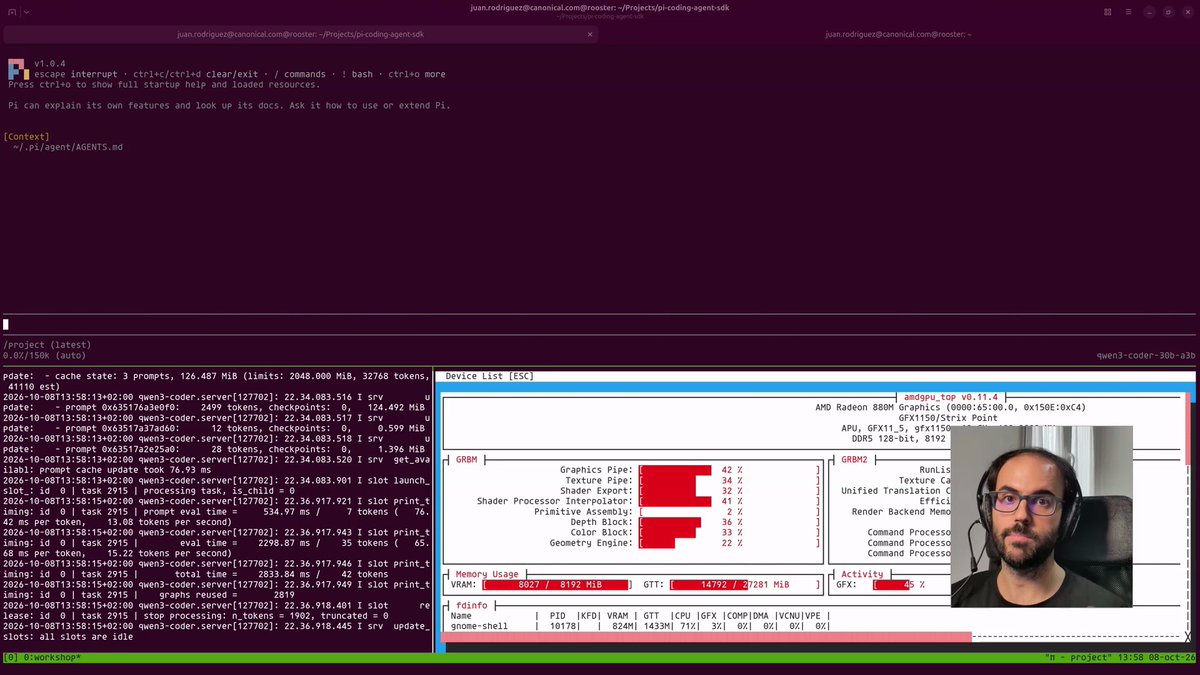
Introducing Atomic Local AI Server ⚡ Choose inference engine. Run local models. Connect your agents. • Multiple engines: llama.cpp, vLLM, SGLang, TensorRT, MLX, Prism and more. • Local AI server with an OpenAI-compatible API. • One-command engine installation matched to your GPU, CPU or NPU. • Pull from 3M...

40,325 views • 1 day ago •via X (Twitter)

21 Comments

Konstantin Gladych's profile picture
Konstantin Gladych1 day ago

Nice CLI. All engines in one place!

Schwarzer Ritter's profile picture
Schwarzer Ritter1 day ago

Most versatile tool for your inference factory imo

Ivan Fioravanti's profile picture
Ivan Fioravanti1 day ago

Mega release! Nearly any inference engine is supported now!

Alex Tatu's profile picture
Alex Tatu1 day ago

One-command engine install matched to my hardware, congrats 🔥

Valerii Brizhatiuk's profile picture
Valerii Brizhatiuk1 day ago

I love the cli

Aether's profile picture
Aether1 day ago

🔥🔥 when is strata coming?

atomic.chat's profile picture
atomic.chat1 day ago

working on it, stay tuned)

out's profile picture
out1 day ago

Nice, can we have a gui though? TUI's are annoying to use

꧁🐬 ⭑⭒ 🐬 ⭑⭒ 🐬꧂'s profile picture
꧁🐬 ⭑⭒ 🐬 ⭑⭒ 🐬꧂1 day ago

Is this different than Atomic Chat? is there an app in the Apple store? Confused. You video runs too fast🥵

三分钟懂行's profile picture
三分钟懂行1 day ago

按硬件匹配引擎这一步挺吸引人。本地跑模型,能少花点时间处理安装和兼容,才更容易真的用起来。

Mohammad Vazin's profile picture
Mohammad Vazin1 day ago

An OpenAI-compatible endpoint on the LAN is an open door if it binds to 0.0.0.0 without a key. Does it listen on localhost only by default, or require an API key for remote clients?

Deduped's profile picture
Deduped1 day ago

For multi-engine setups the cleanest guardrail is a one-line wrapper: set ATOMIC_ENGINE=llama.cpp before the serve call so every request pins the same backend and you never get silent answer drift between llama.cpp and vLLM.

Yuri Moreno's profile picture
Yuri Moreno1 day ago

How does it differ from LM Studio?

Raz Bhimani's profile picture
Raz Bhimani1 day ago

switching engines on the same model is where i'd worry. llama.cpp and vLLM can give slightly different answers, so logging which engine ran each call would save a lot of debugging.

安叫兽|Bird🕊️ 🔶 BNB's profile picture
安叫兽|Bird🕊️ 🔶 BNB1 day ago

能随时切换推理引擎挺实用,关键看切过去后 Agent 的工具调用稳不稳。

Peasant Smith's profile picture
Peasant Smith1 day ago

You know what, that is clever!

ルナ🌙 AIクオンツ美少女【FIS】's profile picture
ルナ🌙 AIクオンツ美少女【FIS】1 day ago

Engine soup? Without q8_0 KV-cache, you’re just leaking VRAM. We cut footprint 43% on dual GPUs.

ApexAiTech's profile picture
ApexAiTech1 day ago

Run local models free

Velgberg's profile picture
Velgberg1 day ago

Letting people swap between llama.cpp, vLLM and MLX behind one OpenAI compatible API is handy for comparing real throughput on their own hardware. Does it keep the same model files across engines or does each one need its own format?

atomic.chat's profile picture
atomic.chat1 day ago

you will generally need different model files for each engine. you can compare the same model across engines, but each needs a compatible format

Volink's profile picture
Volink1 day ago

llama.cpp, vLLM, SGLang, TensorRT and MLX behind one OpenAI-compatible endpoint is more than I expected from a local server.

Related Videos

🐆 Rapid-MLX v0.12 is here. We’ve officially evolved from a simple chat app into a full-fledged, on-device AI studio for Apple Silicon! 🖥️✨ We didn't just push the MLX inference engine to its limits and expand support for a massive lineup of local open-source models—we are alpha-launching the highly anticipated Desktop Version. (A huge shoutout to the IoTeX community for grinding through the closed beta with us. Your feedback was incredible and helped shape this beast.) Here are the game-changing features you can run on your Mac right now, 100% free and 100% offline 👇 🚀 Blazing Fast Local LLMs Run anything from 4B up to Qwen3.5-122B completely offline. No guessing games—we recommend models matched perfectly to your Mac's actual RAM. Rich chat includes syntax highlighting, markdown tables, and honest tok/s metrics. 🎨 Local Image Generation A brand new Images tab to render directly on your machine. Pick a model (FLUX.2-klein, Z-Image-Turbo), prompt, and refine. Everything lands in a visual filmstrip. 👁️ Vision & Live Web Tools Attach an image and chat about it with local vision. Need real-time data? Our built-in web tools (weather, search, page-fetch) run mid-answer with strict, transparent privacy controls. 🤖 Plug-and-Play Coding Agents Wire up Claude Code, Codex, Cline, or Continue in seconds. One copy-paste from the Launch tab spins up a local OpenAI/Anthropic-compatible endpoint. 🔒 Private by Design Everything runs on-device. Signed, notarized, and entirely local. Your data stays yours. Turn your Mac into an AI powerhouse today. ⚡️

raullen

34,196 views • 2 months ago