Video wird geladen...

Video konnte nicht geladen werden

Zur Startseite

Introducing /visual-plan - a skill to generate rich, visual plans for Claude Code and Codex. Plan mode in Claude Code is incredible. But I always find my eyes glazing over when it gives me this huge markdown essay in my terminal. I found I can make much better visual...

126,165 Aufrufe • vor 3 Monaten •via X (Twitter)

59 Kommentare

Profilbild von Steve (Builder.io)
Steve (Builder.io)vor 3 Monaten

Skill and source here:

Profilbild von greenstevester
greenstevestervor 3 Monaten

From one steve to another steve - thankyou. My future self thanks you. My eyes thank you, after staring bleary-eyed at plans at 1am which resemble an oxford PHD level thesis-eske plan. I will use the Sh*t out of your skill.

Profilbild von Steve (Builder.io)
Steve (Builder.io)vor 3 Monaten

hell yes, lmk your feedback when you do

Profilbild von James Q Quick
James Q Quickvor 3 Monaten

Pretty interesting. I've been getting more and more into visual mockups before moving forward with implementation. I like this!

Profilbild von Steve (Builder.io)
Steve (Builder.io)vor 3 Monaten

awesome, if you try it lmk your feedback

Profilbild von James Q Quick
James Q Quickvor 3 Monaten

I'm on opencode user so I'm trying to figure out what it would take to use there. Will let you know!

Profilbild von Steve (Builder.io)
Steve (Builder.io)vor 3 Monaten

perfect, haven't tested with opencode but should work as expected ootb. lmk if any issues

Profilbild von Anunirva
Anunirvavor 3 Monaten

This is so great. We can combine this in the workflow of @mattpocockuk grill with docs - prd - visual

Profilbild von Steve (Builder.io)
Steve (Builder.io)vor 3 Monaten

@mattpocockuk 100% - great combo imo

Profilbild von Nick Gray
Nick Grayvor 3 Monaten

this looks cool! thanks for releasing it and I liked the video explainer too

Profilbild von Ben Sehl
Ben Sehlvor 3 Monaten

love these ideas what @kunchenguid did here is quite nice too — 

Profilbild von Aditya Kharbanda
Aditya Kharbandavor 3 Monaten

This is great! Been working with the plan mode in codex for a while now and it's tiring to read that LONG essay of a plan everytime. This seems like a good solution to that. However, I'm worried about the extra token usage. I had the same concern with @trq212 's html approach. On an entry level paid plan, it would eat through my usage unfortunately.

Profilbild von Steve (Builder.io)
Steve (Builder.io)vor 3 Monaten

the good news is mdx is way more token efficient than html. and you can add your own reusable components for things you need too would also add that finding issues in a wireframe will be way more token efficient then finding it after the final code is generated also you can tweak the skill to your needs too. like tell it how many tokens to use for what

Profilbild von Aditya Kharbanda
Aditya Kharbandavor 3 Monaten

@trq212 Fair. Will give it a shot!

Profilbild von Shayan
Shayanvor 3 Monaten

Great job Steve! HTML/CSS is becoming the new design medium. We're seeing the same in The Spiel Engine, where agents generate content banners as HTML artifacts directly from build sessions.

Profilbild von Steve (Builder.io)
Steve (Builder.io)vor 3 Monaten

thanks Shayan!

Profilbild von Fayi
Fayivor 3 Monaten

Looks good. Feels like a perfect feature for @plannotator

Profilbild von Johnny Nel | AI for Founders
Johnny Nel | AI for Foundersvor 3 Monaten

people scroll past text walls but visuals? they stick. that's why i always diagram AI outputs first

Profilbild von Steve (Builder.io)
Steve (Builder.io)vor 3 Monaten

@JohnnyNel_ 100%

Profilbild von Rakshith
Rakshithvor 3 Monaten

One up this with

Profilbild von Carlos Junior
Carlos Juniorvor 3 Monaten

great work! I have been dealing with this problem yea

Profilbild von ghiles
ghilesvor 3 Monaten

Thanks, on the other end nothing beats “be non technical and concise”

Profilbild von Jason Bowman
Jason Bowmanvor 3 Monaten

Thank you for sharing!

Profilbild von Kartheek Akella
Kartheek Akellavor 3 Monaten

This is really good thank you so much. Are you planning to open source the rendering of these mdz files too without agent-native mcp server?

Profilbild von Steve (Builder.io)
Steve (Builder.io)vor 3 Monaten

absolutely - its full open source over here

Profilbild von Jon
Jonvor 3 Monaten

baller drop never once read a markdown plan file loved html so i'll give this a spin didn't even know mdx was a file type

Profilbild von AI Mastery Guide
AI Mastery Guidevor 3 Monaten

The idea of reviewing a visual wireframe before the agent even starts building is such a smarter way to work 🔥

Profilbild von JustaBitOutside
JustaBitOutsidevor 3 Monaten

Very slick

Profilbild von Dipanshu Kushwaha
Dipanshu Kushwahavor 3 Monaten

That sounds awesome! Visual plans definitely make things clearer. It's great to see tools evolving to be more user-friendly. Can't wait to try it out!

Profilbild von Steve (Builder.io)
Steve (Builder.io)vor 3 Monaten

lmk your feedback when you do!

Profilbild von Mike Downey
Mike Downeyvor 3 Monaten

This is a great idea!

Profilbild von Steve (Builder.io)
Steve (Builder.io)vor 3 Monaten

thanks Mike! Try it and lmk your feedback

Profilbild von Mike Downey
Mike Downeyvor 3 Monaten

oh, I didn't realize this required connecting to your company's back-end. bummer.

Profilbild von Steve (Builder.io)
Steve (Builder.io)vor 3 Monaten

it doesn't, its all open source. the plan app is hosted by default to be easy, but you can easily fork it, or just use local only mode source here

Profilbild von Steve (Builder.io)
Steve (Builder.io)vor 3 Monaten

updating the CLI now to make this more clear, will give these options on install in the next release shortly (eta about an hour)

Profilbild von Islam Salem
Islam Salemvor 3 Monaten

Really nice idea, I like it so much especially that I can comment right on the plan easily and then that can be sent to the agent. Feedback: I had some issues creating and resolving comments Also was trying the local approach but the CLI didn’t seem to have the options in docs

Profilbild von Steve (Builder.io)
Steve (Builder.io)vor 3 Monaten

thanks @iss_salem - would you be able to DM me more info? the more you can share the better, can have my agents debug/fix :D

Profilbild von Islam Salem
Islam Salemvor 3 Monaten

Seems it requires premium, if you can send me a DM and I can share more details

Profilbild von Moe
Moevor 3 Monaten

This is truly awesome. Thank you.

Profilbild von egesea
egeseavor 3 Monaten

Every major leap in software has been an abstraction shift. Assembly → C. C → Frameworks. Frameworks → Agents. We may be entering the next phase: Humans define plans. Agents execute them.

Profilbild von KEV MOK
KEV MOKvor 3 Monaten

Jesus this is insane. Testing it out now

Profilbild von Steve (Builder.io)
Steve (Builder.io)vor 3 Monaten

great, lmk your feedback when you do

Profilbild von Ty
Tyvor 3 Monaten

Very helpful, well done!

Profilbild von Timur Yessenov
Timur Yessenovvor 3 Monaten

The visual recap may be more important than the visual plan. Plans help before the run; recaps decide trust after it. My test would be: can I open the recap and know which files changed, which assumption failed, and what to review first?

Profilbild von Jordan Parker 🪬
Jordan Parker 🪬vor 3 Monaten

Always love seeing you ship, Steve. 🤝

Profilbild von Steve (Builder.io)
Steve (Builder.io)vor 3 Monaten

thanks Jordan!

Profilbild von Gayathri G
Gayathri Gvor 3 Monaten

Interesting

Profilbild von Anton Lenev
Anton Lenevvor 3 Monaten

Nice! And by the way, what are you using for recording screencast with zooming/focusing on active elements?

Profilbild von Steve (Builder.io)
Steve (Builder.io)vor 3 Monaten

I just use quicktime recorder for recording and descript for editing

Profilbild von Timur Yessenov
Timur Yessenovvor 3 Monaten

Visual plans are useful, but visual recaps may be the bigger unlock. I want the reviewer to see the schema change, API touchpoints, and UI diff before reading a wall of markdown. If the recap cannot make me reject the run faster, it is just prettier slop.

Profilbild von Filip Ores
Filip Oresvor 3 Monaten

nice one

Profilbild von vuong
vuongvor 3 Monaten

oh, this is cool! im gonna try it tomorrow! thanks!!

Profilbild von Steve (Builder.io)
Steve (Builder.io)vor 3 Monaten

lmk your feedback when you do, aiming to quick ship improvements as people hit issues or areas that can improve

Profilbild von ␛
vor 3 Monaten

Bro, I freaking luv you

Profilbild von Navdeep Beniwal
Navdeep Beniwalvor 3 Monaten

This looks great! Reading through the raw MDs text has been a real pain. Definitely keen to try it out .

Profilbild von Steve (Builder.io)
Steve (Builder.io)vor 3 Monaten

@NavdeepBeniwal_ lmk your feedback when you do!

Profilbild von Navdeep Beniwal
Navdeep Beniwalvor 3 Monaten

Will do 🙌

Profilbild von Leo
Leovor 3 Monaten

This is great!! Thanks for sharing. Visual planning, visual verification

Profilbild von Steve (Builder.io)
Steve (Builder.io)vor 3 Monaten

absolutely, try it and lmk your feedbacak!

Ähnliche Videos

When I’m trying to improve the user experience of my applications, one of the most valuable things is being able to see an entire user flow as a storyboard. Not just one screen or screenshot at a time. This is something I love using the `/visual-plan` skill for. You can describe any flow you want, and the agent will look through your code and wireframe out a storyboard of what the flow looks like. Then you can visualize the steps in a simplified way and spot areas to improve. Recently, I found that in certain flows we were still asking for organizations, even though I thought I had gotten rid of that and made it automatic. A quick storyboard let me see all the different code paths in a simple, visual, intuitive way. Spot the areas of the flow I didn’t want. And have the agent fix it. Sign up, onboarding, and setup flows are usually some of the most important experiences in your app. And usually the least looked at. Especially because it can be hard to reproduce every flow, for every situation, for every user type, feature flag, or whatever else you have. The `/visual-plan` skill lets you visualize any part of your code. Either to understand the current state, plan out a new state, or recap updates that were made. I’m pretty addicted to this skill. I use it for a lot of other things too, so let me know if you want to see videos on those. And of course it’s all open source. You can grab it on my GitHub. I'll link to it in the thread. If you try it, let me know your feedback.

Steve (Builder.io)

148,886 Aufrufe • vor 2 Monaten

Three skills I use every day in Claude Code and Codex to solve my hardest problems: 1️⃣ /agent-watchdog When I have one agent like Codex working on a task and I don't fully trust it's going to do everything right, I'll open up another one like Claude Code and tell it to watchdog the Codex thread. You can copy the Codex deep link into Claude Code and it'll look at the prompt you sent, watch the Codex thread until it's done, then compare the Codex solution to how it was planning to solve it and automatically fix anything that Codex missed. It can also test the work of the other agent end-to-end. Similar to the idea of OpenRouter's new Fusion feature, I've definitely found that two models thinking through a problem and checking each other's work can be wildly more impactful than just one. 2️⃣ /plan-arbiter Similar ideas as /agent-watchdog - but with this one you have both make plans, compare plans, negotiate the differences, and make a final plan to execute. I find Claude Code is better at writing plans, but Codex is faster and cheaper to execute on them. Then I usually have Claude Code watchdog the Codex work and fix anything that was missed. 3️⃣ /read-the-damn-docs One thing that drives me crazy with coding agents is they're so reluctant to look up docs. They'll just guess and guess and guess at the right API surface for things, or the right solution to an integration of two things. Once I explicitly tell it to look up the docs, it says "Oh, I see the answer," and it fixes the problem. So I made the /read-the-damn-docs skill. Add it and your agents will know when and how to do efficient web searches to look up docs for the types of problems you really should look up docs for. All of these are totally open source over on my GitHub. If you try them, let me know your feedback. Will link to them below:

Steve (Builder.io)

43,089 Aufrufe • vor 2 Monaten

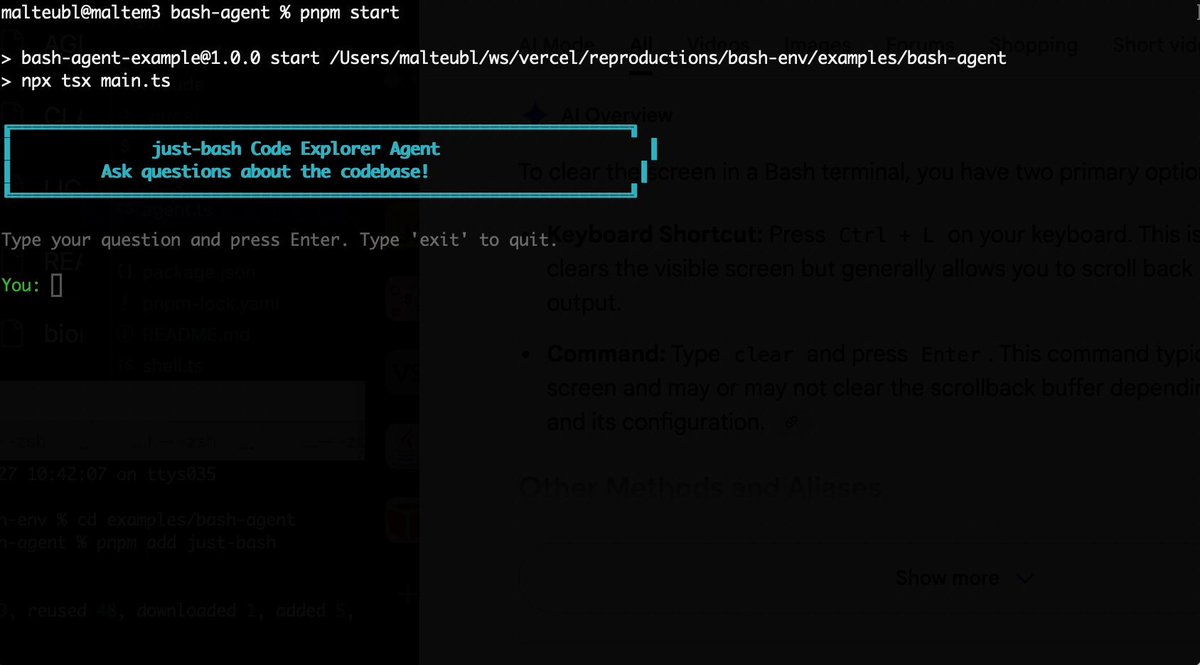
Bash is all you need! Which is why I'm introducing my holiday project: just-bash just-bash is a pretty complete implementation of bash in TypeScript designed to be used as a bash tool by AI agents. Because it turns out agents love exploring data via shell scripts, even beyond coding. It comes with grep, sed, awk and the 99th percentile features that an agent like Claude Code or Cursor would use. In fact, Claude Code can use it for secure bash execution. In the package - A bash-tool for AI SDK - A binary for use by yourself or your coding agents - An overlay filesystem to feed files to your agent securely - A Vercel Sandbox compatible API, so you can quickly upgrade to a real VM if you need to run binaries - An example AI agent that explores the just-bash code base using just-bash - I imported the Oils shell bash compatibility suite and just-bash passes a very good chunk What is interesting about this codebase: It was essentially entirely written by Opus 4.5. Coding agents love bash and they are good at reproducing it. They are also great at text-book recursive descent parsers and AST tweet-walk interpreters. That said, it is, like, a lot of code and I didn't read it all 😅. This is very much a hack, but it also seems to be _really_ useful. I haven't really found anything agents want to use that it doesn't support and it's fast and secure (caveats apply). It doesn't have write access to your computer and the filesystem is given a root that the agent cannot escape from. Find it at Related: Our recent blog post how we migrated our data analysis agent to bash tools and achieved incredible quality improvements The video shows the example agent investigating the just-bash code base

Malte Ubl

125,326 Aufrufe • vor 8 Monaten

Ever seen a fresh (20x) Claude Max account's 5-hour usage allowance get drained in ~14 minutes? Feast your eyes on my bizarre life now with this screen recording of a recent live work session, something I've gotten at least 100 requests for over the past month. Maybe you can understand now why I need so many accounts and how I can work on so many different projects. You can also see the truth of what I was saying recently about how, once your plan is done and the beads made and polished, it's mostly just machine-tending the swarm that doesn't require much thought. Lots of just telling it to get the next bead and work on it, to review code, to re-read AGENTS dot md after a compaction, etc. And you can see how I use gemini-cli for code review. I give Google a lot of crap for the harness being broken and the capacity overloads, but when it works, it's actually really good for this code review use case. I don't usually let it write new code, though, because I think Opus and 5.2 do a better job. Also, sorry the recording is a bit blurry; I have a 5K resolution monitor and screen recordings usually are hard to watch from it. And btw, this really wasn't that normal of a session for me, it was more frenetic than usual, because I don't want to dox myself or my clients by accident. Hence all the ceaseless terminal tab swirling. I usually do more planning work while this stuff is going on, but I wanted to minimize the chances of leaking important information. That's also why I didn't refresh the Gemini login in the WezTerm window, which killed me, trust me. It's the reason I hate doing these screen recordings in the first place; it kills my productivity. Anyway, hope you liked it. I will also post to YouTube, see reply for link. Thanks for watching.

Jeffrey Emanuel

86,071 Aufrufe • vor 8 Monaten

New Andrej Karpathy interview Says AI agent failures stem from user skill, not model capability. Poor instructions cause errors. He suggests delegating 20-minute macro actions like coding and research to parallel agents and reviewing their work. --- "I think everything, like so many things, even if they don't work, I think to a large extent you feel like it's a skill issue. It's not that the capability is not there; it's that you just haven't found a way to string together what's available. Like, I didn't give good enough instructions to the agents in the file, or whatever it may be. I don't have a nice enough memory tool that I put in there, or something like that. So, it all kind of feels like a skill issue when it doesn't work to some extent. You want to see how you can parallelize them, and you want to be a 'Pierce tender,' basically. Pierce famously has a funny photo where he's in front of lots of these Codex agents behind the monitor. They all take about 20 minutes if you run them correctly and use high effort. You have multiple—you know, 10 or 20—pull requests checked out. It's just like you can do much larger macro actions. It's not just, 'Here's a line of code, here's a new function.' It's like, 'Here's a new functionality, delegate it to agent one. Here's a new functionality that's not going to interfere with the other one, give it to agent two.' Then, you try to review their work as best as you can, depending on how much you care about that code. You look for these macro actions that you can manipulate your software repository by. Another agent is doing some research, another agent is writing code, another one is coming up with a plan for some new implementation. Everything just happens in these macro actions over your repository. You're just trying to become really good at it and develop a muscle memory for it. It's very rewarding when it actually works, but it's also a new thing to learn. Hence, the psychosis." --- From No Priors YT channel (link in comment)

Rohan Paul

23,207 Aufrufe • vor 6 Monaten

I asked Garry Tan how to use meta prompting to get better at AI: "My partners at YC Jared Friedman and Pete Koomen showed me how to do this. You can take almost anything that you do all the time and just drop it into a context window. And then say, “Here’s a bunch of inputs and outputs." And maybe you also add a bunch of notes. And then you tell it, “Write me a prompt that can act as an agent that takes this input and makes this output over here.” You can do this for almost any type of knowledge work. And you can even introspect. "What are things you notice that I did to convert this from the input to the output?”. And then you can just start using the prompt. Initially, it’s going to suck. Because it’s just not that smart yet. But what’s funny is now, I also use it to Iterate my writing. You can be very direct, "I would never say that", "Don’t say it like this", or "Oh, you used the long word there, use the short word". Just speak to it conversationally. And then when you're happy with the output, you can use that new output to make a new prompt. "Based on this conversation, give me a better initial prompt that incorporates all the things we talked about." And you can do this with literally everything. And in theory, there’s so much it applies to that people do day-to-day. You could use it for tweets. You could use it for editing podcasts. You can use it for pretty much everything. I have a folder of prompts that I use all the time. My YouTube prompt is on v27 or something. I'll go through this process with all the different max models. I'll use GPT 5.2 Pro. I’ll use Grok. I'll use Claude. Then, I’ll take all the outputs from all the models and put them into Claude and say "Here’s my prompt, here’s the output from four LLMs, including yourself. Rate each response and tell me what the pros and cons of each approach are." And I usually say "give it to me in numbered form". And then you can agree with one, disagree with two, tell it three is this or that. And then after that, you say given all of this, synthesize it."

The Peel

51,632 Aufrufe • vor 6 Monaten