Video wird geladen...

Video konnte nicht geladen werden

Zur Startseite

Just implemented Code Sandbox for TypingMind 🥳 I was looking at various options for sandbox and code execution, but for now the most obvious choice is to use the built-in sandbox provided by all popular providers: OpenAI/Gemini/Claude. It can create files but not yet able to accept file input,...

50,398 Aufrufe • vor 8 Monaten •via X (Twitter)

10 Kommentare

Profilbild von Rohidas
Rohidasvor 8 Monaten

Nowadays I forgot about Open AI playground. 😀 Need to revisit.

Profilbild von Dimi
Dimivor 8 Monaten

Is it on the client-side or on the server side?

Profilbild von Tony Dinh
Tony Dinhvor 8 Monaten

Server side

Profilbild von Dimi
Dimivor 8 Monaten

Met this guy in Da nang, building this: seems dope for what you're doing

Profilbild von Tony Dinh
Tony Dinhvor 8 Monaten

Pretty cool! So curious they didn't put the limitations in the website. It seems too good to be true.

Profilbild von Dimi
Dimivor 8 Monaten

he's doing some upgrades rn, but overall seems cool because you can delegate heavy stuff onto the users machine :)

Profilbild von Rex Pearson
Rex Pearsonvor 8 Monaten

Hi Tony I’m currently trying to get in touch with your business support Ngoc and having trouble reaching him about our instance of typing mind for schools. Is there any way to get a response as we are about to launch your product in the education space….

Profilbild von ShipAloneCEO
ShipAloneCEOvor 8 Monaten

That's awesome! Built-in sandboxes can really simplify things. - Explore custom configurations next. - Evaluate performance from users too. - Keep an eye on updates for new features.

Profilbild von Andrew Humanji
Andrew Humanjivor 8 Monaten

What's the biggest limitation you've hit so far?

Profilbild von Yash Solanki
Yash Solankivor 8 Monaten

@fermionapp also provides sandbox execution

Ähnliche Videos

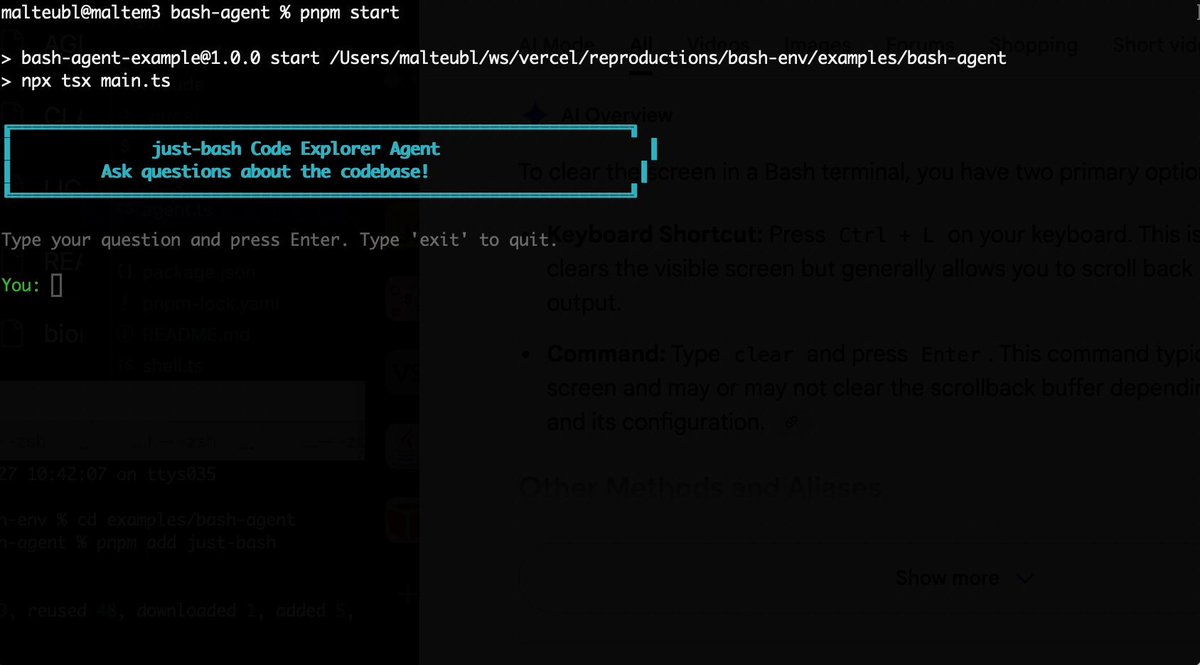
Bash is all you need! Which is why I'm introducing my holiday project: just-bash just-bash is a pretty complete implementation of bash in TypeScript designed to be used as a bash tool by AI agents. Because it turns out agents love exploring data via shell scripts, even beyond coding. It comes with grep, sed, awk and the 99th percentile features that an agent like Claude Code or Cursor would use. In fact, Claude Code can use it for secure bash execution. In the package - A bash-tool for AI SDK - A binary for use by yourself or your coding agents - An overlay filesystem to feed files to your agent securely - A Vercel Sandbox compatible API, so you can quickly upgrade to a real VM if you need to run binaries - An example AI agent that explores the just-bash code base using just-bash - I imported the Oils shell bash compatibility suite and just-bash passes a very good chunk What is interesting about this codebase: It was essentially entirely written by Opus 4.5. Coding agents love bash and they are good at reproducing it. They are also great at text-book recursive descent parsers and AST tweet-walk interpreters. That said, it is, like, a lot of code and I didn't read it all 😅. This is very much a hack, but it also seems to be _really_ useful. I haven't really found anything agents want to use that it doesn't support and it's fast and secure (caveats apply). It doesn't have write access to your computer and the filesystem is given a root that the agent cannot escape from. Find it at Related: Our recent blog post how we migrated our data analysis agent to bash tools and achieved incredible quality improvements The video shows the example agent investigating the just-bash code base

Malte Ubl

125,326 Aufrufe • vor 9 Monaten

I’ve been using quite heavily over the past few days, alongside Claude Code on its other platforms. The first thing that caught my attention was the “Research preview” label, which likely indicates that this experience is still in an experimental phase. That said, compared to Claude Desktop in Code mode, the web version feels slightly more advanced. You can select branches, and previous sessions display clear status icons, which is a small but very meaningful UX improvement. My impression: I liked it much more than Claude Desktop, especially the use of branches, which is essential when working with agents outside a local environment. What’s missing: The sandbox is very limited. It only allows installing packages from PyPI (maybe npm as well, but I didn’t test it). CLI tools are essential in these environments. I tried installing GitHub CLI (gh), but it failed due to network restrictions. Even though I had all the required domains enabled in Claude’s settings, this execution sandbox clearly does not respect that configuration. Another important issue: environment variables added through the UI are not automatically picked up by the sandbox runtime. I had to restart the session for it to recognize the GitHub token I had just added. I also tried installing the Vercel CLI, without success. In the end, Claude usually finds a workaround, but it burns a lot of tokens trying different installation strategies or alternative external calls. What I would add: In the development environment settings, it should be possible to: Configure the sandbox’s network access and define which CLI tools and packages come preinstalled I don’t want to waste tokens installing gh, vercel, wrangler, or supabase CLIs over and over again. These are relatively simple changes that would dramatically improve execution quality and efficiency on the web. If you’re interested in trying I hope this feedback is useful. It’s definitely a tool worth paying attention to, especially since it syncs with Claude Mobile, allowing you to start a task on your phone and continue it later on your computer. Hope this feedback helps Boris Cherny Thariq Anthony Morris ツ

Daniel San

11,626 Aufrufe • vor 8 Monaten