Video wird geladen...
Video konnte nicht geladen werden
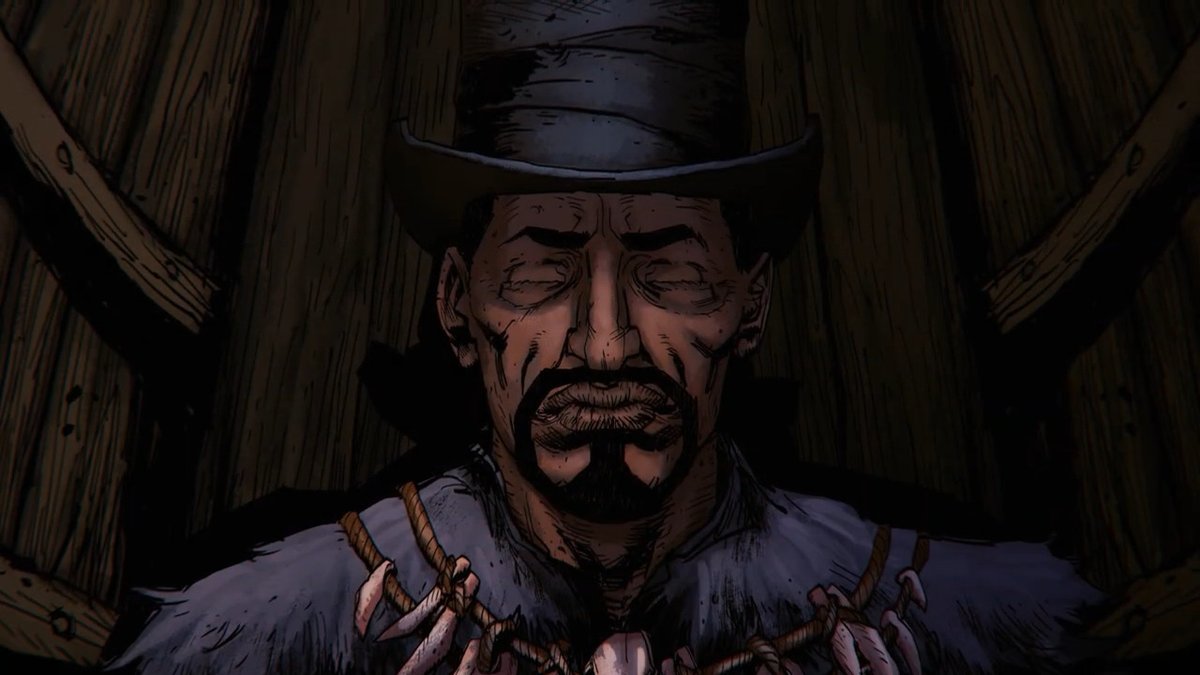
More tests with #controlnet using a scene from #terminator2. Was going for a watercolor/ink vibe. Top is 24 FPS. Bottom is 8 FPS with more of a graphic novel/animatic theme. #AImusic generated by Breakdown thread—1/10 #aicinema #stablediffusion #aiia
115,927 Aufrufe • vor 3 Jahren •via X (Twitter)
11 Kommentare

The overall process involves extracting an img sequence from a video clip. I used #premierepro. Then with #controlnet + #stablediffusion in Auto1111, you do a batch img2img. Make sure you check “Do not append detectmap to output” in the settings, or you’ll get errors. 2/10
You might need to do some brightness and contrast adjustments for each shot of the video before you export the sequence. Here’s a comparison of the original video and the one I used to drive #controlnet. 3/10
#controlnet has several models you’ll need to play around with to find one that works for you. I went with the HED model here because it gave the best preprocess/detectmap results for my most difficult shot. Other models will perform better depending on the situation. 4/10
Once I had a rough idea of what I was going for and some initial #controlnet settings, I took the same prompt + seed and pushed it through different samplers and checkpoints using X/Y Plot and Lightroom so I could explore and finalize the aesthetic. 5/10
Keep in mind that while you can max the denoising settings (1.0) in #controlnet and still keep the pose/shape of your input, you’ll lose coherence between frames in video with stuff like color/what’s not defined by the detectmap. Example below. (I’d try 0.3 to 0.7.) 6/10
And with a few of the shots I had to render some sections like the mouth or eyes at 0.3 denoising to keep a stable shape, but then the overall frame at 0.5 to keep the image more painterly and organic. Then I’d just mix the versions as needed with masks in #premierepro. 7/10
I rendered each shot separately so this flow requires a bit of planning with how you’re going to organize things. I added some film grain and did some color adjustments/effects in post. 8/10
And lastly I used to generate some #aimusic options to add another layer to the clip. #aiva is a pretty cool resource to play with if you don’t already know about it. 9/10
Hope this helps some of you explore using #controlnet for video! If you make anything cool, please share! I’m excited to see what you do with these tools and I’m sure the #aiartcommunity is too! 10/10

Please use Take On Me music cues for this!
Lol