Video wird geladen...

Video konnte nicht geladen werden

Zur Startseite

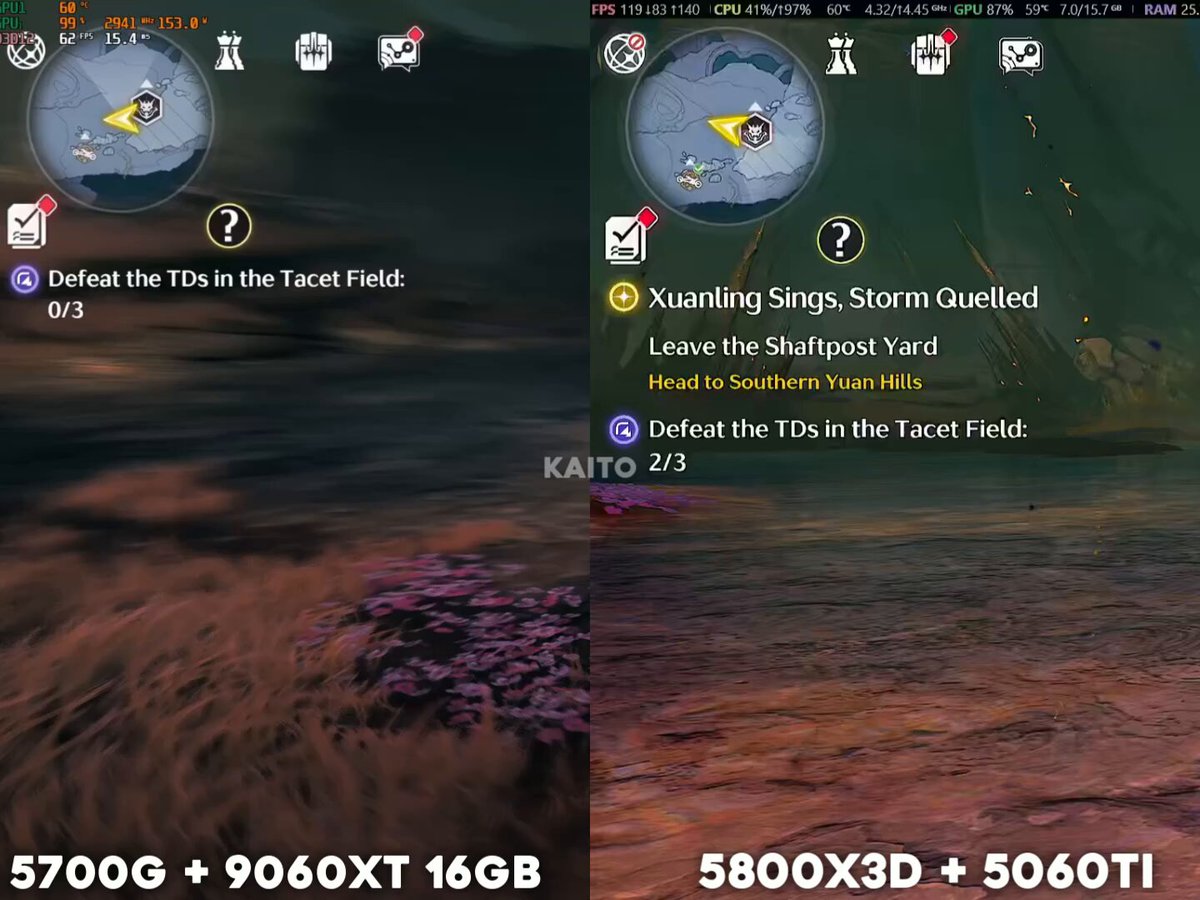
Silver Palace CBT2 Testing: Highest Settings (1440p) 0:00 Without frame gen 3:37 With frame gen My PC Specs: - Ryzen 5 5800x - 5070 Ti - DDR4 32GB RAM #SilverPalace

14,352 Aufrufe • vor 2 Tagen •via X (Twitter)

0 Kommentare

Keine Kommentare verfügbar

Kommentare vom Original-Post werden hier angezeigt

Ähnliche Videos

POV: The ghost chasing you, is actually your boyfriend. A horror investigation turns into the funniest plot twist you never saw coming. The ending is worth the wait. Made with GPT Image 2 and Seedance on TapNow Prompt: VIDEO PROMPT — "THE GHOST IN THE CARNIVAL" (30s Horror-Comedy Vlog Short, 16:9) — ROLES SWITCHED Style: Found footage horror • paranormal investigation vlog • cinematic suspense • horror-comedy twist. Setting: abandoned carnival at night. CHARACTER DESCRIPTIONS Maya (the vlogger): Early-20s girl, radiant and striking. Wears a flowing rainbow ombré dress — fabric transitioning from violet at the shoulders through blue, green, yellow, orange, to red at the hem, catching light with a subtle iridescent shimmer. Hair styled in the longer side braided into a thick rope braid streaked in matching rainbow pastel colors, small silver hoop earrings, soft glowing skin, bright hazel eyes with a curious, fearless sparkle. Carries a handheld camera and flashlight throughout. Same dress, hair, and gear consistent across every shot — no drift. Jake (the boyfriend / "the ghost"): Mid-20s, tall athletic build, tousled dark brown hair, strong jawline, warm brown eyes, light stubble, handsome and charming. Wears a fitted black bomber jacket over a grey henley, dark jeans, worn leather boots. Same face and outfit consistent across all appearances. Setting: Abandoned carnival at night — rusted ferris wheel silhouette against the moon, cracked funhouse mirrors, tattered circus tents flapping in wind, broken carousel horses frozen mid-gallop, flickering string lights barely holding power. Sound design: Low ambient horror BGM (creaking metal, distant wind chimes, faint off-key carousel melody) building tension throughout, swelling into a sharp orchestral stab at the jumpscare, then cutting to warm acoustic guitar strum for the comedic ending. CUT-SCENE BREAKDOWN (0:00–0:04) — ACT 1: The Investigation Found-footage handheld shot: Maya walks alone through the carnival gates, flashlight beam cutting through fog, camera slightly shaky, rainbow braid swaying. Rusted ferris wheel looms behind her, carousel horses frozen in the dark. Dialogue (Maya, to camera): "Alright guys… this place has been closed for like fifteen years. Let's see what we find." BGM: low ambient drone, distant creaking metal. (0:04–0:08) — ACT 2: The Warning Signs Maya walks past a row of cracked funhouse mirrors. In one mirror's reflection — barely visible in the background — a flash of a dark jacket flickers past, gone before she turns. She doesn't notice. Camera lingers a beat too long on the empty mirror. BGM: single high string note, tension rising. (0:08–0:12) — ACT 3: The Reveal Maya pushes into a tattered circus tent. Flashlight flickers. A pale face flashes directly behind her in frame — gone in a blink. She spins around, flashlight sweeping, rainbow dress catching the light. Dialogue (Maya, nervous): "...Okay, who's there?" BGM: dissonant sting. (0:12–0:16) — ACT 4: The Chase The figure appears directly behind Maya — full jumpscare, dark silhouette catching the light for a split second before vanishing. Maya bolts, camera shaking violently as she sprints between carousel horses, the figure flashing briefly in and out of frame from different angles. Dialogue (Maya, panicked): "Oh my god— OH MY GOD—" BGM: sharp orchestral hit, frantic percussion. (0:16–0:20) — ACT 5: The False Ending Maya ducks into the old ticket booth, slams the door shut behind her. Silence. Heavy breathing. She slides down against the door, flashlight shaking in her hand, camera catching her relieved exhale, braid falling loose over her shoulder. Dialogue (Maya, whispering): "Okay... okay, I think I lost it." BGM: music drops to near-silence, just her breathing and wind outside. (0:20–0:25) — ACT 6: The Twist Begins Behind Maya, unnoticed, a silhouette rises slowly in the booth's shadowed corner — tall frame stepping forward silently, closer, closer. Maya senses it, turns her flashlight up in dread. BGM: tension rebuilding, single sustained note. (0:25–0:30) — The Reveal & Comedy Twist The "ghost" steps into the light — it's Jake, grinning, hands raised in mock surrender. Maya freezes in shock, then bursts out laughing in relief, swatting his arm. Dialogue (Maya): "IS THAT YOU?! Jake, what the— I almost had a heart attack!" Dialogue (Jake, laughing): "You scream like a little girl, you know that?" BGM: sudden shift to warm, playful acoustic guitar strum. Hard cut to black. Text overlay: "Never bring your boyfriend to a horror investigation."

Shami

28,969 Aufrufe • vor 24 Tagen

😱 How to Build & Launch Your Base Mini App in 10Mins. ■ Investment: 0$ ( Free of Cost ) ■ Potential: $BASE ■ Exprience: No coding experience needed ( anyone can build ) 👀 Just watch full video & follow my simple 9 steps & Boom : Tools : 1.) Create V0 account :- 2.) Create Farcaster Account :- 3.) Create Baseapp Account :- •• Must link your farcaster account in base app Step 1 : Create the Calculator Application - Built a functional calculator with add, subtract, multiply, and divide operations - - Creat `/components/calculator.tsx` with full calculator logic and UI - - Creat `/app/page.tsx` as the main entry point - - Use React hooks (useState) for state management - - Designe with a modern dark theme using Tailwind CSS - Step 2 : Deploy the project & copy the url & save it . Step 3 : Create the Farcaster Manifest File - Created `/public/.well-known/farcaster.json` - This file tells Base about our app - Configured app metadata: My project name : My url link : { "accountAssociation": { "header": "", "payload": "", "signature": "" }, "miniapp": { "version": "1", "name": "My project name", "subtitle": "Fast & Easy Math", "description": "A simple calculator for basic arithmetic operations", "homeUrl": " "iconUrl": " "splashImageUrl": " "splashBackgroundColor": "#1a1a1a", "screenshotUrls": [ " " ], "primaryCategory": "utility", "tags": ["calculator", "math", "utility"], "tagline": "Calculate Instantly", "heroImageUrl": " "ogTitle": "Calculator", "ogDescription": "A simple calculator for basic math", "ogImageUrl": " "noindex": false } } Step 4 : Added Required Images - i attach a image , so convert that image as required ratio and attach the same image in our mini app for all 3 forms . `● icon.png` (300×300px) - A small icon of your app ● splash.png (200×200px) - A splash screen image ● screenshot.png (1284×2778px) - A screenshot showing how the app looks Step 5 Added Embed Metadata - Add `fc:miniapp` meta tag to layout.tsx metadata - Configure embed preview with: - Image URL for the 3:2 aspect ratio preview - Button configuration ("Open Calculator") - Launch frame settings - Splash image and background color Step 6: Added Farcaster Miniapp SDK Integration - Install `@farcaster/miniapp-sdk` package (automatically included) - Update `/app/page.tsx` to import and use the SDK - Call `sdk.actions.ready()` when the app loads - This is the **critical step** that tells Base to hide the splash screen and display your calculator Step 7: Update Next.js Configuration - Update `/next.config.mjs` to work with Next.js 16's Turbopack - Add `turbopack: {}` config to ensure clean builds - Remove webpack-specific configurations Step8 : •• Now for one time , click on deploy & deploy again •• Then Open Farcaster in Pc/Laptop •• Enable Developer Mode •• go to Developer section then & click on Mini app manifest tools •• then paste url ( check vidoe ) •• then click on fetch & then click on Genrate account association •• scan qr code and verify your farcaster account •• Now copy everything and paste in V0 ( add prompt ) Add this as account association •• then Reverify and Submit . Step9 : ● Download Base App : •• Create Account with email •• then connect same farcaster account ● Then Visit : •• signin with same base app email . •• and follow video process 📌📌 Join Our TG for More Alpha:-

Sanu Gupta

40,512 Aufrufe • vor 6 Monaten

E136: How to Build Wealth in an AI Economy - and The Role of Crypto - Selini Capital Founder and CIO Jordi Alexander breaks down why the concept of retirement is obsolete in a world of AI, fiat dilution, and exponential wealth creation - and how crypto is the cleanest hedge we have. Timestamps 0:00 Introduction 1:59 Partnerships Jupiter, KAST (old), , Sui, Mantle, Forza! BTC 3:00 Surviving on Five Hours 4:31 Years of Growth 5:28 Who is Jordi Alexander? 7:22 No Voice in My Head 9:52 Self Custody with Trezor 10:45 Beyond Money and Work 13:23 Chip on the Shoulder 15:38 Moving Continents, Changing Self 17:12 Why $100K Feels Poor 19:05 When Money Stops Working 25:00 Judgement is Currency 27:05 Why Retirement Doesn’t Exist 30:18 Why Old Money Fades 33:27 Being Valuable to Society 35:03 Why Cash Loses Value 39:30 Why Stocks Can’t Beat Inflation 42:00 Crypto and the Next Frontier 44:03 Where Is Wealth Truly Safe? 48:53 Why Bitcoin Is the Bet 54:55 Altcoin Cycles Explained 56:57 Why Most Traders Lose 1:00:14 The Financial Death Wish 1:04:50 Winners, Losers, and NPCs 1:09:21 Clicks vs Credibility in Crypto 1:13:13 Rethinking the Retirement Mindset 1:14:33 Becoming Economically Productive 1:17:30 EQ and IQ 1:18:16 Escaping Survival Mode 1:20:40 Wealth Without Luck 1:21:26 Judging Who to Trust 1:25:27 Inefficiency is Opportunity 1:27:28 From Survival to Superpowers 1:29:34 Scaling Beyond Survival 1:31:02 Playing Offense 1:33:49 Bitcoin: Offense or Defense? 1:34:55 Beyond Four Year Cycles 1:36:57 Early in the Game 1:37:58 Destroying your Ego 1:42:57 Small Errors, Big Consequences 1:46:01 A Timeless Thesis 1:48:36 The Cost of Burnout 1:51:09 Protecting Your Time 1:52:47 Poker Productivity 1:55:14 Knowing When to Let Go 1:57:45 Seeing How the River Changes

MR SHIFT 🦁

325,871 Aufrufe • vor 11 Monaten