Video wird geladen...

Video konnte nicht geladen werden

Zur Startseite

Stopping impersonation requires shared context. OriginTrail powers the shared context graph behind umanitek Guardian Agent, helping connect signals across accounts and uncover coordinated fake accounts, scams & deepfakes. 🛡️ Watch Tomaz L and Chris Rynning explain how it works.

86,659 Aufrufe • vor 5 Monaten •via X (Twitter)

0 Kommentare

Keine Kommentare verfügbar

Kommentare vom Original-Post werden hier angezeigt

Ähnliche Videos

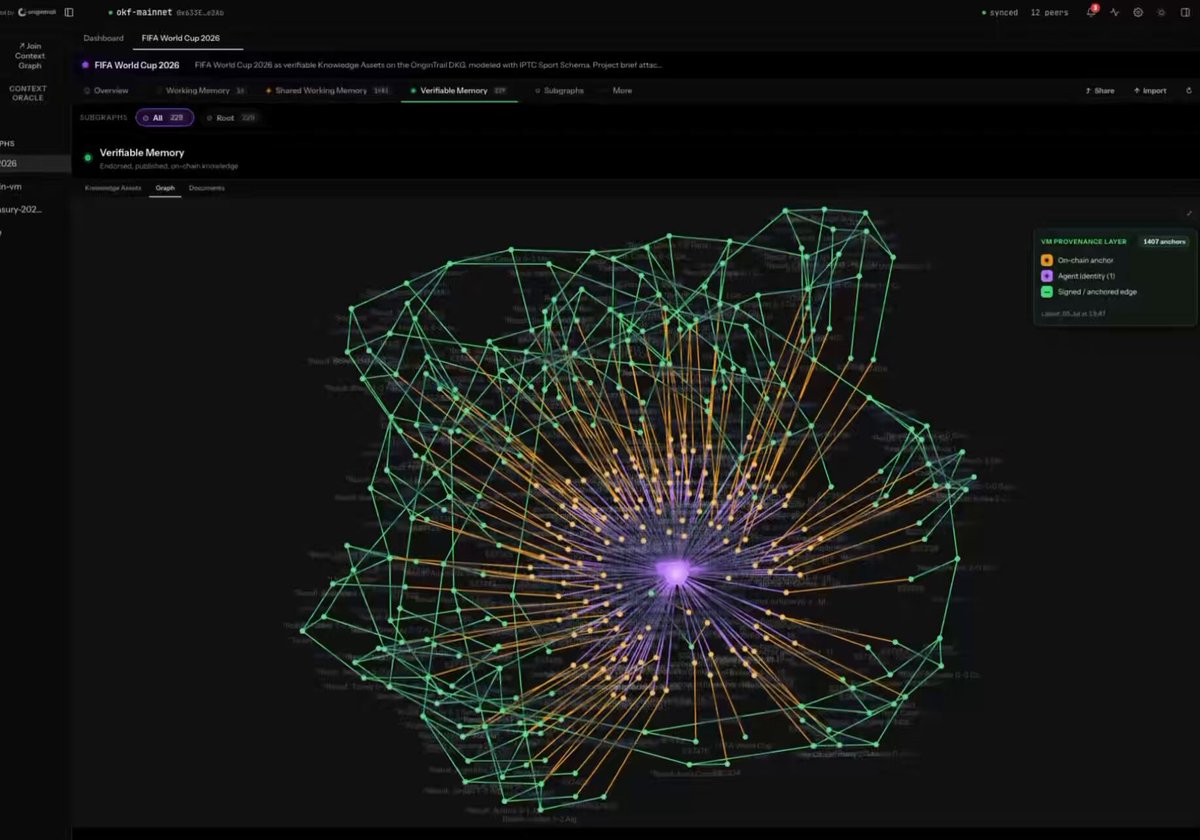
Everyone wants agent swarms. Very few people are talking seriously enough about the context layer that makes swarms useful. Even with one agent, context is fragile. Too little context and the agent guesses. Too much context and it wastes tokens, loses focus, or reasons over irrelevant noise. The sweet spot is precise context: the right knowledge, in the right structure, at the right moment. With many agents, that challenge explodes. Each agent produces decisions, assumptions, findings, summaries, risks, and partial conclusions. Unless that knowledge becomes shared, structured, and reusable, every new agent is forced to rediscover what another agent already learned. That is not a swarm. That is a crowd. Shared context graphs are what turn agent activity into agent collaboration, and OriginTrail DKG V10 brings them to life. Was just playing with some final polishing for the V10 release, and it is really powerful to see shared context graphs where multiple agents contribute knowledge into the same connected memory, with attribution visible directly in the graph ui. That matters for three reasons. First, agents can access and build on one shared memory instead of staying trapped in isolated sessions. Second, the graph structure helps them retrieve the exact context they need, instead of stuffing everything into a prompt and hoping the model sorts it out. Third, verifiability of provenance. You can see which agent contributed each piece of knowledge, trace the source, and decide what to trust. Tokenmaxxing starts with fewer tokens, but the deeper story is coordination - agents stop reloading the world and start building on shared, verifiable context. That is the foundation for serious multi-agent work across software engineering, research, finance, operations, project management, and far beyond. The future is not more agents, it is agents working from shared, verifiable context. But the more the merrier, of course.

Jurij Skornik

11,180 Aufrufe • vor 3 Monaten

Today, a breakthrough in AI can affect chips, energy infrastructure, public markets, and digital assets at the same time. Important signals rarely stay inside one category. Coincamps brings these developments together, helping readers understand not only what happened, but why it matters. What you’ll find on Coincamps: ⚡ 24/7 Flash Updates Follow fast-moving developments as they unfold, with concise updates designed for quick reading. 📰 In-Depth Articles Go beyond the headline with broader context, background, and analysis of the forces shaping technology and markets. 🤖 AI & Technology Coverage Track major models, agents, infrastructure, chips, cloud computing, enterprise adoption, and the companies building the next generation of technology. 🌐 Web3 & Crypto Intelligence Stay informed about protocols, digital assets, regulation, security incidents, institutional activity, and changes across the wider Web3 ecosystem. 📊 Global Market Context Understand how macroeconomics, policy, energy, capital, and geopolitics connect with emerging technology and digital markets. 🔗 Source-Linked Reporting Where available, Coincamps connects readers with original sources so they can review the information and form their own conclusions. 🌍 English & Chinese Access Switch between English and Chinese to follow important stories across regions and information ecosystems. Coincamps is designed for founders, builders, researchers, operators, investors, and curious readers who want to spend less time searching and more time understanding. We do not tell you what to think. We help you see the signals, connect the context, and follow change as it takes shape. Less noise. More signal. Explore Coincamps: #Coincamps #Web3 #AI #CryptoNews #TechNews #MarketIntelligence

Coincamps

16,067 Aufrufe • vor 21 Tagen

HERMES AGENT CAN SHARE MEMORY WITH CODEX AND CLAUDE CODE THROUGH HINDSIGHT. ONE MEMORY BANK. ONE AGENT REMEMBERS, EVERY OTHER AGENT KNOWS. the problem: you use Hermes for orchestration. Codex for coding. Claude Code for debugging. each has its own memory. switch between them and you explain the same project three times. Hindsight fixes this. one shared memory bank that every agent reads and writes to. tell Codex: "the test color for this project is purple." switch to Hermes. ask: "what test color did I pick?" Hermes answers: "purple." no copy-paste. no re-explaining. instant recall. HOW IT WORKS: Hindsight runs as a Docker container on your machine. self-hosted. your data stays local. an LLM powers the memory processing (retain, recall, reflect). RETAIN: extracts facts from your conversations. entities, decisions, preferences, project context. saved to the memory bank automatically. RECALL: when you ask a question, Hindsight pulls from semantic search, keywords, graph connections, and temporal data. fused into one answer. REFLECT: deeper reasoning layer. connects memories across sessions. identifies patterns in your work. produces observations that get smarter over time. CONNECT TO HERMES: Desktop app: Settings → Memory and Context → switch provider from Namosin to Hindsight. set API URL to your local Docker container. set bank ID. done. CLI: hermes memory setup → select Hindsight. verify: hermes memory status should show: provider: hindsight, installed, available. CONNECT TO CODEX: npx hindsight-coding-agents install codex \ --self-hosted --server this installs lifecycle hooks: initialize memory on session start. recall context during work. retain the session when done. enable hooks in Codex: Settings → Hooks → trust all three. CONNECT TO CLAUDE CODE (same command): npx hindsight-coding-agents install all "all" connects every detected agent on your machine. Claude Code, Codex, Cursor, and others. one command. every agent shares the same bank. TAGS FOR FILTERING: every memory gets tagged by harness (Hermes, Codex, Claude Code) and optionally by project name. in the Hindsight control plane: filter by harness. see only Hermes memories. or only Codex memories. or search across everything. soft partitions inside one bank. not hard walls. cross-reference when you need to. ONE BANK OR MANY: one global bank: solo dev, related projects. all agents share everything. patterns emerge across projects. per-project banks: unrelated codebases. each project gets its own memory. no cross-contamination. your call. start with one. split when projects diverge. KNOWLEDGE PAGES (v0.9.0): Hindsight auto-generates living summaries from your accumulated memories. components, concepts, conventions, decisions. not static docs. projected from real agent conversations. auto-refresh as new memories land. WHAT TO KNOW: self-hosted via Docker. your data never leaves your machine. backup system built in (admin CLI + scheduled exports). works with any LLM (local Ollama, OpenAI, Codex subscription). memory defense: redact or block sensitive content automatically. 33,000+ memories accumulated in ~10 days of normal use.

YanXbt

29,200 Aufrufe • vor 14 Tagen

HERMES AGENT HAS 5 SYSTEMS RUNNING UNDER THE HOOD. UNDERSTAND THEM AND YOU USE THE AGENT 10X BETTER. In this video Alejandro AO 🤗 explained: 1. THE AGENT LOOP every message triggers the same cycle: → you send a message → Hermes builds context (SOUL.md + memory.md + user.md + skills + tools + message history) → sends everything to the LLM → LLM decides: call a tool or respond → if tool call: execute, return result, loop back → if response: deliver to you → after response: memory update (agent checks if anything is worth remembering, writes to memory.md or user.md) this loop is why Hermes gets better over time. the memory update after every response means the agent learns from every conversation. 2. CONTEXT ASSEMBLY what the LLM sees on every turn: → SOUL.md (your agent's personality and rules) → memory.md (facts the agent learned over time) → user.md (facts about you, auto-updated) → AGENTS.md and .hermes.md (project context files) → skill descriptions (loaded on demand) → tool schemas (available actions) → message history (current conversation) if SOUL.md is empty, Hermes falls back to a default system prompt. write your own SOUL.md and the agent becomes yours, not generic. CONTEXT COMPRESSION: conversations hit context limits. Hermes handles this at two checkpoints: preflight: before each turn. if conversation exceeds 50% of context window, compression fires. older messages get summarized. last 20 messages stay intact (protect_last_n). gateway auto-compression: between turns. fires at 85%. more aggressive. prevents API errors before the agent even starts processing your message. after compression, a new session lineage ID is generated. the agent can trace back to the original conversation through SQLite. three things break prompt cache: switching models mid-session, changing memory files, or changing context files. 3. THE GATEWAY the system that keeps Hermes reachable on 27+ messaging platforms. an async loop runs continuously. listens for incoming messages from Telegram, Discord, Slack, WhatsApp, email, SMS, and every other adapter. when a message arrives: → gateway identifies which session it belongs to → queries SQLite for the full message history (session ID = platform prefix + chat ID) → builds the context from scratch → sends everything into the agent loop → delivers the response back to the platform the gateway also runs the session manager. when you send a message while the agent is busy: → default: queued for next turn → /steer: injected without interrupting → /interrupt: stops current work without the gateway, Hermes is a CLI tool. with the gateway, Hermes is an always-on agent you reach from your phone. 4. MEMORY (THREE LAYERS) LAYER 1 — MARKDOWN FILES SOUL.md (identity), memory.md (learned facts), user.md (facts about you). injected into context after the system prompt. updated by the agent after every response. LAYER 2 — SQLITE full transcripts of every session stored locally. FTS5 full-text search across all past conversations. session lineage tracking across compressions. the agent can recall what you discussed weeks ago using /recall or session search. LAYER 3 — EXTERNAL PROVIDERS (optional) 8 supported providers: Mem0, SuperMemory, Honcho, Zep, and more. each works differently (semantic search, LLM extraction, similarity matching). queried after the first message in each session. the agent processes your topic first, then checks external memory for related context from past conversations. not enabled by default. enable for significantly better long-term recall. 5. CRON ENGINE a loop inside the gateway ticks every 60 seconds. each tick checks ~/.hermes/cron/jobs.json for scheduled tasks. if a job is due: → fresh session (no chat history, no memory pollution) → execute the prompt with assigned tools → store the run output as markdown in ~/.hermes/cron/output/[job-id]/ → deliver result to your home messaging platform cron does NOT use the send_message tool. delivery happens at the system level, not the agent level. a cron session cannot create more cron jobs. prevents runaway loops. WHY THIS MATTERS: the agent loop teaches it. the context assembly focuses it. the gateway reaches it. the memory remembers it. the cron engine automates it. five systems. one agent. understanding how they connect changes how you configure every level. full 15 levels breakdown in the article 👇

YanXbt

51,860 Aufrufe • vor 2 Monaten

New Course: ACP: Agent Communication Protocol Learn to build agents that communicate and collaborate across different frameworks using ACP in this short course built with IBM Research's BeeAI, and taught by Sandi Besen, AI Research Engineer & Ecosystem Lead at IBM, and Nicholas Renotte, Head of AI Developer Advocacy at IBM. Building a multi-agent system with agents built or used by different teams and organizations can become challenging. You may need to write custom integrations each time a team updates their agent design or changes their choice of agentic orchestration framework. The Agent Communication Protocol (ACP) is an open protocol that addresses this challenge by standardizing how agents communicate, using a unified RESTful interface that works across frameworks. In this protocol, you host an agent inside an ACP server, which handles requests from an ACP client and passes them to the appropriate agent. Using a standardized client-server interface allows multiple teams to reuse agents across projects. It also makes it easier to switch between frameworks, replace an agent with a new version, or update a multi-agent system without refactoring the entire system. In this course, you’ll learn to connect agents through ACP. You’ll understand the lifecycle of an ACP Agent and how it compares to other protocols, such as MCP (Model Context Protocol) and A2A (Agent-to-Agent). You’ll build ACP-compliant agents and implement both sequential and hierarchical workflows of multiple agents collaborating using ACP. Through hands-on exercises, you’ll build: - A RAG agent with CrewAI and wrap it inside an ACP server. - An ACP Client to make calls to the ACP server you created. - A sequential workflow that chains an ACP server, created with Smolagents, to the RAG agent. - A hierarchical workflow using a router agent that transforms user queries into tasks, delegated to agents available through ACP servers. - An agent that uses MCP to access tools and ACP to communicate with other agents. You’ll finish up by importing your ACP agents into the BeeAI platform, an open-source registry for discovering and sharing agents. ACP enables collaboration between agents across teams and organizations. By the end of this course, you’ll be able to build ACP agents and workflows that communicate and collaborate regardless of framework. Please sign up here:

Andrew Ng

105,343 Aufrufe • vor 1 Jahr

A DEVELOPER CONNECTED CLAUDE CODE TO OBSIDIAN SO HIS AI AGENT WOULD STOP FORGETTING THE PROJECT EVERY MORNING. Every coding session used to start the same way. Claude would understand the repo, fix the bug, explain the architecture, and then the moment the session ended, all of that context disappeared. Same codebase. Same decisions. Same architecture. Same mistakes repeated again. So he added a memory layer. Instead of treating Claude Code like a smart terminal, he connected it to a local Obsidian vault through MCP. Now Claude can read the repo, open the vault, create notes, link concepts, and write important decisions back into the system. When it studies the codebase, it does not just answer once and forget. It creates notes for the major services, maps how the architecture works, links auth to the database, connects APIs to storage, and records why certain migrations or design choices exist. Obsidian becomes the project graph. Now when he asks why something was built a certain way, Claude does not guess from the current prompt. It reads the decision notes. When he starts a new branch, Claude checks the active context file. When the work is done, it updates what changed, what is blocked, and what the next agent needs to know before touching the repo. That is the real loop: read context, write code, capture decisions, update memory. Most people are still using AI coding tools like disposable chat windows. Ask, patch, close, forget. This setup turns Claude Code into infrastructure. The repo gets a memory layer that survives every session, and multiple AI agents can work from the same project map without stepping on each other. The unlock is not better prompting. The unlock is giving the agent somewhere to remember what it already learned.

DegenCalls

20,124 Aufrufe • vor 2 Monaten