Video wird geladen...

Video konnte nicht geladen werden

Zur Startseite

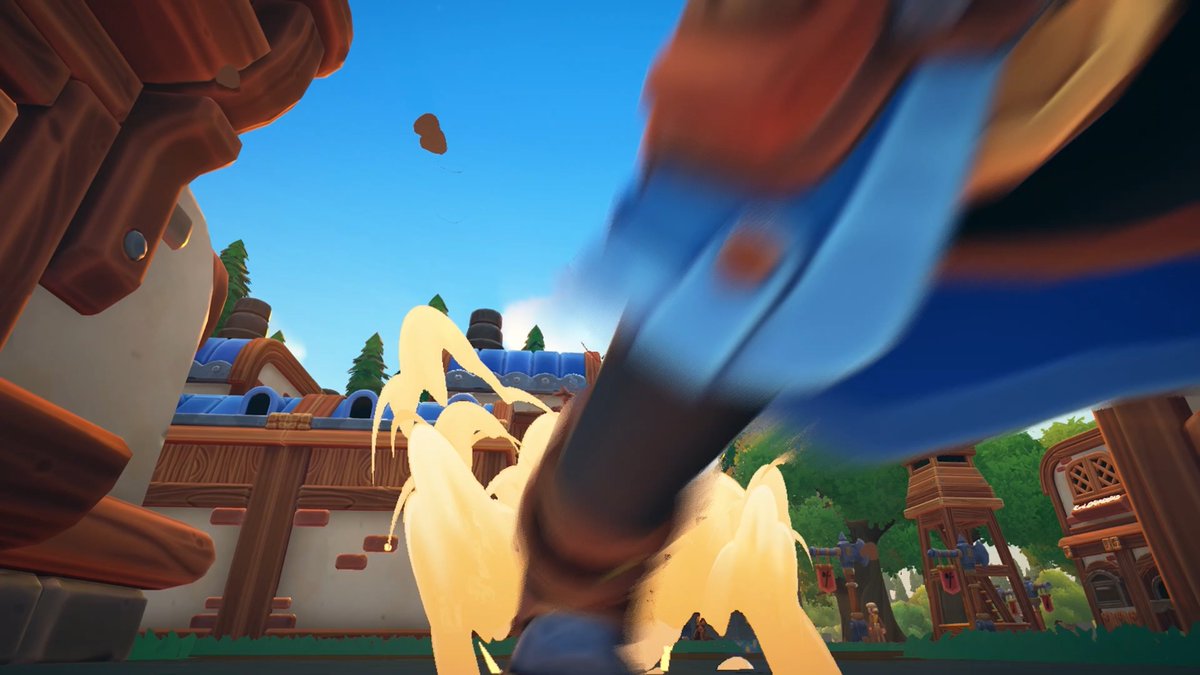
Chromatic dispersion and liquid refractive/distortion slash, along with some Kingdom Hearts-style Keyblade VFX by Hoon. ⚔️👑 ✨ The underlying shader is fully procedural and can accept textures for additional live processing/animations. #gamedev #realtimevfx

48,277 Aufrufe • vor 1 Jahr •via X (Twitter)

5 Kommentare

Profilbild von Ash Thornton
Ash Thorntonvor 1 Jahr

@magic_chromatic This is super nice! Making in a light source is a very cool idea

Profilbild von IBubbles 🇨🇦🫧💖 ENVTUBER
IBubbles 🇨🇦🫧💖 ENVTUBERvor 1 Jahr

@magic_chromatic Oooo im in love with both of these effects 😍😍

Profilbild von JF Melo
JF Melovor 1 Jahr

@magic_chromatic another level of trail effect

Profilbild von JoseDa Rave
JoseDa Ravevor 1 Jahr

@magic_chromatic Its amazing! Ive been following this effect since you posted the effect code! Could you male a tutorial to add It to Unity and make the sword Slash effect?

Profilbild von Mirza Beig
Mirza Beigvor 1 Jahr

@magic_chromatic I've posted snippets of how to do similar techniques before, so it would just be a combination of those. 🙂

Ähnliche Videos

Great question! 🤔 How do you simulate *multiple* layers of glass/refraction in video games? In the last breakdown, I discussed how to create a glass shader in Unity URP. In essence, we were taking the render of the scene from the camera without any transparent objects. This is available in URP as the global _CameraOpaqueTexture. This is good enough for most use-cases, and more or less the classic way of doing it. 🔍 What is _CameraOpaqueTexture? As the name implies, there are no transparent objects rendered into this texture, so it's not possible by default to have something like a transparent-type ocean material/shader rendered through a refractive glass shader (which samples and distorts this texture to render on its surface, as if it's transparent). ⚠️ Why it’s tricky: It's much easier to sort without much further setup if you don't have refraction, and only a transparent material, because in that case you're not simulating the transparency yourself via sampling the rendered scene texture. But for refraction, it's required-- unless you want to go down the ray/path tracing route. You could simulate accurate, real dispersion... and that's about as expensive as it sounds, and it requires a rework of your entire rendering. --> 🚫 It's not a viable suggestion to offer. 📚 There are well-known terms regarding transparency sorting you can search up, but as you've specifically asked for refractive boxes, I'll discuss briefly about that. 🧱 Simulating layers of refraction: For this kind of rendering, you need some way to render the backfaces before rendering the front. And the backfaces that are rendered may contain whatever data you'd like for additional processing in the layer front-facing mesh render. 🧪 Examples: You could render the back face as a glass shader of its own, as an intermediate step after _CameraOpaqueTexture. Then you sample this texture instead and you end up with multi-layered refraction, "just like that". You can also render the back normals only, via a fully opaque shader, and use that to manually account for that during the front render. You could even bake in data needed for thickness in realtime. 🛠️ Without making it complicated for yourself, the most straightforward method is via render textures, and you can easily set some fractional resolution. Cameras in Unity have an open slot for target textures to render to. You can use custom render textures to process _SelfTexture2D. ⏱️ It's great to do low-resolution processing for more complex tasks, like blurring and caustics. You can get massive performance boosts, considering the square law and number of pixels/fragments that need calculations (quadratic scaling). 🚧 I've not fully exploited the possibilities myself, but research/development with PRISM is ongoing!

Mirza Beig

61,468 Aufrufe • vor 1 Jahr

I built a Three.js rendering study inspired by Tiny Glade’s painterly aesthetic, and got it running at 120fps in the browser. Over the past few weeks, I’ve been studying how stylized games achieve that soft, handcrafted look in real time. Tiny Glade was a huge inspiration, and I wanted to use the browser as a constraint: no compute shaders, no native GPU access, and single-threaded JavaScript. As part of this study, I implemented: - GPU-driven instanced brick walls with procedural noise jitter and elastic build animations - Tree, bush, and flower rendering with billboard card expansion, wind sway, and grow animations - Procedural grass with terrain conformance and interactive push deformation - Animated water with layered noise, interactive ripples, and Fresnel-based reflections - Procedural terrain with slope-aware triplanar materials, dirt paths, and rocks - A 7-pass post-processing stack with TAA, bloom, depth of field, painterly filtering, ACES tonemapping, 3D LUT color grading, and film grain The hardest part wasn’t writing any single shader. It was making all of these systems work together at high frame rates inside WebGL, where every millisecond counts and performance problems compound quickly across animation, materials, post-processing, and scene management. Some techniques in this study were inspired by analyzing Tiny Glade’s rendering approach, while others were original implementations built from scratch from visual reference. That contrast taught me a lot: recreating an effect is one challenge, but designing your own shaders and systems to achieve a similar feel is a very different one. This is a private educational rendering study. Some temporary placeholder content is being used during the research phase, and any public or production version would use original or properly licensed assets. Huge credit to Pounce Light for the incredible art direction and rendering work in Tiny Glade: Three.js #gamedev #webgl #threejs #rendering #graphics #realtimerendering #shaderdev

Ibrahim Boona

58,625 Aufrufe • vor 4 Monaten

liquid has problem? a complaint from abdullah (liquid user) about founder liquid (Franklyn Wang) take advantage him from a leaked message between founder liquid and former cm liquid (alex) content about they discussed additional bonuses for those who reached trading volume milestones reward $1,000 for $5m volume that information was leaked to Abdullah, and a friend of his made almost $9m volume when abdullah went back to claim reward, the founder liquid said that reward $5m volume = $1,000 just for "KOL" he offers abdullah $500 for almost $9m volume, and after some debate is $600 and then $800 and when abdullah asked again, he said it was just an idea and hadn't been confirmed, but in a previous message he said it was only for "KOL" he also threatened to block abdullah, which forced the abdullah to accept the $800 reward for almost $9m volume a leaked message from a group revealed that the founder liquid actually confirmed he would pay $1,000 for the $5m volume, but he didn't want to pay too much to abdullah furthermore, founder liquid is exploiting abdullah, who spoke about the affiliate lead, and founder liquid said "get 100 users" after he finished, he was blocked by liquid founder, then used many accounts to harass them but received no response more, abdullah contributed greatly to liquid, at the time founder Liquid acknowledged that he was on the team and was an affiliate, and he said that abdullah was very helpful after all the info and evidence was provided to me, i contacted founder liquid to work on this issue but all the responses simply stated that no promises had been made and placed all the blame on abdullah he said that abdullah had cheated many people and provided them with low-quality, and that liquid only earned $30 from abdullah work but he forgot he said abdullab was "very helpful", and even told him to go earn $20m volume daily lmao one piece of unsubstantiated information is that he offered abdullah $10 per referral, but when abdullah earned over 100 referral, he disappeared founder liquid has also banned Abdullah on all platforms and also banned abdullah on discord, he also hasn't answered my two most recent questions ggs

0xviet

37,942 Aufrufe • vor 3 Monaten

GeoLibre v1.7.0 is here! GeoLibre is a free and open-source, lightweight, cloud-native GIS platform for visualizing, exploring, and analyzing geospatial data. It runs everywhere you do, in the web browser, on the desktop, on mobile, and inside Jupyter notebooks, all while keeping your data local and private. This release opens up the UI to plugins, adds inline color ramp previews across the styling panels, and makes the Whitebox toolbox browsable right from the Processing menu. What's new in v1.7.0 - Plugin UI host API: Plugins can now register first-class right-sidebar panels, toolbar menus, and floating panels that dock beside the built-in Style panel instead of faking an overlay. - Color ramp previews: Both the vector and raster style panels show each colormap's gradient inline, so you can see the colors while you pick rather than reading a list of names. - Richer vector labeling: ArcGIS-style label controls for anchor, offset, rotation, wrap width, and letter case, plus modes that collapse stacked points at the same coordinate into a single label. - Whitebox by category: Browse the whole Whitebox toolbox by category directly in the Processing menu, with an offline-bundled tool catalog for restricted environments. - Collaboration at a glance: An on-canvas session badge and roster show a live dot, the connected-participant count, and who is in the session, with a clear way back to the map. Try it out - Live demo: - GitHub: - Documentation: - Release notes: #GIS #GeospatialData #OpenSource #RemoteSensing #DataVisualization #MapLibre #Python #Plugins

Qiusheng Wu

12,917 Aufrufe • vor 2 Monaten

🧑‍🏫 How to make a glass/refraction shader: 🍷 Refraction will ultimately have the effect that whatever is behind your mesh should appear distorted by the surface of the mesh itself. We're not going for external caustics projection, just modelling glass-like, distorting "transparency". 🌆 In Unity, you can sample the *global* _CameraOpaqueTexture (make sure it's enabled in your URP asset settings), which is what your scene looks like rendered without any transparent objects. In Shader Graph, you can simply use the Scene Colour node. 🔢 The UVs required for this texture are the normalized screen coordinates, so if we offset/warp/distort these coordinates and sample the texture, we ultimately produce a distorted image. We can offset the UVs by some normal map, as well as a refraction vector based on the direction from the camera -> the vertex/fragment (flip viewDir, which is otherwise vertex/fragment -> camera) and normals of the object. 📸 Input the (reversed) world space view direction and normal into HLSL refract. **Convert the refraction direction vector to tangent space before adding it to the screen UV.** Use the result to sample _CameraOpaqueTexture. refract(-worldViewDirection, worldNormal, eta); eta -> refraction ratio (from_IOR / to_IOR), > for air, 1.0 / indexOfRefraction (IOR). IOR of water = 1.33, glass = 1.54... 💡 You can also do naive "looks about right" hacks: fresnel -> normal from grayscale, which can be used for distortion. Or distort it any other way (without even specifically using refract at all), really... 🧠 Thus, even if your object is rendered as a transparent type (and vanilla Unity URP will require that it is), it is fully 'opaque' (max alpha), but it renders on its surface what is behind it, using the screen UV. If you distort those UVs by the camera view and normals of the surface it will be rendered on, it then appears like refractive glass on that surface. > Transparent render queue, but alpha = 1.0.

Mirza Beig

125,253 Aufrufe • vor 1 Jahr

✨ I've been using #Unity3D for 12 years. ✨ I'm using Blender's GeoNodes for a procedural mesh that's realtime-animated with a custom shader in Unity. ---(reminiscing, reflection follows)-- At some point, you realize it's 'all' states, relationships, and data/information. What is, isn't, and how they relate, subject to laws, principles. 🌌 Define some latent space -> atomics, data -> simulation/form -> information. Like a grid-texture of pixels that are to mean something, represent something. And they are processed/simulated in some way by some measure. So that you get some transformed, meaningful result. What is possible, here? -- in that space. (by the parameters, and features *defined*). 🧊 Likewise, a 3D field-volume in which things exist, being and not being. It may sound mystical, but I mean it literally: the definition of what things are, and are not, and what that means as a relationship (to something[s]). Take, for example a sphere, or box collider primitive. 🪩 Sphere's and circles are the most simple colliders, involving only a point (where they are) and radius (distance from that point, as a center) to define. 💥 The equations to calculate collisions against and between spheres is also relatively straightforward. Implementation of that is a part of building primitive relationships and definitions for simulations. 🎇 It follows, that for a particle system, the data structure of a single element/particle is (about) some point that simulates in some way. Boids and fluid sims have this in common. It seems this year (so far) has been ~about realizing that (with greater lucidity, at least), and learning it all relates to the nature of the universe. Involving simulations, and data flow-control... Ultimately, all these things are objective to us, in that we learned and were taught about how things work. And all the same, *I'm* still learning, too. 👀 #blender #b3d #geometrynodes #gamedev

Mirza Beig

102,829 Aufrufe • vor 9 Monaten

I decided to make an UPDATED VERSION of Geno's Shapeless Man style and here's how it turned out! 👀 Below is a video comparison & image of the official Shapeless Man material not including the niagra (flame & distortion vfx) and my version of the Shapeless Man material. While making this, I made sure to use the SAME textures that were used on the official Shapeless Man style. Although I was a tad bit more restricted in Blender with what I could do, I still think it came out good. No disrespect at all to the artists who created the Shapeless Man style, but the biggest issue I have with it is that the lines on his body aren't animated. Along with the distortion, that was a huge factor in what made the Shapeless Man... well, shapeless. The animated lines were present in the Collision version of the Shapeless Man, so I'm not sure why they aren't present in the official style. 🫤 Another change I made to the material was Geno's eyes. In the Collision Event his eyes had a nice gradient and looked a lot more intimidating. Unfortunately that was niagra which I do not have access to in Blender, but I tried my best to recreate a similar look in Blender. Additionally, I also added back Geno's scarf around his neck (Yes, it's codenamed scarf). This was another big detail apart of the Shapeless Man that really made his look feel complete and it was unfortunate to see that was excluded in the official style. I'd like to thank Point⁉️🍉 for help with the node setup & aiden for providing me with the material for the original Shapeless Man style. 🫶 Despite some of my disappointments with the material itself, I LOVE the new unique mesh for the Shapeless Man. In comparison to the Collision version, this mesh makes Geno look a LOT more unsettling and the team behind it did a wonderful job on it! 👏 All in all, I'd love if Epic could take this into consideration and possibly update Geno's Shapeless Man style to look more like the version I'm suggesting. I only want the best for this character. 🤞 Support on this post would be appreciated and thank you to whoever took their time to read this! ❤️

Rezztro

32,139 Aufrufe • vor 3 Tagen