正在加载视频...

视频加载失败

NEW TOOL: It's a fully in-browser binary/file analysis tool with a hex editor. Features: - Hex editor and you can save the edited file - Mach-O symbols - ELF and PE basic metadata - Zip file contents - Fully client-side in-browser, so it is private and the files are...

144,051 次观看 • 1 年前 •via X (Twitter)

12 条评论

solst/ICE 的头像
solst/ICE1 年前

Use it now at

solst/ICE 的头像
solst/ICE1 年前

ah btw the hex dump viewer doesn't really work well on mobile but who's using a hex editor on mobile???

Matt Figdore 的头像
Matt Figdore2 年前

This is the biggest productivity cheat code right now. Kiss reading documents goodbye. You can get an instant summary of any document with this tool.

SEGFAULT_SECURE™️ 的头像
SEGFAULT_SECURE™️1 年前

> Welcome to Social Graph Theory, a new college program invented by Founding Partner (and future Secretary of State): Caleb Oscar Ditchfield." Apparently that was what was in my copy paste buffer. Near. Lol. > Mach-O symbols Cool name, time to go Google that. Thx seems cool!

Dmitriy Kovalenko 的头像
Dmitriy Kovalenko1 年前

Oh I thought this happens in terminal. If you can somehow port it it’s gonna be a blast lol

The Homeless Hacker 🎗️ 的头像
The Homeless Hacker 🎗️1 年前

I'm loving this, but did you notice the annoying bug yet? I passed it an EICAR zip file and when hitting the down arrow, the page contents completely disappear. Awesome colour choices, too!

solst/ICE 的头像
solst/ICE1 年前

Oh interesting I’ll test that and fix

chatrli 的头像
chatrli1 年前

wait a minute ! did you make the first infosec tool with a pleasant UI?

SEGFAULT_SECURE™️ 的头像
SEGFAULT_SECURE™️1 年前

Oooooo

Luna0wl 的头像
Luna0wl1 年前

Really sexy!

Ernie 的头像
Ernie1 年前

Super cool!

solst/ICE 的头像
solst/ICE1 年前

Thanks! Happy to hear any feedback

相关视频

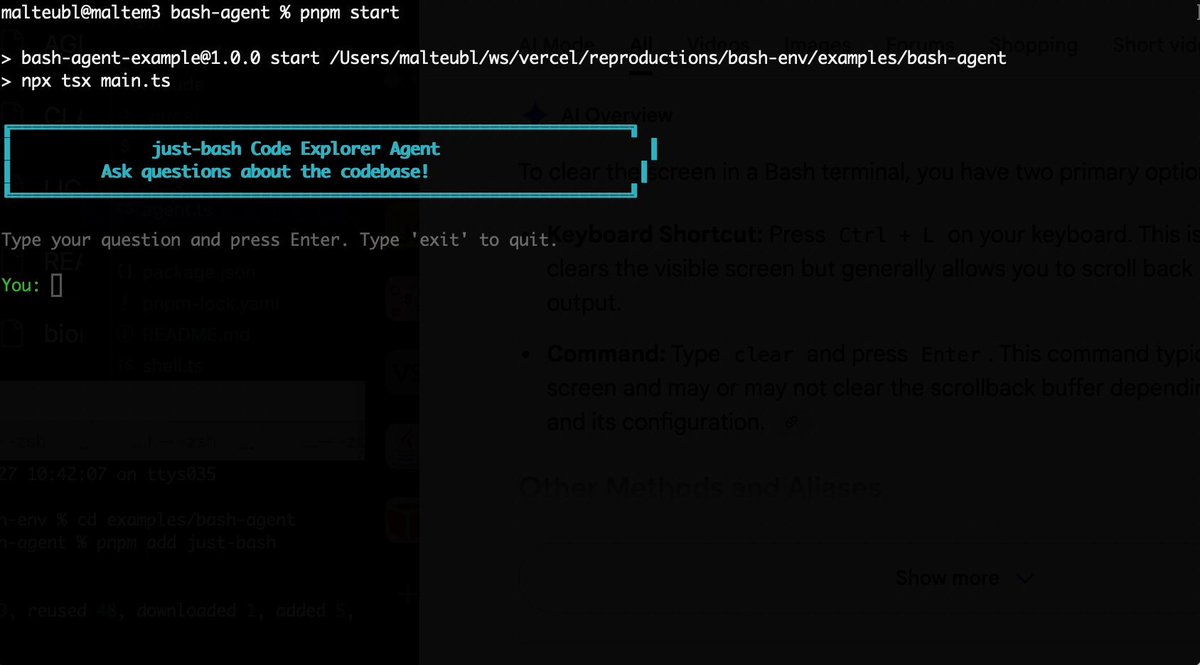
Bash is all you need! Which is why I'm introducing my holiday project: just-bash just-bash is a pretty complete implementation of bash in TypeScript designed to be used as a bash tool by AI agents. Because it turns out agents love exploring data via shell scripts, even beyond coding. It comes with grep, sed, awk and the 99th percentile features that an agent like Claude Code or Cursor would use. In fact, Claude Code can use it for secure bash execution. In the package - A bash-tool for AI SDK - A binary for use by yourself or your coding agents - An overlay filesystem to feed files to your agent securely - A Vercel Sandbox compatible API, so you can quickly upgrade to a real VM if you need to run binaries - An example AI agent that explores the just-bash code base using just-bash - I imported the Oils shell bash compatibility suite and just-bash passes a very good chunk What is interesting about this codebase: It was essentially entirely written by Opus 4.5. Coding agents love bash and they are good at reproducing it. They are also great at text-book recursive descent parsers and AST tweet-walk interpreters. That said, it is, like, a lot of code and I didn't read it all 😅. This is very much a hack, but it also seems to be _really_ useful. I haven't really found anything agents want to use that it doesn't support and it's fast and secure (caveats apply). It doesn't have write access to your computer and the filesystem is given a root that the agent cannot escape from. Find it at Related: Our recent blog post how we migrated our data analysis agent to bash tools and achieved incredible quality improvements The video shows the example agent investigating the just-bash code base

Malte Ubl

125,326 次观看 • 9 个月前

Codex has become a real game engine... If you take the time to make it become one. You can do EVERYTHING in it. And I think I've cracked the perfect custom UX? I'd like to show you how I use it. See video below 4 steps: - Create a custom tool you need, like one to generate new buildings that matches you game art direction - Ask Codex to open this tool in a worktree (important) - Attach the browser view of your tool in the Thread - Use pinned thread to have easy access to the tool And there you go: you have what I call a "codex-augmented" tool, which it's incredibly powerful because - the tool will speed up your development immensely AND also: - you can improve the tool as you use it with codex For example, let's say I want to add a new button to my 3D building gen tool so I can generate a thumbnail of the 3D building. - I click on "Building Lab" - I prompt Codex "add a button to generate thumbnails" - I have my new button - I can use the tool right away in the pinned Thread You can then use the /yeet skill to commit, push and create a PR with the changes you made to your tool. I have tools for everything - To manage my tasks in Linear - To do content / social media / steam marketing - To localize the game in 9 languages - To manage sounds, musics and voice lines - To generate and fine tune buildings - To create and animate procedural zombies - To tweak environnement/decor and map design - To manage my analytics - To simulate late game perf I'll be honest it's incredibly powerful and easy!

Nicolas Zullo

80,166 次观看 • 1 个月前

yesterday i showed claude code using codex's computer use, today i got some more fucking fire for you claude can also drive codex's official chrome extension, and it controls chromium browsers beautifully all in the background, without the "allow" popup chrome devtools mcp throws at you every time a new agent connects it even handles more than one browser: each install of the extension gets its own instance id, so claude knows which is which i have helium as my main and chrome for work, and claude code now uses both first, install the chrome plugin in the codex app and add openai's chatgpt extension to your chromium browser (or all of them, if you have a few) then give this to your claude: "Set up Codex's Chrome extension for you on my Mac. I've installed the Chrome plugin in the Codex app and the extension. Use Codex's computer use MCP server as user MCP "codex-cu": keep it if it's already registered, otherwise copy the "cua_repl" entry from ~/.codex/plugins/cache/openai-bundled/unified-computer-use/ /.mcp.json. Its browser side rejects calls without Codex turn metadata, so put a small stdio proxy in front that adds _meta["x-codex-turn-metadata"] (session_id and turn_id as a JSON string) to every tools/call. Add a Stop hook that tells this session's proxy to call the hidden turn_ended tool and start a new turn_id, so your tabs get released without touching other sessions. Test it by opening a tab straight at a URL in each browser with cua.createBrowserTab(browserId, url). Browsers can all report as "Chrome", so if I have several, ask me which test tab showed up in which browser." got more than one browser and ok with it touching your claude.md? give it this too: "Write each browser's name and metadata.extensionInstanceId into my global CLAUDE.md, with a note to pick browsers by that id and open tabs straight at a URL."

🥔🥔🥔

73,991 次观看 • 16 天前

I solved building decks with AI agents — by giving them a CLI tool like Powerpoint or Google Slides. AI could already make a beautiful deck if you asked it to using Ant's pptx skill. The problem was working with it. If it made one alignment mistake, fixing it on one slide would break something on another, and it became a game of whack-a-mole. One time I spent two days playing AI roulette, hoping the next prompt would finally fix the thing, and ended up building the whole deck by hand because I was on a deadline. So I built Hands-on Deck. And the reason it works is that this isn't just a skill — this is PowerPoint. The actual application: PowerPoint, Google Slides, Keynote, whatever you use. This is that, but for an agent, presented as a CLI. Every gesture you make in a deck app maps to a command. Click a box and type, drag a shape from here to there, look at a slide – agent can do it all in a command. And that changes how the agent behaves. With this CLI it works and thinks like a designer — it looks, makes an edit, looks again, makes another surgical edit. Compare that to Anthropic's pptx skill, built on the idea that Claude is a great programmer: it literally writes code to manipulate the deck, hand-editing XML and hoping it doesn't break anything else in the middle. The real test isn't creating something once — it's whether it can make surgical edits like you want. That's what I did in this video walkthrough and my claude crushed it! Check it out for yourself. So decks can be built like a designer now — with real flavor and taste. If you spend hours every week on decks, this gives those hours back. You can install it as a skill in Claude Code, Codex, whatever you use. Works every harness that supports skills. Let me know if you make something cool with it.

Nityesh

70,086 次观看 • 3 个月前

Today, we’re pushing a major update to Edison Analysis, our data analysis agent, which is tuned for scientific research and SOTA across data analysis benchmarks. In contrast to Kosmos, which runs for 6-12 hours and produces tens of thousands of lines of code, Edison Analysis runs for seconds to minutes and is best for specific, well-defined computational tasks. It is available both on our platform under the Analysis tab, and via API, and costs only one credit per run, so it is available to users on both free and paid tiers. Edison Analysis is a modified version of the data analysis agent Kosmos uses in its trajectories. Try it out! One of the most important improvements over our previous data analysis agents has been the addition of a specialized data retrieval tool. Edison Analysis can either use this tool to access data, or can pull data down directly via API. To evaluate this tool, we ranked the most commonly used public data repositories across recent papers from BioRxiv, and created a new benchmark that measures the ability of a language agent system to retrieve raw data from those sources. Edison Analysis gets 71% on this benchmark, and we’ll be working to increase this over time. You can read more about our benchmarks in the our blog post, link below. Some features worth highlighting: 1. Edison Analysis produces a report on the analysis it runs, along with a Jupyter notebook that you can download to reproduce the analysis yourself. Every figure it produces is linked back to the specific lines of code used to produce the figure, to make it easy to reproduce. 2. It works well with both Python and R. 3. One of the best uses for Edison Analysis is to use it to retrieve datasets that you can then analyze with Kosmos. We have a bunch of major improvements to Edison Analysis coming in the next few months that we’re excited to share. In the meantime, congratulations to the team, especially Ludovico Mitchener, Jon Laurent, Conor Igoe , Alex Andonian, and many more.

Sam Rodriques

62,045 次观看 • 11 个月前