Jerome | InsaneUnreal
@insaneUEFN • 4,193 subscribers
Learn how to use AI in your workflows 🗺️ - hybrid AI workflows for game development.
Videos

GPT-6 made GTA 6 beach house using MCP tools! Running Astra only through Blender MCP didn’t work for me, since it was mainly using primitive shapes to build the assets. Now, with Atlas workflows and Tripo, that changed! Initially, I thought Tripo P2 would be the way to go: low-poly results straight into Blender. I tried it, but I didn’t get the results I wanted. Don’t get me wrong, P2 is great and a big improvement over P1, I just wanted more detail for this project. So I ended up using Tripo 3.1. First, I needed a good starting point. I gave Astra some concept art and YouTube links, and it generated great reference images to work with. With Atlas workflows, I used those references to generate images for all the individual parts. Using Atlas MCP, I exported them and automatically renamed everything based on the prompts. The next step was feeding the images into Atlas Batch Composer so it could run all the 3D generations in one go. I asked Astra to optimize the generated assets to either 5K or 1K triangles, depending on their form and size. After a few tests, Astra made the process faster and faster. I gave it all 70 high-poly assets and let it run. Astra then took care of the whole build. It imported the optimized assets into Blender and used the reference images to start recreating the house. I only had to give it directional feedback twice and manually rescale a few things. There were still a lot of parts, though. Each beam was a separate object, and I knew that wasn’t ideal if I wanted to export the house to UEFN or Unreal Engine. So I asked Astra to export only the unique assets. Then, using UEFN MCP, it rebuilt everything 1:1 while reusing modular parts like beams and windows. I really enjoyed watching it place all the pieces in UEFN, almost like watching a timelapse of the house being built!
Jerome | InsaneUnreal79,025 views • 1 month ago

Hard surface model test: 3D model of an unfinished overland build. Got really nice images again from Grok. Also realised an ‘unfinished’ vehicle might not be the best idea lol. Anyways, I was well surprised with the results. I don’t trust rotating a generated wheel yet 😁, so I made the wheels in Blender. Very similar workflow as the mech character: Images from Grok Imagine, Tripo for raw 3D generation, Hunyuan 3D Studio for lowpoly and UV unwrap, Trellis2 in ComfyUI for texturing + upscaling. Blender final preparation. Unreal Engine / UEFN shaders. Next time i'd work a bit longer on the normals.
Jerome | InsaneUnreal169,801 views • 9 months ago

New clean 3D AI workflow Control Rig physics in UEFN! Been exploring some more hybrid AI workflows lately, and for 3D assets splitting the model into parts is kinda essential. This video shows my first test using AssetHub, one of the cleanest ways i've used to keep the whole generation process organized. It auto-detected the pose in my main image and broke it down into parts, then generated images for each. From there I can just iterate on each piece separately and generate the 3D models in one workflow. AssetHub is still in closed beta atm, so let me know if you want to try it out. Main reference image came from Grok Imagine. All the part images and high poly meshes were done in AssetHub, selected Tripo 3.1 as the main model. After that I ran it through Hunyuan 3D for retopo + unwrap. Final assembly in Blender. Baked normals from high to low poly. End result: under 60K tris, 3 materials, 2K textures. Also Control Rig physics in Unreal Engine are insane. It finally validates in UEFN too, so of course I had to test it out.
Jerome | InsaneUnreal83,778 views • 6 months ago

Created an animated convertible car with AI! The part that got me excited from the house experiment was watching Blender assemble everything. Initially I tried the same workflow for the car, but as you can see, assembling a bunch of separately generated parts doesn’t really give a great result here. So I went with a simpler setup. Now Atlas has a new Blender Node, which basically runs Blender MCP inside the workflow. This meant I didn’t have to leave the canvas. It created the reference images, generated the high-poly Tripo 3.1 mesh, baked the low-poly version with the Blender Node, and did the full assembly of the car with the body and wheels. I could even give it images of the badges and license plate, and it created the geometry and placed everything correctly inside the node. The convertible roof rig needed a bit more directing though. But still, I didn’t have to do any weight painting or manually place bones. With some back and forth, Astra created a working skeletal mesh for me to use. In UEFN / Unreal Engine i made everything work together with Control Rig and Level Sequencer.
Jerome | InsaneUnreal11,848 views • 27 days ago

I’m making a new UEFN game that’s being built 80% by AI. So I should actually say ‘directing a game? lol. Mostly just curious to see how far I can push it, but so far I like it. I’m also really happy with how Astra is implementing Verse and Scene Graph stuff. Once it understands how I want systems to be built, it keeps using that approach. No errors. I think being a generalist is becoming really useful with AI. Knowing a lot of pipelines and workflows on a base level means I can design how something should work, build the first example, and then let AI handle a lot of the repetitive work. For example, I’ll build out 1 custom weapon and define how everything should work. Then I can let Astra build 10 more. It generates the meshes, UI textures, unique sound FX, puts everything in the correct folders and follows the naming conventions. I'm still experimenting with how far I can take it, but this way is starting to click for me. I can even go outside and use Codex Remote to continue while I'm away.
Jerome | InsaneUnreal10,741 views • 1 month ago

In this experiment I wanted to try something with facial expressions and have it work with native Unreal Engine tools. I did find that generating the head with an open mouth helped to get some extra details. Creating those blend shapes was still not easy and this result is far from perfect. Ideally i want 58 generated expression references and have AI figure that out haha. btw first time baking the high poly details onto the low poly generated character. That worked surprisingly well! Endresult has 34k triangles! Built this character in 4 separate parts in Blender and generated each part in Hunyuan 3D Studio. The original references came from Nano Banana 2 and Grok. Trellis 2 in ComfyUI for the texturing. The animation was done with Control Rig in UEFN / Unreal Engine. With all the experiments so far, file and version management start to become a challenge. Getting files from different platforms with each platform having their own filename logic. I’ll have to find something to keep it more organized. Any suggestions?
Jerome | InsaneUnreal46,843 views • 7 months ago

This is crazy! With LTX 2 in ComfyUI i was able to keep my original camera movement + it did a full lip-sync on the singing haha. All running locally. I made the original video back in 2021 when Metahumans first came out and we were working in Unreal Engine 4. This music video was some kind of result from my first experiments with Livelink and Control Rig at that time. Now the new AI improved version is not perfect and i didn’t train any lora for character consistency yet. I also didn’t have the original video file anymore so I downloaded the Youtube version as input haha. However the camera result + facial expressions are really promising! I wonder how it would handle more complex and fast shots though.
Jerome | InsaneUnreal41,508 views • 8 months ago

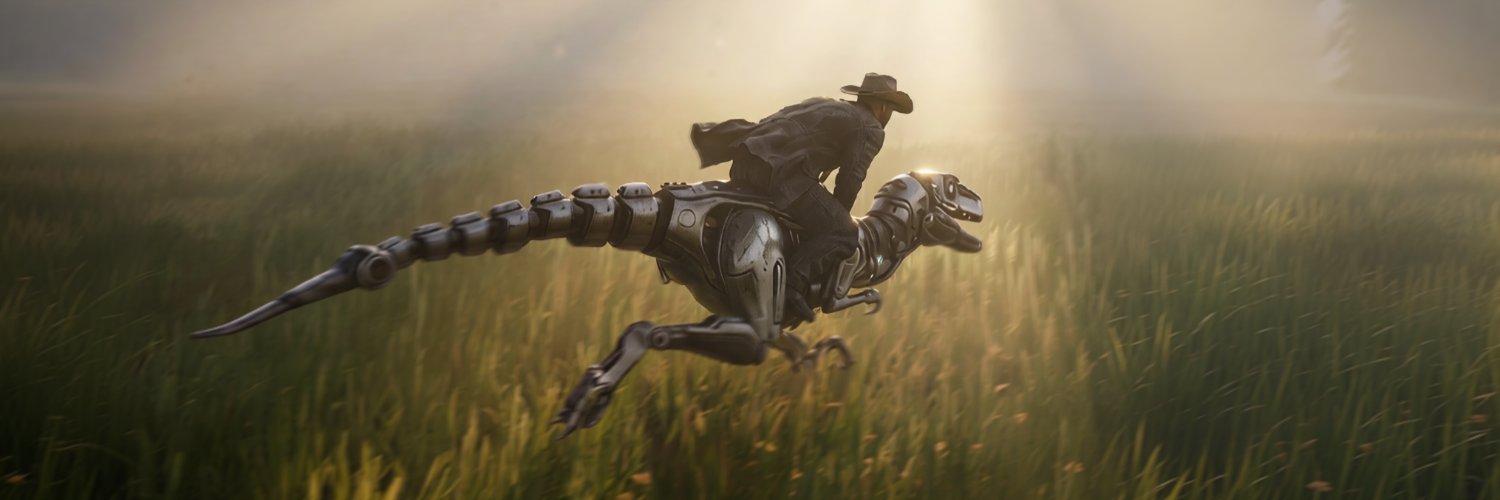
From generated reference images to riding a robot raptor in Fortnite 🦖 For now mostly the same workflow, but I also used Nano Banana to get that toe claw in the image lol. Other steps: Images from Grok Imagine, Tripo for raw 3D generation, Hunyuan 3D Studio for lowpoly and UV unwrap, Trellis2 in ComfyUI for texturing and AI upscaling. Blender for cleanup, rigging and weight painting. Splitting up the body parts helped to get a more mid-poly result. Also with better control during cleanup. The final result has 28K triangles. Again with the awesome retargeting tools in Unreal Engine / UEFN. I’ll be testing different AI texturing approaches soon. Some parts can get a bit wobbly at times, most notable in hard-surface objects. Also curious if there are any upcoming weight painting tools 😄
Jerome | InsaneUnreal41,465 views • 9 months ago

- AssetHub officially launched - Using Metahuman Component as parts system in UEFN This is crazy! Just discovered I can use the Metahuman Component in UEFN as a general parts system! Perfect for modular characters. So I had to test it out. First step: character design. With GPT Image 2 I got some really solid characters to work with. These are perfect to test anime/ lowpoly models as well. Gavin Harvey also officially launched so I jumped on a fresh workflow to build the first one. Since I’m aiming for an anime/flat shaded style, I chose Tripo P1 to generate straight to low poly models. Results were perfect for me, UV and textured directly done. Did the main assembly in Blender. I transferred weights onto the new parts (like the jacket here) and used proportional editing to tweak vertices so everything fits together nicely. Then into UEFN / Unreal Engine: For the two-tone shadow look, I made a material that uses the sun direction as a mask. To make all the modular parts work together, I set up a blueprint with the body skeletal mesh as the base, and all the other parts attached as children. Now the really cool part: the Metahuman Component actually lets you plug in extra body parts directly. And every skeletal mesh can have its own Control Rig slot. That means you can layer procedural animations on top of your main animation setup. I used it for procedural eye blinking and hair physics. Since every part is separate, swapping variations is super easy while keeping all animations perfectly synced!
Jerome | InsaneUnreal24,830 views • 5 months ago

What about a 2 day version? After Andrew Price posted about the two extremes (fully manual vs fully AI car modeling), I wanted to try a hybrid approach. Not sure if his examples were more film or game-focused, but I’m aiming for a game-ready asset. Using AssetHub for the main workflow hub. Because of the canvas and part splitting tools , iterating is smooth here. Generating high poly meshes with Tripo inside AssetHub. Retopoly with Hunyuan 3D Studio. Texturing with Trellis2 in ComfyUI. Did some manual modeling for the rims since i still dont trust AI generated rims being 100% circular😄 Assembly in Blender. End result: car exterior + interior 36K tris. Wheels total still 32K hehe. I’d bake those tire detail normals onto a simple cylinder next. In UEFN / Unreal Engine i used a clear coat material to give the car some nice reflections. Is it perfect? No. retopo and texturing are still the weak spots, but that gap is closing. Would I use this in a game? 100%! (after improving the tires). If you want to try AssetHub, you can sign up and use JR1627 to skip the waitlist.
Jerome | InsaneUnreal26,981 views • 5 months ago


Let's build the next character for the team! I’m continuing to test the modular character setup in UEFN using the Metahuman Component. Works really well with custom NPCs! For this new character, I'm back to a fresh 3D workflow using AssetHub . Still aiming for that flat/ anime style so I can go straight to the Tripo P1 model and get the low poly textured meshes to work with. Assembling and rigging are done in Blender. Again making a shape key for the eyes blinking. Because I'm going to use the same bone structure, I can re-use some Control Rig systems like the hair and eyes procedural animations. The character has 35K triangles and each accessory is about 2.5K.
Jerome | InsaneUnreal16,934 views • 5 months ago

Pushed another 2021 Unreal Engine experiment through LTX in ComfyUI! Not perfect, but look at those free waves! 🌊 Back in 2021, I was exploring the first version of Metahumans and ray tracing, trying to figure out how to generate water displacement. It’s crazy to see this extra layer of detail now on top of it. Although not all shots resulted in good waterflow direction . Combined a line-art + depth pre-processor to generate the shot guide. Also used these line-art generations in Nano Banana 2 to get the new first and last frames. Some shots are still tricky to get right if you want to keep control over the shot, especially the last shot with nothing in the end frame.
Jerome | InsaneUnreal20,275 views • 7 months ago

Now this ComfyUI experiment has some potential! #3 Tested the new Trellis 2 Image to 3D and i’m getting decent results. Separating the head and body helped a bit with some details. Also discovering useful helper workflows like removing backgrounds, upscaling and creating Normal maps. Still crazy how it just splits up an illustration like that! This example has 20K triangles, created from 1 front-view, which is not bad! I haven’t tested retopology yet, might have to check Tripo. Also want to test the multi-image setup. There is still some cleanup needed, but nothing to bad. Exploring several pipeline methods and so far the vertex color masking is helpful to keep everything in 1 material.
Jerome | InsaneUnreal21,534 views • 9 months ago

Spawning 1000 characters 🚶🚶🚶 Well not really, they are actually 1000 props with vertex animations. I was curious how it would work. I used an Unreal Engine plugin Vertex Animation Toolkit and adjusted it to output 2K textures. You can load in multiple animations and bake into 1 Vertex Animation Texture array. In this case 2 idle and 2 walk animations. Using Verse to play random animations and walk to random locations. FPS drops a bit at 1000 props, i could play with distance culling. Nanite needs to be turned off, somehow it breaks the mesh on close up. Can’t wait for 1000 player servers lol #UEFN #FortniteCreative
Jerome | InsaneUnreal21,888 views • 9 months ago

Tested this concepting workflow. ▶️ Converting a level design image to a 3D asset gallery image ▶️ re-generating segmented subjects into separate high quality images. ▶️ using these images to generate the 3D meshes. First time using 'for loops' in ComfyUI, works great and the prompts are updated for every segment. I used the Nano Banana 2 API node in ComfyUI to generate the final high quality images. Those SAM3 nodes are crazy btw, just set some points and it creates a mask! For the 3D model generation I used the new Tripo Smart Mesh tool, which is fast! The output is not perfect yet. I think in a lot of cases not production ready right now but that depends on the input image and the goal as well. For pre-production / concepting phase it's perfect and for far distance meshes it’s fine. I’m sure these tools keep improving, curious what we can work with in 3-6 months. Minimal cleanup and scaling in Blender and tested the meshes in UEFN / Unreal Engine. After creating the ComfyUI workflow it took less than an hour to do everything.
Jerome | InsaneUnreal17,461 views • 7 months ago

I tried to split some tasks up. After Tripo generated the quad mesh, I did a manual unwrap in Blender to give important parts bigger UV space. That definitely helped with the perceived texture sharpness. Auto-textured the mesh with Trellis2 in ComfyUI. Interesting to see all steps involved. For my workflow in UEFN I need good 2K textures so unwrapping is still important. Gonna test other platforms soon. Current imported mesh into UEFN has 15K triangles.
Jerome | InsaneUnreal15,606 views • 9 months ago

Not bad! 2K triangles and a bit of manual cleanup. This was a quick test creating a lowpoly 3D model. Tried Tripo for retopology and it did a good job. It does render some inverted normals though. For this lowpoly model it’s fine but inverted normals are a pain when working on highpoly models. I’m going to test some other options like the remesh tool in Blender sculpting. It’s crazy how this Trellis Texturing node works btw, It understands the geometry very well. Watch the end where I made the worst version of an Axe in Blender and it was able to wrap the texture on that model! I would probably spend a bit more time splitting the image up and generating the main parts separately. Also making any signs readable or just remove them.
Jerome | InsaneUnreal15,052 views • 9 months ago


There where a lot of fun UEFN challenges in 2025. One of my favorites was to create the train system in Prison Breakout for Breakout Games . I built the modular setup with Control Rig. Because we are tracing the ground location, we only had to create the spline track from top-view and didn't have to worry about a perfect spline height. #UEFN #ControlRig #FortniteCreative
Jerome | InsaneUnreal14,584 views • 10 months ago