Загрузка видео...
Не удалось загрузить видео
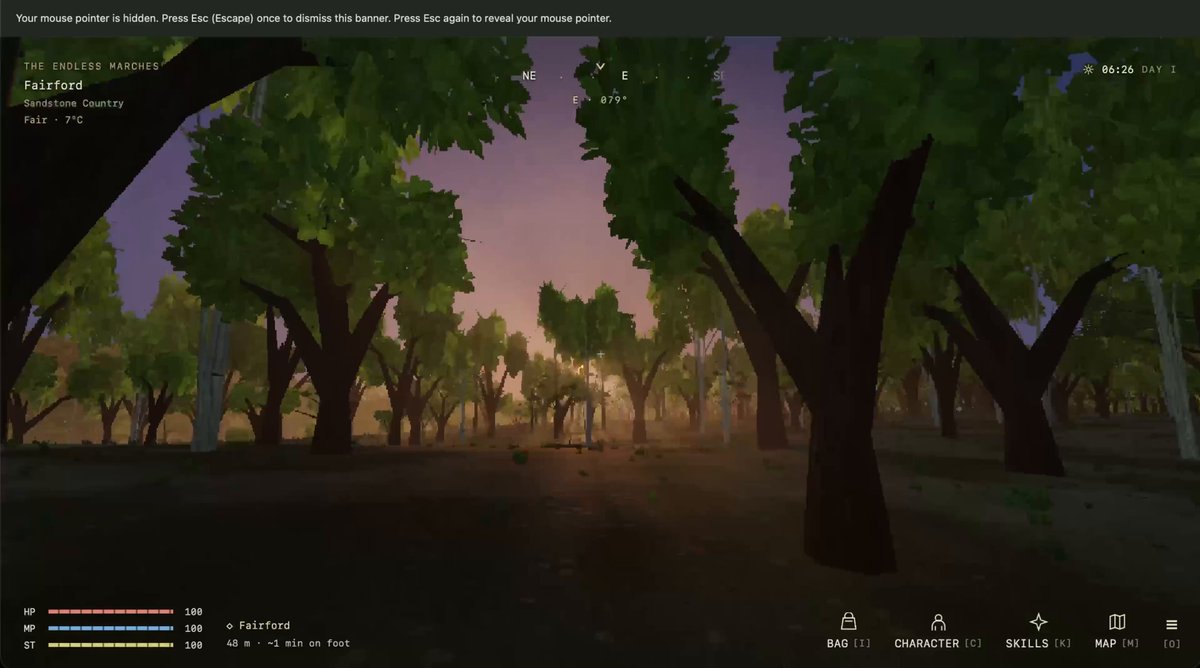
Everyone keeps asking me how I generated the sprites, my assets, etc., for Evergrow. Astra made a custom drawing engine, and everything is drawn procedurally in code! I also built a lot of tools to browse and refine all the art in the game!

41,505 просмотров • 10 дней назад •via X (Twitter)
Комментарии: 26

Seriously impressive. How do you keep the procedural art consistent across the game?

Open sourcing this by any chance?

Is it efficient to have them procedurally drawn?

Yes, very efficient, code is cheap tokens

@grok what does procedural mean here, exactly?

I try doing that with fable and it was so dumb

Humanity needs a new term for generative AI Calling it art doesn’t feel right... feels soulless.

The flashbang every time you swap tabs...

Ok, tell me more

procedural and still looks hand painted is the actual flex

It's amazing, how many tools are for game creators

Procedural 🔥 this is the best way to leverage Astra and other models : unique textures, models and animations

i had the same idea yesterday, so i built a very similar thing called voro. you can browse 3d assets from any folder and it has a review section to write down notes

Ok, this is sick!

@Doomstopher bruh so sick

That's fucking awesome.

you should post a tutorial of your entire process :)

That's seriously cool

Hmm the game I am building with Codex used the same exact font 😂

Hey Thomas! We had the same idea :) . AI pipelines need tools like that to visualize results. One thing that I’m doing different is that I’m also building a customized animator. This the end game of vibe games ;)

having astra build you tools that you can then continue to use to frame your game is 10000% smarter then having it try to one shot it for ya

Interesting! Would love to know more details via a blog post or something (if you have the time in the future).

Thanks for sharing man, it will save me a lot of tokens <3 thanks again bro!

Beautifully done~

Hey look I made the same thing last night with Grok Build lol Don't even need Astra for that -- it's not 3D 😂

Can you change the look of a whole group of assets through shared parameters? That sounds like a useful way to keep the art direction consistent as the game grows.


![👀 I used OpenAI's Code Interpreter to make Flappy Bird 🐦in 7 minutes: Code Interpreter/GPT-4 for code generation. Pre-existing or AI-generated assets for graphics. --- Here's how to make the game in only 6 steps: (1): Enter the following prompt: "write p5.js code for Flappy Bird where you control a yellow bird continuously flying between a series of green pipes. The bird flaps every time you left click the mouse. If the bird falls to the ground or hits a pipe, you lose. This game goes on infinitely until you lose and you get points the further you go". (2): Use generative AI or existing game assets and spirits. I searched "flappy bird assets" on Google and used the first link, a GitHub repo with pngs from the original Flappy Bird. (3): Use this prompt to link assets to the code: "Please generate the entire file again based on the fact I'm using a unique background, spirits for the bird, and pipes. Here is the list of assets I'm using: [list of file names]." Code Interpreter should modify the code accordingly to include the list of file names. (4) Make an account OpenProcessing -> create a sketch -> paste in the code generated by Code Interpreter -> upload in-game assets from step (2). (5) (Optional) Ask ChatGPT to make changes to improve the in-game experience e.g., adding a high score, restarting the game when the bird dies, etc. Copy the new code into your OpenProcessing sketch and reload the game. (6) If something doesn't work, ask GPT4 to fix it. Copy and paste the error message and ask it to regenerate the code. --- Bonus Tips: - Iteratively test code. Each time you make a change using Code Interpreter, test the updated code by playing the game so you catch new bugs early. - Learn programming by asking questions: "Act as a senior programmer very good at explaining concepts to a beginner. Tell me how gravity works in this game and how you used code to make this happen."Code Interpreter/GPT4 for code generation. Download Pre-existing assets or generate new images for graphics. Excited to see what you make!](https://image.24vids.com/tw-1678801892858556417/ext_tw_video_thumb/1678801683596423169/pu/img/eUKZlT6rmDJJlHGD.jpg)
![Hey! A little update on the procedurally generated map! I've made some progress, after a lot of testing, I finally have something that I like and that fits the gameplay better! Let me show how it works: [thread] #indiedev #gamedev #indiegame #madewithunity](https://image.24vids.com/tw-1748389104994185612/ext_tw_video_thumb/1748388791306350592/pu/img/ScfCDB9Koub_Lszp.jpg)