Video yükleniyor...

Video Yüklenemedi

Ana Sayfaya Dön

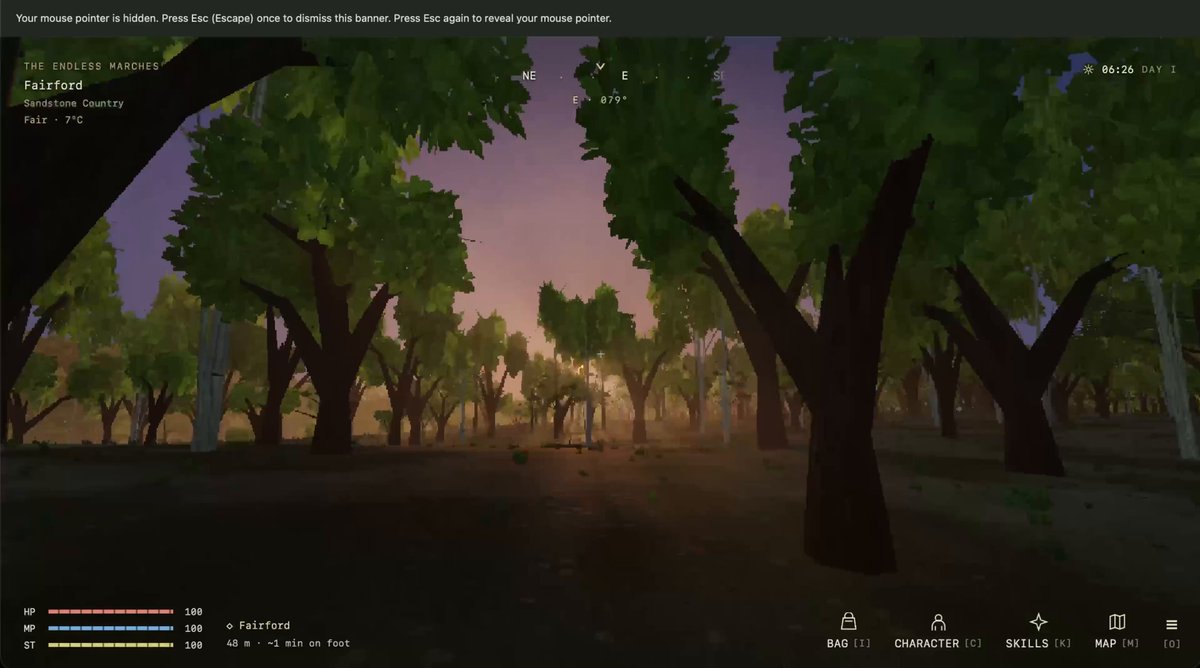
Everyone keeps asking me how I generated the sprites, my assets, etc., for Evergrow. Astra made a custom drawing engine, and everything is drawn procedurally in code! I also built a lot of tools to browse and refine all the art in the game!

41,505 görüntüleme • 10 gün önce •via X (Twitter)

26 Yorum

Matet | Never Stop Building profil fotoğrafı
Matet | Never Stop Building10 gün önce

Seriously impressive. How do you keep the procedural art consistent across the game?

kev profil fotoğrafı
kev10 gün önce

Open sourcing this by any chance?

Sotiris Kaniras profil fotoğrafı
Sotiris Kaniras10 gün önce

Is it efficient to have them procedurally drawn?

Thomas Ricouard profil fotoğrafı
Thomas Ricouard9 gün önce

Yes, very efficient, code is cheap tokens

Heisenblurb profil fotoğrafı
Heisenblurb9 gün önce

@grok what does procedural mean here, exactly?

shadow profil fotoğrafı
shadow10 gün önce

I try doing that with fable and it was so dumb

I like Farofa 😃 profil fotoğrafı
I like Farofa 😃10 gün önce

Humanity needs a new term for generative AI Calling it art doesn’t feel right... feels soulless.

Eccentric Cupcake profil fotoğrafı
Eccentric Cupcake9 gün önce

The flashbang every time you swap tabs...

Cyrus Zei profil fotoğrafı
Cyrus Zei10 gün önce

Ok, tell me more

Narcissus profil fotoğrafı
Narcissus10 gün önce

procedural and still looks hand painted is the actual flex

Mr Pixel | Driftania 🏝 profil fotoğrafı
Mr Pixel | Driftania 🏝10 gün önce

It's amazing, how many tools are for game creators

Anton profil fotoğrafı
Anton10 gün önce

Procedural 🔥 this is the best way to leverage Astra and other models : unique textures, models and animations

domaggio profil fotoğrafı
domaggio10 gün önce

i had the same idea yesterday, so i built a very similar thing called voro. you can browse 3d assets from any folder and it has a review section to write down notes

TriitonGM 👑 profil fotoğrafı
TriitonGM 👑10 gün önce

Ok, this is sick!

CJ Poppinov profil fotoğrafı
CJ Poppinov9 gün önce

@Doomstopher bruh so sick

Papa profil fotoğrafı
Papa9 gün önce

That's fucking awesome.

Maria Martins profil fotoğrafı
Maria Martins9 gün önce

you should post a tutorial of your entire process :)

Jesper Bylund -- just/acc profil fotoğrafı
Jesper Bylund -- just/acc10 gün önce

That's seriously cool

Sam Starkman profil fotoğrafı
Sam Starkman9 gün önce

Hmm the game I am building with Codex used the same exact font 😂

Lucca Cerf ➔ Pluma Finance profil fotoğrafı
Lucca Cerf ➔ Pluma Finance10 gün önce

Hey Thomas! We had the same idea :) . AI pipelines need tools like that to visualize results. One thing that I’m doing different is that I’m also building a customized animator. This the end game of vibe games ;)

Kektorius Maximus Pepe profil fotoğrafı
Kektorius Maximus Pepe9 gün önce

having astra build you tools that you can then continue to use to frame your game is 10000% smarter then having it try to one shot it for ya

Joon, Marty McFly's Forgotten Dog profil fotoğrafı
Joon, Marty McFly's Forgotten Dog9 gün önce

Interesting! Would love to know more details via a blog post or something (if you have the time in the future).

Tony Ricardo profil fotoğrafı
Tony Ricardo9 gün önce

Thanks for sharing man, it will save me a lot of tokens <3 thanks again bro!

Ryan Tsai profil fotoğrafı
Ryan Tsai10 gün önce

Beautifully done~

IngressLog profil fotoğrafı
IngressLog9 gün önce

Hey look I made the same thing last night with Grok Build lol Don't even need Astra for that -- it's not 3D 😂

Voxlessa profil fotoğrafı
Voxlessa9 gün önce

Can you change the look of a whole group of assets through shared parameters? That sounds like a useful way to keep the art direction consistent as the game grows.

Benzer Videolar

GPT-6 made GTA 6 beach house using MCP tools! Running Astra only through Blender MCP didn’t work for me, since it was mainly using primitive shapes to build the assets. Now, with Atlas workflows and Tripo, that changed! Initially, I thought Tripo P2 would be the way to go: low-poly results straight into Blender. I tried it, but I didn’t get the results I wanted. Don’t get me wrong, P2 is great and a big improvement over P1, I just wanted more detail for this project. So I ended up using Tripo 3.1. First, I needed a good starting point. I gave Astra some concept art and YouTube links, and it generated great reference images to work with. With Atlas workflows, I used those references to generate images for all the individual parts. Using Atlas MCP, I exported them and automatically renamed everything based on the prompts. The next step was feeding the images into Atlas Batch Composer so it could run all the 3D generations in one go. I asked Astra to optimize the generated assets to either 5K or 1K triangles, depending on their form and size. After a few tests, Astra made the process faster and faster. I gave it all 70 high-poly assets and let it run. Astra then took care of the whole build. It imported the optimized assets into Blender and used the reference images to start recreating the house. I only had to give it directional feedback twice and manually rescale a few things. There were still a lot of parts, though. Each beam was a separate object, and I knew that wasn’t ideal if I wanted to export the house to UEFN or Unreal Engine. So I asked Astra to export only the unique assets. Then, using UEFN MCP, it rebuilt everything 1:1 while reusing modular parts like beams and windows. I really enjoyed watching it place all the pieces in UEFN, almost like watching a timelapse of the house being built!

Jerome | InsaneUnreal

67,666 görüntüleme • 2 gün önce

👀 I used OpenAI's Code Interpreter to make Flappy Bird 🐦in 7 minutes: Code Interpreter/GPT-4 for code generation. Pre-existing or AI-generated assets for graphics. --- Here's how to make the game in only 6 steps: (1): Enter the following prompt: "write p5.js code for Flappy Bird where you control a yellow bird continuously flying between a series of green pipes. The bird flaps every time you left click the mouse. If the bird falls to the ground or hits a pipe, you lose. This game goes on infinitely until you lose and you get points the further you go". (2): Use generative AI or existing game assets and spirits. I searched "flappy bird assets" on Google and used the first link, a GitHub repo with pngs from the original Flappy Bird. (3): Use this prompt to link assets to the code: "Please generate the entire file again based on the fact I'm using a unique background, spirits for the bird, and pipes. Here is the list of assets I'm using: [list of file names]." Code Interpreter should modify the code accordingly to include the list of file names. (4) Make an account OpenProcessing -> create a sketch -> paste in the code generated by Code Interpreter -> upload in-game assets from step (2). (5) (Optional) Ask ChatGPT to make changes to improve the in-game experience e.g., adding a high score, restarting the game when the bird dies, etc. Copy the new code into your OpenProcessing sketch and reload the game. (6) If something doesn't work, ask GPT4 to fix it. Copy and paste the error message and ask it to regenerate the code. --- Bonus Tips: - Iteratively test code. Each time you make a change using Code Interpreter, test the updated code by playing the game so you catch new bugs early. - Learn programming by asking questions: "Act as a senior programmer very good at explaining concepts to a beginner. Tell me how gravity works in this game and how you used code to make this happen."Code Interpreter/GPT4 for code generation. Download Pre-existing assets or generate new images for graphics. Excited to see what you make!

Alex Ker 🔭

739,874 görüntüleme • 3 yıl önce

I’ve been using Grok Bot in early access for a little over a week now, and it has been a massive boost to my game dev workflow and my productivity in general. One of the first things I asked it to do was to visit my custom art generation tool webpage and generate art assets to replace all the image placeholders in my game. It looked through my codebase to understand what each asset was, wrote a custom art generation prompt for every single one, generated the images, cropped and cleaned them up into transparent PNGs, and then wired them back into the game. In about 2 hours, it generated 74 (cleaned and cropped) art assets for the cards and integrated all of them into my game. Now, ALL my art assets workflows go through Grok bot. This blew my mind because, before this, I was doing everything manually, one asset at a time. It basically solved my entire art asset workflow and allowed me to put it on autopilot, which is amazing. I’ve also been using Grok Bot for: Playtesting my game: The bot was a little slow initially, so I asked it to build a skill specifically designed to playtest my game, with intimate knowledge of its rules and mechanics. It’s much faster now, though I’m still looking for ways to optimise its speed. Setting up my itchio page for my game: It also automated a workflow that uploads a new build to itch whenever I push one to GitHub. Going to the itch website and uploading builds manually every single time was always a pain. Flowcharts and UX design: I’m a UX designer by day, so I decided to give it a much bigger task. I fed the agent a PRD and asked it to design the UX flows and wireframes. With the help of the Figma MCP, it actually delivered. Auditing all my paid subscriptions: I had it go through my emails and hunt down subscriptions that I might have forgotten about. Unsubscribing me from marketing newsletters: It did this beautifully, though it did miss a few newsletters. What I’ve learned is that it takes time to discover all the possible use cases for Grok bot. I’ve had to reevaluate my day-to-day workflows and figure out which parts I can delegate to it. So far, it has been a huge productivity unlock for me and I am discovering more uses for my Grok bots every other day.

Danny Limanseta

795,539 görüntüleme • 1 ay önce