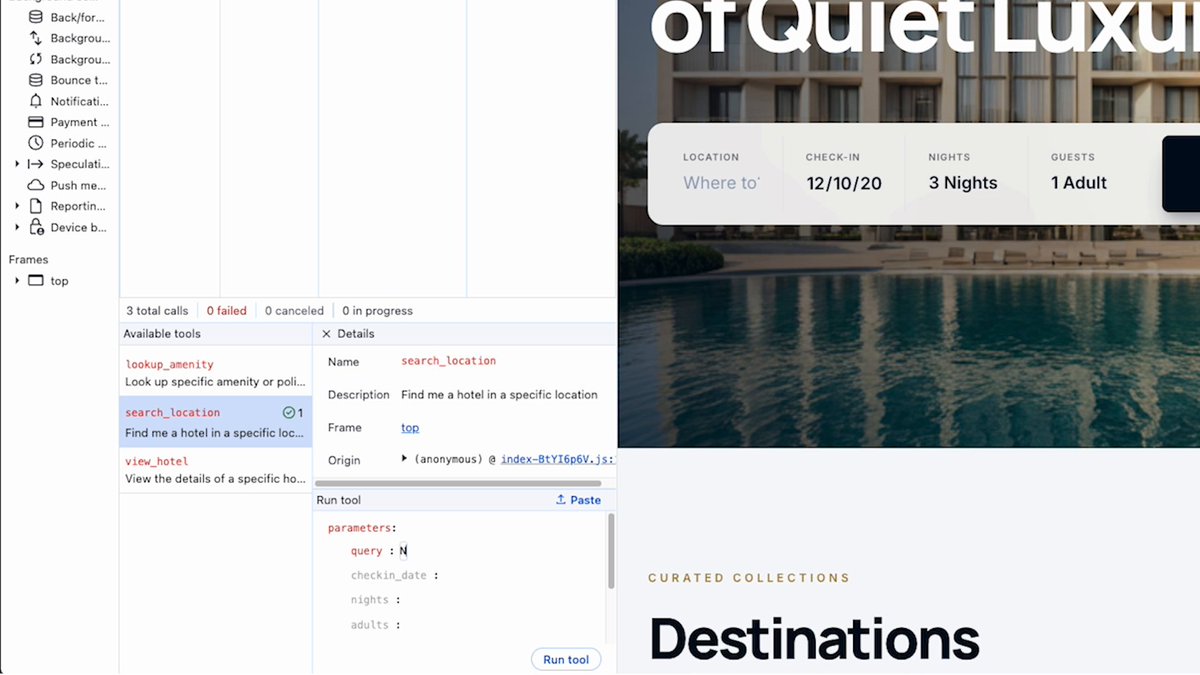
You registered a WebMCP tool, but does the browser actually see it with the name, description…

Chrome for Developers
Visit on X@ChromiumDev429K followers
14,449 views
You registered a WebMCP tool, but does the browser actually see it with the name, description, schema, and in the state you intended?
In Chrome DevTools, Application > WebMCP shows the tools your page exposes and lets you test them.
Kasper walks you through it ⤵️
2 Comments
Comments from the original post on X (Twitter)

@AgentikHQ
@kaskulikowski we've lost real hours to tool descriptions that looked fine in code and reached the model truncated, or with a required field missing from the schema. Seeing what the page actually exposes would have saved most of that
1 like

@woosal1337
fun detail from the docs. webmcp has no unregister call, you pass an abortsignal when you register and abort it when the route changes. this pane is the easy way to check the tool really went away on an spa route change. and the consequential hint is the one to set on anything that pays or deletes, so the agent asks first.
1 like